
소개
This user manual provides detailed instructions for the setup, operation, maintenance, and troubleshooting of your iFFALCON 43K71 4K Ultra HD Smart Android LED TV. Please read this manual thoroughly before using the television and retain it for future reference.

이미지: 앞면 view of the iFFALCON 43K71 4K Ultra HD Smart Android LED TV, showcasin슬림한 디자인과 선명한 디스플레이가 특징입니다.
안전 정보
화재, 감전 또는 부상을 예방하기 위해 항상 다음 안전 수칙을 준수하십시오.
- TV를 비나 습기에 노출시키지 마세요.
- 적절한 환기를 확보하세요. 환기구를 막지 마세요.
- TV와 함께 제공된 전원 코드만 사용하세요.
- TV 케이스를 열지 마십시오. 모든 수리는 자격을 갖춘 전문가에게 맡기십시오.
- TV를 직사광선, 열원, 강한 자기장으로부터 멀리하세요.
- TV를 안정적이고 평평한 곳에 놓거나 벽에 단단히 고정하십시오.
상자 안에 무엇이 들어있나요?
포장을 풀 때 모든 구성품이 들어 있는지 확인하세요.
- 1 x iFFALCON 43K71 LED TV
- 1 x 리모컨(AAA 배터리 2개 포함)
- 2 x Table Stand components
- 1 x 사용자 설명서
- 1 x 보증 카드
- 1 x 오디오 케이블
설정
1. 물리적 설치
You can install your TV using the included table stands or by wall-mounting (wall mount bracket sold separately).
테이블 스탠드 설치:
- 화면 손상을 방지하려면 부드럽고 평평한 표면에 TV를 뒤집어서 조심스럽게 놓으세요.
- Attach the two table stand components to the designated slots on the bottom of the TV using the provided screws. Ensure they are securely fastened.
- TV를 조심스럽게 들어 올려 안정적이고 평평한 표면에 똑바로 세우십시오.
벽 장착 설치:
For wall mounting, consult a professional installer. Ensure the wall mount bracket is compatible with the TV's VESA mounting pattern and can support the TV's weight (approximately 6.9 kg).

이미지: 상단 view of the iFFALCON 43K71 TV, showing its slim profile 그리고 부착 지점을 세웁니다.
2. 초기 전원 켜기 및 네트워크 연결
- 전원 코드를 TV에 연결한 다음 전원 콘센트에 연결하세요.
- TV의 전원 버튼이나 리모컨을 눌러 TV를 켜세요.
- 화면의 지시에 따라 언어 선택, 국가, 네트워크 연결(Wi-Fi 또는 이더넷)을 포함한 초기 설정을 완료하세요.
- Google 계정으로 로그인하여 Android TV 기능을 이용하고 앱을 다운로드하세요.
TV 조작하기
원격 제어
The supplied remote control allows you to navigate the TV's interface and access various functions.
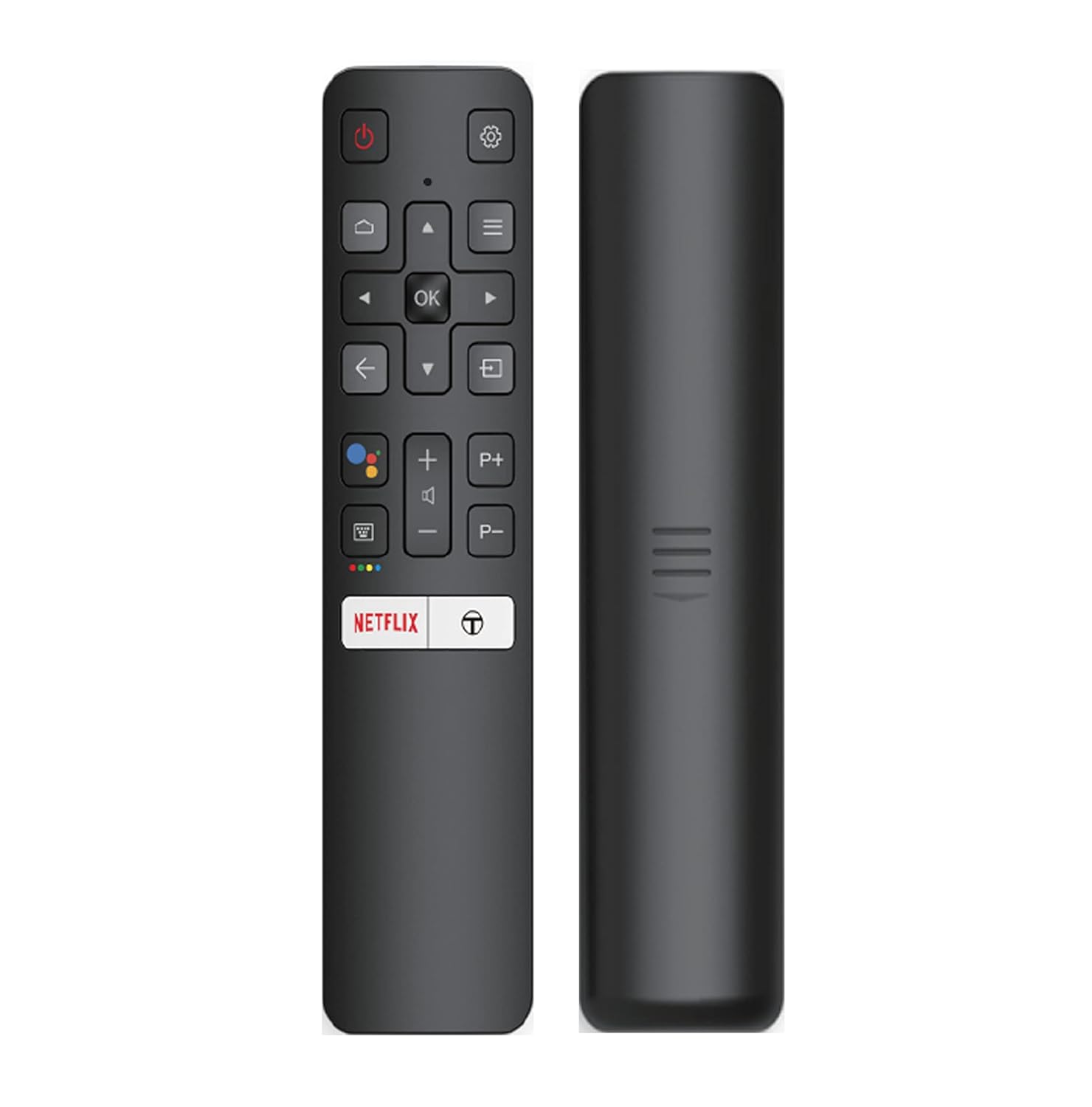
Image: The iFFALCON 43K71 remote control, featuring dedicated buttons for Netflix, Amazon Prime Video, Zee5, and Google Assistant.
주요 버튼은 다음과 같습니다.
- 힘: TV를 켜거나 끕니다.
- 탐색(위/아래/좌/우/확인): 메뉴를 탐색하고 선택 사항을 확인합니다.
- 뒤쪽에: 이전 화면으로 돌아갑니다.
- 집: Android TV 홈 화면에 접속합니다.
- 볼륨 +/- : 볼륨을 조정합니다.
- 채널 P+/P-: 채널을 변경합니다.
- 구글 어시스턴트: 음성 제어를 활성화합니다.
- Netflix, Prime Video, Zee5: 스트리밍 서비스 바로가기 버튼.
스마트 TV 기능 (안드로이드 TV)
Your iFFALCON 43K71 TV runs on Android 9.0, providing access to a wide range of applications and smart functionalities.

Image: The Android TV home screen on the iFFALCON 43K71, displaying various streaming apps like Netflix, YouTube, and Prime Video.
- 앱: Download and install apps from the Google Play Store, including Netflix, YouTube, Prime Video, Disney+Hotstar, and more.
- 핸즈프리 음성 제어: Use the built-in Google Assistant to control your TV, search for content, and manage smart home devices by speaking commands directly to the TV.
- Chromecast 내장: 스마트폰, 태블릿 또는 컴퓨터의 콘텐츠를 TV 화면으로 바로 전송하세요.
- AI-IN: iFFALCON's AI-IN technology integrates with Google Assistant for enhanced smart home connectivity and personalized recommendations.
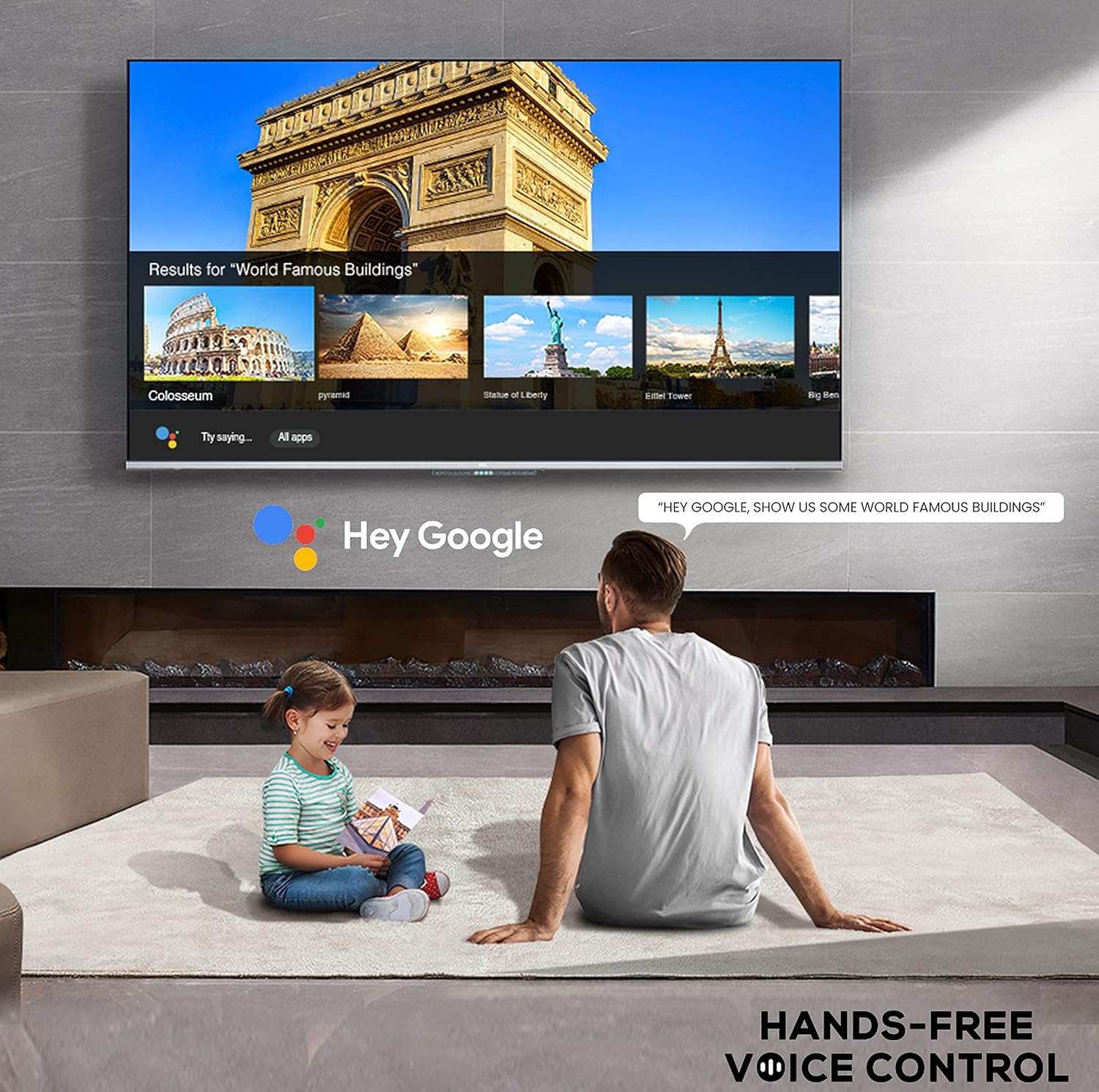
Image: A user interacting with the iFFALCON 43K71 using hands-free voice control, demonstrating the Google Assistant feature.
연결성
TV는 외부 장치를 연결하기 위한 다양한 포트를 제공합니다.
- HDMI 포트(2): Connect set-top boxes, Blu-ray players, gaming consoles, etc.
- USB 포트(1): 미디어 재생을 위해 외장 하드 드라이브와 USB 플래시 드라이브를 연결하세요.
- 블루투스: 무선 헤드폰, 사운드바 또는 기타 블루투스 지원 액세서리를 연결하세요.
- 와이파이: 인터넷 접속을 위해 집의 무선 네트워크에 연결하세요.
- 오디오 케이블 : 외부 오디오 연결용입니다.
영상 및 사운드 설정
화면 및 사운드 설정을 조정하여 최적화하세요. view경험.
- 사진 모드: Select from various preset picture modes (e.g., Standard, Dynamic, Movie, Sport) or customize settings like brightness, contrast, color, and sharpness.
- 4K Ultra HD & HDR 10: Experience stunning detail and vibrant colors with 4K resolution and High Dynamic Range (HDR 10) support.
- 마이크로 디밍: 수백 개의 개별 영역으로 비디오 콘텐츠를 분석하고 밝기와 어두움을 독립적으로 조정하여 대비를 향상시킵니다.
- 사운드 모드: Choose from preset sound modes (e.g., Standard, Music, Movie, Clear Voice) or adjust equalizer settings.
- 돌비 오디오: Enjoy immersive audio with Dolby Audio processing, delivering rich, clear, and powerful sound from the 30 Watts speakers.
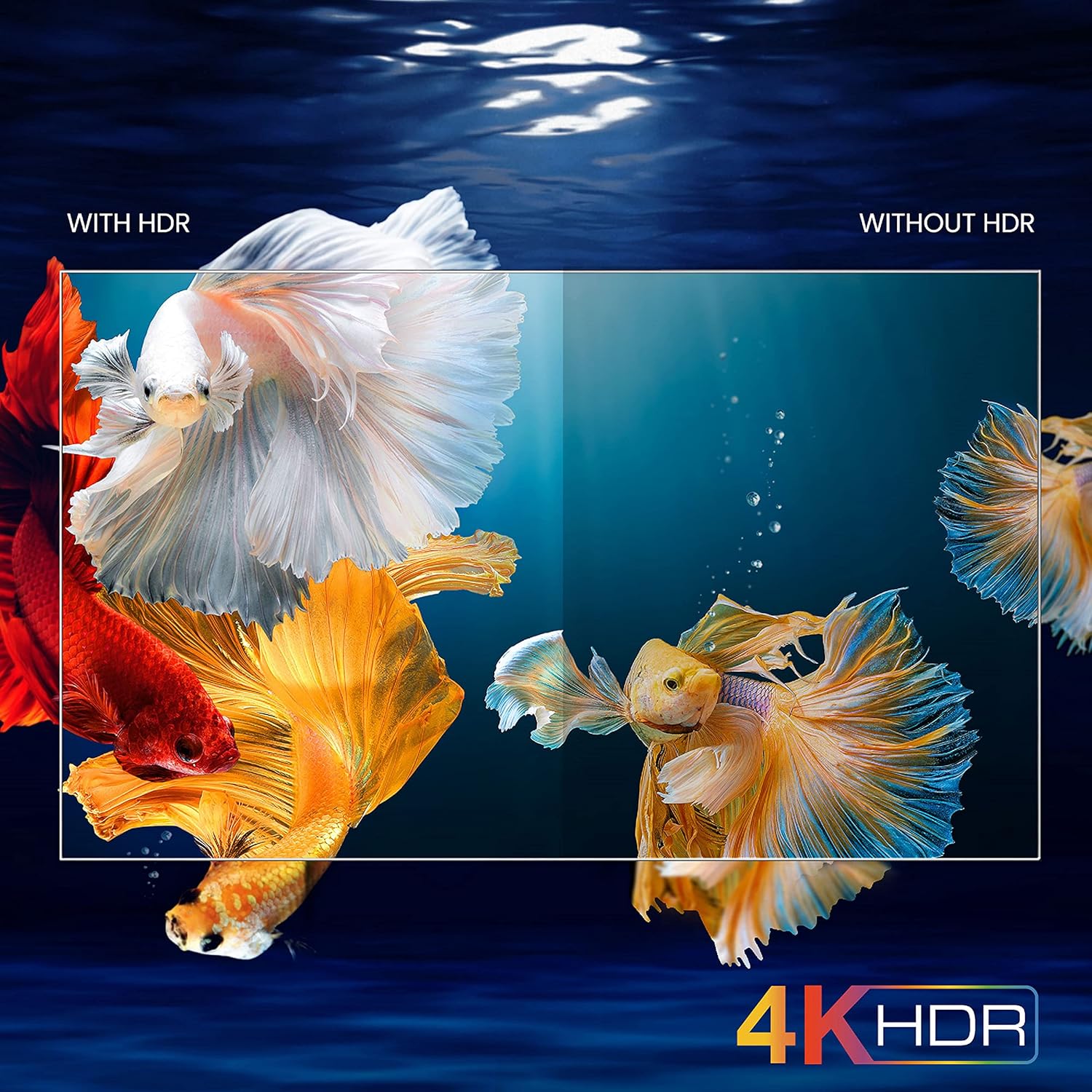
Image: A visual comparison demonstrating the enhanced color and contrast with 4K HDR enabled versus disabled on the iFFALCON 43K71 TV.
유지
청소
- 청소하기 전에는 항상 TV의 플러그를 뽑아 두세요.
- 부드럽고 마른 천을 사용하여 화면과 캐비닛을 닦으세요. 잘 지워지지 않는 얼룩은 가볍게 닦아주세요.amp천에 물이나 부드럽고 연마성이 없는 화면 세척제를 묻힙니다.
- 알코올, 벤젠, 신나 또는 기타 휘발성 물질을 사용하지 마십시오.
소프트웨어 업데이트
The TV may receive software updates periodically to improve performance and add new features. Ensure your TV is connected to the internet to receive these updates automatically or check for them manually in the settings menu.
문제 해결
문제가 발생할 경우, 고객 지원팀에 문의하기 전에 다음의 일반적인 해결 방법을 참조하십시오.
| 문제 | 가능한 해결책 |
|---|---|
| TV가 켜지지 않습니다. | Check if the power cord is securely plugged into the TV and the power outlet. Ensure the power outlet is working. Try pressing the power button on the TV itself. |
| 화면은 나오지 않지만 소리는 나옵니다. | 입력 소스를 확인하세요. 외부 기기가 제대로 연결되었고 전원이 켜져 있는지 확인하세요. TV를 다시 시작해 보세요. |
| 소리는 나지 않지만, 화면은 보입니다. | Check the volume level and ensure the TV is not muted. Verify audio output settings. If using external speakers, check their connections and power. |
| 리모컨이 작동하지 않습니다. | 배터리(AAA 2개)를 교체하세요. 리모컨과 TV IR 센서 사이에 장애물이 없는지 확인하세요. |
| Wi-Fi에 연결할 수 없습니다. | Check your router and modem. Restart them if necessary. Ensure you are entering the correct Wi-Fi password. Try moving the TV closer to the router or using an Ethernet cable. |
| 성능이 느리거나 앱이 충돌합니다. | Close unused applications. Clear cache for problematic apps. Restart the TV. Consider a factory reset as a last resort (this will erase all data and settings). |
명세서
Key technical specifications for the iFFALCON 43K71 TV:
| 특징 | 세부 사항 |
|---|---|
| 모델 | 43K71 |
| 화면 크기 | 43인치(108cm) |
| 해결 | 4K 울트라 HD(3840 x 2160픽셀) |
| 새로 고침 빈도 | 60Hz |
| 운영 체제 | 안드로이드 9.0 |
| 숫양 | 2GB (XNUMX기가바이트) |
| 저장 | 16GB (XNUMX기가바이트) |
| 사운드 출력 | 30 Watts (Dolby Audio Power Speakers) |
| HDMI 포트 | 2 |
| USB 포트 | 1 |
| 연결성 | 와이파이, 블루투스 |
| 치수(길이x너비x높이) | 96 x 4.1 x 55.8cm(스탠드 제외) |
| 품목 무게 | 6.9kg |

Image: Diagram showing the physical dimensions of the iFFALCON 43K71 TV in centimeters and inches.
보증
The iFFALCON 43K71 TV comes with a 1년 보증 provided by the manufacturer from the date of purchase. Please retain your purchase receipt for warranty claims. For detailed terms and conditions, refer to the included Warranty Card.
지원하다
For further assistance, technical support, or service requests, please contact iFFALCON customer service. Contact details can typically be found on the manufacturer's official web사이트나 보증 카드에 적혀 있습니다.
제품 끝view 동영상
비디오: 짧은 사전view 비디오 쇼asing key features and visual enhancements of the iFFALCON 43K71 4K Ultra HD Smart Android LED TV, including 4K HDR, dynamic tone mapping, color enhancement, Android TV interface, and hands-free voice control.