
1. 서론
Thank you for choosing the Crenova Laminator Machine FNL001. This device is designed to protect and preserve your documents, photos, and other materials with a clear, durable laminated finish. This manual provides essential information for the safe and efficient operation, maintenance, and troubleshooting of your laminator. Please read it thoroughly before first use and keep it for future reference.
2. 안전 지침
To ensure safe operation and prevent damage to the laminator or injury, please observe the following safety precautions:
- 기계를 작동하기 전에 모든 지침을 읽으십시오.
- Keep the laminator away from water or other liquids. Do not operate with wet hands.
- Do not touch the hot parts of the machine during or immediately after use.
- Unplug the laminator from the power outlet when not in use or before cleaning.
- 작동 중에는 기기 주변에 적절한 환기가 이루어지도록 하십시오.
- Keep out of reach of children and pets. Adult supervision is required if children are near the device.
- Do not insert objects other than laminating pouches into the machine.
- Use only laminating pouches recommended for this type of machine.
3. 제품 오버view
The Crenova Laminator FNL001 features a compact design with essential controls for efficient lamination.
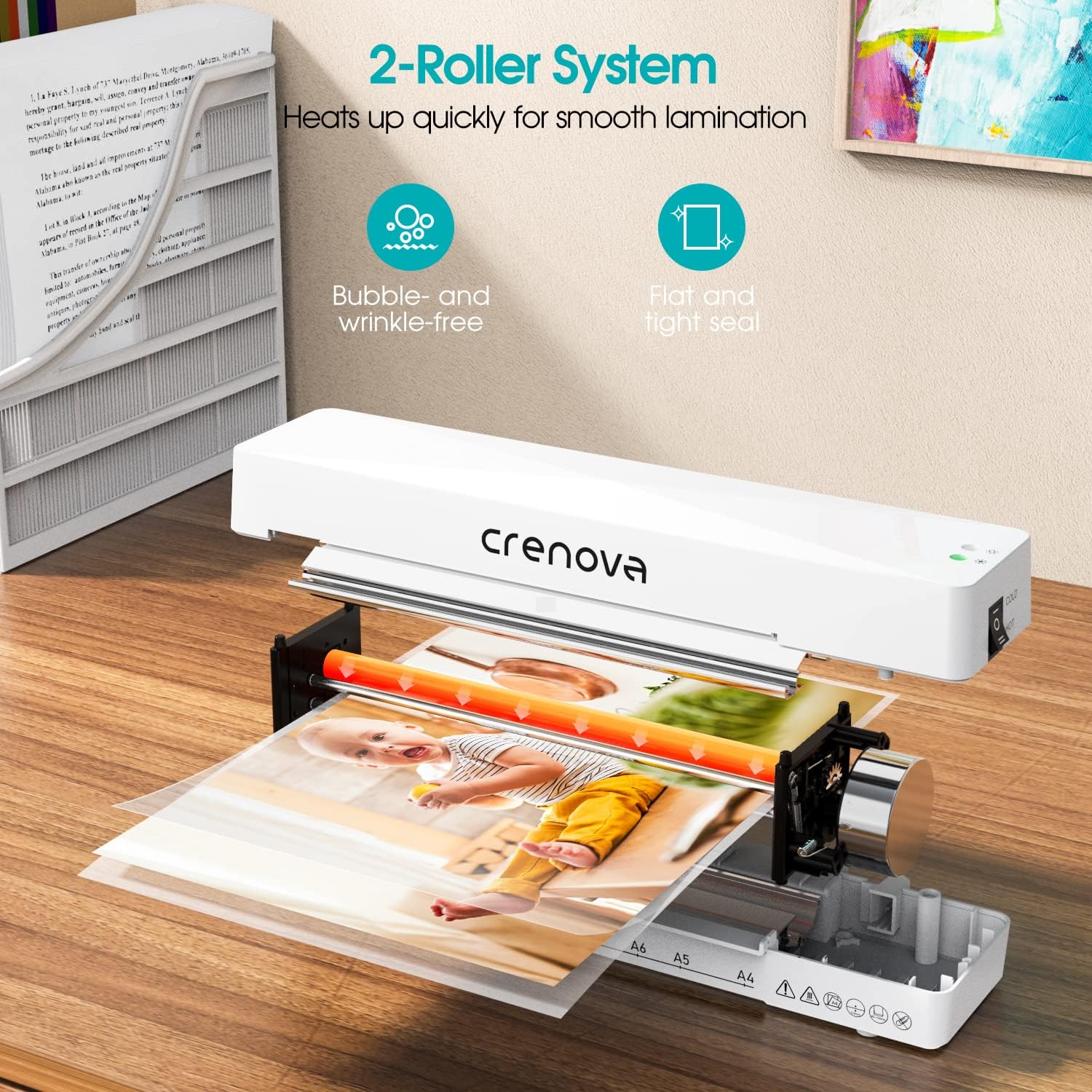
이미지 설명: 내부 view of the Crenova laminator, highlighting its 2-roller system designed for smooth lamination. The image shows a document being fed through the rollers, illustrating the heating process.
- 전원/모드 스위치: Selects between OFF, COLD, and HOT lamination modes.
- 표시등: Illuminates to show power status and readiness for lamination.
- Document Inlet: Where laminating pouches are inserted.
- Document Outlet: Where laminated documents exit.
- Jam Release Lever (ABS): Used to clear misfed or jammed pouches.
4. 설정
- Unpack the laminator and remove all packaging materials.
- Place the laminator on a flat, stable, and heat-resistant surface.
- Ensure there is enough space around the machine for proper ventilation and for documents to exit freely.
- 전원 코드를 표준 전기 콘센트에 꽂으세요.
5. 사용 설명서
Follow these steps for successful lamination:

이미지 설명: A four-panel image illustrating the simple operation of the Crenova laminator. Panel 1 shows switching to HOT or COLD. Panel 2 shows the mode indicator turning green. Panel 3 shows inserting the pouch straight into the inlet. Panel 4 shows the pouch auto-exiting the outlet.
- Step 1: Select Mode. Switch the power button to either 더운 or 추운 mode, depending on your laminating pouch and document type. For most standard documents, use HOT mode. Cold lamination is suitable for heat-sensitive materials or self-adhesive pouches.
- Step 2: Wait for Readiness. If using HOT mode, allow the machine to preheat. The mode indicator light will turn 녹색 when the laminator is ready for use. This typically takes a few minutes.
- Step 3: Prepare Document. Place your document inside a laminating pouch, ensuring it is centered and there is an even border around the edges. Do not overload the pouch.
- Step 4: Insert Pouch. Insert the sealed edge of the laminating pouch straight into the document inlet. The machine will automatically feed the pouch through. Do not force the pouch or insert it at an angle.
- Step 5: Retrieve Laminated Document. The laminated document will exit from the rear outlet. Allow it to cool on a flat surface before handling to ensure a smooth, flat finish.
The Crenova Laminator supports various document sizes up to A4 (230mm / 9 inches wide).

이미지 설명: The Crenova laminator positioned next to various paper sizes (A4, A5, A6, A7) with their dimensions, illustrating the machine's capability to laminate documents up to 230mm (9 inches) wide.

이미지 설명: A visual representation of the Crenova A4 laminator's versatility, showing it can laminate various document types such as certificates, photos, and menus.
6. 유지관리
- 청소: Always unplug the laminator and allow it to cool completely before cleaning. Wipe the exterior with a soft, dry cloth. Do not use abrasive cleaners or solvents.
- 저장: Store the laminator in a clean, dry, and cool place when not in use.
- 롤러 청소: 주기적으로 라미네이터에 청소용 시트(별매)를 넣어 롤러에 남아 있는 접착제 잔여물을 제거하십시오.
7. 문제 해결
라미네이터에 문제가 발생하면 다음의 일반적인 문제와 해결 방법을 참조하세요.
Paper Jam Release

이미지 설명: A three-panel image demonstrating the paper jam release process. Panel 1 shows switching the laminator off. Panel 2 shows pushing and holding the ABS lever. Panel 3 shows pulling the jammed pouch out.
- Step 1: Switch Off. Immediately turn off the laminator using the power switch.
- Step 2: Engage Release Lever. Locate the ABS (Anti-Blocking System) jam release lever, usually on the side or back of the machine. Push and hold this lever.
- Step 3: Remove Pouch. While holding the lever, carefully pull the misfed or jammed pouch straight out from the inlet or outlet.
- Release the lever and allow the machine to cool before attempting further lamination.
기타 문제
- 라미네이션 품질 불량 (기포, 주름):
- Ensure the laminator has fully preheated (green indicator light).
- Use appropriate pouch thickness for the machine and document.
- Insert the pouch straight and centered.
- Do not laminate multiple items in one pouch if they are too small or unevenly spaced.
- 기계가 켜지지 않음:
- Check if the power cord is securely plugged into both the laminator and the wall outlet.
- 전원 콘센트가 작동하는지 확인하세요.
8. 사양
| 상표 | 크레 노바 |
| 모델 번호 | FNL001 |
| 품목 무게 | 1.94파운드 |
| 패키지 크기 | 13.54 x 6.3 x 3.11 인치 |
| Max Lamination Width | 230mm (A4) |
| Roller System | 2-Roller System |
| Lamination Modes | 뜨겁고 차갑다 |
| ASIN | B08QMMSNBF |
| 첫 번째 이용 가능 날짜 | 3년 2025월 XNUMX일 |
9. 보증 및 지원
For detailed warranty information, please refer to the warranty card included with your product packaging or visit the official Crenova web대지.
If you require technical assistance or have questions not covered in this manual, please contact Crenova customer support. Contact details can typically be found on the manufacturer's web사이트 또는 제품 포장.