
제품 끝view
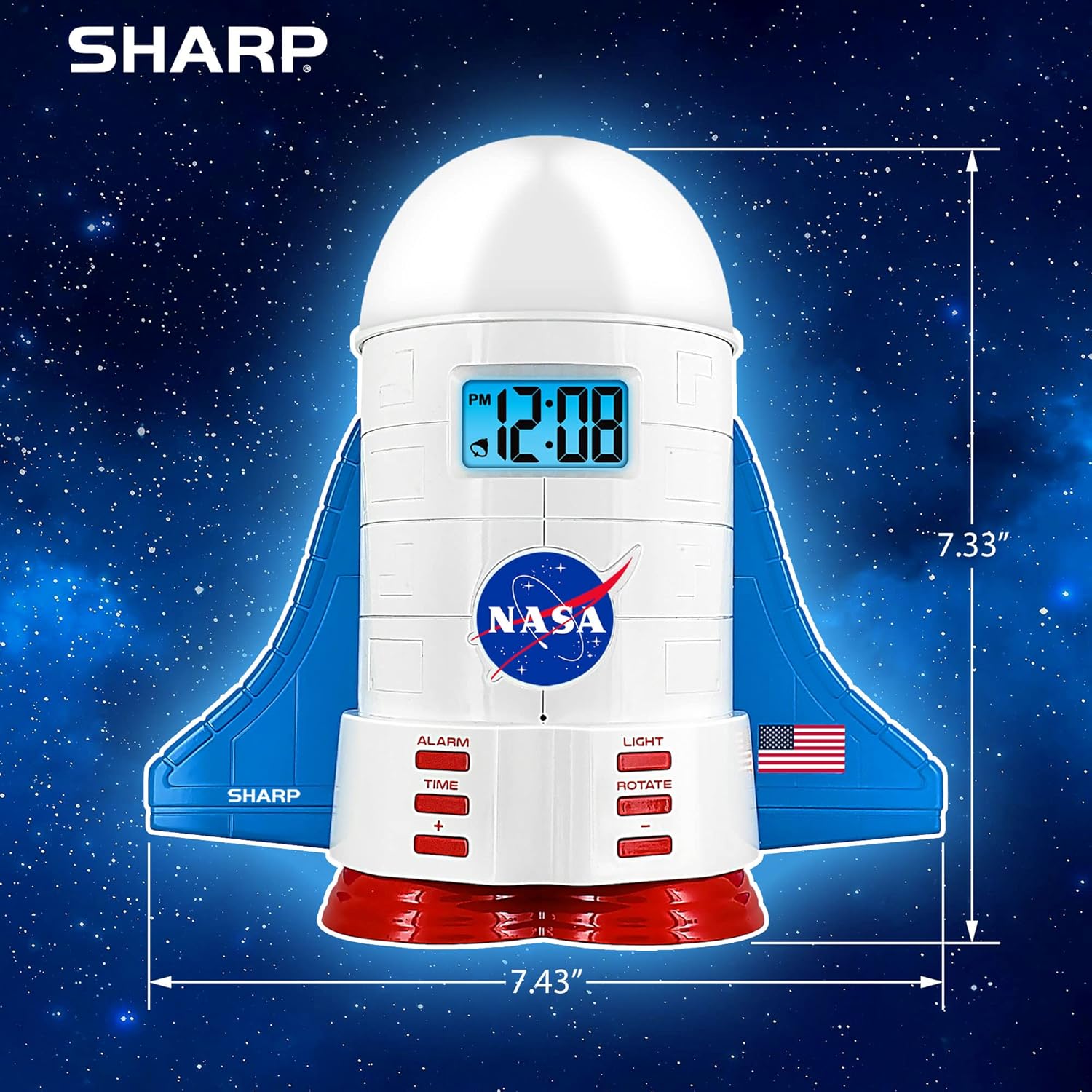
This manual provides instructions for the Sharp NASA Space Shuttle Night Light Alarm Clock. This device combines an alarm clock with a space-themed nightlight and projection feature, designed to enhance a child's bedroom environment.

설정
짐 풀기
- 포장에서 모든 구성 요소를 조심스럽게 제거합니다.
- "구성품" 항목에 나열된 모든 품목이 있는지 확인하십시오.
전원 연결
The alarm clock can be powered via the included electric adapter. For continuous operation of all features, including the nightlight and projection, direct power is recommended.
For battery backup, insert appropriate batteries (not included) into the battery compartment located at the base of the unit. This ensures timekeeping and alarm function during power outag에스.

작동 지침
시간 설정
- 를 누르세요 시간 단추.
- 사용하세요 + 그리고 - 시간과 분을 조정하는 버튼입니다.
- 누르다 시간 다시 확인합니다.
알람 설정
- 를 누르세요 경보 단추.
- 사용하세요 + 그리고 - 원하는 알람 시간을 설정하려면 버튼을 누르세요.
- 누르다 경보 알람을 작동시키려면 다시 누르십시오. 디스플레이에 알람 아이콘이 나타납니다.
스누즈 기능
To temporarily silence the alarm, tap the top of the unit. The alarm will sound again after a short interval.
Nightlight and Projection Features
The unit features light-up wings and a rocket booster base, along with a rotating projection cap.

조명 활성화
를 누르세요 빛 button to cycle through the 4 color options for the wings and booster lights.
Projection Caps
The device includes two interchangeable space-themed projection caps and a frosted nightlight cap. Twist counter-clockwise to attach or remove caps.

회전 투영
를 누르세요 회전하다 button to activate or deactivate the rotation of the projected images.
유지
- Clean the unit with a soft, dry cloth. Avoid abrasive cleaners or solvents.
- Ensure the projection caps are free from dust or smudges for clear image projection.
- Replace batteries in the backup compartment as needed to maintain time settings during power interruptions.
문제 해결
| 문제 | 가능한 원인 | 해결책 |
|---|---|---|
| Clock not displaying time | 전원이 없습니다 | Ensure the electric adapter is securely plugged in. Check battery backup. |
| 알람이 울리지 않음 | Alarm not set or deactivated | Verify alarm time is set and activated (alarm icon visible). |
| Projection unclear or dim | Dust on cap or insufficient darkness | Clean the projection cap. Ensure the room is sufficiently dark for optimal projection. |
| 투영이 회전하지 않음 | Rotate function off | 를 누르세요 회전하다 button to activate the rotation feature. |
명세서
- 상표: 날카로운
- 모델 번호: Sharp NASA e Shuttle Alarm Clock
- 전원: Electric Adapter (Battery backup for timekeeping)
- 광원 유형: 주도의
- Nightlight Colors: 4가지 옵션
- Projection Themes: 2 interchangeable space scenes
- 표시하다: 블루 백라이트 LCD
- 치수: 7.43 x 1.5 x 7.43 인치
- 무게: 1.33파운드
- 재료: 플라스틱
- 특별 기능: Color Changing, Snooze Function, Rotating Projection
보증 및 지원
보증 정보나 기술 지원에 대해서는 제조업체의 공식 웹사이트를 참조하십시오. web사이트를 방문하거나 고객 서비스에 문의하세요.
제조업체: 날카로운
한국어: 049353005447
ASIN: B08PL6K2C5