
Feit Electric CAM/DOOR/WIFI
Feit Electric Smart Video Doorbell Camera User Manual
Model: CAM/DOOR/WIFI
Always know who is at the door with the Feit Electric CAM/DOOR/WIFI smart doorbell camera.
소개
The Feit Electric Smart Video Doorbell Camera provides enhanced home security and convenience. This manual will guide you through the installation, setup, and operation of your new doorbell camera, ensuring you can utilize all its features effectively.
With 1080p HD video, two-way audio, motion detection, and night vision, you can monitor your home's entrance from anywhere using the Feit Electric mobile app.
무엇이 포함됩니까?
패키지에 모든 구성품이 들어 있는지 확인하세요.
- Feit Electric Smart Video Doorbell Camera
- 무선 차임
- Mounting Hardware (screws, anchors, wire extenders, wire terminal block)
- USB 케이블
- 재설정 도구

Image: All components included with the Feit Electric Smart Video Doorbell Camera.
설정
1. 설치 전 고려 사항
- 전원: The doorbell camera is hardwired and requires a 12-24V AC power source. Ensure power is turned off at the circuit breaker before beginning installation.
- Wi-Fi 네트워크 : The camera connects directly to your 2.4 GHz Wi-Fi network. Ensure you have your Wi-Fi network name and password ready.
- Micro SD Card (Optional): For local storage and playback of video, a Micro SD card (up to 128GB, not included) can be inserted into the slot on the camera before mounting.
2. 물리적 설치
- 전원 끄기: Before any wiring, shut off the power to your existing doorbell at the circuit breaker or fuse box. This is crucial for safety.
- 장착 판 : Feed your existing doorbell wires through the center of the mounting plate. Align the mounting plate with the wall and mark the screw positions with a pencil. If installing into drywall, insert the provided mounting anchors.
- 안전한 장착 플레이트: Use the mounting screws to firmly attach the mounting plate to the wall.
- 와이어 연결: Attach your doorbell wires to the external power port on the back of your smart video doorbell. Use the provided wire extenders and wire terminal block if your existing doorbell wires are too short. Tighten the terminal screws with a screwdriver.
- 마운트 도어벨: Secure the doorbell camera onto the mounted plate.

Image: Step-by-step illustration of replacing a wired doorbell with the Feit Electric Smart Video Doorbell Camera.
3. 앱 설정 및 페어링
Follow these steps to connect your doorbell camera to the Feit Electric app:
- 앱 다운로드: Download the free Feit Electric app from the App Store (iOS) or Google Play Store (Android).

Image: Instructions to download the Feit Electric app for smartphone control.
- 등록/로그인: 앱을 열고 새 계정을 등록하거나 이미 계정이 있다면 로그인하세요.
- 장치 추가: In the app, select your location and tap 'Add Device' or the '+' icon in the upper right corner. Choose 'Security & Cameras' then 'Doorbell'.
- 기기 초기화(필요한 경우): If the LED indicator on your doorbell is not blinking red, use the included reset tool to press and hold the reset button for at least 5 seconds until you hear an audible tone. The LED should then blink red, indicating it's ready for connection.
- Wi-Fi에 연결: Confirm your device is blinking red in the app. Ensure your phone is connected to a 2.4 GHz Wi-Fi network.
- QR 코드 페어링: The app will generate a QR code. Hold your phone approximately 6-12 inches away from the doorbell camera with the QR code clearly visible on the screen. Wait for the connection tone from the doorbell.
- 연결 확인: Once you hear the beep, press 'I heard the beep' in the app. The app will begin pairing the camera. Upon successful connection, you will receive a confirmation screen. Press 'Done'.
Video: Official Feit Electric guide on setting up the Smart Doorbell Camera, including SD card insertion, mounting, wiring, and app pairing via QR code.
작동 지침
Once your Feit Electric Smart Video Doorbell Camera is set up, you can access and control its features through the Feit Electric app:
- Live Video and Motion Alert: Get instant alerts on your smartphone when motion is detected. Use the app for a live view of your doorstep anytime.

Image: Illustrates the 30-foot motion detection and night vision range of the doorbell camera.
- 양방향 오디오 : Converse in real-time with visitors using the built-in microphone and speaker.

Image: Demonstrates the two-way audio communication feature through the Feit Electric app.
- 1080p HD Video & Night Vision: Enjoy clear, high-definition video. The integrated IR sensor provides visibility even in low-light conditions or complete darkness.
- 로컬 스토리지: Recorded events can be stored on an onboard Micro SD card (up to 128GB, sold separately). You can download videos wirelessly through the Feit app. No monthly fees or subscriptions are required for storage.
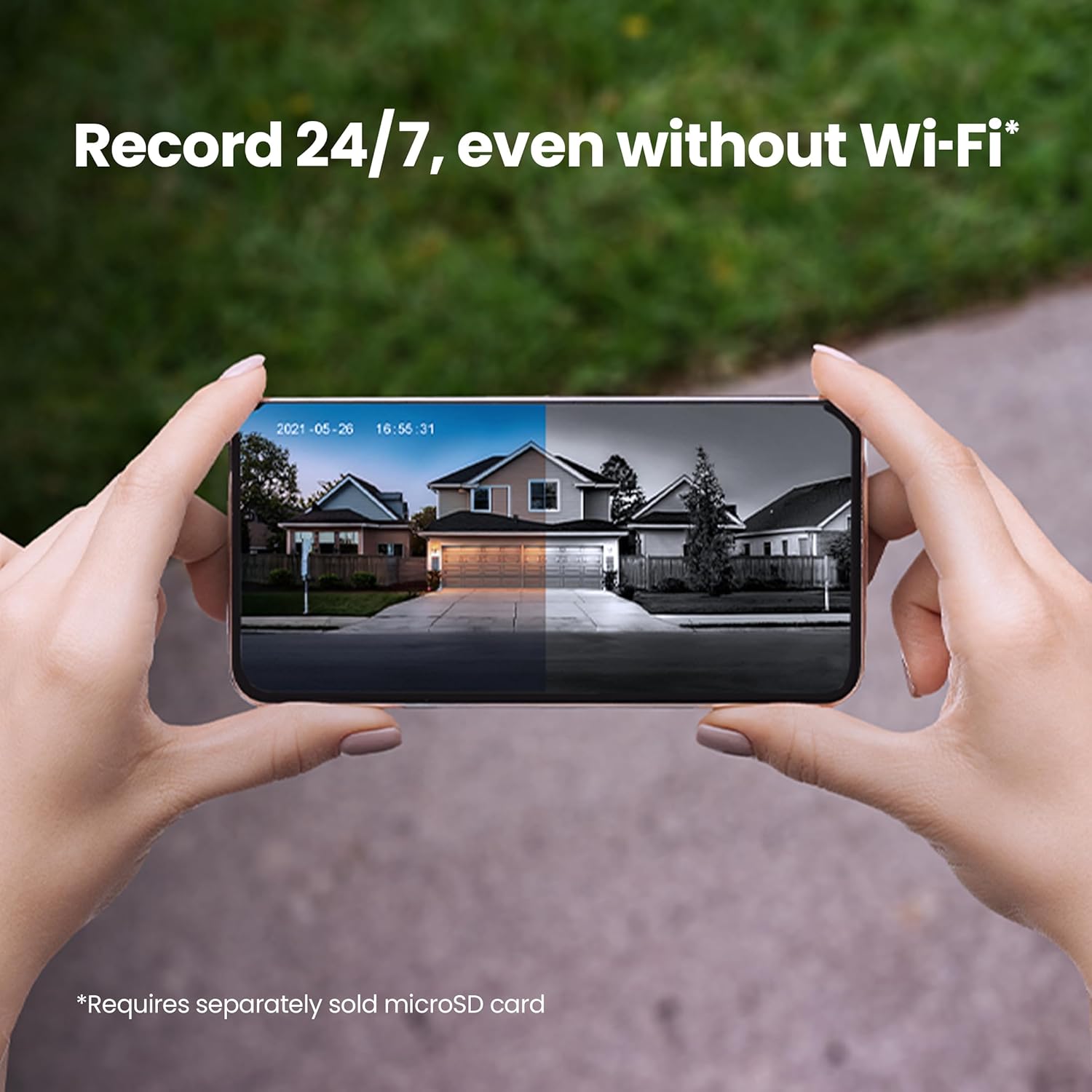
Image: Shows the 24/7 recording capability of the doorbell camera with a microSD card.
- 스마트 기능: The Feit Electric app allows for remote access, grouping of devices, scheduling, and device sharing.

이미지: 이상view of key smart camera features like 1080p HD video, two-way audio, and motion detection.
- 음성 제어: Works with Alexa or Hey Google when connected through your Feit app.

Image: Demonstrates compatibility with voice assistants like Alexa and Google Home.
Video: Official Feit Electric overview of the 1080p HD Doorbell WiFi Smart Security Camera's features, including two-way audio, night vision, and app integration.
유지
To ensure optimal performance and longevity of your Feit Electric Smart Video Doorbell Camera, consider the following maintenance tips:
- 정기 청소: 카메라 렌즈와 초인종 외부를 주기적으로 부드러운 천으로 닦아주세요.amp cloth to remove dust, dirt, or smudges. Avoid abrasive cleaners.
- 소프트웨어 업데이트: Keep your Feit Electric app and doorbell firmware updated to the latest versions. Updates often include performance improvements, new features, and security enhancements. Check the app regularly for update notifications.
- 배선 확인: Occasionally inspect the wiring connections to ensure they remain secure and free from corrosion or damage.
- 날씨 보호: While the doorbell is weather-resistant (IP65 rated), extreme weather conditions can impact performance. Ensure it is installed in a location that offers some protection from direct, prolonged exposure to heavy rain or snow if possible.
문제 해결
If you encounter issues with your Feit Electric Smart Video Doorbell Camera, try the following troubleshooting steps:
- 전원 없음/응답 없음:
- Ensure the power at the circuit breaker is ON.
- Verify that the doorbell wires are securely connected to the external power port.
- Confirm your power source is within the 12-24V AC range.
- Cannot Connect to Wi-Fi/Offline:
- Wi-Fi 네트워크가 2.4GHz 대역인지 확인하십시오. 이 초인종은 5GHz 대역을 지원하지 않습니다.
- Check your Wi-Fi signal strength at the doorbell's location. Move your router closer or consider a Wi-Fi extender if the signal is weak.
- Perform a factory reset on the doorbell (press and hold the reset button for 5 seconds until an audible tone is heard and the LED blinks red), then attempt the app pairing process again.
- Wi-Fi 라우터를 다시 시작하세요.
- 동작 감지 문제:
- Adjust the motion sensitivity settings within the Feit Electric app.
- 카메라를 가리는 장애물이 없는지 확인하십시오. view.
- Consider the placement of the doorbell to avoid false alerts from passing cars or swaying trees.
- 양방향 오디오 문제:
- Check your phone's volume settings and ensure the microphone is enabled for the Feit Electric app.
- Ensure a stable internet connection for both your phone and the doorbell.
- Doorbell Chimes Constantly/Doesn't Chime:
- Verify the chime type setting in the Feit Electric app (mechanical or electronic).
- Ensure proper wiring to your existing chime unit.
명세서
| 특징 | 사양 |
|---|---|
| 모델 번호 | 캠/도어/와이파이 |
| 비디오 해상도 | 1080p HD |
| 연결성 | 2.4GHz Wi-Fi |
| 전원 | Hardwired (12-24V AC) |
| 오디오 | 양방향 오디오 |
| 나이트 비전 범위 | 30 피트 |
| 동작 감지 | 예 |
| 저장 | 마이크로 SD 카드(최대 128GB, 별도 구매) |
| 내후성 | IP65 |
| 치수(길이 x 너비 x 높이) | 4.5 x 1.8 x 1 인치 |
| 품목 무게 | 7.8 온스 |
| 한국어: | 017801722239 |
보증 및 지원
Your Feit Electric Smart Video Doorbell Camera comes with a 1년 보증 구매일로부터. 이 보증은 정상적인 사용 하에서 재료 및 제조상의 결함을 포함합니다.
For 24/7 customer support, technical assistance, or warranty claims, please contact Feit Electric directly:
- Web대지: help.feit.com
- 이메일: info@feit.com
- 무료 전화: 1-866-326-BULB

Image: Feit Electric customer support contact information and QR code for quick access to help.
Ask a question about this manual
Ask about setup, troubleshooting, compatibility, parts, safety, or missing instructions. Manuals+ will review the question and use this page’s manual context to help answer it.