
Petcube CC10US
펫큐브 캠 사용 설명서
Model: CC10US | Brand: Petcube
1. 서론
The Petcube Cam is an indoor Wi-Fi pet security camera designed to help you monitor your pets and home 24/7. It offers high-quality video, two-way audio, and smart alerts to keep you connected to your furry companions.
주요 특징은 다음과 같습니다.
- Vivid 1080p HD Video & 30-ft Night Vision: Monitor your pets with a 110° wide-angle view and 8x digital zoom, even in low-light conditions.
- Crystal-Clear 2-Way Audio: Communicate with your pets remotely, alleviating separation anxiety and reinforcing positive behavior.
- AI-Powered Live Motion & Sound Alerts: Receive instant notifications for human and pet identification, barking, meowing, and other activities.
- Video History & Easy Downloads: With an optional Petcube Care subscription, replay up to 90 days of activity and save your favorite moments.

Image: The Petcube Cam devices and the accompanying mobile application interface.
2. 설정 가이드
Setting up your Petcube Cam is a quick and straightforward process. Please follow these steps:
- Download the Petcube App: 검색 'Petcube' in your smartphone's app store (available for iOS and Android).
- 카메라 전원 켜기: Plug the Petcube Cam into a power outlet using the provided USB cable and power adapter. The indicator light on the camera will begin to flash.
- Wi-Fi에 연결: Open the Petcube app and follow the on-screen instructions to connect your camera to your home Wi-Fi network. Ensure you are connecting to a 2.4GHz Wi-Fi network, as the camera does not support 5GHz Wi-Fi.
- 놓기: Position your Petcube Cam in a location that provides the best view of your pet's activity. The camera features flexible mounting options for various surfaces.
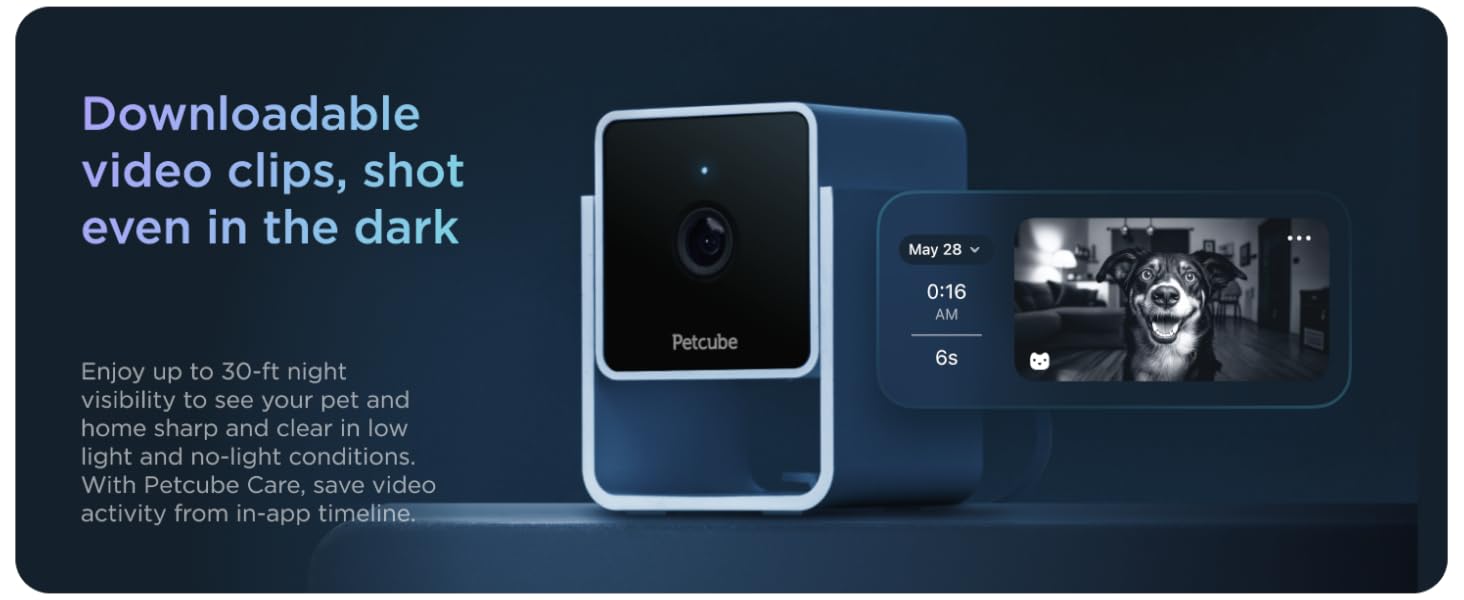
Image: Step-by-step guide within the Petcube app for initial camera setup.

Image: The Petcube Cam demonstrating its flexible mounting capability on a shelf.
3. Operating Your Petcube Cam
3.1 실시간 영상 모니터링
Access live 1080p HD video from your Petcube Cam anytime, anywhere, directly from your smartphone. The camera offers a 110-degree wide-angle view and 8x digital zoom, allowing you to see more of your pet's environment.

Image: Live 1080p HD video monitoring of your pet.
3.2 양방향 오디오
Engage with your pets using the crystal-clear two-way audio feature. You can speak to them through the camera's speaker and hear their responses, such as barks or meows, through your phone's microphone. This feature is useful for comforting your pet or deterring unwanted behavior.

Image: Utilizing two-way audio to communicate with your pet.
3.3 스마트 알림
The Petcube Cam utilizes AI-powered technology to provide tailored instant sound and motion alerts. These alerts can identify humans and pets, notifying you of significant activity in your home. Customize alert sensitivity and types within the Petcube app.

Image: Smart alerts with AI-powered human and pet recognition.
3.4 야간 투시경
The camera is equipped with 30-ft night vision, ensuring clear visibility of your pets and home even in complete darkness. This feature automatically activates in low-light conditions.

Image: Clear night vision capability of the Petcube Cam.
3.5 Video History and Downloads (Petcube Care)
For extended video history and advanced features, consider subscribing to Petcube Care. This optional service allows you to replay up to 90 days of pet cam activity, save your favorite moments, and access smart alerts and a web 인터페이스.
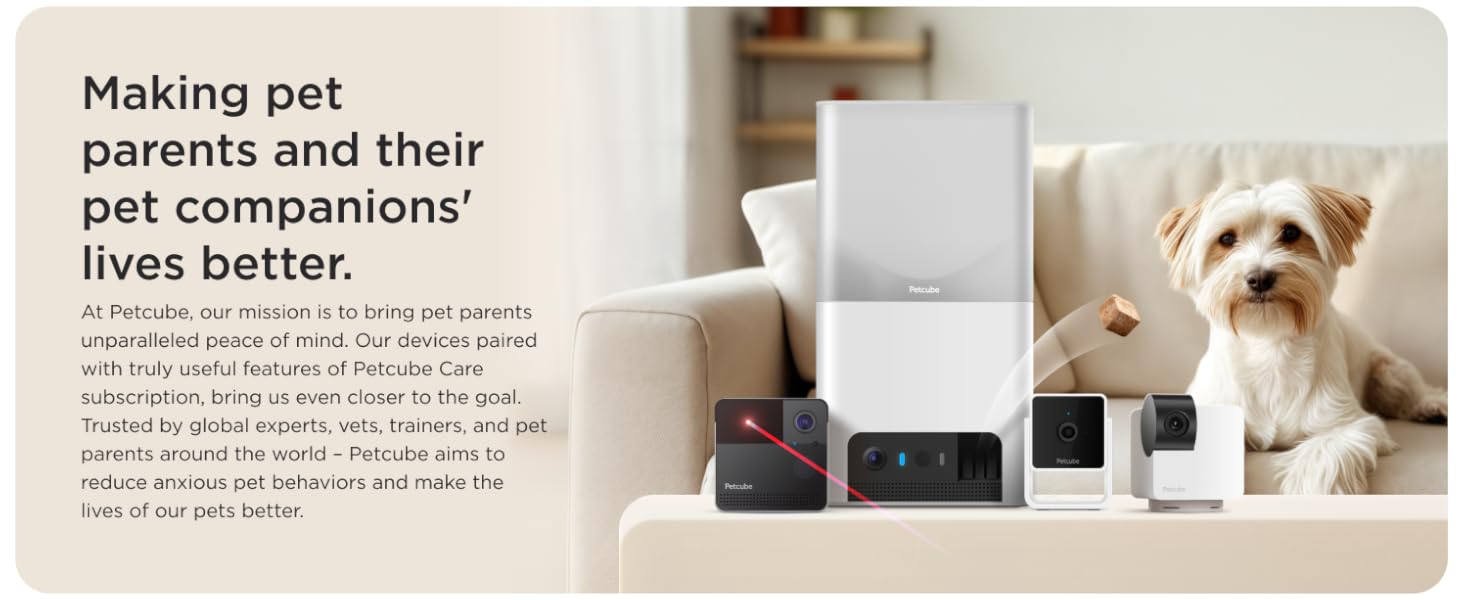
Image: In-app filters and video history features available with Petcube Care.
4. 유지관리
To ensure the longevity and optimal performance of your Petcube Cam, follow these maintenance guidelines:
- 청소: Use a soft, dry cloth to clean the camera lens and body. Avoid using liquid cleaners or abrasive materials, as they may damage the device.
- 놓기: Ensure the camera is placed in a stable location, away from direct sunlight, heat sources, and moisture. It is designed for indoor use only.
- 소프트웨어 업데이트: Keep your Petcube app and camera firmware updated to the latest versions to benefit from new features and security enhancements. Updates are typically managed through the app.
5. 문제 해결
If you encounter issues with your Petcube Cam, refer to the following common troubleshooting tips:
- 카메라 오프라인: Check your Wi-Fi connection. Ensure the camera is within range of your 2.4GHz Wi-Fi router. Try restarting your router and the camera by unplugging it for 10 seconds and plugging it back in.
- 낮은 비디오 품질: Verify your internet speed. A stable and fast internet connection is crucial for high-quality streaming. Ensure the camera lens is clean and free from dust or smudges.
- 오디오 문제: Check the microphone and speaker settings within the Petcube app. Ensure volume levels are adequate and there are no obstructions blocking the microphone or speaker on the camera.
- 앱 연결 문제: Close and reopen the Petcube app. If the issue persists, try reinstalling the app.
- 카메라 재설정: If other troubleshooting steps fail, you may need to perform a factory reset. Refer to the in-app help or the official Petcube support website for specific instructions on how to reset your model.
6. 사양
| 특징 | 세부 사항 |
|---|---|
| 실내/실외 사용 | 실내 |
| 호환 장치 | 스마트폰 |
| 전원 | 코드식 전기 |
| 연결 프로토콜 | Wi-Fi(2.4GHz만 해당) |
| 컨트롤러 유형 | 안드로이드, iOS |
| 장착 유형 | 탁상 마운트 |
| 색상 | 캠 |
| 항목 수 | 1 (per camera unit) |
| 포함된 구성 요소 | Petcube Cam, USB cable, Petcube power adapter, tape, Quick start guide |
| 폼 팩터 | 상자 |
| View잉 각도 | 110도 |
| 나이트 비전 범위 | 30 피트 |
| 품목 치수(L x W x H) | 2.13 x 2.39 x 3.22 인치 |
| 품목 무게 | 1.52파운드 |
| 모델명 | Petcube Cam |
| 한국어: | 854592007356 |
7. 보증 및 지원
Petcube products are designed for reliability and performance. For detailed information regarding your product's warranty, please refer to the warranty card included in your product packaging or visit the official Petcube web대지.
For technical support, troubleshooting assistance, or any inquiries not covered in this manual, please contact Petcube Customer Support through the Petcube app or their official website. You can also find additional resources, including a PDF user guide, on the product's Amazon page or the Petcube support portal.
사용자 가이드(PDF): 여기에서 다운로드하세요
Ask a question about this manual
Ask about setup, troubleshooting, compatibility, parts, safety, or missing instructions. Manuals+ will review the question and use this page’s manual context to help answer it.