
BURNNOVE SM35PTZ 3.5-inch Wireless Video Baby Monitor
모델: SM35PTZ
소개
Thank you for choosing the BURNNOVE SM35PTZ 3.5-inch Wireless Video Baby Monitor. This device is designed to help you monitor your baby with ease and peace of mind. It features a 3.5-inch LCD screen, remote pan and tilt camera, two-way communication, night vision, ECO mode, temperature monitoring, and built-in lullabies. This manual provides essential information for safe operation and optimal performance.
본 제품을 사용하기 전에 이 설명서를 꼼꼼히 읽고 나중에 참조할 수 있도록 보관하십시오.

Image: The BURNNOVE SM35PTZ baby monitor system, showcasing its key features such as 300m range, two-way intercom, 2x zoom, night vision, temperature display, ECO mode, lullabies, and multi-camera support.
패키지 내용
포장을 풀 때 모든 품목이 모두 들어 있고 양호한 상태인지 확인하세요.
- Baby Monitor Camera (Baby Unit)
- Baby Monitor (Parent Unit)
- AC Power Adapters (2 units)
- Screw Set (for wall mounting)
제품 끝view
The BURNNOVE SM35PTZ system consists of two main units: the Baby Unit (camera) and the Parent Unit (monitor). The system operates on a secure 2.4GHz FHSS wireless connection, ensuring privacy and reliability without requiring Wi-Fi or a smartphone application.

Image: The BURNNOVE SM35PTZ Parent Unit (left) and Baby Unit (right), showing their compact design.
상위 유닛(모니터)
- 3.5인치 컬러 LCD 화면
- Control buttons for camera functions, volume, and menu navigation
- Built-in microphone and speaker for two-way communication
- 휴대성을 위한 충전식 배터리
베이비 유닛(카메라)
- High-resolution camera with infrared LEDs for night vision
- Motorized pan (355°) and tilt (120°) for remote adjustment
- 내장 마이크 및 스피커
- 온도 센서
- 전원 표시등 LED

Image: This monitor operates on a secure 2.4GHz FHSS connection, requiring no Wi-Fi or smartphone application for operation.
설정
1. 부모 장치 충전
- Connect one of the provided AC power adapters to the Parent Unit's charging port.
- Plug the adapter into a power outlet. The battery indicator on the screen will show charging status.
- For optimal battery life, charge the Parent Unit for at least 8 hours before first use.
2. 베이비 유닛 전원 공급
- Connect the second AC power adapter to the Baby Unit's power port.
- Plug the adapter into a power outlet. The Baby Unit does not have an internal battery and must remain plugged in during operation.
3. 아기 모니터(카메라) 위치 조정
- 아기용 유닛을 깨끗한 곳에 놓으세요. view of your baby, such as on a dresser or shelf. Ensure it is at least 1 meter (3 feet) away from your baby to avoid potential hazards.
- Avoid placing the camera near other electronic devices that may cause interference.
- The camera can also be wall-mounted using the provided screw set.
4. 초기 전원 켜기 및 페어링
- 부모 장치의 전원 버튼을 길게 눌러 전원을 켭니다.
- The Baby Unit will automatically power on when plugged in.
- The units are pre-paired at the factory. If the connection is lost or you are adding a new camera, refer to the "Adding/Managing Multiple Cameras" section for pairing instructions.
작동 지침
부모 장치 제어
Familiarize yourself with the buttons on the Parent Unit for easy operation:
- 전원 버튼: Press and hold to turn on/off. Press briefly to turn the screen on/off.
- 볼륨 버튼: 청취 볼륨을 조정합니다.
- 메뉴 버튼: Access settings and features.
- 확인 버튼: Confirm selections in the menu.
- 탐색 버튼: Move through menu options and control camera pan/tilt.
- 대화 버튼: 길게 누르면 아기에게 말을 할 수 있습니다.
- 줌 버튼: Activate 2x digital zoom.
Camera Pan, Tilt, and Zoom
From the Parent Unit, you can remotely adjust the camera's view:
- 사용하세요 탐색 버튼 (Up/Down/Left/Right) to pan the camera horizontally (355°) and tilt it vertically (120°).
- 를 누르세요 줌 버튼 to activate 2x digital zoom, allowing a closer look at your baby.

Image: The baby unit camera offers 355° horizontal pan and 120° vertical tilt, controllable from the parent unit. The system supports up to four cameras.

Image: The 3.5-inch color screen provides a clear view, with a 2x digital zoom function to see your baby more closely.
양방향 대화
To comfort your baby or communicate with someone in the nursery:
- 를 누르고 계세요 토크 버튼 상위 단위에서.
- Speak clearly into the microphone on the Parent Unit. Your voice will be transmitted to the Baby Unit.
- 아기의 목소리를 다시 들으려면 버튼에서 손을 떼십시오.
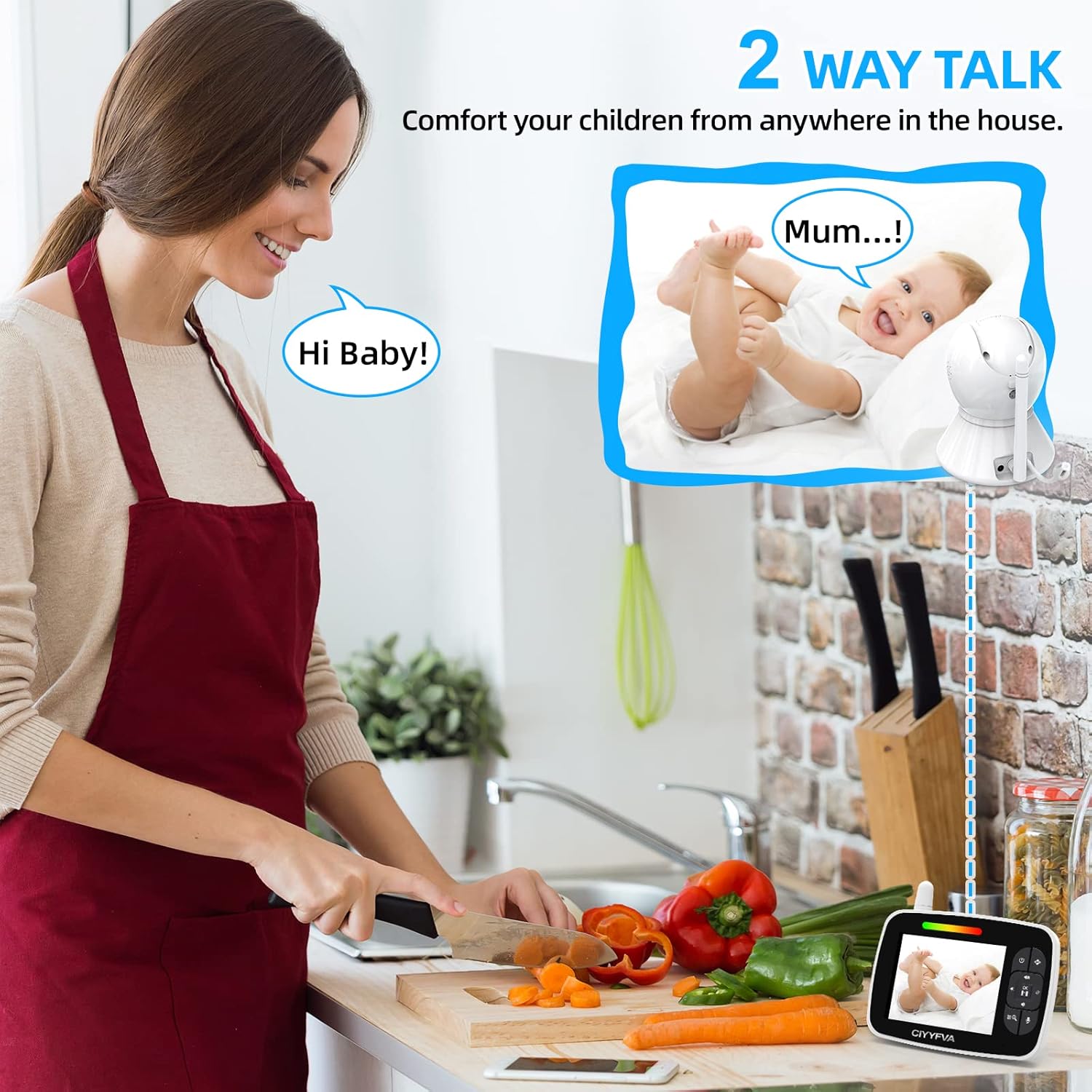
Image: The two-way talk feature allows parents to communicate with their baby from anywhere in the house.
ECO 모드(전력 절약)
The ECO mode helps conserve battery power on the Parent Unit:
- Activate ECO mode through the Parent Unit's menu.
- In ECO mode, the screen and audio transmission will automatically turn off when the baby's room is quiet.
- The monitor will automatically reactivate (screen and audio turn on) when it detects sound from the baby's room.

Image: ECO mode intelligently conserves power by turning off the screen and audio when the room is quiet, and reactivating upon detecting sound.
자장가
Soothe your baby with built-in lullabies:
- Access the Lullaby function through the Parent Unit's menu.
- Select from the available lullabies to play through the Baby Unit's speaker.

Image: The baby monitor includes built-in lullabies to help soothe your baby to sleep.
온도 모니터링
The Baby Unit continuously monitors the room temperature:
- The current room temperature is displayed on the Parent Unit's screen.
- You can set temperature alerts in the menu to be notified if the room temperature goes above or below a set range.

Image: The monitor displays the room temperature, allowing you to ensure a comfortable environment for your baby.
나이트 비전
The Baby Unit automatically activates infrared night vision in low-light conditions:
- The image on the Parent Unit will switch to black and white when night vision is active.
- The infrared LEDs are invisible to the naked eye, ensuring your baby is not disturbed.
- Night vision range is up to 5 meters (16 feet).
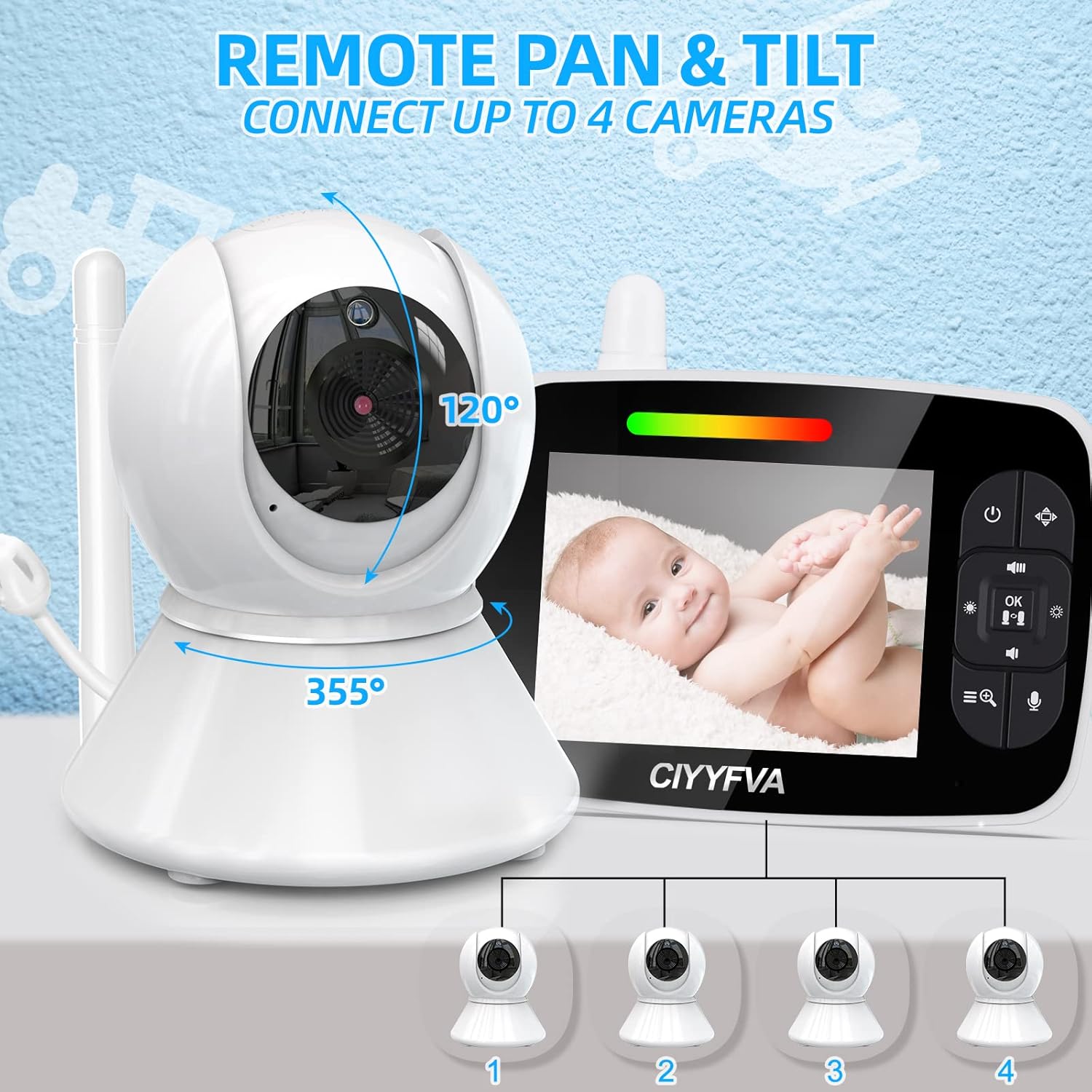
Image: The monitor's automatic infrared night vision provides a clear view 완전한 어둠 속에서도 아기를 볼 수 있습니다.
Adding/Managing Multiple Cameras
The system supports up to 4 cameras (additional cameras sold separately):
- 부모 장치에서 카메라 관리 메뉴에 액세스하세요.
- Select the option to add a new camera.
- Follow the on-screen prompts to pair the new Baby Unit with your Parent Unit. This usually involves pressing a pairing button on the new Baby Unit within a specific timeframe.
- You can switch between connected cameras or use the scan mode to cycle through them automatically.
유지
- 청소: Use a soft, dry cloth to clean the surfaces of both units. Do not use abrasive cleaners or solvents.
- 배터리 관리(부모 장치): To prolong battery life, avoid fully discharging the battery frequently. Recharge when the low battery indicator appears. If storing for a long period, charge the battery every three months.
- 저장: 모니터는 직사광선과 극한의 온도를 피해 서늘하고 건조한 곳에 보관하세요.
문제 해결
| 문제 | 가능한 해결책 |
|---|---|
| 부모 장치에 이미지/사운드가 없습니다. |
|
| 화질이 나쁘다 |
|
| 간섭/정적 |
|
| 부모 유닛 배터리가 빨리 소모됩니다 |
|
명세서
| 특징 | 세부 사항 |
|---|---|
| 모델 번호 | SM35PTZ |
| 화면 크기 | 3.5인치 LCD |
| 무선 기술 | 2.4GHz FHSS |
| 비디오 녹화 해상도 | 720p |
| 카메라 팬 각도 | 355도 |
| 카메라 틸트 각도 | 120도 |
| 디지털 줌 | 2x |
| 나이트 비전 범위 | 최대 5미터(16피트) |
| 작동 범위 | 개방된 공간에서 최대 300미터(1000피트) |
| 전원 | AC Power Adapter (Baby Unit), Rechargeable Battery (Parent Unit) |
| 배터리 구성 | 리튬폴리머 |
| 재료 | 플라스틱 |
| 품목 치수(L x W x H) | 18.8 x 14 x 10.7cm |
| 무게 | 690그램 |
| 특별 기능 | Lullabies, ECO Mode, Temperature Monitoring, Two-Way Talk, Multi-Camera Support (up to 4) |
보증 및 지원
BURNNOVE products are manufactured to high-quality standards. For warranty information, please refer to the documentation provided with your purchase or contact BURNNOVE customer support.
If you encounter any issues or have questions regarding your BURNNOVE SM35PTZ Baby Monitor, please contact our customer support team for assistance. Contact details can typically be found on the product packaging or the official BURNNOVE web대지.