
1. 서론
This manual provides essential information for the safe and efficient operation of your iFFALCON 32F2A 32-inch HD Ready Android Smart LED TV. Please read these instructions thoroughly before using the television and retain them for future reference.
The iFFALCON 32F2A is an 80 cm (32 inches) HD Ready Android Smart LED TV designed to offer a comprehensive entertainment experience. It features a 720p resolution display, integrated Android operating system, and smart functionalities like Google Assistant and Chromecast built-in.
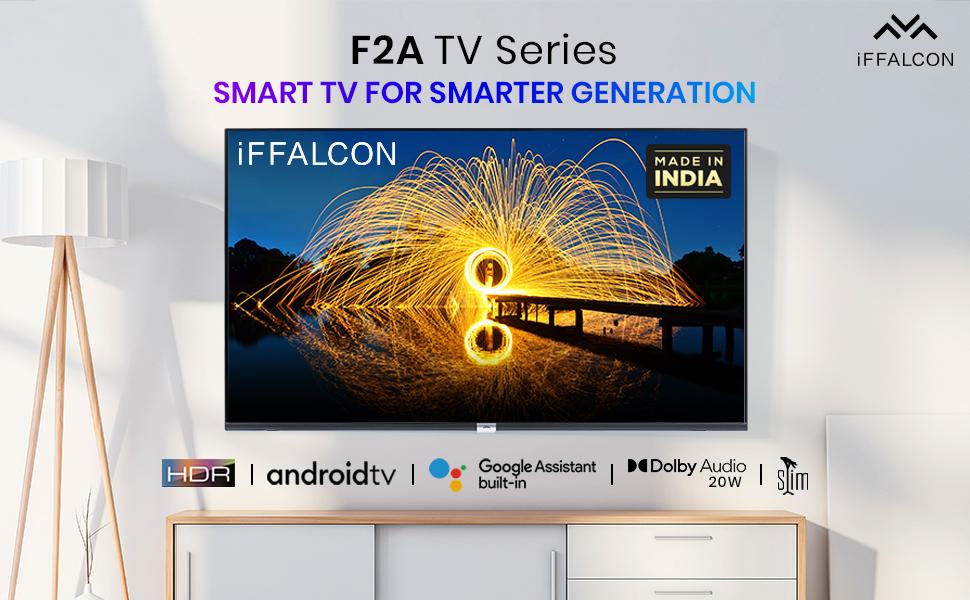
이미지 1.1: 앞면 view of the iFFALCON 32F2A Smart LED TV displaying the Android TV interface, alongside icons representing key features such as HDR, Android TV, Google Assistant, Micro Dimming, IPQ Engine, Chromecast built-in, AI, and Dolby Audio with 20W speakers.
2. 상자 안에 무엇이 들어있나요?
Verify that all components are present and undamaged upon unpacking your new television.
- 1 x iFFALCON 32F2A LED TV
- 탁상용 스탠드 1개
- 1 x 사용자 설명서
- 1 x 보증 카드
- 1 x 원격 제어
- AAA 배터리 2개(리모컨용)
3. 설정
3.1 포장 풀기 및 배치
Carefully remove the TV from its packaging. It is recommended to have two people for this process. Place the TV on a stable, flat surface or mount it securely on a wall.
3.2 테이블 상판 스탠드 부착
- 긁힘을 방지하려면 부드럽고 깨끗한 표면에 TV 화면을 아래로 놓으세요.
- 스탠드 받침대를 TV 하단의 해당 슬롯에 맞춥니다.
- 제공된 나사를 사용하여 스탠드 받침대를 고정하십시오. 나사가 단단히 조여졌는지 확인하십시오.
3.3 벽면 장착(선택 사항)
If you choose to wall mount your TV, please note that the wall mount bracket is not included and must be purchased separately. Follow the instructions provided with your wall mount kit and ensure professional installation for safety.
3.4 외부 장치 연결
Your iFFALCON 32F2A TV offers various connectivity options:
- HDMI 포트: 블루레이 플레이어, 게임 콘솔 또는 셋톱박스를 연결하세요.
- USB 포트: 미디어 재생을 위해 USB 저장 장치를 연결하세요.
- 이더넷 포트 : 유선 인터넷 연결용.
- 헤드폰 잭: 개인적으로 듣기 위한 것입니다.
3.5 전원 연결
Connect the power cord to the TV's power input and then to a suitable AC power outlet (240 Volts, 50 Watts). Ensure the power cable is securely connected.
3.6 초기 전원 켜기 및 설정 마법사
After connecting power, press the power button on the TV or remote control. The TV will guide you through the initial setup wizard, including language selection, network connection (Wi-Fi or Ethernet), Google account sign-in, and channel scanning.

Image 3.1: A diagram illustrating the physical dimensions of the iFFALCON 32F2A TV, including screen size (32 inches / 79.97 cm diagonal), width (73.20 cm / 29 inch), height (48.20 cm / 19 inch), and depth (17.30 cm / 6.9 inch).
4. 사용 설명서
4.1 리모컨
The provided remote control allows you to navigate the TV's interface and access various functions. Insert the two AAA batteries (included) into the remote control, ensuring correct polarity.
- 전원 버튼: TV를 켜거나 끕니다.
- 탐색 버튼: 방향키와 확인 버튼을 사용하여 메뉴를 이동하세요.
- 볼륨 +/- : 볼륨 레벨을 조절합니다.
- 채널 +/-: TV 채널을 변경합니다.
- 홈 버튼: Android TV 홈 화면으로 돌아갑니다.
- 뒤로가기 버튼: 이전 화면으로 돌아갑니다.
- Google 어시스턴트 버튼: 음성 제어를 활성화합니다.
- 넷플릭스 버튼: Netflix에 직접 접속 가능.
- Amazon Prime Video Button: 아마존 프라임 비디오에 바로 접속할 수 있습니다.
- Zee5 Button: Direct access to Zee5.
- TCL Channel Button: Direct access to TCL channel.

Image 4.1: The smart remote control for the iFFALCON TV, highlighting the Google Assistant button and a dedicated hotkey for Netflix for quick access.
4.2 안드로이드 TV 인터페이스
Your TV runs on Android 9, providing access to a wide range of apps and services. The home screen displays recommended content, installed applications, and input sources.
- 앱: Access pre-installed applications like Netflix, YouTube, Prime Video, Disney+Hotstar, Sun NXT, and Zee5. Download more from the Google Play Store.
- 입력: Switch between HDMI inputs, USB, and other connected devices.
- 설정: Customize TV settings such as picture, sound, network, and system preferences.

Image 4.2: The iFFALCON Smart LED TV showcasing its Android TV home screen, featuring prominent app icons for Netflix, YouTube, Prime Video, and other streaming services.

Image 4.3: The iFFALCON Smart LED TV interface, illustrating the availability of popular streaming platforms such as YouTube, Prime Video, Disney+ Hotstar, SonyLIV, Zee5, ALTBalaji, Voot Select, and Eros Now.
4.3 Google 어시스턴트
The built-in Google Assistant allows you to control your TV and smart home devices using voice commands. Press the Google Assistant button on your remote and speak into the microphone.
- 콘텐츠 검색: Say "Play a cartoon movie" or "검색 action films."
- Control TV: Say "Turn up the volume" or "Switch to HDMI 1."
- 정보 얻기: Ask "What's the weather today?" or "How long is Moonlight?"
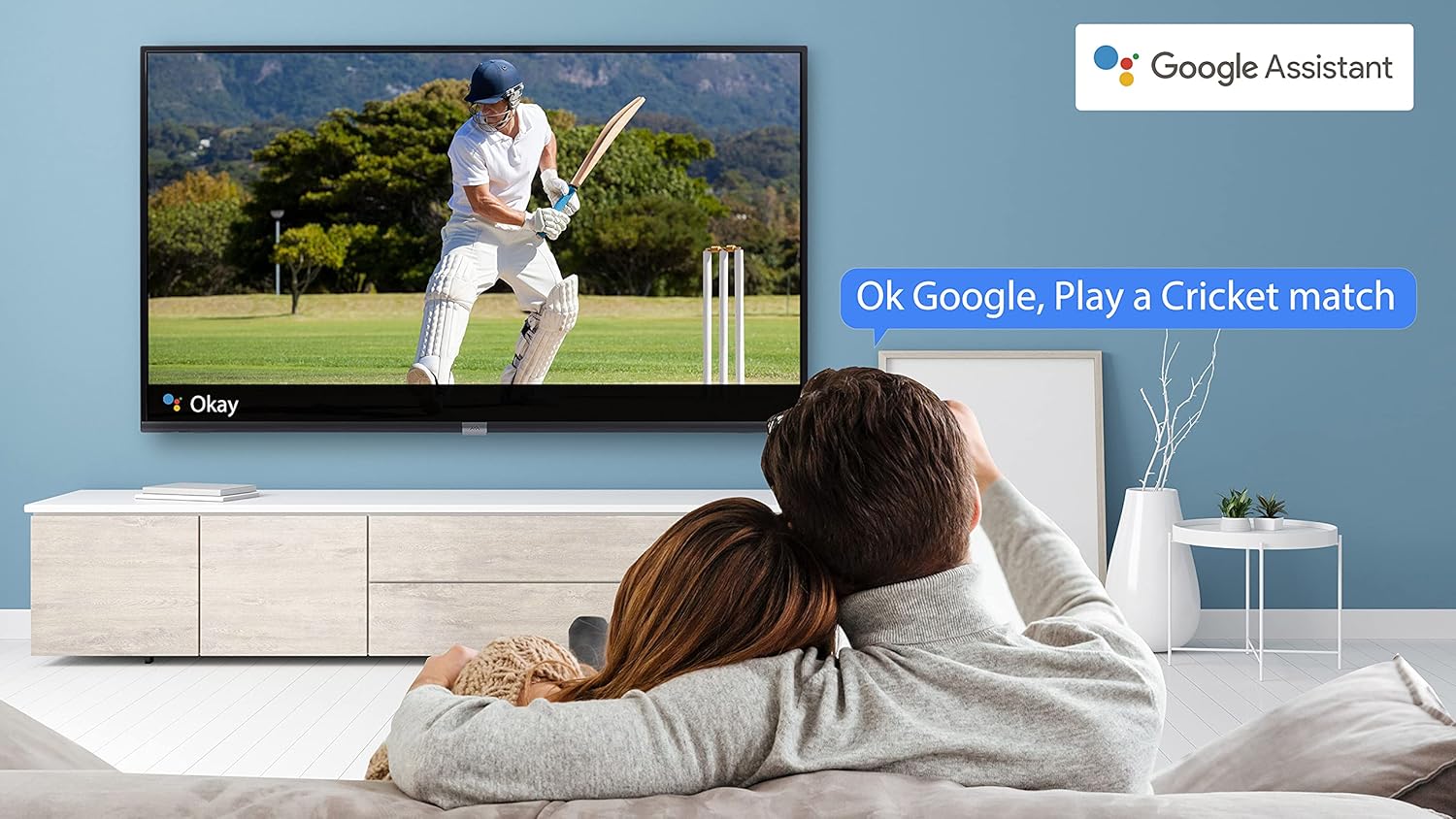
Image 4.4: A couple watching a cricket match on the iFFALCON TV, with a Google Assistant prompt bubble showing "Ok Google, Play a Cricket match," demonstrating voice control functionality.
Image 4.5: The Google Assistant logo, indicating the TV's integrated voice control capabilities.
4.4 크롬캐스트 내장
Use Chromecast built-in to cast content from your compatible smartphone, tablet, or computer directly to your TV screen. Ensure your device and TV are connected to the same Wi-Fi network.

Image 4.6: A smartphone displaying a car image, with a casting icon indicating that the content is being mirrored to a larger TV screen, demonstrating the Chromecast built-in feature.
5. 주요 특징
5.1 HDR(고동적 범위)
HDR technology enhances contrast, color accuracy, and brightness, delivering a more lifelike and immersive viewing experience with greater detail in both dark and bright scenes.

Image 5.1: A split-screen comparison showing the visual difference between an image without HDR 10 (left, darker, less vibrant) and with HDR 10 (right, brighter, more detailed, and richer colors).
5.2 Micro Dimming
Micro Dimming analyzes the TV content in hundreds of separate zones to adjust brightness and darkness independently. This results in improved contrast and picture quality, especially in scenes with mixed light levels.

Image 5.2: A split-screen comparison demonstrating the effect of Micro Dimming, with the 'Without Micro Dimming' side appearing less vibrant and the 'With Micro Dimming' side showing enhanced contrast and color saturation in a city night scene.
5.3 IPQ Engine
The IPQ Engine (Image Quality Processing Engine) optimizes picture quality by intelligently adjusting brightness, color range, and contrast, ensuring a more vivid and accurate display.

Image 5.3: A visual representation of the IPQ Engine, highlighting its 'High Brightness Precision Control Technology' and 'Intelligent Color Range Control Technology' for optimized picture quality.
5.4 돌비 오디오
Experience rich, clear, and powerful sound with Dolby Audio. This technology enhances the audio output, providing an immersive listening experience for movies, music, and games.

Image 5.4: The Dolby Audio logo, signifying enhanced sound quality and an immersive audio experience.
5.5 Smart Volume
Smart Volume automatically adjusts the sound level to prevent sudden changes in volume, such as during commercials or when switching channels, ensuring a consistent listening experience.

Image 5.5: An illustration of the Smart Volume feature, showing how it maintains consistent audio levels across different content types, represented by varying sound wave patterns.
5.6 스포츠 모드
Sports Mode optimizes picture and sound settings for sports content, enhancing motion clarity and audio to provide a more engaging view라이브 스포츠 중계 경험.

Image 5.6: A split-screen comparison of a cricket player, showing the 'Without Sports Mode' side with standard clarity and the 'With Sports Mode' side with enhanced motion and detail, indicated by a playback bar.
5.7 슬림 디자인
The iFFALCON 32F2A features a slim design, allowing it to blend seamlessly into various living spaces and offering a modern aesthetic.

Image 5.7: An illustration emphasizing the slim profile of the iFFALCON TV, with a hand demonstrating its thinness.
6. 유지관리
6.1 화면 청소
부드럽고 보풀이 없는 천으로 화면을 부드럽게 닦으세요. 잘 지워지지 않는 얼룩은 가볍게 닦아주세요.amp천에 물이나 특수 화면 세척제를 묻혀 닦아주세요. 강한 화학 물질이나 연마재는 사용하지 마세요.
6.2 캐비닛 청소
TV 장식장을 부드럽고 마른 천으로 닦으십시오. 액체 세제를 장식장에 직접 사용하지 마십시오.
6.3 전원 코드 관리
전원 코드에 손상이 있는지 정기적으로 점검하십시오. 코드 위에 무거운 물건을 올려놓거나 과도한 열에 노출시키지 마십시오.
7. 문제 해결
TV에 문제가 발생하면 다음의 일반적인 문제와 해결 방법을 참조하세요.
| 문제 | 가능한 원인 | 해결책 |
|---|---|---|
| 전원이 없습니다 | 전원 코드가 분리되었거나 전원 콘센트에 문제가 있는 것 같습니다. | Ensure power cord is securely plugged in. Check if the power outlet is working. |
| 화면은 나오지 않지만 소리는 나옵니다 | 잘못된 입력 소스, 케이블 불량 | Verify the correct input source is selected. Check HDMI/AV cable connections. |
| 소리는 나지 않지만 화면은 나옵니다 | Volume muted or too low, audio settings issue | 볼륨을 높이세요. TV 메뉴에서 오디오 출력 설정을 확인하세요. |
| 리모컨이 작동하지 않습니다 | 배터리 방전, 방해물, 리모컨 범위 벗어남 | Replace batteries. Remove obstructions between remote and TV. Ensure remote is within operating range. |
| Wi-Fi에 연결할 수 없습니다 | Incorrect password, router issue, TV too far from router | Wi-Fi 비밀번호를 다시 입력하세요. 공유기를 재시작하세요. TV를 공유기에 더 가까이 두거나 이더넷을 사용하세요. |
이러한 해결 방법을 시도한 후에도 문제가 지속되면 고객 지원팀에 문의하세요.
8. 사양
Detailed technical specifications for the iFFALCON 32F2A Smart LED TV:
| 특징 | 사양 |
|---|---|
| 상표 | 이팔콘 |
| 모델명 | 32F2A |
| 화면 크기 | 32 인치 (80cm) |
| 디스플레이 기술 | LED, A+ 등급 패널 |
| 해결 | HD 지원(1366 x 768픽셀) |
| 새로 고침 빈도 | 60Hz |
| View잉 각도 | 178도 |
| 이미지 종횡비 | 16시 9분 |
| 이미지 명암비 | 3000시 1분 |
| 운영 체제 | 기계적 인조 인간 |
| 설치된 RAM 메모리 크기 | 1GB (XNUMX기가바이트) |
| 디지털 저장 용량 | 8GB (XNUMX기가바이트) |
| 그래픽 코프로세서 | Mali470x2 |
| 오디오 와트tage | 16 와트 |
| 스피커 서라운드 사운드 | 돌비 오디오 |
| 연결 기술 | Wi-Fi, 이더넷, HDMI, USB |
| 총 USB 포트 | 1 |
| 전원 | AC |
| 권tage | 240 볼트 |
| 왓tage | 50 와트 |
| 제품 치수 | 48.2 x 73.2 x 18.3cm |
| 품목 무게 | 3.9kg |
9. 보증 및 지원
Your iFFALCON 32F2A TV comes with a warranty. Please refer to the included Warranty Card for detailed terms and conditions, including the warranty period and coverage.
For technical assistance, service requests, or further inquiries, please visit the official iFFALCON support website or contact their customer service helpline. Contact information can typically be found on the Warranty Card or the manufacturer's official web대지.