
Weiser 9GED26000-001
Weiser SmartCode 10 Electronic Door Lock User Manual
This manual provides comprehensive instructions for the installation, operation, maintenance, and troubleshooting of your Weiser SmartCode 10 Electronic Door Lock.
상표: Weiser | 모델: 9GED26000-001
1. 제품 오버view
The Weiser SmartCode 10 is a commercial-grade electronic lever lock designed for secure and convenient keyless entry. It features an auto-lock function, simple programming, and supports up to 30 customizable user access codes. This lock is ideal for various applications including hotels, motels, office buildings, retail stores, and multi-family housing.

Figure 1.1: Weiser SmartCode 10 Electronic Door Lock (Exterior and Interior)

Figure 1.2: Recommended Uses for SmartCode 10 Commercial Lever
2. 설정 및 설치
The Weiser SmartCode 10 lock is designed for easy installation with minimal tools. A screwdriver is typically the only tool required.
2.1. 포함된 구성 요소
- Electronic Door Assembly Unit (Interior and Exterior)
- 레버
- 스마트키 도구
- 2개의 키
- 걸쇠
- 나사
- 스트라이크 플레이트
- 앨런 렌치
- Spindle Manual
2.2. 설치 단계
Refer to the detailed Spindle Manual included in your package for specific, step-by-step installation instructions. General steps include:
- Prepare the door: Ensure the door bore hole and backset are compatible with the lock.
- 걸쇠와 스트라이크 플레이트를 설치하십시오.
- Assemble the exterior and interior electronic units.
- Connect the cable between the units.
- Secure the lock to the door with the provided screws.
- 레버를 설치합니다.
- Insert the 9V battery (see Section 3.4).
- Perform the door handing process as described in the manual to calibrate the lock.

Figure 2.1: Installed Weiser SmartCode 10 Lock (Interior View)
3. 사용 설명서
3.1. Keyless Entry and Backlit Keypad
The SmartCode 10 allows entry using a personalized code on the keypad. The keypad is backlit and remains lit for 5 seconds after inactivity, ensuring visibility in low-light conditions.
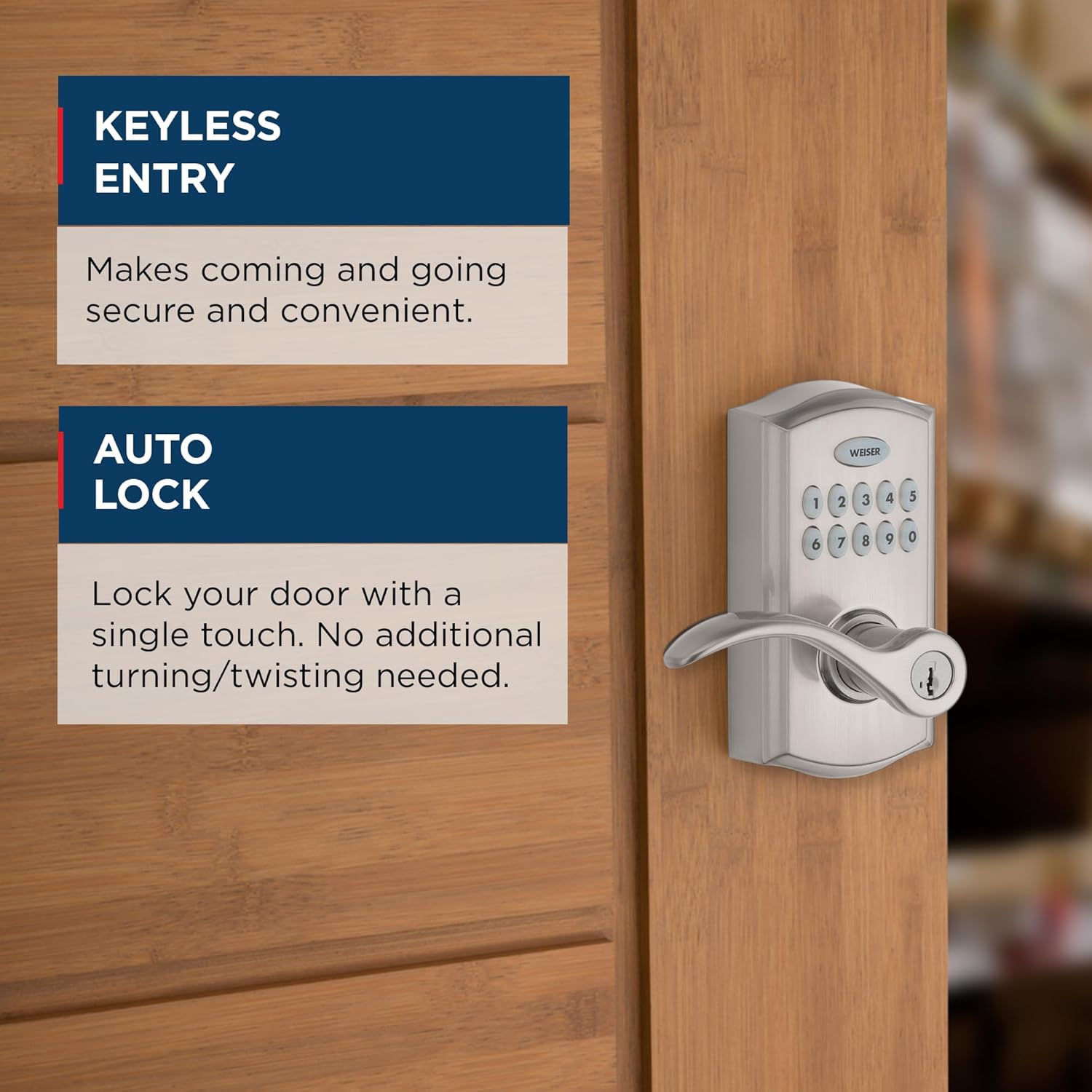
Figure 3.1: Keyless Entry and Auto Lock Features
3.2. User Access Codes
The lock supports up to 30 unique user access codes. These codes can be customized and shared with employees, maintenance personnel, or service providers. Refer to the programming guide in your manual for instructions on adding, deleting, or modifying user codes.

Figure 3.2: Multiple User Access Codes
3.3. 자동 잠금 및 통행 모드
The SmartCode 10 features an auto-lock function, which automatically locks the door after entry. The interior turn piece allows you to switch between 'Auto-Lock' and 'Passage Mode'.
- 자동 잠금 모드: The door always locks after entry. A key or code is required for re-entry.
- 통과 모드: The door remains unlocked, allowing free entry without a code or key.
Property managers can disable the passage function, ensuring the unit auto-locks every time and requires a key or code for entry. This is ideal for restrooms or utility closets.

Figure 3.3: Auto-Lock Mode vs. Passage Mode
3.4. Emergency Egress
For safety, the interior lever is always free to allow exit at any time, regardless of the lock's status.

Figure 3.4: Emergency Egress Feature
3.5. SmartKey Re-key Technology
The SmartCode 10 features SmartKey re-key technology, which protects against advanced break-in techniques and allows you to re-key the lock yourself in seconds. This feature makes lost or unreturned keys obsolete.

Figure 3.5: SmartKey Security Overview

Figure 3.6: How to Re-key in Seconds
4. 유지관리
4.1. 배터리 교체
The SmartCode 10 operates on a 9V alkaline battery. When the battery is low, the lock will provide an audible and/or visual indicator. To replace the battery:
- Locate the battery cover on the interior assembly of the lock.
- 배터리 커버를 제거합니다.
- Carefully remove the old 9V battery.
- 올바른 극성을 확인하여 새로운 9V 알카라인 배터리를 삽입합니다.
- 배터리 커버를 다시 장착하세요.
It is recommended to replace the battery annually or when the low battery indicator appears to ensure optimal performance.
4.2. 청소
부드러운 천으로 잠금장치 외부를 청소하세요.amp 천으로 닦으십시오. 연마성 세척제나 용제는 마감재를 손상시킬 수 있으므로 사용하지 마십시오.
5. 문제 해결
If you encounter issues with your SmartCode 10 lock, try the following common troubleshooting steps:
- 잠금이 응답하지 않습니다. Check the battery. Replace with a new 9V alkaline battery if necessary.
- 키패드에 불이 들어오지 않음: 이는 일반적으로 배터리 잔량이 부족함을 나타냅니다. 배터리를 교체하십시오.
- 코드가 작동하지 않습니다: Ensure you are entering the correct code. Try reprogramming the user codes as per the manual. Perform the door handing process again.
- 잠금이 제대로 작동/해제되지 않음: Check for any obstructions in the door frame or latch. Ensure the lock is properly aligned and secured to the door. Re-perform the door handing process.
- Unexpected auto-locking: Verify the lock is not in 'Disable Passage Mode' if you intend for it to remain unlocked.
For persistent issues, refer to the detailed troubleshooting section in your Spindle Manual or contact customer support.
6. 사양
| 특징 | 세부 사항 |
|---|---|
| 모델 번호 | 9GED26000-001 |
| 제품 치수 | 19.56 x 13.46 x 23.11cm |
| 품목 무게 | 2.13kg |
| 색상 | 새틴 니켈 |
| 스타일 | 광고 |
| 마치다 | 새틴 니켈 |
| 재료 | 금속 |
| 잠금 유형 | 원통형 |
| 전원 | 9V Alkaline Battery (Included) |
| 특별 기능 | Easy to Install, Auto Lock, SmartKey Technology, Backlit Keypad |
| 사용자 코드 | 최대 30개 |
| 원산지 | 중국 |

그림 6.1: 제품 치수
7. 보증 정보
The Weiser SmartCode 10 Electronic Door Lock comes with a 평생 기계 및 마감 보증. This warranty covers defects in material and workmanship for the lifetime of the product, provided it is installed and maintained according to the manufacturer's instructions. For specific terms and conditions, please refer to the warranty documentation included with your product or visit the official Weiser web대지.
8. 고객 지원
For further assistance, technical support, or warranty claims, please contact Weiser customer service. You can find contact information on the official Weiser web사이트 또는 제품과 함께 제공된 설명서를 참조하세요.
Weiser Official Web대지: www.weiserlock.com
Ask a question about this manual
Ask about setup, troubleshooting, compatibility, parts, safety, or missing instructions. Manuals+ will review the question and use this page’s manual context to help answer it.