
1. 서론
This manual provides detailed instructions for the installation, operation, and maintenance of your Overmax Camspot 3.7 Full HD Wireless Indoor Camera. Please read this manual thoroughly before using the product to ensure proper function and safety. Keep this manual for future reference.
2. 패키지 내용
패키지에 모든 구성 요소가 들어 있는지 확인하세요.
- Overmax Camspot 3.7 Wireless Indoor Camera
- Power Cable with Adapter
- Mounting Kit (screws, wall plugs, bracket)
- 사용 설명서 (본 문서)
3. 제품 오버view
카메라의 구성 요소와 인터페이스를 숙지하십시오.
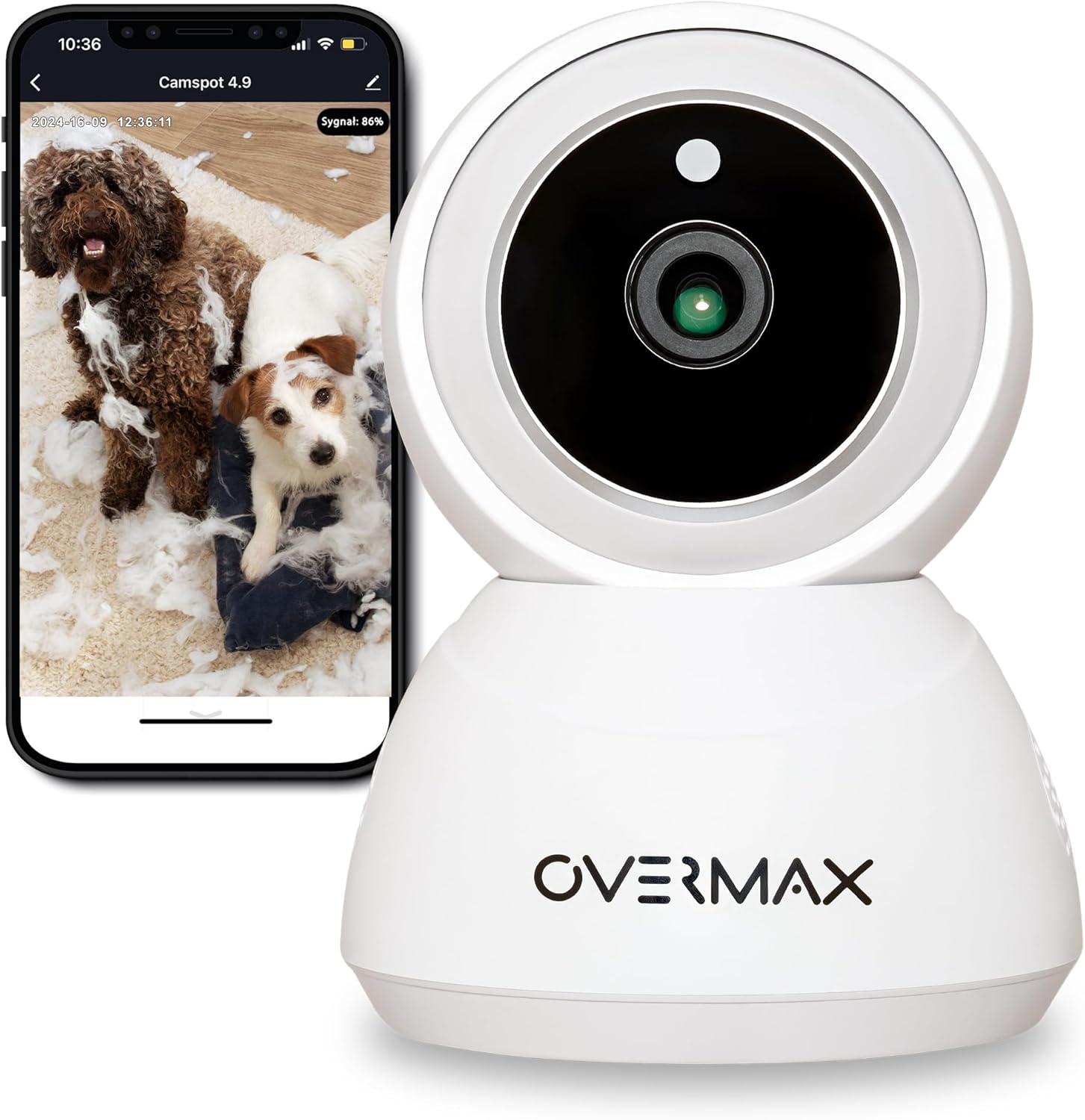
그림 3.1: 전면 view of the Overmax Camspot 3.7 camera with a smartphone showing the live video feed.

그림 3.2: 측면 view of the Overmax Camspot 3.7 camera, showing its dome shape and speaker grille.

그림 3.3: 후면 view of the camera, highlighting the LAN port, Reset button, and DC 5V power input.

그림 3.4: View of the camera with the microSD card slot visible, located beneath the lens assembly.
4. 설정
4.1 물리적 설치
The Camspot 3.7 can be placed on a flat surface or mounted to a wall or ceiling.
- 위치를 선택하세요: 원하는 것을 제공하는 위치를 선택하세요 viewing angle and is within range of your Wi-Fi network or an Ethernet connection.
- 장착(선택 사항):
- 제공된 나사와 벽 플러그를 사용하여 장착 브래킷을 원하는 표면에 부착하십시오.
- Secure the camera to the mounting bracket. Ensure it is firmly attached.

Figure 4.1: The Overmax Camspot 3.7 camera shown mounted on a wall bracket, illustrating a typical installation.
4.2 앱 설치 및 계정 생성
The Overmax Control app is required to operate the camera.
- 앱 다운로드: 검색 "Overmax Control" in your smartphone's app store (iOS or Android) and download it.
- 계정 생성: 앱을 열고 화면의 지시에 따라 새로운 사용자 계정을 만드세요.

Figure 4.2: The Overmax Camspot 3.7 camera alongside a smartphone displaying the 'CONTROL' app logo, indicating the required application for setup and operation.
4.3 전원 켜기 및 네트워크 연결
- 전원 켜기: Connect the power cable to the camera's DC 5V port and plug the adapter into a power outlet. The camera will power on and initiate its startup sequence.
- 네트워크 연결 :
- 와이파이: 앱 내 안내에 따라 카메라를 2.4GHz Wi-Fi 네트워크에 연결하세요.
- 이더넷(선택 사항): Connect an Ethernet cable from your router to the camera's LAN port for a wired connection.
4.4 카메라 페어링
Once the camera is powered on and the app is installed, proceed with pairing:
- 장치 추가: In the Overmax Control app, tap the "Add Device" or "+" icon.
- 카메라 종류를 선택하세요: Choose the appropriate camera model (Camspot 3.7).
- QR 코드 스캔: The app will prompt you to scan a QR code. Position your smartphone's screen with the QR code approximately 15-20 cm in front of the camera lens. The camera will emit a sound upon successful scanning.
- 설정 완료: Follow any remaining on-screen prompts in the app to finalize the pairing process.

Figure 4.3: The Overmax Camspot 3.7 camera positioned to scan a QR code displayed on a smartphone, a common method for device pairing.
5. 사용 설명서
5.1 라이브 View
Access the live video feed from your camera through the Overmax Control app. This allows real-time monitoring of the camera's surroundings.
5.2 팬/틸트 제어
The Camspot 3.7 features motorized pan and tilt capabilities.
- 수평 회전: 355도
- 수직 회전: 120도
Use the directional controls within the Overmax Control app to adjust the camera's view원격으로 각도를 조정하세요.

Figure 5.1: Diagram illustrating the camera's extensive pan (355°) and tilt (120°) rotation range.
5.3 양방향 오디오
The camera is equipped with a microphone and speaker, enabling two-way communication. You can listen to the camera's environment and speak through the camera using the app.
5.4 동작 감지 및 자동 추적
The camera can detect moving objects and automatically track their movement within its field of view. Configure motion detection sensitivity and alerts in the app settings.
5.5 야간 투시경
The Camspot 3.7 features infrared technology for clear viewing in low-light or complete darkness, with a night vision range of up to 10 meters. The camera automatically switches to night mode when ambient light is insufficient.
5.6 기록 및 저장
The camera supports two primary storage methods for video recordings:
- MicroSD 카드: Insert a microSD card (up to 128GB, not included) into the designated slot for local storage. This allows for continuous recording for up to 3 weeks.
- 클라우드 스토리지: The camera supports real-time cloud storage for recordings. Refer to the app for subscription details and options.
5.7 스마트 홈 통합
The Camspot 3.7 is compatible with Google Home and Amazon Alexa. Follow the instructions within the respective smart home apps to integrate your camera for voice control and automation.
5.8 Baby Monitor Function
Utilize the camera's features, including two-way audio and night vision, to monitor an infant. The app provides a comprehensive interface for this purpose.

Figure 5.2: The Overmax Camspot 3.7 camera shown with a smartphone displaying the app's control interface, including options for screenshot, speaking, recording, cloud storage, and direction control.
6. 유지관리
- 청소: 부드럽고 마른 천을 사용하여 카메라 렌즈와 본체를 닦으세요. 강한 화학 물질이나 연마성 세척제는 사용하지 마세요.
- 펌웨어 업데이트: Regularly check the Overmax Control app for available firmware updates to ensure optimal performance and security.
- 스토리지 관리: 주기적으로 다시view and manage recordings on your microSD card or cloud storage to free up space if needed.
7. 문제 해결
- 카메라가 Wi-Fi에 연결되지 않음:
- Wi-Fi 네트워크가 2.4GHz인지 확인하십시오. 카메라는 5GHz 네트워크를 지원하지 않습니다.
- 와이파이 비밀번호가 올바른지 확인하세요.
- 카메라를 라우터에 더 가까이 옮기세요.
- 카메라와 라우터를 다시 시작하세요.
- 라이브 없음 View:
- Verify internet connection on your smartphone and the camera.
- 카메라 전원이 켜져 있고 네트워크에 연결되어 있는지 확인하십시오.
- 앱을 다시 시작합니다.
- 동작 감지가 작동하지 않음:
- 앱 설정에서 동작 감지 기능이 활성화되어 있는지 확인하세요.
- 감도 설정을 조정합니다.
- 카메라에 장애물이 있는지 확인하세요. view.
- MicroSD 카드가 녹화되지 않음:
- microSD 카드가 올바르게 삽입되었는지 확인하세요.
- 앱을 통해 microSD 카드를 포맷하세요.
- Check if the card is full or corrupted.
- 카메라가 반응하지 않음:
- Press and hold the Reset button (located at the back) for approximately 5-10 seconds to factory reset the camera. You will need to re-pair it after a reset.
8. 사양
| 특징 | 사양 |
|---|---|
| 모델명 | Overmax Camspot 3.7 |
| 비디오 해상도 | 풀 HD(1080p) |
| 렌즈 | 3.6mm (XNUMXmm) |
| 초당 프레임(FPS) | 25-30 |
| 비디오 압축 | H.264 |
| 수평 회전 | 355° |
| 수직 회전 | 120° |
| 나이트 비전 범위 | 최대 10미터 (적외선) |
| MicroSD 카드 지원 | 최대 128GB |
| 연결성 | Wi-Fi(2.4GHz), 이더넷 |
| 지원 시스템 | Windows XP/7/8/10, Android, iOS, Mac |
| 양방향 오디오 | Yes (Microphone, 1W Speaker) |
| 동작 감지 | Yes (Automatic Detector) |
| 전원 공급 장치 | 12 Volts, 1 Watt |
| 치수(길이 x 너비 x 높이) | 8.5 x 8.2 x 10.5cm |
| 무게 | 180그램 |
| 재료 | 금속 |
| 색상 | 하얀색 |
9. 보증 및 지원
Overmax products are covered by a manufacturer's warranty. For specific warranty terms and conditions, please refer to the warranty card included in your package or visit the official Overmax web대지.
For technical support, troubleshooting assistance, or any product-related inquiries, please contact Overmax customer service through the contact information provided on the official website or within the Overmax Control application.