
1. 서론
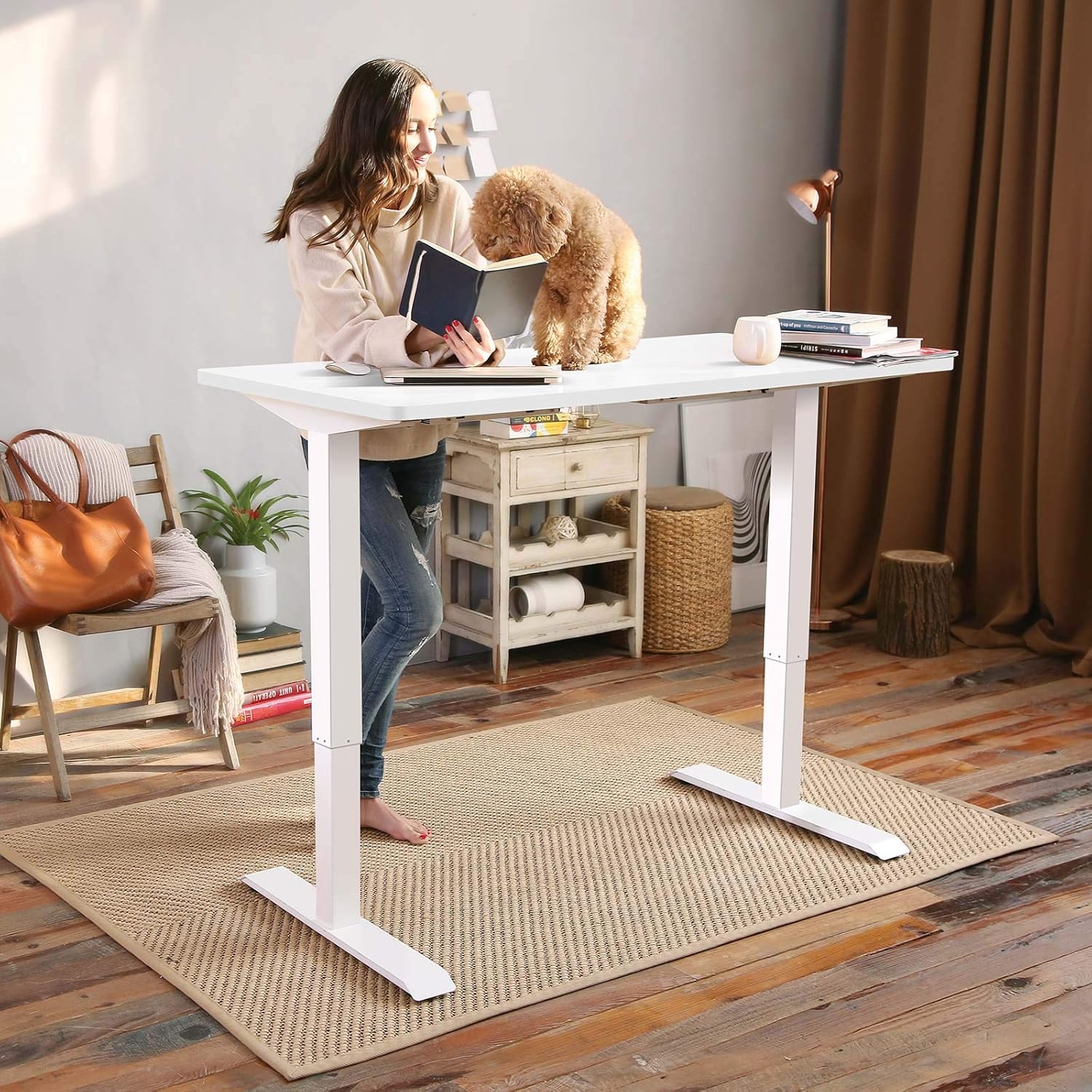
This manual provides detailed instructions for the assembly, operation, and maintenance of your FLEXISPOT EN1 Electric Height Adjustable Standing Desk. This desk features a 48x30 inch one-piece desktop, an electric lift system for smooth height adjustments, and a smart keypad with four memory presets. Please read this manual thoroughly before use to ensure proper function and safety.

2. 안전 정보
부상이나 제품 손상을 방지하기 위해 다음 안전 지침을 준수하십시오.
- This desk has a maximum weight capacity of 176 lbs (80 kg). Do not exceed this limit.
- 조립하는 동안 모든 구성 요소가 단단히 고정되었는지 확인하세요.
- 작동 중에는 어린이와 애완동물이 책상에 접근하지 못하도록 하세요.
- 높이를 조정하는 동안 움직이는 부분 근처에 손이나 다른 물건을 두지 마십시오.
- 책상은 반드시 평평한 곳에서 사용하십시오.
- 청소나 유지관리를 하기 전에 전원을 분리하세요.
3. 패키지 내용
조립을 시작하기 전에 모든 구성품이 있는지 확인하십시오. 패키지 구성품은 다음과 같습니다.
- Desk frame (legs and crossbar)
- Desktop (one-piece, 48x30 inch, white)
- LED 디스플레이가 있는 제어판
- 전원 어댑터 및 케이블
- 조립 도구
- 자세한 사용 설명서
Note: The desk frame and desktop may ship and arrive in separate packages.

4. 조립 설명서
Assembly typically requires two people. Follow the step-by-step instructions provided in the included manual. A detailed sit-stand desk installation video is also available for reference.
- 모든 구성품을 풀어서 패키지 내용물 목록과 비교해보세요.
- Attach the lifting columns to the feet using the provided screws and tools.
- 두 개의 리프팅 기둥 사이에 가로대를 연결하십시오.
- Carefully place the desktop upside down on a soft, clean surface.
- Align the assembled frame with the pre-drilled holes on the desktop and secure it with screws.
- 제어판을 책상 아래쪽의 편리한 위치에 장착하십시오.
- Connect all cables (motor to control box, control panel to control box, power adapter to control box).
- Flip the desk upright and connect it to a power outlet.
The desk features a 1-inch thick one-piece desktop, which provides enhanced stability compared to multi-piece designs.

5. 사용 설명서
5.1. 높이 조절
The desk is equipped with an electric lift system for smooth height adjustments. Use the 'Up' and 'Down' arrows on the control panel to move the desk to your desired height. The height range is from 28.1 inches to 45.7 inches (excluding the 1-inch desktop thickness). The motor operates quietly, with noise levels below 50 dB.
5.2. 메모리 사전 설정
The control panel features four programmable memory presets, allowing you to save and recall your preferred sitting and standing heights.
- Adjust the desk to your desired height using the 'Up' or 'Down' arrows.
- Press the 'M' button (or similar memory set button, indicated by 'i' on the image) followed by a number button (1, 2, 3, or 4) to save the current height.
- 저장된 높이를 불러오려면 해당 숫자 버튼(1, 2, 3 또는 4)을 누르기만 하면 됩니다. 책상이 저장된 위치로 자동으로 이동합니다.

6. 유지관리
정기적인 유지 관리는 책상의 수명과 최적의 성능을 보장합니다.
- 청소: 데스크탑과 프레임은 부드러운 천으로 닦아주세요.amp 천으로 닦으세요. 연마성 세제나 강한 화학 물질은 피하세요.
- 점검: 모든 나사와 볼트가 단단히 조여져 있는지 정기적으로 점검하세요. 필요하면 다시 조이세요.
- 케이블 관리 : 특히 높이 조절 시 케이블이 끼이거나 꼬이지 않도록 하십시오.
7. 문제 해결
If you encounter any issues with your FLEXISPOT EN1 desk, please refer to the following general troubleshooting tips:
- 책상이 움직이지 않음: Check if the power cable is securely connected to both the desk and the wall outlet. Try unplugging and re-plugging the desk.
- 표시되는 오류 메시지: Disconnect the power for 10 seconds, then reconnect. If the error persists, contact customer support.
- Unstable desk: Ensure all assembly screws are tightened. Verify the desk is on a level surface.
추가적인 도움이 필요하시면 FLEXISPOT 고객 지원팀에 문의하십시오.
8. 사양
| 특징 | 사양 |
|---|---|
| 상표 | 플렉스팟 |
| 모델 번호 | 마하0002307 |
| 데스크탑 크기 (깊이 x 너비) | 30인치 x 48인치(76.2cm x 121.9cm) |
| 데스크탑 두께 | 1인치(2.54cm) |
| 높이 조절 범위 | 28.1인치 - 45.7인치(71.4cm - 116.1cm) |
| 최대 중량 용량 | 176파운드(80kg) |
| 모터 소음 수준 | 50dB 이하 |
| 데스크탑 소재 | FSC 인증 목재 |
| 프레임 소재 | 합금강 |
| 색상 | 흰색 프레임 + 흰색 상판 |
| 품목 무게 | 80파운드(36.3kg) |
| 필요한 조립 | 예 |


9. 보증 및 지원
The FLEXISPOT EN1 desk comes with a manufacturer's warranty. Please refer to the product packaging or the official FLEXISPOT website for specific warranty terms and conditions (e.g., 'Limited' or 'Full' warranty type). For technical support, assembly questions, or warranty claims, please contact FLEXISPOT customer service directly.
Contact information can typically be found on the FLEXISPOT official web사이트 또는 제품 포장 내부에 넣어 두세요.