
1. 서론
구매해주셔서 감사합니다asing the JVC XS-N2239TC Wireless Stereo Speaker System. This manual provides essential information for the safe and efficient use of your new speaker system. Please read these instructions thoroughly before operating the device and retain them for future reference.
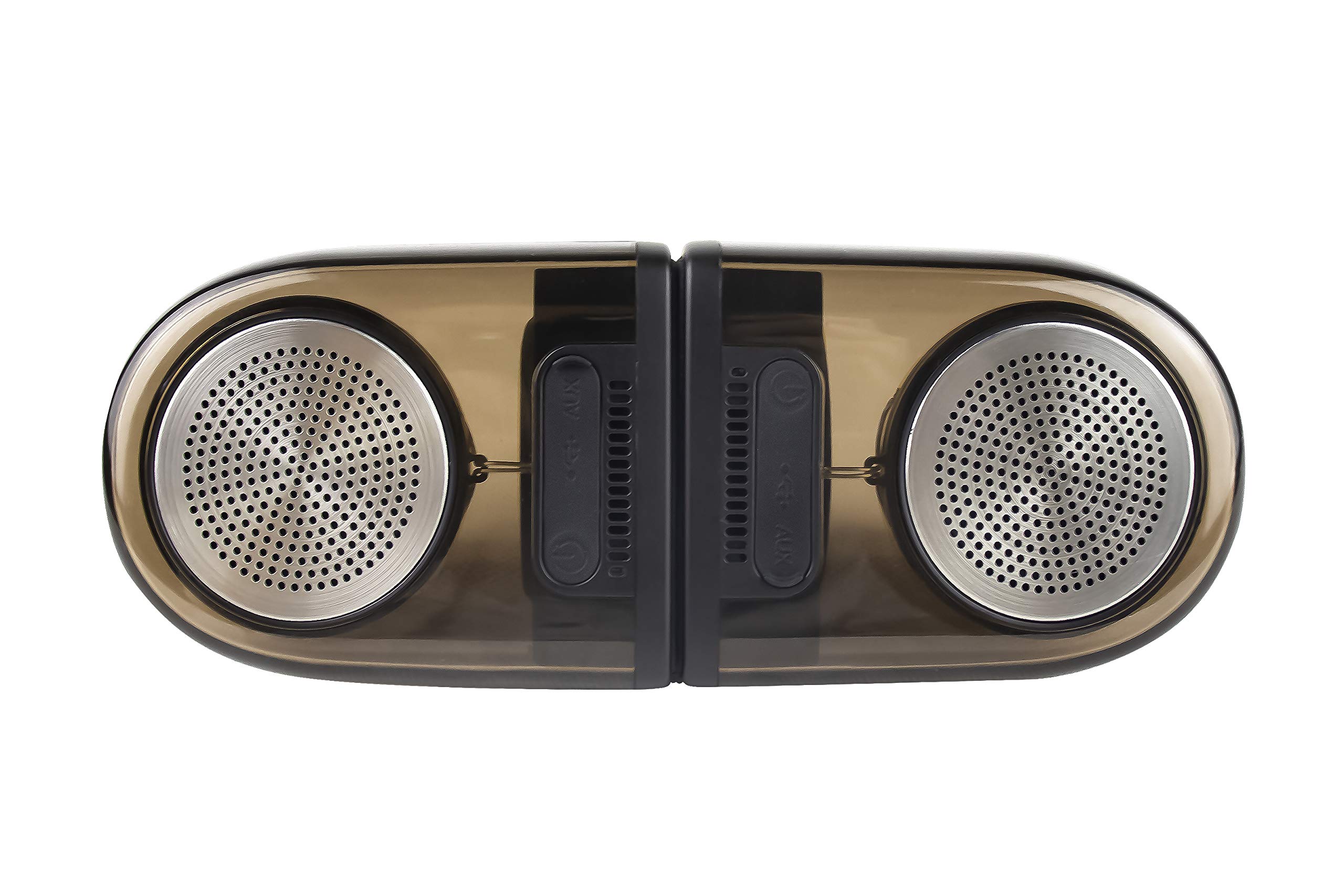
Image of the JVC XS-N2239TC speaker system, showcasin디자인과 구성 요소.
2. 상자 내용물
다음 품목이 모두 패키지에 포함되어 있는지 확인하세요.
- 1 x JVC XS-N2239TC Speaker Unit
- 1 x AUX 케이블
- 1 x 사용자 매뉴얼(이 문서)
- 1 x 충전 케이블
- 1 x 보증 카드
3. 설정
3.1 배치
The JVC XS-N2239TC speakers are designed for versatile placement, suitable as Bookshelf or Floor Standing units. Ensure the speakers are placed on a stable, flat surface or floor, away from direct sunlight, heat sources, and moisture. For optimal stereo sound, position the two speakers appropriately within your listening area.
3.2 전원 연결
- Connect the charging cable to the speaker's power input port.
- 충전 케이블의 다른 쪽 끝을 적절한 전원 콘센트에 꽂습니다.
- Ensure the speaker is fully charged before initial use for optimal battery life.
4. 사용 설명서
4.1 전원 켜기/끄기
Locate the power button on the speaker unit. Press and hold the button for a few seconds to power the speaker on or off. An indicator light will typically confirm the power status.
4.2 연결성
4.2.1 무선 연결
The speaker supports wireless streaming. To connect wirelessly:
- Ensure the speaker is powered on and in pairing mode (refer to the speaker's indicator lights for status).
- On your device (e.g., smartphone, tablet, television), enable wireless functionality.
- 검색 available devices and select "JVC XS-N2239TC" from the list.
- Once connected, you can stream audio wirelessly to the speaker system.
4.2.2 USB 연결
The speaker features a plug-and-play USB card reader. Insert a USB storage device containing audio files into the designated USB port on the speaker. The speaker will automatically detect and begin playing compatible audio files.
4.2.3 AUX 연결
Use the provided AUX cable to connect the speaker to devices with a 3.5mm audio output jack, such as televisions or other audio sources. Plug one end of the AUX cable into the speaker's AUX input and the other end into your audio source's output.
4.3 컨트롤
4.3.1 Multifunctional Panel Keys
The speaker unit is equipped with multifunctional panel keys. These keys allow you to:
- Adjust volume (increase/decrease).
- 오디오 재생/일시 중지.
- Navigate tracks (forward/backward) when playing from USB or wireless sources.
4.3.2 리모컨
The included remote control provides convenient access to various functions from a distance. Use the remote to:
- 스피커의 전원을 켜거나 끕니다.
- 볼륨을 조절하세요.
- 재생 제어(재생, 일시 정지, 트랙 건너뛰기).
- Switch input modes (e.g., Wireless, USB, AUX).
5. 유지관리
5.1 청소
To clean the speaker, use a soft, dry cloth. Do not use abrasive cleaners, waxes, or solvents as they may damage the finish. Ensure the speaker is powered off and unplugged before cleaning.
5.2 방수성
The JVC XS-N2239TC speaker is designed with water resistance. While it can withstand splashes, it is not intended for submersion. Avoid exposing the speaker to excessive moisture or direct water jets to prevent damage.
6. 문제 해결
If you encounter issues with your speaker system, please refer to the following common solutions:
- 전원 없음: Ensure the charging cable is securely connected to both the speaker and a working power outlet. Check if the power button has been pressed correctly.
- 소리 없음: Verify the volume level on both the speaker and your connected device. Ensure the correct input mode (Wireless, USB, AUX) is selected. Check all cable connections.
- 무선 연결 문제: Make sure the speaker is within range of your device. Try unpairing and re-pairing the speaker with your device. Ensure no other devices are interfering with the wireless signal.
- USB 재생 문제: Confirm the USB device is formatted correctly and contains compatible audio files. 다른 USB 장치를 사용해 보세요.
- 원격 제어가 작동하지 않음: Check the remote control's batteries and replace them if necessary. Ensure there are no obstructions between the remote and the speaker's sensor.
문제가 지속되면 고객 지원팀에 문의하세요.
7. 사양
| 특징 | 세부 사항 |
|---|---|
| 상표 | 제이비씨(JVC) |
| 모델명 | JVC XS-N2239TC |
| 연결 기술 | USB, 무선 |
| 무선 기술 유형 | 무선 전화 |
| 연결 프로토콜 | USB |
| 오디오 출력 모드 | 스테레오 재생 |
| 스피커 유형 | 책꽂이 |
| 장착 유형 | 플로어 스탠딩 |
| 제품 특징 | 원격 제어 |
| 제어 방법 | 원격 |
| 호환 장치 | 텔레비전 |
| 오디오 채널 수 | 2.1 |
| 스피커 크기 | 7.5 센티미터 |
| Subwoofer Speaker Diameter | 5 인치 |
| Tweeter Driver Diameter | 1 인치 |
| 오디오 드라이버 유형 | 동적 드라이버 |
| 색상 | 검은색 |
| 방수 | 진실 |
| 방수 레벨 | 방수복 |
| 제품의 특정 용도 | 홈 엔터테인먼트 시스템 |
| 배터리 평균 수명 | 6시간 |
| 품목 무게 | 0.56 킬로그램 |
8. 보증 및 지원
8.1 보증 정보
이 제품에는 다음이 포함되어 있습니다. 1년 보증 제조사에서 구매일로부터 제공하는 보증입니다. 보증 청구를 위해 구매 영수증과 보증 카드를 보관해 주십시오.
8.2 고객 지원
For any complaints, technical assistance, or support regarding your JVC XS-N2239TC speaker system, please contact JVC customer care:
- 고객 관리 번호: +91-9910332380
지원팀에 문의할 때는 제품 모델 번호와 구매 세부 정보를 준비해 주세요.

