
1. 제품 오버view
The Mcdodo OT-7700 is a compact and durable adapter designed to bridge the connectivity gap between Lightning and Type-C devices. It facilitates both efficient charging and reliable data synchronization, offering a versatile solution for users with mixed device ecosystems.

Image 1.1: The Mcdodo OT-7700 Lightning to Type-C Connector. This image displays the compact, black adapter with the Mcdodo logo, featuring a Type-C male connector on one end and a Lightning female port on the other.
2. 패키지 내용
패키지에 모든 품목이 들어 있는지 확인하세요.
- 1 x Mcdodo OT-7700 Lightning to Type-C Connector
3. 설정 및 연결
The Mcdodo OT-7700 connector is designed for simple plug-and-play operation. No software installation is required.
- 포트 식별: Locate the Lightning cable (from your Apple device) and the Type-C port on your charging device or computer.
- Connect Lightning Cable: Insert your Lightning cable's male connector into the female Lightning port of the Mcdodo OT-7700 adapter. Ensure a secure connection.
- Connect Type-C Device: Insert the male Type-C connector of the Mcdodo OT-7700 adapter into the Type-C port of your desired device (e.g., laptop, power adapter, Android phone).

Image 3.1: Illustrates the connection process. A smartphone with a Type-C port is shown, and the Mcdodo OT-7700 adapter, already connected to a Lightning cable, is being plugged into the phone's Type-C port. This demonstrates the "Plugging to Use transfer Quickly" functionality.
4. 사용 설명서
The adapter supports two primary functions:
4.1. 충전
Once connected as described in Section 3, the adapter will enable power transfer from the Type-C source to the Lightning device. Ensure your Type-C power source provides sufficient current for your Lightning device.
4.2. 데이터 동기화
For data transfer, connect your Lightning device (e.g., iPhone, iPad) via its Lightning cable to the Mcdodo OT-7700, and then connect the adapter's Type-C end to a computer or other data-enabled Type-C device. Your Lightning device should be recognized by the Type-C host device, allowing for data exchange.
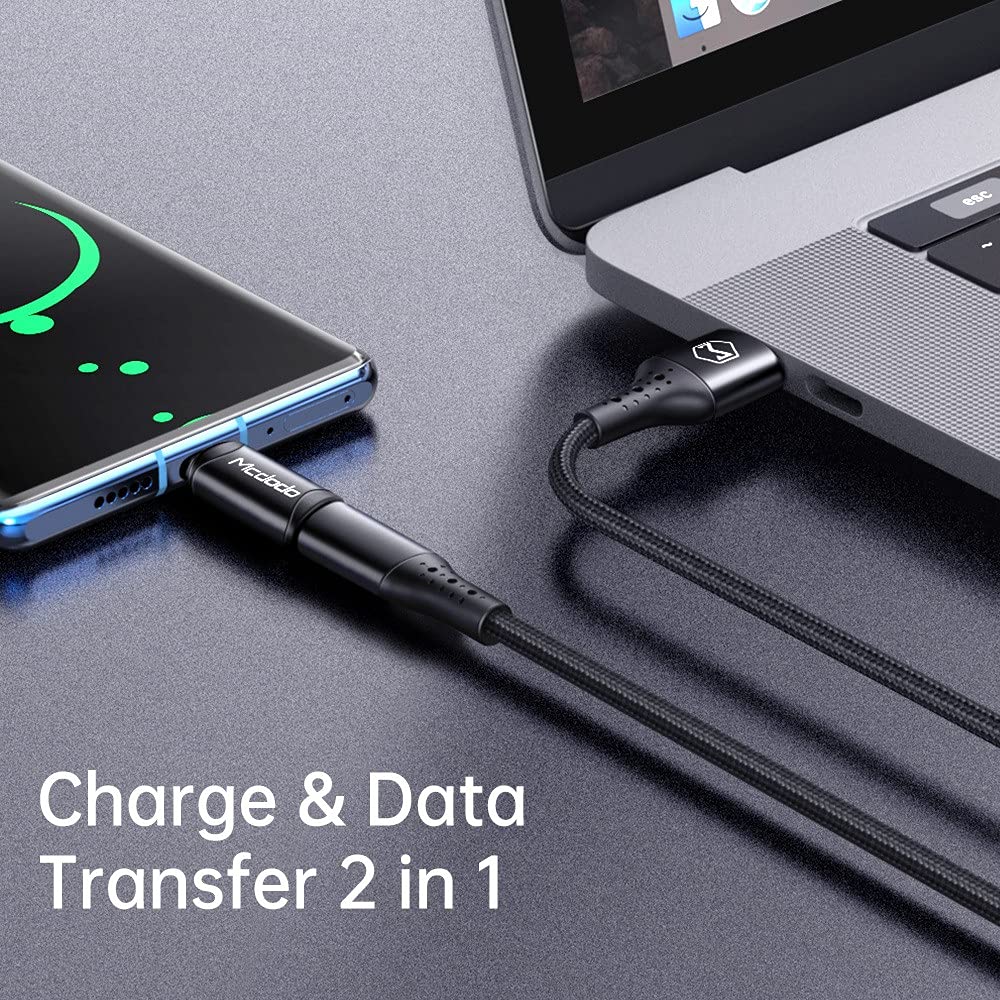
Image 4.1: Depicts the adapter facilitating both charging and data transfer. A smartphone is connected to a laptop via a cable and the Mcdodo OT-7700 adapter, illustrating its dual functionality.
5. 유지관리 및 관리
- 청소: 어댑터를 닦을 때는 부드럽고 마른 천을 사용하십시오. 액체 세척제나 연마성 재질은 사용하지 마십시오.
- 저장: 어댑터는 직사광선과 극한의 온도를 피해 서늘하고 건조한 곳에 보관하세요.
- 손질: Avoid bending or twisting the adapter excessively. Do not apply undue force when connecting or disconnecting.
- 내구성: The adapter is constructed from aluminum alloy for enhanced durability. However, it is not waterproof and should be protected from moisture.
6. 문제 해결
| 문제 | 가능한 원인 | 해결책 |
|---|---|---|
| 장치가 충전되지 않습니다. | Loose connection, incompatible cable/charger, insufficient power from Type-C source. | Ensure all connections are secure. Try a different Lightning cable or Type-C charger. Verify the Type-C power source meets the device's requirements. |
| 데이터 전송이 작동하지 않습니다. | Loose connection, incompatible cable, driver issues on computer. | Check all connections. Ensure the Lightning cable supports data transfer. Try connecting to a different USB-C port or computer. |
| 어댑터는 사용 중에 뜨거워집니다. | Normal operation under heavy load, excessive current draw. | A slight warmth is normal. If it becomes excessively hot, disconnect immediately and check for faulty cables or devices. Ensure the current draw does not exceed 3A. |
7. 사양
| 특징 | 세부 사항 |
|---|---|
| 모델 번호 | 오티-7700 |
| 커넥터 유형 | Lightning (Female) to Type-C (Male) |
| 기능성 | 충전 및 데이터 동기화 |
| 재료 | 알루미늄 합금 |
| 색상 | 검은색 |
| 품목 무게 | 14g |
| 최대 전류 지원 | 3A |

Image 7.1: Displays two Mcdodo OT-7700 adapters and highlights the "Support max 3A current" feature, indicating its charging capability.
8. 보증 및 지원
For warranty information or technical support, please refer to the official Mcdodo web사이트를 방문하거나 판매점에 문의하세요. 보증 청구를 위해 구매 영수증을 보관하세요.