
소개
Thank you for choosing the TMY Mini Movie Projector. This portable 1080P Full HD projector is designed to provide a versatile entertainment experience with built-in apps, advanced connectivity, and user-friendly features. Please read this manual carefully to ensure proper setup and optimal performance.
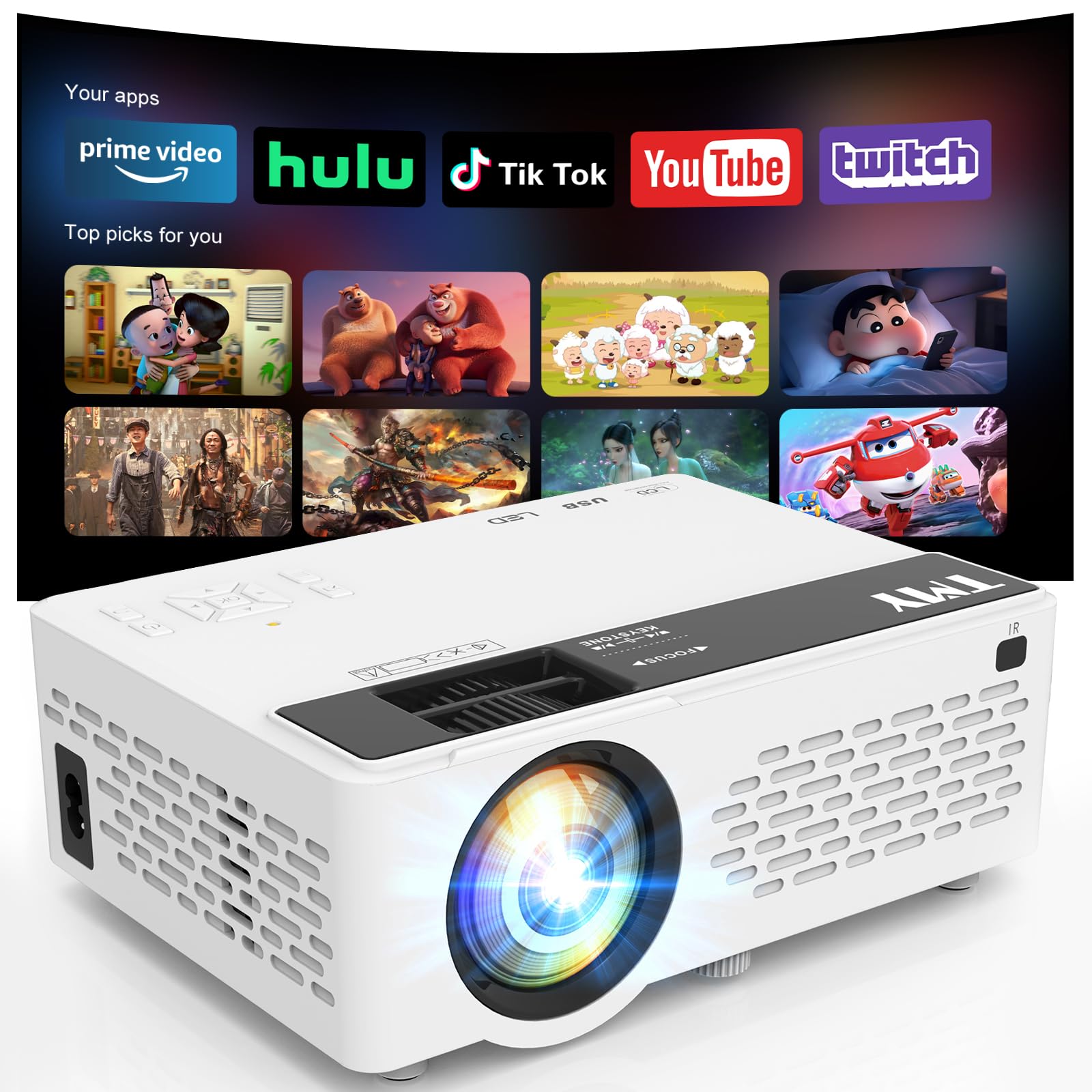
Image: The TMY Mini Movie Projector, its remote control, and power cable laid out on a wooden surface.
주요 특징
- All-in-One Entertainment Hub: Pre-installed apps like Prime Video and YouTube for instant streaming.
- Upgraded 1080P HD Video: Enhanced LED light source with 50% increased brightness and Full HD support.
- WiFi 6 Lightning Connect: Faster speeds for connections and seamless wireless screen mirroring from iOS/Android devices.
- Two-way Bluetooth 5.2: Connect to external Bluetooth speakers for immersive audio or use the projector as a Bluetooth speaker.
- Multi-Device HDMI/USB Ports: Versatile connectivity for gaming consoles, laptops, Fire Sticks, and other devices.
- 50%-100% Zoom Function: Adjust screen size without moving the projector.
- 자동 수면 기능: 자동 종료 타이머를 설정하십시오.
설정
1. 언박싱 및 초기 검사
Carefully remove all components from the packaging. Ensure all items listed in the 'What's in the Box' section are present and undamaged.
2. 전원 연결
Connect the power cord to the projector's power input and then to a power outlet. The power indicator light will illuminate.
3. 배치
프로젝터를 안정적이고 평평한 표면에 놓으십시오. 최적의 성능을 위해서는 viewing, position the projector perpendicular to your projection surface (wall or screen). The projector can be placed on a table, shelf, or mounted on a tripod (not included).
4. 초점 및 키스톤 조정
Turn on the projector. Adjust the focus ring on the lens until the projected image is clear and sharp. Use the keystone correction slider to adjust the image shape if it appears trapezoidal, ensuring a rectangular display.

Image: A visual guide illustrating various projection screen sizes (40" to 180") and the physical controls for focus and keystone correction on the projector.
5. 장치 연결
프로젝터는 여러 입력 소스를 지원합니다.
- HDMI : Connect gaming consoles, laptops, TV sticks, etc., using an HDMI cable.
- USB: 미디어 재생을 위해 USB 드라이브를 삽입하세요.
- TF 카드: 미디어 재생을 위해 TF(MicroSD) 카드를 삽입하세요.
- 와이파이 6: Connect to your home network for built-in app access and wireless screen mirroring.
- 블루투스 5.2 : Pair with external Bluetooth speakers or use the projector as a Bluetooth speaker.

Image: An illustration detailing the multiple device connection options available on the TMY projector, including HDMI, USB, audio jack, and wireless connections like Android, iOS, tablet, Bluetooth 5.2, and WiFi 6.
작동 지침
1. 전원 켜기/끄기
프로젝터나 리모컨의 전원 버튼을 눌러 장치를 켜거나 끕니다.
2. 항해
Use the directional buttons and 'OK' button on the projector's control panel or the remote control to navigate through menus and select options.
3. 소스 선택
From the home screen, select your desired input source (HDMI, USB, TF, or built-in apps) using the navigation buttons.
4. Using Built-in Apps
Connect the projector to a WiFi 6 network. Navigate to the 'Apps' section on the home screen to access pre-installed applications like Prime Video and YouTube. Ensure a stable internet connection for smooth streaming.

Image: The TMY Mini Movie Projector projecting a screen filled with various app icons, including Prime Video, YouTube, Hulu, Britbox, Plex, and others, onto a wall.
5. 무선 화면 미러링
For iOS/Android devices, select the screen mirroring option from the projector's menu. Follow the on-screen instructions to connect your smartphone or tablet wirelessly.

Image: A living room setting at night, with two people on a couch playing a video game projected onto a large screen by the TMY projector, highlighting its Super Fast WiFi6 Mirroring capability.
6. 줌 기능
Use the 50%-100% zoom function to adjust the size of the projected image without physically moving the projector. This feature is accessible via the projector's menu or remote control.

Image: A visual representation of the TMY projector's 50%-100% zoom function, showing how the projected image size can be adjusted without moving the device.
7. 오디오 설정
The projector has a built-in speaker. For enhanced audio, connect external Bluetooth speakers via the Bluetooth 5.2 feature. Alternatively, the projector can function as a standalone Bluetooth speaker for your phone.

Image: A nighttime outdoor scene with two people sitting on a blanket, one playing a guitar, and the TMY projector acting as a two-way Bluetooth speaker, connected to a smartphone.
8. 자동 절전 기능
To set a timer for automatic shutdown, navigate to the settings menu and select the 'Auto Sleep Function'. Choose your desired duration (e.g., 1H, 8H, 20H, 24H).

Image: A child sleeping peacefully in bed, with the TMY projector on a nearby nightstand, projecting an image onto the wall, demonstrating the Auto Sleep Function with timer options (1H, 8H, 20H, 24H).
유지
1. 청소
Regularly clean the projector lens with the provided cleaning kit or a soft, lint-free cloth. Avoid using abrasive cleaners. Keep the projector's ventilation openings clear of dust and debris to ensure proper cooling.
2. 보관
When not in use, cover the lens with the protective cap. Store the projector in a cool, dry place away from direct sunlight and extreme temperatures.

Image: An internal diagram of the TMY projector highlighting its dual fans and double cooling effect, indicating efficient heat dissipation for prolonged use.
문제 해결
- 흐릿한 이미지: Adjust the focus ring and keystone correction slider until the image is clear and rectangular.
- 소리 없음: Check the volume settings on the projector and your connected device. Ensure external Bluetooth speakers are properly paired if in use.
- 연결 문제: For WiFi, ensure the projector is within range of your router and the password is correct. For Bluetooth, ensure the device is in pairing mode and within range. For HDMI/USB, ensure cables are securely connected.
- 낮은 밝기: 최적의 viewing, use the projector in a dimly lit or dark room.
명세서
- 패키지 크기: 8.86 x 8.62 x 4.17 인치
- 품목 무게: 2.51파운드
- ASIN: B0G3F3DDRN
- 디스플레이 해상도: 1280 x 720
- 연결 기술 : 3.5mm 잭, HDMI, USB, Wi-Fi
- 특별 기능: Built-In Cooling System, Built-In Speaker, Lightweight, Built-in Apps
- 추천 용도: 게임, 홈시네마
- 제조업체: 존 F 케네디
- 첫 번째 이용 가능: 22년 2025월 XNUMX일
상자 안에 무엇이 들어있나요?
- TMY Mini Movie Projector
- 청소 키트
- HDMI 케이블
- 전원 코드
- 사용자 설명서
- 보증 카드
보증 및 지원
보증 정보
The TMY Mini Movie Projector comes with a 3-year warranty. Please refer to the included Warranty Card for detailed terms and conditions.
반품 정책
Enjoy a 30-day return policy for your purchase. Please check the retailer's specific return guidelines.
고객 지원
For any inquiries or technical assistance, TMY offers quick replies within 24 hours. Refer to the contact information provided on your Warranty Card or the official TMY web지원 세부 정보 사이트.
보호 계획
추가 보장 플랜을 구매하실 수 있습니다.
- 2년 보호 계획
- 3년 보호 계획
- Complete Protect: 하나의 플랜으로 모든 적격 과거 및 미래 구매를 포괄합니다(월별 청구)