
소개
This manual provides essential information for the installation, operation, maintenance, and troubleshooting of your Amazon Basics Grade 3 Electronic Touchscreen Deadbolt Door Keypad Lock with Handleset. Please read these instructions carefully before installation and use to ensure proper function and safety.
안전 정보
- 설치 시 모든 구성 요소가 단단히 고정되었는지 확인하십시오.
- Do not use abrasive cleaners or solvents on the lock's finish.
- Replace batteries promptly when low to avoid operational issues.
- Keep master codes and user codes confidential.
패키지 내용
패키지에 다음 구성 요소가 모두 포함되어 있는지 확인하세요.
- Electronic Touchscreen Deadbolt
- Handleset (Upper and Lower sections)
- 걸쇠
- 파업
- 나사 팩
- 키

Image: All components of the lock and handleset, including the touchscreen keypad, interior assembly, handleset, latch, strike plates, and various screws.
명세서
| 상표 | 아마존 기본 정보 |
| 모델명 | ZGP0S10 |
| 잠금 유형 | 키패드, 데드볼트 |
| 특징 | 터치스크린 |
| 재료 | Alloy Steel, Nickel, Zinc |
| 마무리 유형 | 니켈 |
| 색상 | 새틴 니켈 |
| 품목 치수(L x W x H) | 11.59 x 2.67 x 0.39 인치 |
| 품목 무게 | 5.26파운드(2.39킬로그램) |
| 도어 두께 호환성 | 1-3/8 ~ 1-3/4인치 |
| Standard Door Hole | 2-1/8-inch (54mm) |
| 백셋 호환성 | 2-3/8-inch (60mm) or 2-3/4-inch (70mm) |
| 필요한 배터리 | 예 (AA 배터리 4개, 포함되지 않음) |
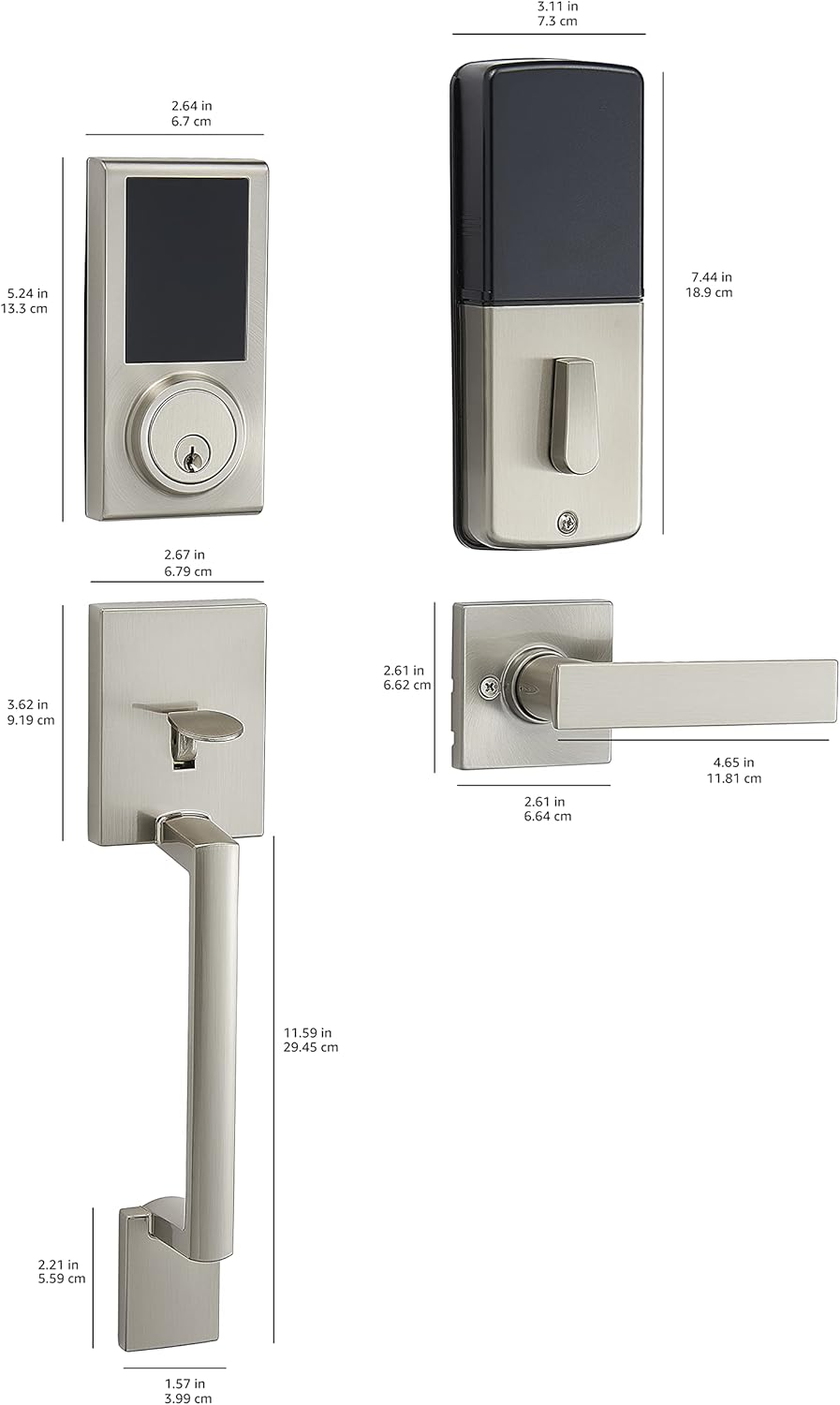
Image: Detailed dimensional drawing of the lock and handleset components.
설정 및 설치
Installation is designed to be straightforward, typically requiring only a screwdriver. All necessary hardware is included.
- 문 준비: Ensure your door's backset, cross bore, and thickness are compatible with the lock's specifications (door thickness 1-3/8 to 1-3/4 inches; standard door hole 2-1/8 inches / 54mm; 6-way adjustable latch fits 2-3/8 inches / 60mm or 2-3/4 inches / 70mm backset).
- 래치를 설치하십시오: 걸쇠를 문 가장자리에 끼우고 나사로 고정하십시오.
- 외부 어셈블리 설치: Place the exterior touchscreen deadbolt and handleset components onto the door, aligning them with the latch.
- 내부 조립 설치: Attach the interior assembly, ensuring all wires are connected correctly and tucked away. Secure with screws.
- 배터리 설치: Open the battery cover on the interior assembly and insert 4 AA alkaline batteries. Ensure correct polarity.
- 테스트 기능: After installation, test the mechanical operation of the handleset and the electronic deadbolt with the default settings before programming custom codes.

Image: The Amazon Basics Electronic Touchscreen Deadbolt and Handleset in Satin Nickel, showcasing its exterior appearance when installed on a door.
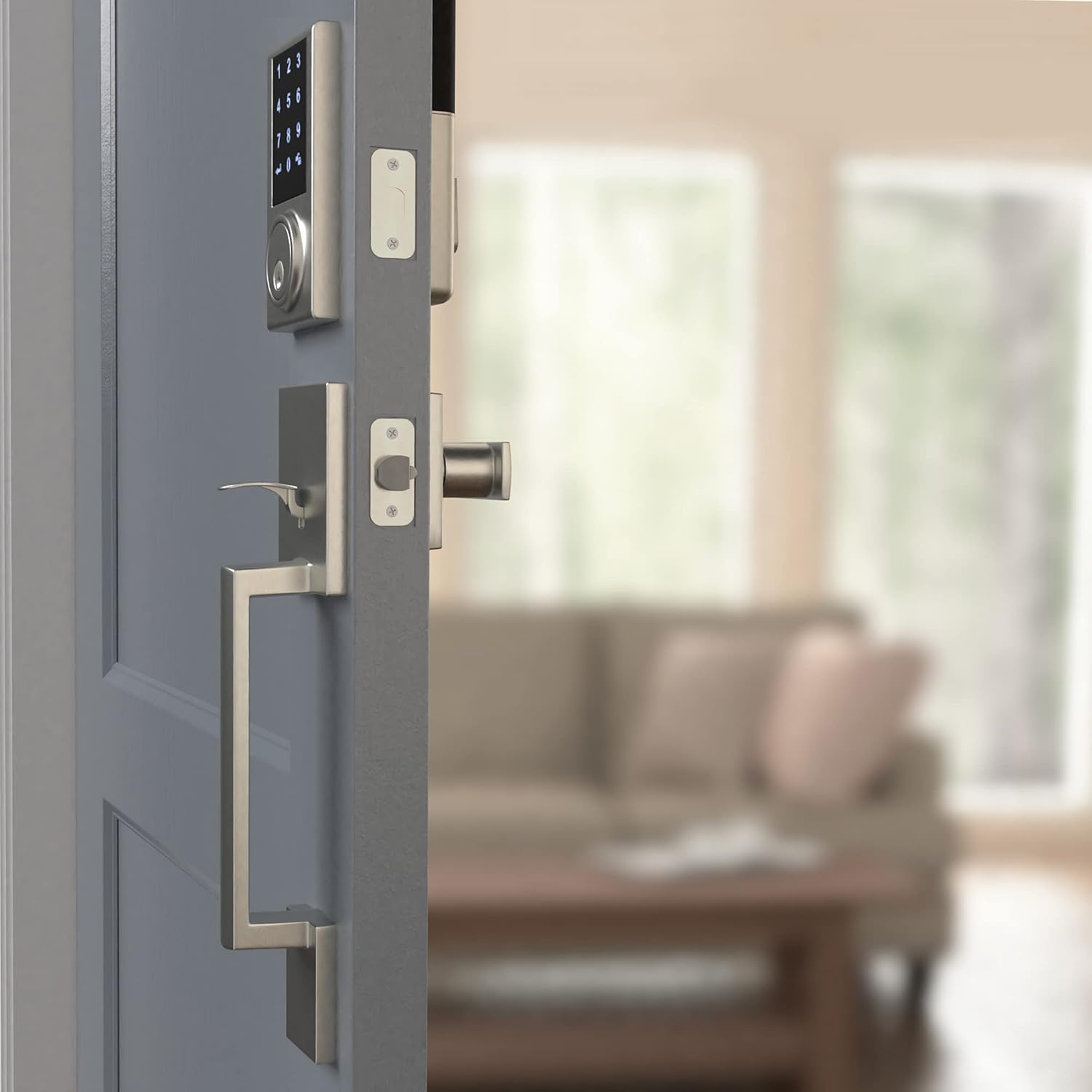
Image: The interior assembly of the lock and handleset, showing the thumb turn and battery cover.
작동 지침
Touchscreen Keypad Operation
The touchscreen keypad allows for keyless entry. To activate the keypad, simply touch the screen. The numbers will illuminate.

이미지: 클로즈업 view of the illuminated touchscreen keypad, displaying numbers 0-9 and arrow/lock symbols.
사용자 코드 프로그래밍
The lock supports up to 30 customizable user codes. Refer to the detailed programming instructions in the full manual for specific steps on adding, deleting, or modifying codes.
원터치 잠금
The motorized deadbolt allows for convenient one-touch locking from the exterior keypad. Simply press the lock symbol on the keypad to engage the deadbolt.
Random Number Generator (Security Feature)
For enhanced security, the keypad may display a random sequence of numbers before presenting the full keypad. This feature helps prevent fingerprint analysis on frequently used digits. You must touch the randomly displayed numbers first, then enter your actual code.
자동 잠금 기능
The lock can be configured to automatically lock after a set period (default is 30 seconds). This feature can be adjusted or disabled via the programming settings.
유지
배터리 교체
The lock requires 4 AA alkaline batteries. When batteries are low, the lock may exhibit unusual behavior such as random beeping or failure to accept codes. Replace all four batteries with new, strong alkaline batteries to ensure optimal performance.
청소
부드러운 천으로 잠금장치 외부를 청소하세요.amp cloth. Avoid using harsh chemicals or abrasive materials that could damage the finish or touchscreen.
문제 해결
- Lock not responding or beeping randomly: This often indicates low battery power. Replace all 4 AA batteries with new ones.
- Keypad not displaying all numbers: This is a security feature. Touch the randomly illuminated numbers first, then the full keypad will appear for code entry.
- 잠금장치가 부드럽게 열리고 닫히지 않음: Check for any obstructions in the door frame or strike plate. Ensure the lock is properly aligned and installed according to the instructions. A diagnostic run may be necessary.
- 코드가 작동하지 않습니다: Re-enter the master programming code and re-program the user codes. Ensure you are following the programming steps precisely.
보증
This Amazon Basics Electronic Touchscreen Deadbolt Door Keypad Lock with Handleset is backed by an Amazon Basics 1-year limited warranty. Please retain your proof of purchase for warranty claims.
지원하다
For further assistance or detailed programming instructions not covered in this brief manual, please refer to the complete product manual available online or contact Amazon Basics customer support.


