
1. 서론
Thank you for choosing the Aduro PowerUp Ultra Boost 20,000mAh Portable Charger. This device is designed to provide reliable power for your mobile devices on the go. Please read this manual carefully to ensure proper use and optimal performance.
2. 패키지 내용
- Aduro PowerUp Ultra Boost 20,000mAh Portable Charger
- USB 충전 케이블 (보조 배터리 충전용)
- 사용자 설명서

Image: The Aduro PowerUp Ultra Boost portable charger shown alongside its retail packaging and included USB cable.
3. 제품 특징
- 20,000mAh 대용량: 스마트폰과 태블릿에 여러 번 충전이 가능합니다.
- 듀얼 USB 출력 포트: 두 기기를 동시에 충전하세요.
- 스마트 충전 기술: 연결된 기기를 자동으로 감지하여 최적의 충전 전류를 공급합니다.
- LED 전원 표시기: 배터리 잔량을 표시합니다.
- 컴팩트하고 휴대하기 편리한 디자인: 여행이나 일상생활에 휴대하기 편리합니다.
- 내장형 안전 보호 기능: Guards against over-heating, over-current, over-charging, over-circuit, and anti-fire.
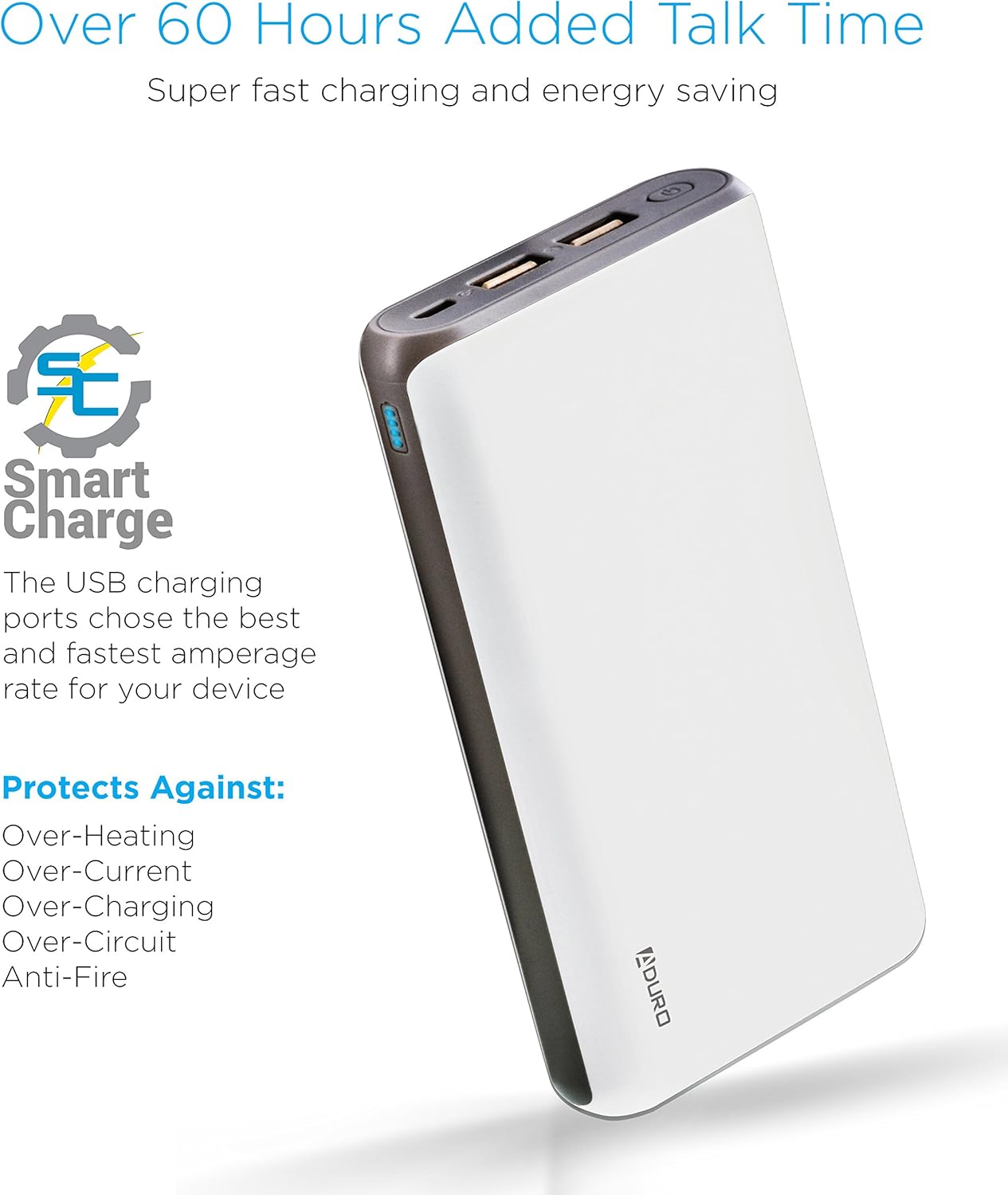
Image: The Aduro power bank highlighting its Smart Charge technology and various safety features like protection against over-heating and over-charging.

이미지: 자세한 view of the Aduro power bank's dual USB output ports, micro USB input port, and the LED power indicator lights.
4. 시작하기
4.1 파워뱅크 충전하기
- Connect the included USB charging cable to the power bank's Micro USB input port.
- Plug the other end of the USB cable into a USB wall adapter (not included) or a computer's USB port.
- The LED indicators will illuminate and blink to show the charging progress. All four LEDs will be solid when the power bank is fully charged.
보조 배터리는 처음 사용하기 전에 완전히 충전하는 것이 좋습니다.
4.2 장치 충전
- Connect your device's charging cable to one of the power bank's USB output ports.
- 케이블의 다른 쪽 끝을 장치에 연결합니다.
- 보조 배터리가 자동으로 기기 충전을 시작합니다. LED 표시등에 남은 전력량이 표시됩니다.
- To charge a second device, connect it to the other USB output port.
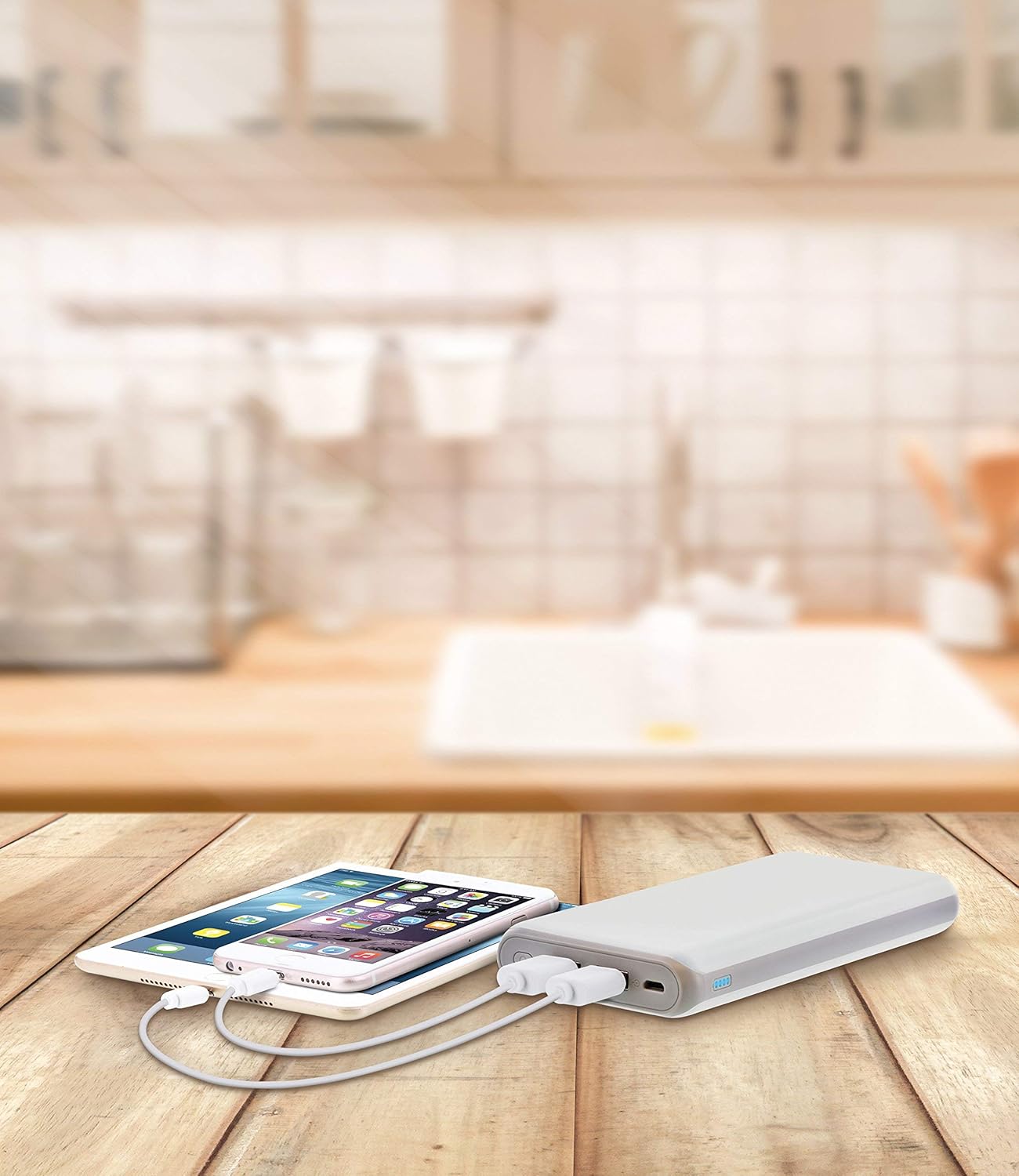
Image: The Aduro power bank connected via USB cables to two smartphones, demonstrating its dual-device charging capability.
5. LED 표시 가이드
보조 배터리의 LED 표시등은 배터리 잔량을 나타냅니다.
- LED 4개 모두 켜짐: 75% - 100% 충전됨
- LED 3개 모두 켜짐: 50% - 75% 충전됨
- LED 2개 모두 켜짐: 25% - 50% 충전됨
- LED 1개 켜짐: 0% - 25% 충전됨 (곧 충전)
- LEDs Blinking: Power bank is currently charging
6. 안전수칙
- Do not expose the power bank to extreme temperatures (above 104°F / 40°C or below 14°F / -10°C).
- 장치를 분해, 개조하거나 수리하려고 시도하지 마십시오.
- 모바일 충전기를 떨어뜨리거나 강한 충격을 주지 마십시오.
- 물, 습기, 가연성 물질로부터 멀리하세요.
- 보조 배터리가 손상되었거나 부풀어 오른 경우에는 사용하지 마십시오.
- 어린이의 손이 닿지 않는 곳에 보관하세요.
- 지역 규정에 따라 모바일 배터리는 책임감 있게 폐기하세요.
7. 관리 및 유지 보수
- 보조 배터리를 부드럽고 마른 천으로 닦으십시오. 독한 화학 약품이나 연마성 세척제를 사용하지 마십시오.
- 파워 뱅크를 사용하지 않을 때는 서늘하고 건조한 곳에 보관하십시오.
- If storing for extended periods, charge the power bank to approximately 50% every 3 months to maintain battery health.
8. 문제 해결
- 모바일 기기가 충전되지 않음: Ensure the charging cable is securely connected to both the power bank and the power source. Try a different USB cable or wall adapter.
- 전원 은행에서 기기가 충전되지 않음: Ensure the power bank has sufficient charge. Check that the cable connecting your device to the power bank is functional and properly connected. Try a different USB port on the power bank.
- 느린 충전: Ensure you are using a compatible charging cable. Some devices may charge slower due to their input requirements or the cable used.
9. 사양
| 특징 | 세부 사항 |
|---|---|
| 모델 번호 | F-208C |
| 배터리 용량 | 20,000mAh |
| 입력 | 5V / 2A (Micro USB) |
| 출력 1 | 5V / 1A (USB Type A) |
| 출력 2 | 5V / 2.1A (USB Type A) |
| 제품 치수 | 6.4 x 3 x 0.8 인치 |
| 품목 무게 | 13.6 온스 |
| 색상 | 하얀색 |

Image: The Aduro power bank displaying its physical dimensions for reference.
10. 보증 정보
Aduro provides a Lifetime Limited Warranty for this product. This warranty covers manufacturing defects and ensures the product functions as intended under normal use. Please retain your proof of purchase for warranty claims.
11. 고객 지원
For any questions, technical assistance, or warranty claims, please contact Aduro customer service. Refer to the product packaging or the official Aduro web최신 연락처 정보는 사이트에서 확인하세요.