
EARISE M15
EARISE M15 노래방 기계 사용 설명서
모델: M15
소개
구매해주셔서 감사합니다asing the EARISE M15 Karaoke Machine. This portable PA loudspeaker system is designed to provide high-quality audio for various entertainment and public address needs. Featuring powerful sound output, versatile connectivity options, and vibrant LED lights, the M15 is perfect for parties, gatherings, and karaoke sessions. Please read this manual thoroughly before operating the device to ensure proper use and to maximize its lifespan.
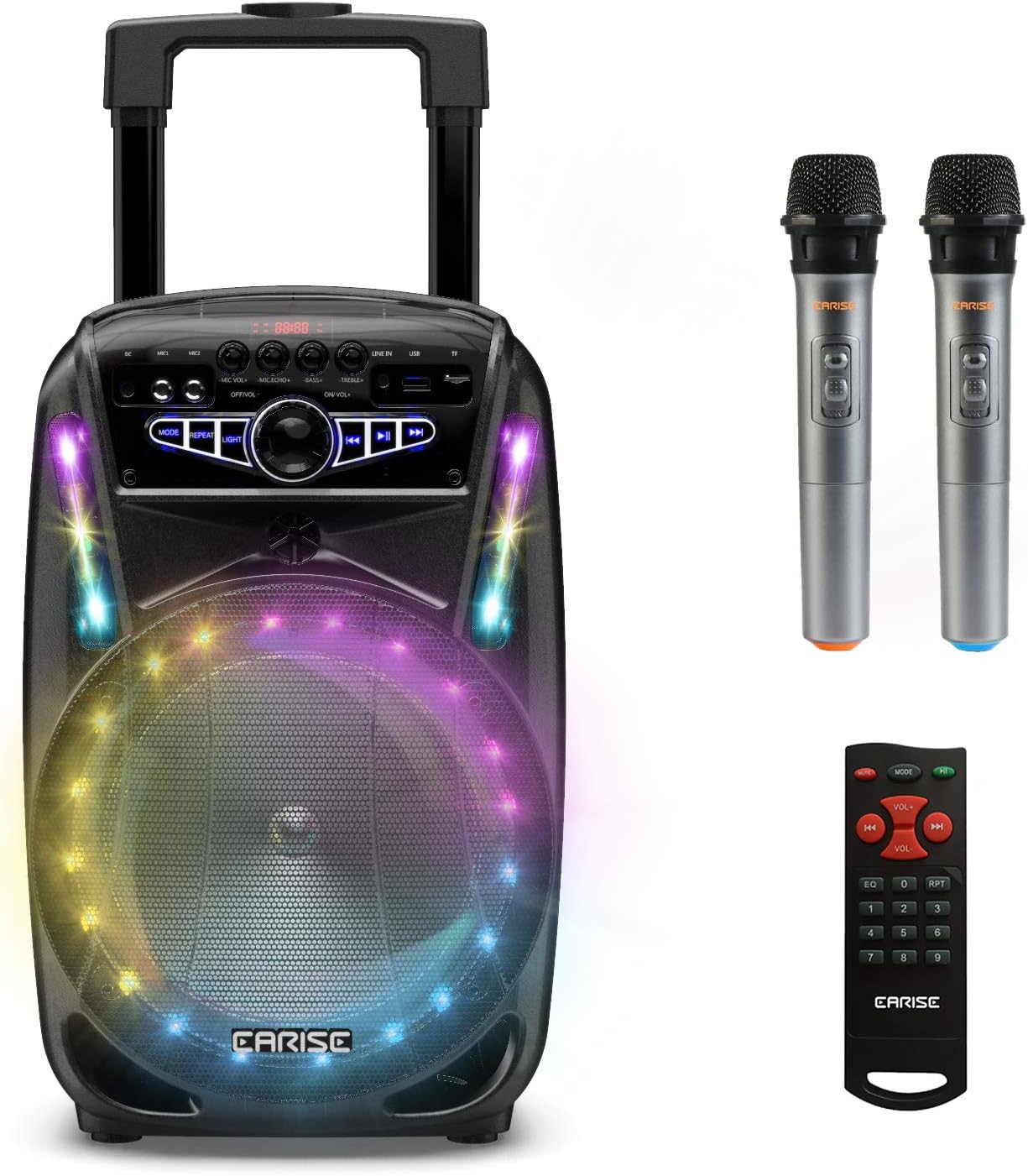
Image: The EARISE M15 Karaoke Machine, a black portable speaker with colorful LED lights on the front, shown with two wireless microphones and a remote control.
상자 안에 무엇이 들어있나요?
소포 내용물을 확인하여 모든 품목이 있는지, 그리고 양호한 상태인지 확인해 주십시오.
- 1 x M15 트롤리 PA 시스템
- 2 x 무선 마이크(배터리는 포함되지 않음)
- 1 x 원격 제어
- 1 X 전원 코드
- 1 x AUX 케이블
- 1 x 사용자 매뉴얼(이 문서)

Image: A visual representation of the package contents, showing the M15 speaker, two wireless microphones, a remote control, an AUX cable, and a charging cable.
설치 가이드
1. 기기 충전
Before first use, fully charge the M15 Karaoke Machine. The built-in 3600mAh 7.4V Lithium rechargeable battery provides portability. A full recharge takes approximately 3 hours.
- Connect the included power cord to the DC Charging Port (6) on the back of the unit.
- Plug the other end of the power cord into a standard AC 100-240V power outlet.
- The charging indicator light will illuminate. Once fully charged, the light may change color or turn off depending on the unit's design.
2. 마이크 배터리 설치
The wireless microphones require batteries (not included). Open the battery compartment of each microphone and insert the required batteries, ensuring correct polarity.
3. 초기 전원 켜기
Locate the Power On/Off switch (15) on the control panel. Turn the switch to the "ON" position to power on the unit.
작동 지침
제어판 이상view
최적의 작동을 위해 제어판을 숙지하세요.

Image: Close-up of the M15's control panel, highlighting various buttons and ports with corresponding numbers for easy identification.
- 디스플레이 화면: Shows current mode, track number, and other information.
- 마이크 볼륨: 연결된 마이크의 볼륨을 조절합니다.
- 마이크 에코: 마이크의 에코 효과를 조절합니다.
- 베이스: 오디오 출력의 저음 레벨을 조절합니다.
- 고음부: 오디오 출력의 고음 레벨을 조절합니다.
- DC 충전 포트: For connecting the power adapter to charge the unit.
- Mic 1 Port: 유선 마이크용 입력입니다.
- Mic 2 Port: Input for a second wired microphone.
- Line In Port (AUX): AUX 케이블을 통해 외부 오디오 장치를 연결하는 데 사용합니다.
- USB 플래시 드라이브 슬롯: 오디오 재생을 위해 fileUSB 드라이브에서 s.
- TF/SD 카드 슬롯: 오디오 재생을 위해 files from a TF or SD card.
- 방법: Switches between Bluetooth, USB, TF, AUX, and FM Radio modes.
- 반복하다: 현재 재생 중인 곡 또는 재생 목록을 반복 재생합니다.
- 빛: Toggles or changes the LED light patterns.
- Power On/Off, Master Volume: Turns the unit on/off and adjusts the overall volume.
- 이전 트랙 : 이전 트랙으로 건너뜁니다.
- 재생/일시 중지: 현재 트랙을 재생하거나 일시 정지합니다.
- 다음 트랙: 다음 트랙으로 건너뜁니다.
1. 블루투스 페어링
Connect your smartphone, tablet, or other Bluetooth-enabled device to the M15 for wireless audio streaming.
- Power on the M15 unit.
- 를 누르세요 방법 button (12) until "Bluetooth" or "BT" appears on the Display Screen (1).
- Enable Bluetooth on your device and search for "EARISE M15" in the list of available devices.
- Select "EARISE M15" to pair. A confirmation sound will indicate successful pairing.
- You can now play audio from your device through the M15.

Image: A person sitting outdoors, connecting their smartphone to the EARISE M15 speaker via Bluetooth, indicated by the Bluetooth logo.
2. USB/TF 카드 재생
오디오 재생 files directly from a USB flash drive or TF/SD card.
- Insert a USB flash drive into the USB Flash Drive Slot (10) or a TF/SD card into the TF/SD Card Slot (11).
- The unit should automatically switch to USB or TF mode and begin playing compatible audio files. 그렇지 않은 경우 다음을 누릅니다. 방법 button (12) to select the correct mode.
- 사용하세요 이전 트랙 (16), 재생/일시정지 (17), 그리고 다음 트랙 (18) 재생을 제어하는 버튼.
3. AUX 입력
Connect external audio devices that do not have Bluetooth capability using the AUX cable.
- Connect one end of the included AUX cable to the Line In Port (9) on the M15.
- AUX 케이블의 다른 쪽 끝을 외부 기기(예: MP3 플레이어, 노트북)의 오디오 출력 단자에 연결하세요.
- 를 누르세요 방법 button (12) until "AUX" or "LINE" appears on the Display Screen (1).
- 외부 장치에서 재생을 제어합니다.
4. 마이크 사용
The M15 supports up to two wireless microphones and two wired microphones simultaneously for karaoke fun.
- 무선 마이크: Turn on the wireless microphones. They should automatically connect to the M15.
- 유선 마이크: Plug wired microphones into Mic 1 Port (7) or Mic 2 Port (8).
- Adjust the Microphone Volume (2) and Microphone Echo (3) knobs to achieve desired sound effects.

Image: A group of people enjoying karaoke, with the EARISE M15 speaker providing sound and multiple microphones in use, demonstrating its multi-user capability.
5. LED 조명
Enhance your party atmosphere with the M15's colorful LED disco lights.
- 를 누르세요 빛 button (14) to toggle the LED lights on/off or to cycle through different light patterns.

Image: The EARISE M15 speaker with its front-facing LED lights glowing in multiple colors, creating a vibrant visual effect.
6. 원격 제어 사용
동봉된 리모컨을 이용하면 멀리서도 편리하게 조작할 수 있습니다.
- 리모콘에 배터리가 작동하는지 확인하세요.
- Point the remote control towards the front of the M15 unit.
- Use the buttons on the remote to control volume, mode, track selection, EQ, and other functions.
유지
Proper maintenance will ensure the longevity and optimal performance of your EARISE M15 Karaoke Machine.
- 청소: 제품 외부를 닦을 때는 부드럽고 마른 천을 사용하십시오. 연마성 세제, 왁스 또는 용제는 마감재를 손상시킬 수 있으므로 사용하지 마십시오.
- 배터리 관리 : To prolong battery life, avoid fully discharging the battery frequently. If storing the unit for an extended period, charge it to about 50% every few months.
- 저장: 제품을 직사광선, 극한 온도 및 높은 습도를 피해 서늘하고 건조한 곳에 보관하십시오.
- 손질: While the unit is portable with wheels and a handle, avoid dropping or subjecting it to strong impacts.

Image: A person demonstrating the portability of the EARISE M15 by pulling it with its retractable handle and built-in wheels.
문제 해결
If you encounter issues with your M15, please refer to the following common problems and solutions.
| 문제 | 가능한 원인 | 해결책 |
|---|---|---|
| 전원이 들어오지 않습니다. / 기기가 켜지지 않습니다. | 배터리가 소진되었습니다. 전원 코드가 제대로 연결되지 않았습니다. | 장치를 완전히 충전하세요. Ensure power cord is securely connected to both the unit and the power outlet. |
| 스피커에서 소리가 나지 않습니다. | 볼륨이 너무 낮습니다. 잘못된 모드를 선택했습니다. 외부 장치 볼륨이 낮습니다. | Increase the Master Volume (15). 를 누르세요 방법 button (12) to select the correct input source (Bluetooth, USB, AUX). Increase volume on the connected external device. |
| 마이크가 작동하지 않습니다. | Microphone batteries are dead or incorrectly inserted. 마이크 볼륨이 너무 작습니다. Wireless microphone not paired. | Replace microphone batteries, ensuring correct polarity. Increase Microphone Volume (2). Ensure wireless microphones are turned on and within range. |
| 블루투스 페어링에 실패했습니다. | M15 is not in Bluetooth mode. Device is too far from M15. 기기의 블루투스가 꺼져 있습니다. | 누르다 방법 button (12) to select Bluetooth mode. 기기를 M15에 더 가까이 가져가세요. 기기에서 Bluetooth를 활성화하세요. |
| USB/TF 카드가 재생되지 않습니다. | 잘못된 file 체재. 카드/드라이브가 올바르게 삽입되지 않았습니다. Unit not in USB/TF mode. | 오디오 확인 file파일 형식은 호환 가능한 형식(예: MP3)이어야 합니다. Re-insert the USB drive or TF card firmly. 누르다 방법 button (12) to select USB or TF mode. |
명세서
Detailed technical specifications for the EARISE M15 Karaoke Machine.
| 특징 | 사양 |
|---|---|
| 모델 | M15 |
| 전력 출력 | 최대 400W |
| R.Frequency | 90Hz-20kHz |
| 리튬이온 배터리 | 3.7V / 2600mAh (Built-in) |
| 구동 장치 | 8" 4Ω*1 + 1" tweeter*1 |
| 신호대잡음비 | ≥60dB |
| 전원 공급 장치 | 교류 100-240V |
| 제품 크기(L x W x H) | 27.94 x 25.4 x 40.64cm(11 x 10.4 x 16.3인치) |
| 품목 무게 | 4.08kg |
| 연결 기술 | 블루투스, USB, AUX |
| 호환 장치 | 노트북, 스마트폰 |

Image: A diagram illustrating the physical dimensions of the EARISE M15 speaker, showing its height, width, and depth.
보증 및 지원
For warranty information or technical support, please refer to the contact details provided with your purchase documentation or visit the official EARISE web사이트. 보증 청구에 대비해 구매 증빙 자료로 구매 영수증을 보관하세요.