소개
구매해주셔서 감사합니다asing the TENMIYA A13 Portable Bluetooth Speaker. This manual provides detailed instructions for the proper use, setup, and maintenance of your speaker. Please read this manual thoroughly before operating the device to ensure optimal performance and longevity.
안전 정보
- 스피커를 극한의 온도, 습도 또는 직사광선에 노출시키지 마세요.
- 스피커를 떨어뜨리거나 강한 충격을 주지 마십시오.
- 스피커를 직접 분해, 수리 또는 개조하지 마십시오. 자격을 갖춘 서비스 담당자에게 문의하십시오.
- 스피커를 물이나 기타 액체로부터 멀리 두십시오.
- 지정된 충전 케이블과 전원 어댑터만 사용하세요.
- 부드럽고 마른 천으로 스피커를 닦으세요. 연마성 세제나 용제를 사용하지 마세요.
패키지 내용
다음 품목이 패키지에 포함되어 있는지 확인하세요.
- 1 x A13 블루투스 스피커
- 1 x Remote control (requires 2*AAA batteries, not included)
- 1 x AUX 케이블
- 1 x USB 케이블
- 1 x 사용자 설명서
제품 끝view
The TENMIYA A13 is a portable Bluetooth speaker designed for versatile audio playback. It features a powerful subwoofer, two tweeters, and a rear heavy bass guide tube for rich sound. Key features include Bluetooth 5.0 connectivity, FM radio, TF/SD card support, USB playback, AUX input, a 3.5mm microphone jack, intelligent remote control, digital display, and colorful RGB lights.
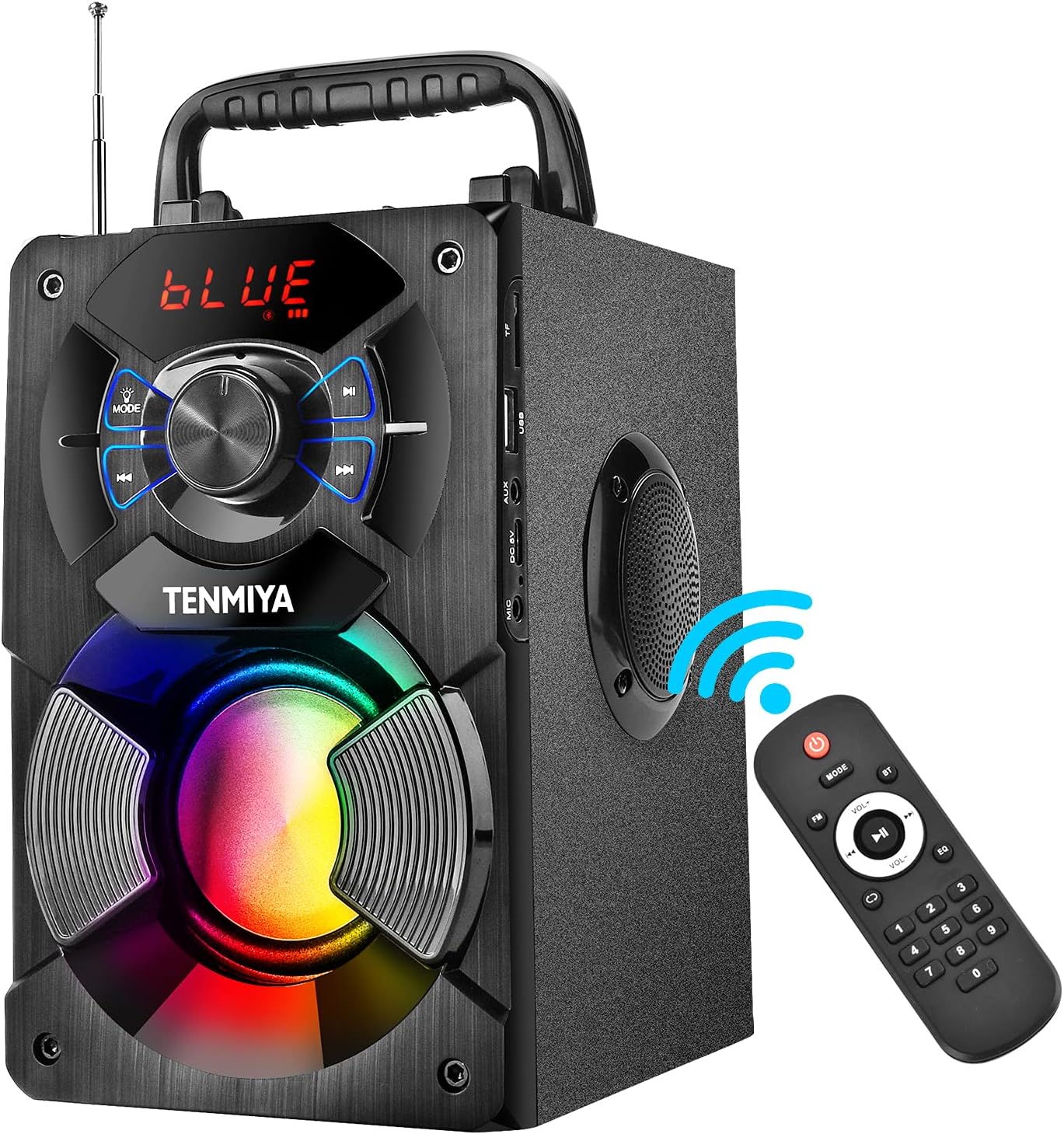
Figure 1: TENMIYA A13 Portable Bluetooth Speaker with included remote control, highlighting wireless connectivity.
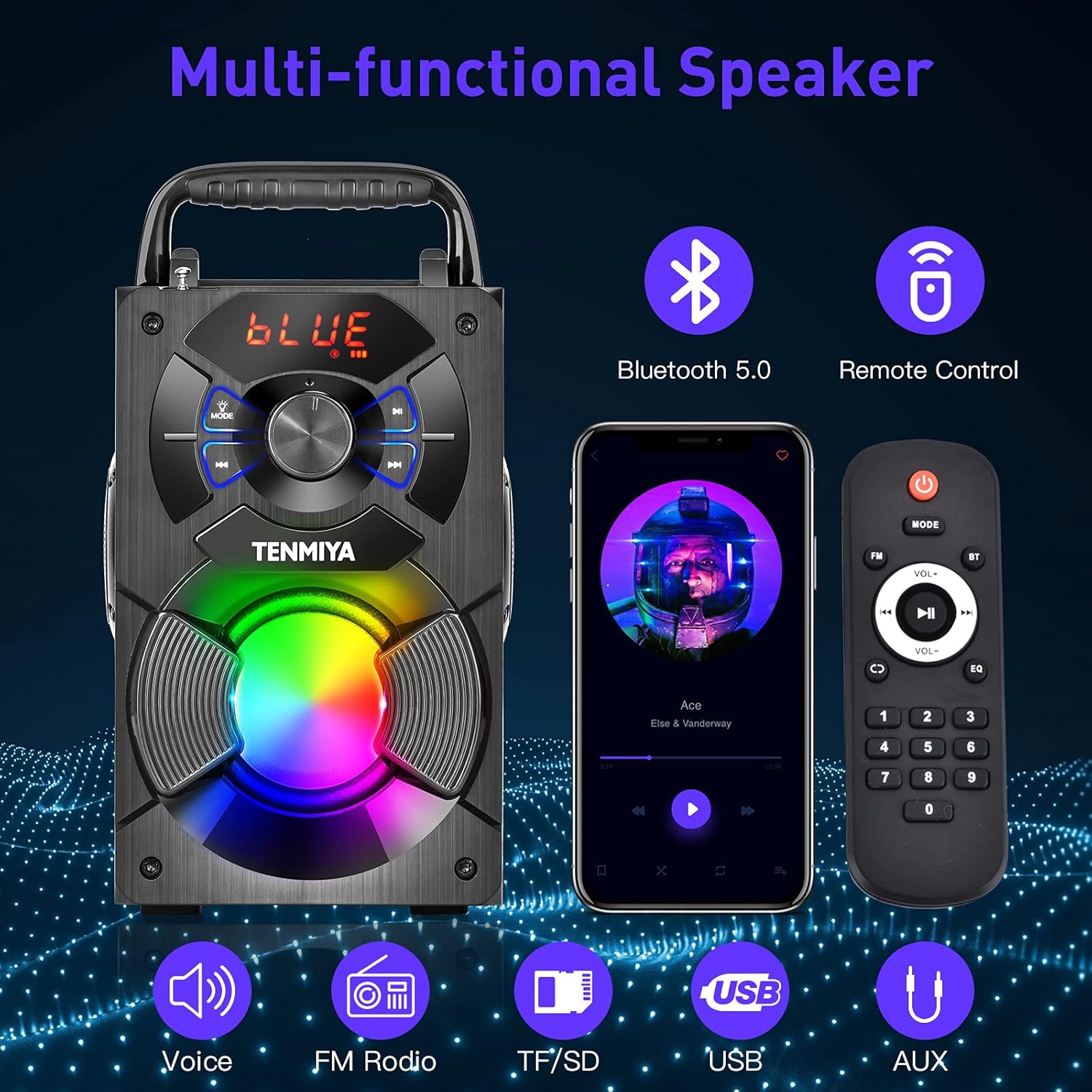
그림 2: 이상view of the speaker's multi-functional capabilities including Bluetooth 5.0, remote control, voice prompts, FM radio, TF/SD card, USB, and AUX input.

Figure 3: Dimensions of the TENMIYA A13 Portable Bluetooth Speaker, showing its compact size and portability with a handle.
설정
스피커 충전하기
Before first use, fully charge the speaker. Connect the supplied USB cable to the speaker's DC 5V input port and the other end to a USB power adapter (not included) or a computer's USB port. The charging indicator will illuminate during charging and turn off when fully charged.
전원 켜기/끄기
To power on the speaker, press and hold the Power button until the digital display illuminates. To power off, press and hold the Power button again until the display turns off.
작동 지침
블루투스 페어링
- 스피커 전원을 켜세요. 그러면 디지털 디스플레이에 "BLUE"가 깜빡이며 자동으로 블루투스 페어링 모드로 전환됩니다.
- Enable Bluetooth on your smartphone, tablet, or other Bluetooth device.
- 검색 "A13" in the list of available devices and select it to connect.
- Once successfully paired, the speaker will emit a confirmation tone, and "BLUE" on the display will stop flashing.
- 이제 스피커를 통해 기기의 오디오를 재생할 수 있습니다.
FM 라디오 작동
- Press the "MODE" button on the speaker or remote control to switch to FM radio mode.
- 수신 감도를 높이려면 안테나를 펼치세요.
- To automatically search and save available stations, long press the "Play/Pause" button. The speaker will scan and store stations.
- 저장된 역 사이를 이동하려면 "이전/다음" 버튼을 사용하세요.
- Alternatively, use the remote control to manually input a station frequency.

Figure 4: The TENMIYA A13 speaker supporting FM radio, shown in an outdoor setting.
TF/SD Card Music Playback
Insert a TF (Micro SD) card into the TF card slot. The speaker will automatically switch to TF card mode and begin playing audio files (MP3, WAV, etc.) from the card.
USB Flash Drive Music Playback
USB 플래시 드라이브를 USB 포트에 삽입하세요. 스피커가 자동으로 USB 모드로 전환되어 오디오 재생을 시작합니다. files (MP3, WAV, etc.) from the drive.
AUX Line-in Connection
Connect one end of the supplied AUX cable to the speaker's AUX input port and the other end to the audio output jack of your external device (e.g., MP3 player, computer). Press the "MODE" button to switch to AUX mode.
마이크 사용
Connect a 3.5mm microphone (not included) to the speaker's microphone jack. The speaker will amplify the microphone input, allowing for karaoke or public speaking.
원격 제어 기능
The included remote control allows for convenient operation of the speaker from a distance. Ensure 2*AAA batteries are inserted correctly. Functions include:
- 힘: 스피커를 켜거나 끕니다.
- 오시는 길 : Switch between Bluetooth, FM, TF/SD, USB, and AUX modes.
- 볼륨 +/- : 마스터 볼륨을 조정합니다.
- 이전 다음: 트랙을 건너뛰거나 FM 방송국을 탐색하세요.
- 재생/일시 중지: Play or pause audio. Long press for FM auto-scan.
- EQ : Cycle through various equalizer presets (Jazz, Rock, Classical, Pop, etc.).
- 숫자 패드: For direct input of FM frequencies.

Figure 5: User operating the TENMIYA A13 speaker with the remote control for convenient audio playback.
RGB 다채로운 조명
The speaker features built-in RGB colorful lights that enhance the listening experience. These lights typically activate automatically when the speaker is on. Specific controls for light modes may be available via the remote control or a dedicated button on the speaker (refer to the speaker's control panel for details).
EQ 사운드 효과
The speaker includes various EQ sound effects to customize your audio experience. Press the "EQ" button on the remote control to cycle through presets such as Jazz, Rock, Classical, Pop, and more, adjusting the audio output to suit different music genres.
유지
- 청소: 스피커 표면을 닦을 때는 부드럽고 마른 보풀 없는 천을 사용하십시오. 액체 세척제, 에어로졸 또는 용제를 사용하지 마십시오.
- 저장: 장시간 사용하지 않을 경우, 스피커를 직사광선과 극한의 온도를 피해 서늘하고 건조한 곳에 보관하세요.
- 배터리 관리 : 배터리 수명을 연장하려면 배터리를 자주 완전히 방전하지 마세요. 스피커를 사용하지 않을 때에도 정기적으로 충전하세요.
문제 해결
| 문제 | 가능한 원인 | 해결책 |
|---|---|---|
| 스피커가 켜지지 않습니다. | 배터리가 부족합니다. | 스피커를 완전히 충전하세요. |
| 소리가 나지 않습니다. | 볼륨이 너무 낮음; 모드가 올바르지 않음; 장치가 연결되지 않음. | Increase volume; switch to correct mode (Bluetooth, AUX, etc.); ensure device is paired/connected. |
| 블루투스 페어링에 실패했습니다. | 스피커가 페어링 모드가 아닙니다. 장치가 너무 멀리 떨어져 있습니다. 간섭이 발생합니다. | Ensure speaker is in Bluetooth mode and flashing; move device closer; restart both devices. |
| FM 라디오 잡음. | 신호가 약합니다. 안테나가 확장되지 않았습니다. | Extend the antenna fully; try auto-scanning for stations again; move to a location with better reception. |
| 리모컨이 작동하지 않습니다. | Batteries low or incorrectly inserted; remote out of range. | Replace AAA batteries; ensure correct polarity; point remote directly at the speaker; reduce distance. |
명세서
| 특징 | 세부 사항 |
|---|---|
| 제품 유형 | A13 블루투스 스피커 |
| 스피커 출력 전력 | 5W + 3W x 2 (Total 11W) |
| 스피커 유닛 | 3" (Subwoofer) + 2" x 2 (Tweeters) |
| 주파수 응답 | 80Hz-20kHz |
| 입력 임피던스 | 10kΩ |
| 입력 Voltage | 직류 5V |
| 제품 치수 | 6.1 x 4.72 x 7.48인치(18.52 x 11.51 x 22.5cm) |
| 플레이 시간 | Approx. 6-8 hours (depends on playing volume) |
| 배터리 용량 | 2500mAh(리튬 이온) |
| 블루투스 버전 | 5.0 |
| 무선 범위 | Up to 100 feet (barrier-free environment) |
| 지원되는 기능 | Bluetooth, MP3 music player, FM radio, TF Card, AUX, USB music player, Remote control, EQ, Karaoke |
| 호환 장치 | Computer, MP3, MP4, Smart Phone, Tablet, Laptop |
| 재료 유형 | 목재 |
보증 및 지원
TENMIYA products are designed and manufactured to the highest quality standards. For information regarding warranty coverage, please refer to the warranty card included with your purchase or visit the official TENMIYA website. If you encounter any issues or have questions about your A13 speaker, please contact our customer service team. Our dedicated support staff will respond to your inquiries within 12 hours to assist you.
For customer service, please refer to the contact information provided on the product packaging or the official TENMIYA web대지.