
GOKOO B08FMBHSWD
GOKOO Smart Watch B08FMBHSWD User Manual
소개
This manual provides essential information for the proper setup, operation, and maintenance of your GOKOO Smart Watch B08FMBHSWD. Please read it thoroughly before using the device to ensure optimal performance and longevity.
The GOKOO Smart Watch is a versatile fitness tracker and smartwatch designed to monitor various health metrics and assist with daily activities. It features a full touch screen, heart rate and blood oxygen monitoring, sleep tracking, multiple sports modes, and notification capabilities.
제품 끝view
The GOKOO Smart Watch B08FMBHSWD is equipped with advanced features to support your active lifestyle and health monitoring needs.
- All-day Activity Tracking: Records steps, calories, and mileage. Supports 10 sports modes including walking, running, yoga, and swimming.
- 종합 건강 모니터링: Continuously monitors heart rate and blood oxygen levels. Features automatic sleep tracking, breathing training, and sedentary reminders.
- 내구성과 방수성이 뛰어난 디자인: IP68 waterproof rating suitable for daily use and swimming.
- 사용자 정의 가능한 디스플레이: 1.3-inch round high-definition screen with personalized UI interfaces.
- 스마트 알림: Synchronizes messages and allows management of incoming calls.
- 긴 배터리 수명: Up to 10 days of usage on a single charge (200MA battery).
- 폭넓은 호환성: Works with Android 5.0+ and iOS 9.0+ devices.

Figure 1: GOKOO Smart Watch highlighting its design and core functionalities.
설정
1. 장치 충전
Before initial use, fully charge your GOKOO Smart Watch. Connect the magnetic charging cable to the charging contacts on the back of the watch and plug the USB end into a power adapter (not included) or a computer's USB port. The watch display will indicate charging status.
A full charge typically takes approximately 2 hours and provides up to 10 days of usage, depending on individual use patterns.

Figure 2: Illustration of the watch's IP68 waterproof capability and its extended battery life.
2. 앱 설치 및 페어링
- 앱 다운로드: 검색 the official GOKOO companion app in your smartphone's app store (Apple App Store for iOS, Google Play Store for Android).
- 설치 및 등록: 앱을 설치하고 화면의 지시에 따라 계정을 만들거나 로그인하세요.
- 블루투스 활성화: 스마트폰에서 Bluetooth가 활성화되어 있는지 확인하세요.
- 시계 페어링: Open the GOKOO app, navigate to the device pairing section, and select your GOKOO Smart Watch from the list of available devices. Confirm the pairing request on both your phone and the watch if prompted.
- 권한 부여: 앱이 정상적으로 작동하려면 필요한 권한(예: 알림, 위치 정보, 건강 데이터)을 허용해 주세요.
The watch will synchronize its language with your phone upon successful connection.
작동 지침
1. 기본 탐색
- 터치 스크린: The watch features a full touch screen for interaction.
- 위/아래로 스와이프: 메뉴와 알림을 스크롤합니다.
- 왼쪽/오른쪽으로 스와이프: Access different widgets or quick functions.
- 수도꼭지: 항목을 선택하거나 작업을 확인하세요.
- 측면 버튼: Typically used to return to the home screen or activate/deactivate the display.

Figure 3: The watch interface displaying multiple functions and touch screen interaction methods.
2. 활동 추적
The watch automatically tracks your daily steps, calories burned, and distance traveled. For specific activities, you can select from 10 sports modes:
- 걷는
- 달리기
- 요가
- 수영
- 사이클링
- 등반
- 농구
- 축구
- 배드민턴
- 스킵핑
To start a workout, navigate to the 'Sports' menu on your watch, select the desired activity, and tap to begin. The watch will record your exercise data, which can be review동반 앱에서 사용할 수 있습니다.

Figure 4: The watch interface showing available sports monitoring modes.

Figure 5: The watch tracking an outdoor run, displaying distance, calories, and a trajectory map.
3. 건강 모니터링
- 심박수: 시계는 지속적으로 심박수를 모니터링합니다. View 시계에서 실시간 데이터를 확인하거나 앱에서 상세한 과거 데이터를 확인할 수 있습니다.
- 혈중 산소(SpO2): Monitor your blood oxygen levels throughout the day.
- 수면 추적: The watch automatically records your sleep quality, including deep sleep, light sleep, and wake times. Review sleep patterns in the app to help adjust your habits.
- 호흡 훈련: Access guided breathing exercises on the watch to help reduce stress and improve relaxation.
- 앉아있는 알림: 앱에서 일정 시간 동안 활동이 없으면 움직이도록 알림을 설정하세요.

Figure 6: The watch displaying real-time heart rate and blood oxygen data during exercise.
4. 알림 및 스마트 기능
Once paired with your smartphone, the GOKOO Smart Watch can display notifications for incoming calls, messages, and various app alerts. You can read messages directly on your wrist and manage incoming calls (answer/reject) without reaching for your phone.
- 통화 관리: Swipe on the watch screen to accept or reject incoming calls.
- Message Display: View text messages and app notifications.
- 일기 예보: Access current weather information.
- 음악 제어: 스마트폰에서 음악 재생을 제어하세요.
- 카메라 리모컨 : 시계를 휴대폰 카메라의 원격 셔터로 사용하세요.
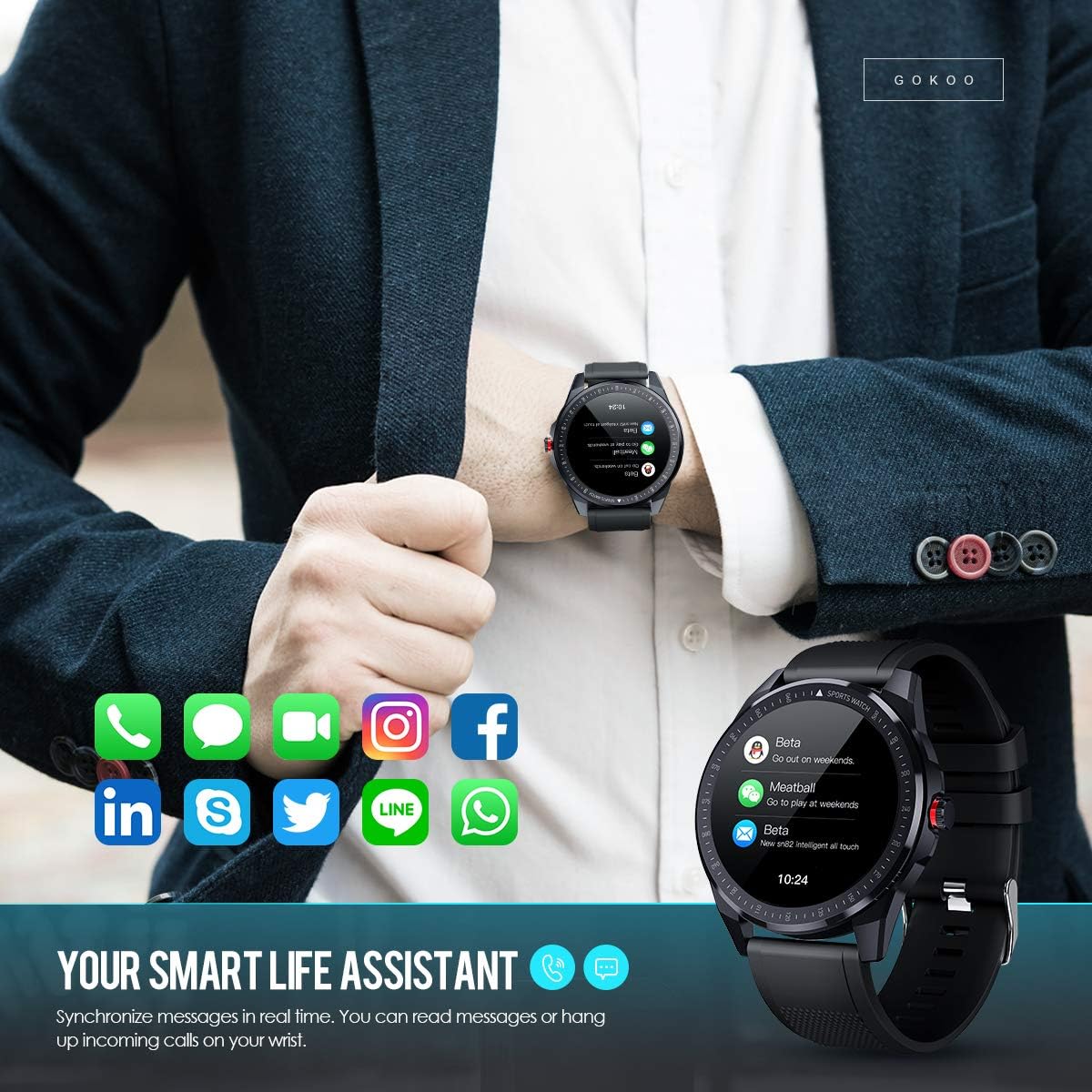
Figure 7: The watch showing synchronized notifications from a smartphone.
5. 사용자 정의
The GOKOO Smart Watch allows for personalization of its interface. You can select from various pre-installed watch faces or download additional styles through the companion app to match your preference.
유지
1. 청소
피부 자극을 예방하고 기기 위생을 유지하려면 시계와 스트랩을 정기적으로 청소하십시오. 부드럽고 보풀 없는 천을 사용하세요. 필요한 경우, 약간 닦아내십시오.amp천에 물을 묻혀 닦아주세요. 강한 화학 물질, 연마성 세제 또는 에어로졸 스프레이는 사용하지 마세요.
2. 방수 지침
The GOKOO Smart Watch has an IP68 waterproof rating, meaning it is resistant to dust and can withstand immersion in water up to 1.5 meters for 30 minutes. It is suitable for daily use, hand washing, rain, and swimming.
중요한: Do not use the watch in hot water baths, saunas, or during diving. High temperatures and high pressure can compromise the waterproof seals and cause damage.
3. 배터리 관리
- 배터리를 자주 완전히 방전시키지 마세요.
- 제공된 자석 충전 케이블을 사용하여 시계를 충전하세요.
- 장시간 사용하지 않을 때는 시계를 서늘하고 건조한 곳에 보관하세요.
문제 해결
- 시계가 켜지지 않음: 시계가 완전히 충전되었는지 확인하세요. 충전기에 최소 30분 동안 연결해 두세요.
- 휴대폰과 페어링할 수 없습니다:
- 휴대폰에서 Bluetooth가 활성화되어 있는지 확인하십시오.
- 시계가 휴대폰의 Bluetooth 범위 내에 있는지 확인하세요.
- 휴대폰과 시계를 모두 다시 시작하세요.
- 앱에 필요한 권한이 있는지 확인하세요.
- 부정확한 건강 데이터: 시계를 손목뼈에서 손가락 하나 너비만큼 위로 편안하게 착용하세요. 시계 뒷면의 센서를 청소하세요.
- 알림이 나타나지 않음:
- Verify that notification permissions are granted in the app and your phone's settings.
- 시계가 Bluetooth로 연결되어 있는지 확인하세요.
- 시계나 휴대폰에서 '방해 금지' 모드가 활성화되어 있는지 확인하세요.
- 짧은 배터리 수명: Reduce screen brightness, disable continuous heart rate monitoring if not needed, and limit the number of active notifications.
명세서
| 특징 | 세부 사항 |
|---|---|
| 상표 | 고쿠 |
| 모델 | B08FMBHSWD |
| 화면 크기 | 1.3 인치 |
| 운영 체제 | 안드로이드 5.0 이상, iOS 9.0 이상 |
| 호환 장치 | 스마트폰 |
| 배터리 수명 | 최대 10일 (사용량에 따라 다름) |
| 배터리 유형 | 리튬폴리머 |
| 방수성 | IP68 |
| 무선 연결 | 블루투스 |
| 휴먼 인터페이스 입력 | 터치스크린 |
| 제품 치수 | 27 x 5 x 1.08 cm; 168g |

Figure 8: Detailed product dimensions of the GOKOO Smart Watch.
보증 및 지원
For warranty information or technical support, please refer to the contact details provided with your purchase or visit the official GOKOO website. If you require a copy of this manual or have any questions regarding your GOKOO Smart Watch B08FMBHSWD, please contact customer service.
Ask a question about this manual
Ask about setup, troubleshooting, compatibility, parts, safety, or missing instructions. Manuals+ will review the question and use this page’s manual context to help answer it.