
1. 서론
This manual provides essential instructions for the setup, operation, maintenance, and troubleshooting of your Aonerex 7-inch HD Touch Screen Car GPS Navigation system. Please read this manual thoroughly before using the device to ensure proper functionality and safety.
2. 제품 특징
The Aonerex 7-inch HD Touch Screen Car GPS Navigation system is designed to provide reliable and convenient navigation. Key features include:
- 7-inch HD Touch Screen display for clear visibility.
- 8GB internal memory and 256MB RAM for smooth operation.
- Satellite navigation with real-time voice reminders.
- Speeding warning alerts to promote safe driving.
- Efficient route planning capabilities.
- Free lifetime map updates for North America.
- Support for 2D and 3D map perspectives.
- FM transmitter functionality.
- Applicable for various vehicle types (Car, Truck, Ambulance, Bus, Taxi, Pedestrian).
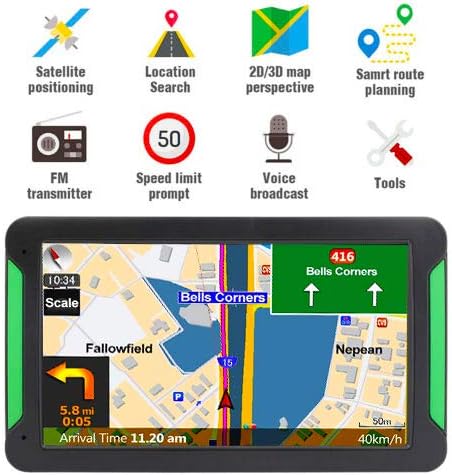
그림 2.1: 전면 view of the Aonerex GPS Navigation system highlighting key features such as satellite positioning, location search, 2D/3D map perspective, smart route planning, FM transmitter, speed limit prompt, voice broadcast, and tools.
3. 패키지 내용
패키지를 열었을 때 다음 품목이 모두 포함되어 있는지 확인하세요.
- 1x Aonerex 7-inch GPS Navigation Device
- 1x 차량용 충전기
- 1x 미니 USB 케이블
- 1x 사용자 설명서
- 1x Car Bracket (Mount)
- 1x Suction Support
- 1x Sun Shade

Figure 3.1: Illustration of the complete package contents, including the GPS device, car charger, USB cable, user manual, car bracket, suction support, and sun shade.
4. 디바이스 오버view
Familiarize yourself with the physical components and ports of your GPS device:
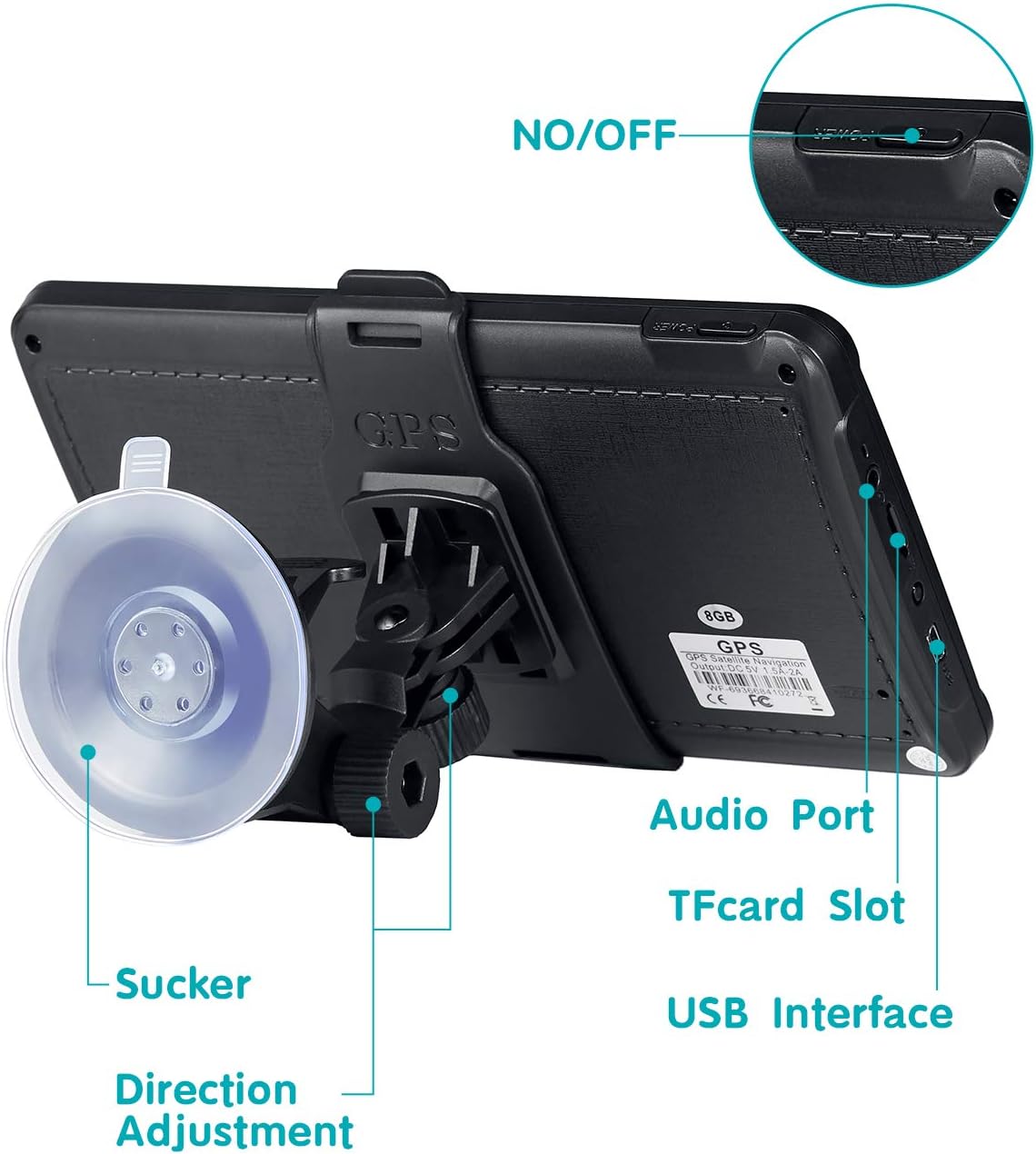
그림 4.1: 후면 view of the GPS device showing the ON/OFF button, Audio Port, TF Card Slot, USB Interface, Suction Cup attachment point, and Direction Adjustment mechanism for the mount.
- 켜기/끄기 버튼: 장치의 전원을 켜거나 끕니다.
- 오디오 포트 : 외부 오디오 장치 또는 헤드폰을 연결하는 데 사용합니다.
- TF 카드 슬롯 : For inserting a TransFlash (MicroSD) card to expand storage.
- USB 인터페이스: 기기를 충전하고 컴퓨터에 연결합니다.
- 흡입 컵: Attaches the device mount to a smooth surface like a windshield.
- 방향 조정: Allows adjustment of the device's view잉 각도.
5. 설정
5.1 장치 장착
- Assemble the car bracket and suction support.
- Attach the GPS device to the car bracket.
- Clean the desired mounting surface (windshield or dashboard) thoroughly.
- Press the suction cup firmly against the clean surface and engage the locking mechanism to secure it.
- Adjust the device angle for optimal view운전을 방해하지 않고 view.

Figure 5.1: The Aonerex GPS Navigation device securely mounted on a car dashboard, displaying a navigation route.
5.2 전원 켜기 및 충전
- Connect the car charger to the device's USB interface and plug it into your vehicle's 12V power outlet.
- Press and hold the ON/OFF button to power on the device.
- Ensure the device is sufficiently charged before long trips.
5.3 초기 구성
처음 사용하거나 공장 초기화를 한 후에는 기본 설정을 구성해야 할 수 있습니다.
- 언어: Select your preferred language for the interface and voice guidance.
- 시간대: Set the correct time zone for accurate time display.
- 차량 유형: Choose your vehicle type (e.g., Car, Truck) to optimize route planning.
6. Operating the GPS Navigation
6.1 기본 탐색
- From the main menu, tap on the 'Navigation' icon.
- Select 'Destination' or 'Find Address'.
- Enter the desired address, point of interest, or coordinates using the on-screen keyboard.
- Confirm the destination, and the device will calculate the optimal route.
- Follow the voice prompts and on-screen directions to reach your destination.
6.2 터치스크린 상호작용
The device features a responsive touchscreen for easy interaction:
- 수도꼭지: 항목을 선택하거나 작업을 확인합니다.
- 견인: Scroll through menus or move the map view.
- 핀치 투 줌: Adjust map zoom levels (if supported by software).
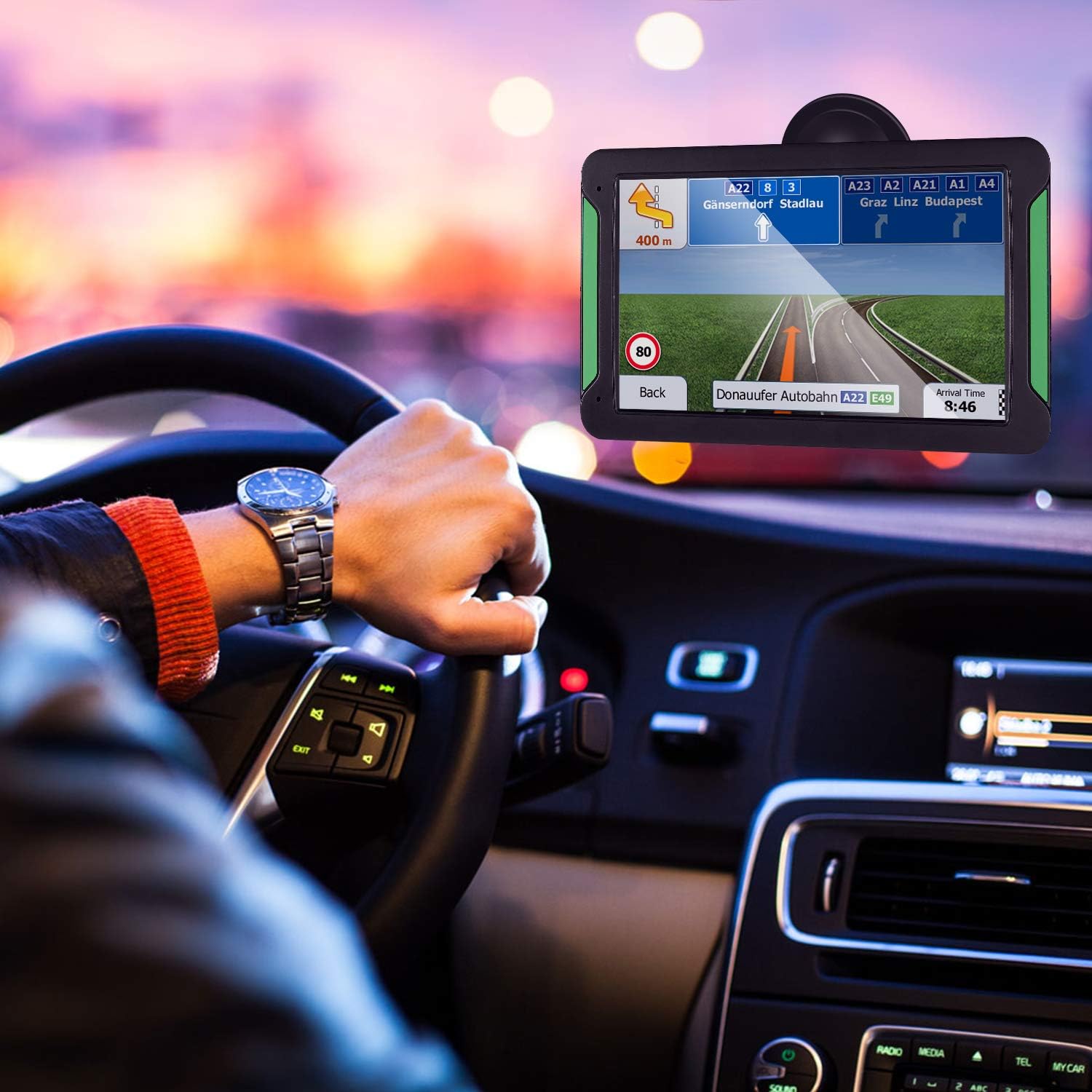
Figure 6.1: A hand interacting with the touchscreen of the Aonerex GPS device, demonstrating ease of use for navigation and menu selection.
6.3 Voice Guidance and Warnings
- The device provides clear, turn-by-turn voice directions.
- Real-time voice reminders for upcoming turns, lane changes, and points of interest.
- Audible and visual speeding warnings alert you when exceeding the speed limit.

Figure 6.2: The Aonerex GPS Navigation device displaying a detailed route with current speed and distance information while mounted in a vehicle.
6.4 지도 업데이트
Your Aonerex GPS comes with free lifetime map updates. To update maps:
- Visit the official Aonerex support website for map update software and instructions.
- Connect your GPS device to a computer using the provided USB cable.
- Follow the on-screen prompts of the update software to download and install the latest maps.
6.5 Multi-Vehicle Modes
The device supports route optimization for different vehicle types. Access the settings menu to select:
- 자동차
- 트럭
- 구급차
- 버스
- 택시
- 보행자
7. 유지관리
7.1 장치 청소
- 부드럽고 보푸라기가 없는 천을 사용하여 화면과 외부를 청소하세요.
- Do not use abrasive cleaners, alcohol, or solvents, as these can damage the screen and casing.
- 청소하기 전에 장치의 전원이 꺼져 있는지 확인하세요.
7.2 소프트웨어 업데이트
Periodically check the Aonerex support website for firmware or software updates to ensure optimal performance and access to new features.
7.3 배터리 관리
- 기기를 극한 온도에 노출시키지 마십시오. 배터리 수명이 저하될 수 있습니다.
- 정기적으로 기기를 충전하세요. 하지만 완전히 충전한 후에도 장시간 플러그를 꽂아 두지 마세요.
8. 문제 해결
If you encounter issues with your Aonerex GPS Navigation, refer to the following common problems and solutions:
- 기기의 전원이 켜지지 않습니다:
- 장치가 완전히 충전되었거나 전원에 연결되어 있는지 확인하십시오.
- 전원 버튼을 몇 초간 길게 누르세요.
- GPS 신호 없음:
- 장치에 명확한 내용이 있는지 확인하십시오. view of the sky (not obstructed by buildings or tunnels).
- 탁 트인 공간으로 이동하세요.
- 장치를 다시 시작합니다.
- Suction cup does not stick:
- Clean the mounting surface and the suction cup thoroughly with a damp 천으로 덮고 완전히 말리십시오.
- 잠금 장치가 완전히 결합되었는지 확인하십시오.
- Voice directions stop mid-sentence or are unclear:
- Check the device's volume settings.
- 펌웨어가 최신인지 확인하세요.
- If using FM transmitter, ensure the frequency is clear and not interfered with by other radio stations.
- Device turns on and off repeatedly:
- This may indicate a battery issue. Ensure the device is fully charged.
- Try a different power source or car charger.
- Perform a factory reset (refer to device settings for this option, note that this will erase personal data).
9. 사양
| 특징 | 사양 |
|---|---|
| 상표 | 아오네렉스 |
| 모델 번호 | B08FM7DXG6 |
| 화면 크기 | 7인치 |
| 디스플레이 유형 | HD Touch Screen (Capacitive) |
| 메모리 저장 용량 | 8GB (XNUMX기가바이트) |
| 연결 기술 | USB |
| 지원되는 위성 항법 시스템 | GPS |
| 지도 유형 | North America, Satellite |
| 제어 방법 | 터치, 음성 |
| 오디오 출력 모드 | 스테레오 재생 |
| 장착 유형 | 대시 보드 마운트 |
| 배터리가 포함되어 있습니까? | 예 |
| 한국어: | 791564895200 |
10. 보증 및 지원
For warranty information and technical support, please refer to the documentation included with your product or visit the official Aonerex web사이트. 보증 청구에 대비해 구매 증빙 자료로 구매 영수증을 보관하세요.
If you require further assistance, please contact Aonerex customer service through their official channels.