
1. 서론
Thank you for choosing the Joyroom JR-X1 Bluetooth Wireless Earphones. These earphones are designed to provide a comfortable and high-quality audio experience with bone conduction technology, allowing you to enjoy sound without blocking your ears. This manual will guide you through the setup, operation, and maintenance of your new earphones.

Figure 1: Joyroom JR-X1 Bluetooth Wireless Earphones, showcasin세련된 디자인이 특징입니다.
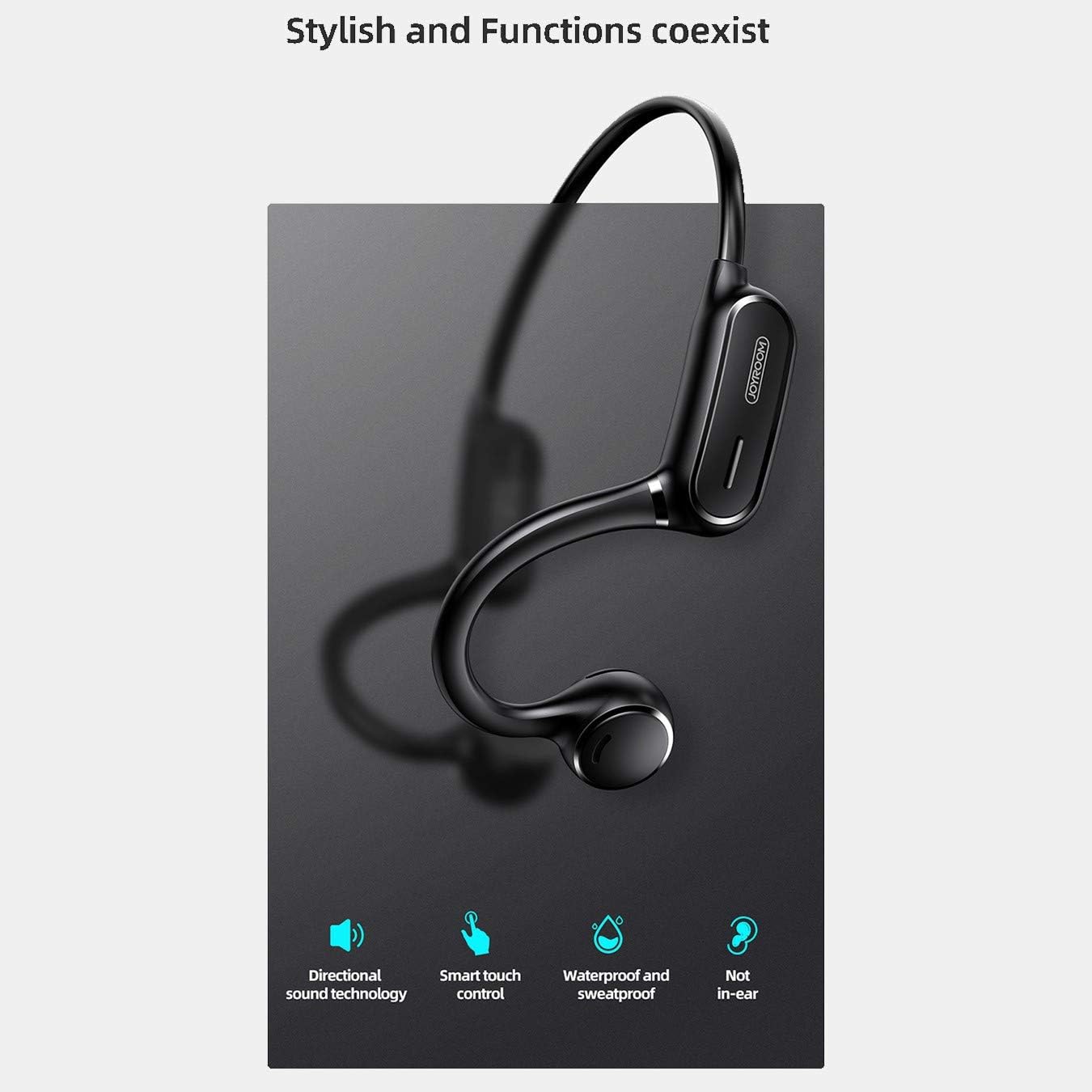
Figure 2: Key features of the JR-X1, including directional sound technology, smart touch control, waterproof and sweatproof design, and non-in-ear wearing style.
2. 설정
2.1. 이어폰 충전하기
Before first use, fully charge your JR-X1 earphones. Connect the charging cable to the charging port on the earphones and a compatible USB power source (5V/1A). The indicator light will show the charging status and turn off or change color once fully charged. A full charge takes approximately 2 hours.
2.2. 전원 켜기 / 끄기
- 전원 켜기: Press and hold the multi-function button for a few seconds until the indicator light flashes and you hear a power-on prompt.
- 전원 끄기 : Press and hold the multi-function button for a few seconds until the indicator light turns off and you hear a power-off prompt.
2.3. 블루투스 페어링
- 이어폰의 전원이 꺼져 있는지 확인하세요.
- 다기능 버튼을 길게 누르면 표시등이 빨간색과 파란색으로 번갈아 깜빡이며 페어링 모드에 진입합니다.
- 기기(스마트폰, 태블릿 등)에서 Bluetooth를 활성화하고 사용 가능한 기기를 검색하세요.
- Select "JR-X1" from the list of found devices.
- Once connected, the indicator light will stop flashing and you will hear a connection confirmation.
The earphones will automatically power off after 5 minutes if not connected to a device.

Figure 3: The JR-X1 earphones are designed for comfortable, non-in-ear wearing, utilizing bone conduction technology.
3. 사용 설명서
3.1. 음악 재생
- 재생/일시 중지: Tap the multi-function button once.
- 다음 트랙: 다기능 버튼을 두 번 누르세요.
- 이전 트랙 : 다기능 버튼을 세 번 누르세요.
3.2. 볼륨 조절
The JR-X1 features volume control. Refer to the specific buttons or touch areas on your earphones for volume adjustment. Typically, there are dedicated volume up (+) and volume down (-) buttons or touch gestures.
3.3. 통화 관리
- 전화 받기/종료: Tap the multi-function button once.
- 전화 거부: 다기능 버튼을 2초 동안 길게 누릅니다.
- 음성 비서(Siri/Google Assistant): Tap the multi-function button three times to activate your device's voice assistant.

Figure 4: The JR-X1 features smart touch controls for easy operation, including managing calls and music playback.
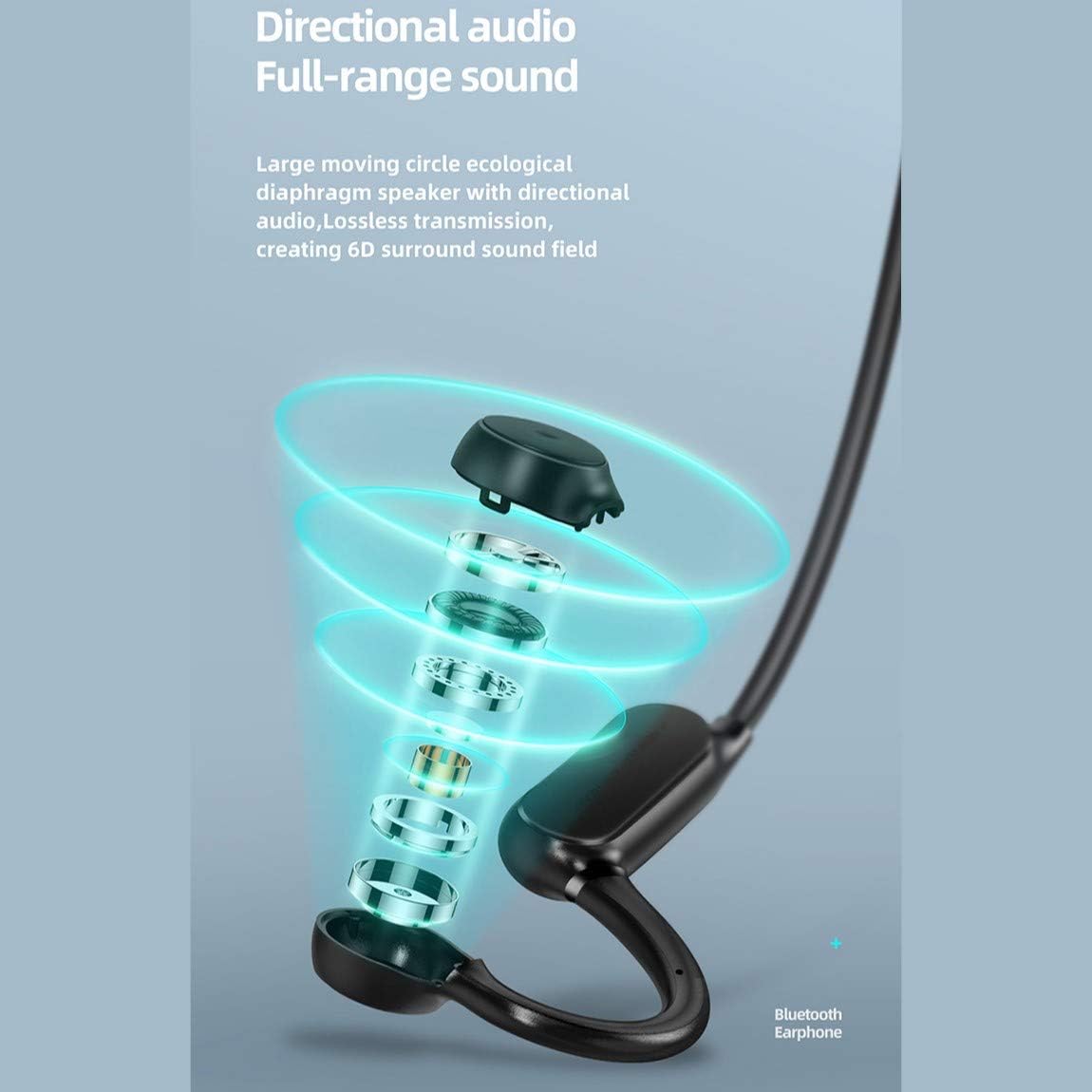
Figure 5: The directional audio technology provides full-range sound through a large moving circle ecological diaphragm speaker, ensuring lossless transmission and a 6D surround sound field.
4. 유지관리
4.1. 청소
Regularly clean your earphones to ensure optimal performance and hygiene. Use a soft, dry, lint-free cloth to wipe the surfaces. Do not use harsh chemicals, cleaning solvents, or strong detergents.
4.2. 보관
When not in use, store the earphones in a cool, dry place, away from direct sunlight and extreme temperatures. Avoid placing heavy objects on them or storing them in a tangled state.
4.3. 방수성
The JR-X1 earphones are designed to be waterproof and sweatproof. However, they are not intended for submersion in water. Avoid prolonged exposure to heavy rain or swimming. After exposure to sweat or light rain, wipe them dry before charging.
5. 문제 해결
5.1. Earphones Not Powering On
- 이어폰이 완전히 충전되었는지 확인하십시오. 이어폰을 전원에 연결하고 충전 표시등을 확인하십시오.
- Press and hold the power button for a longer duration (5-7 seconds) to ensure it's not a brief press.
5.2. 기기와 페어링할 수 없음
- Make sure the earphones are in pairing mode (indicator flashing red and blue alternately).
- 기기에서 Bluetooth가 활성화되어 있고, 범위 내(일반적으로 10m)에 있는지 확인하세요.
- 기기의 Bluetooth를 껐다가 켜세요.
- If previously paired, try forgetting "JR-X1" from your device's Bluetooth settings and re-pairing.
- Ensure no other devices are currently connected to the earphones.
5.3. 소리가 나지 않거나 소리가 작음
- 이어폰과 연결된 기기의 볼륨 레벨을 확인하세요.
- 이어폰이 기기에 제대로 연결되어 있는지 확인하세요.
- 미디어 문제인지 확인하기 위해 다른 오디오 소스를 재생해 보세요. file.
5.4. 간헐적 연결
- 간섭을 줄이려면 연결된 장치에 더 가까이 다가가세요.
- 강력한 Wi-Fi 신호나 간섭을 일으킬 수 있는 다른 Bluetooth 장치가 있는 환경은 피하세요.
- 이어폰이 완전히 충전되었는지 확인하세요.
6. 사양
| 특징 | 사양 |
|---|---|
| 상표 | 조이룸 |
| 모델 번호 | JR-X1 |
| 유형 | Wireless Earphones (Bone Conduction) |
| 색상 | 하얀색 |
| 재료 | ABS + 실리콘 |
| 블루투스 버전 | 5.0 |
| 감광도 | 84 ± 3dB |
| 주파수 응답 범위 | 20Hz - 20kHz |
| 마이크 감도 | -38데시벨 |
| 이어폰 배터리 용량 | 230mAh |
| 임피던스 | 10 Ohm ± 15% (800 Hz) |
| 정격 전력 | 1와트 |
| 노는 시간 | Approx. 6 hours (70-80% volume) |
| 통화 시간 | 약 6시간 |
| 대기 시간 | 약. 10 일 |
| 자동 전원 끄기 | 5 minutes if not connected |
| 충전 입력 | 5V/1A |
| 충전 시간 | 약 2시간 |
| 특별 기능 | Lightweight, Microphone Included, Waterproof, Sweatproof |
| 제어 방법 | 터치 컨트롤, 볼륨 컨트롤 |
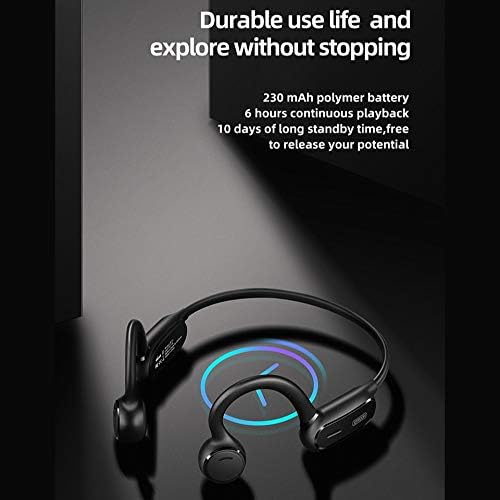
Figure 6: The JR-X1 features a 230 mAh polymer battery, offering approximately 6 hours of continuous playback and up to 10 days of standby time.

Figure 7: Equipped with Bluetooth 5.0 and a QCC master chip, the JR-X1 ensures fast, stable connection, low latency, and efficient power consumption.
7. 보증 및 지원
7.1. 보증 정보
The Joyroom JR-X1 Bluetooth Wireless Earphones come with a standard manufacturer's warranty. Please refer to the warranty card included in your product packaging for specific terms, conditions, and duration. Keep your purchase receipt as proof of purchase for warranty claims.
7.2. 고객 지원
For any technical assistance, troubleshooting not covered in this manual, or warranty inquiries, please contact Joyroom customer support. Contact details can typically be found on the official Joyroom web사이트 또는 제품 포장에 표시되어 있습니다.