
1. 서론
This manual provides essential information for the installation, operation, and maintenance of your ASUS Prime A520M-K motherboard. The ASUS Prime A520M-K is a Micro-ATX motherboard designed for AMD AM4 socket processors, supporting 3rd Gen AMD Ryzen processors. It features DDR4 memory support, PCIe expansion, and multiple display outputs for a reliable computing experience.
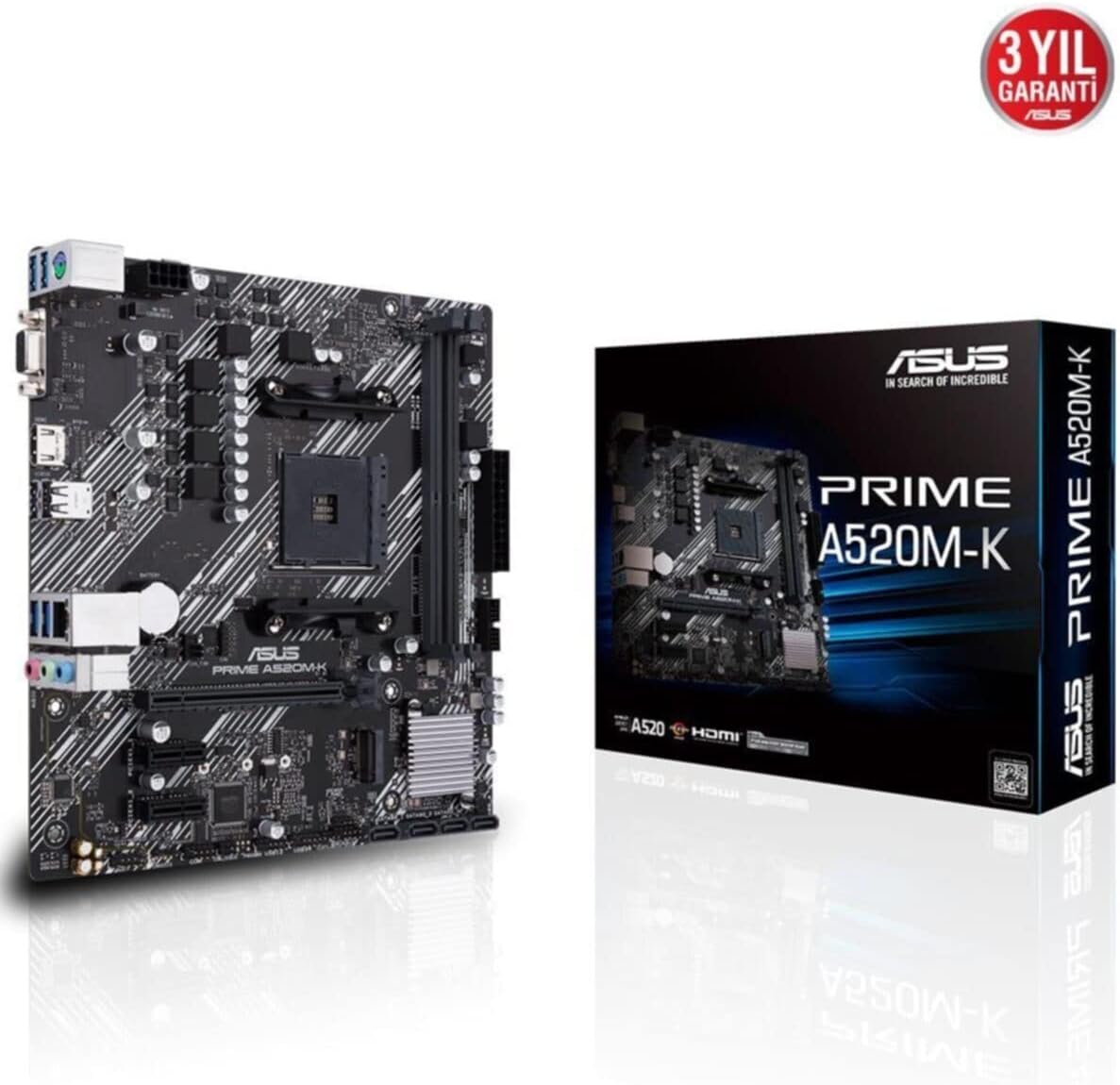
Figure 1: ASUS Prime A520M-K Motherboard and Retail Box.
2. 설정 및 설치
Careful installation is crucial for optimal performance. Ensure your system components are compatible with the ASUS Prime A520M-K motherboard.
2.1. 프로세서 설치
The motherboard features an AMD AM4 socket. Align your AMD AM4 processor with the socket, ensuring the triangular markers on the CPU and socket match. Gently place the CPU into the socket without applying force, then secure it with the retention lever.
2.2. 메모리 설치
The ASUS Prime A520M-K supports up to 64GB of DDR4 RAM across two DIMM slots. Insert DDR4 memory modules into the slots, ensuring they are properly seated until the clips on both ends lock into place.
2.3. 확장 카드
Utilize the PCIe expansion slots for graphics cards or other expansion cards. Align the card with the slot and press firmly until it is fully seated. Secure the card with a screw to the chassis.
2.4. 저장 장치
Connect SATA storage devices (HDDs/SSDs) to the available SATA 6Gb/s ports using SATA data cables. Ensure power cables from your power supply are also connected to these devices.
2.5. 전원 연결
파워서플라이의 24핀 ATX 메인 전원 커넥터와 8핀 ATX 12V 전원 커넥터를 마더보드의 해당 포트에 연결하십시오.
2.6. 전면 패널 커넥터
Connect your chassis's front panel cables (power button, reset button, USB ports, audio jacks, LED indicators) to the designated headers on the motherboard. Refer to the motherboard diagram for precise locations.
2.7. 후면 I/O 패널
The rear I/O panel includes various ports for peripherals:
- D-SUB (VGA) Port: 구형 모니터에 연결하는 데 사용합니다.
- HDMI 포트 : 최신 디스플레이에 연결하기 위한 용도입니다.
- USB 2.0 포트: For connecting peripherals like keyboards and mice.
- LAN 포트: 네트워크 연결을 위해.
- 오디오 잭: 스피커, 헤드폰 및 마이크용입니다.

Figure 2: Rear I/O panel with D-SUB, HDMI, USB, LAN, and audio ports.
비디오 1: 제품 종료view of the ASUS Prime A520M-K Motherboard, demonstrating key features and connectivity options for easy installation.
3. 사용 설명서
모든 구성 요소를 설치하고 연결하면 시스템의 전원을 켤 수 있습니다.
3.1. 첫 번째 부팅
Upon the first boot, the system may enter the BIOS/UEFI setup utility. This allows you to configure system settings, boot order, and monitor hardware status. Press the designated key (usually 델 or F2) during startup to access the BIOS.
3.2. 운영체제 설치
Install your preferred operating system (e.g., Windows) from a bootable USB drive or DVD. Follow the on-screen instructions provided by the operating system installer.
3.3. 드라이버 설치
After installing the operating system, install the necessary drivers for the motherboard's chipset, audio, LAN, and any other integrated components. These drivers are typically provided on a support DVD or can be downloaded from the ASUS official web대지.
4. 유지관리
정기적인 유지관리는 마더보드의 수명과 안정적인 작동을 보장하는 데 도움이 됩니다.
- 먼지 제거: 압축 공기를 사용하여 마더보드와 부품의 먼지를 주기적으로 청소하십시오. 청소하기 전에 시스템 전원이 꺼져 있고 플러그가 뽑혀 있는지 확인하십시오.
- BIOS/UEFI 업데이트: Keep your BIOS/UEFI firmware updated to benefit from performance improvements, bug fixes, and support for new hardware. Download updates only from the official ASUS web대지.
- 케이블 관리 : 공기 흐름을 방해하거나 케이블이 실수로 분리되는 것을 방지하기 위해 모든 케이블을 깔끔하게 정리하고 고정하십시오.
- CMOS 배터리: The motherboard uses a small lithium-ion battery (CR2032) to retain BIOS settings and system time. If your system consistently loses time or BIOS settings, this battery may need replacement.
5. 문제 해결
문제가 발생하면 다음의 일반적인 문제 해결 단계를 참조하세요.
- 전원 없음: Check all power connections, including the 24-pin and 8-pin connectors to the motherboard, and ensure the power supply is switched on.
- 디스플레이 없음: Verify that your monitor is connected to the correct display output (D-SUB or HDMI) on the motherboard or dedicated graphics card. Reseat the graphics card and RAM modules.
- 시스템 불안정/충돌: This can be caused by incompatible RAM, overheating, or outdated drivers. Check RAM compatibility, ensure proper cooling, and update all drivers.
- POST 코드 오류: If your motherboard has diagnostic LEDs or a POST code display, consult the ASUS website or full manual for the meaning of specific codes.
- BIOS 재설정: To reset BIOS settings to default, locate the CLRTC (Clear CMOS) jumper on the motherboard and follow the instructions in the full manual, or remove the CMOS battery for a few minutes.
6. 사양
Detailed technical specifications for the ASUS Prime A520M-K motherboard:
| 특징 | 사양 |
|---|---|
| 상표 | 아수스 |
| 시리즈 | 프라임 A520M-K |
| 모델 번호 | 90MB1500-M0EAY0 |
| CPU 소켓 | 소켓 AM4 |
| 호환 프로세서 | AMD AM4 Socket 3rd Gen AMD Ryzen |
| 칩셋 유형 | AMD A520 |
| RAM 메모리 기술 | DDR4 SD램 |
| 메모리 슬롯 | 2개의 DIMM |
| 지원되는 최대 메모리 | 64GB |
| 메모리 클럭 속도 | 2133MHz (베이스) |
| USB 2.0 포트 수 | 2(후면 I/O) |
| 비디오 출력 | D-SUB, HDMI |
| 폼 팩터 | 마이크로 ATX |
| 제품 크기(LxWxH) | 8.9 x 8.7 x 0.79 인치 |
| 품목 무게 | 1.19파운드 |
| 색상 | 검은색 |
| 플랫폼 | 윈도우 |
| 첫 번째 이용 가능 날짜 | 18년 2020월 XNUMX일 |
7. 보증 및 지원
The ASUS Prime A520M-K motherboard typically comes with a manufacturer's warranty. Please refer to the warranty card included with your product or visit the official ASUS support website for detailed warranty terms and conditions. For technical assistance, driver downloads, and further support, please visit the ASUS 지원 web대지.

Figure 3: ASUS Prime A520M-K Motherboard, indicating a 3-year warranty.