
STTWUNAKE N1-64G
STTWUNAKE 64GB Magnetic Mini Voice Activated Recorder User Manual
Model: N1-64G
1. 서론
Thank you for choosing the STTWUNAKE 64GB Magnetic Mini Voice Activated Recorder. This compact and versatile device is designed for high-quality audio recording with features such as voice activation, long battery life, and a built-in magnet for convenient placement. This manual provides detailed instructions to help you set up, operate, and maintain your recorder effectively.
2. 패키지 내용
아래 나열된 모든 품목이 패키지에 포함되어 있는지 확인하세요.
- STTWUNAKE 64GB Voice Recorder
- 탈착식 클립
- USB 충전/데이터 케이블
- 사용자 설명서

Image: The STTWUNAKE voice recorder, detachable clip, USB cable, and user manual are shown alongside the product packaging.
3. 제품 오버view
The STTWUNAKE N1-64G is a compact digital audio recorder designed for ease of use and portability. It features a robust 64GB internal storage, a long-lasting battery, and intelligent noise reduction for clear recordings.

이미지: 앞면 view of the STTWUNAKE 64GB voice recorder.

이미지: 측면 view of the recorder with the detachable clip attached.
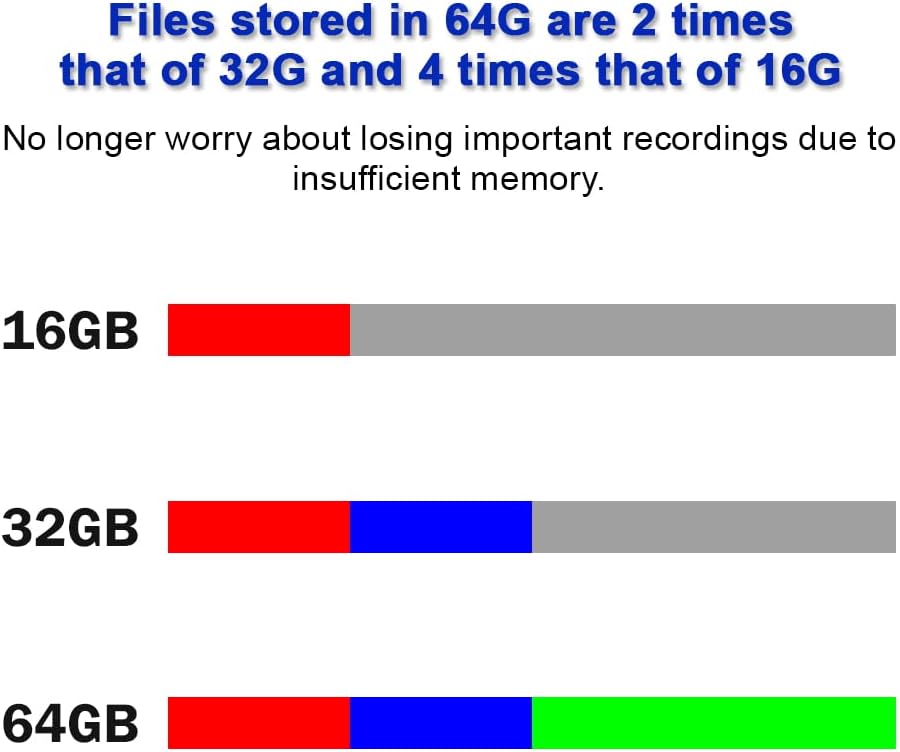
Image: Close-up of the power (ON/OFF) and voice activated recording (VOR ON/VOR OFF) switches located on the device.

Image: A hand holding the recorder, illustrating its compact and portable design.
4. 설정
4.1 장치 충전
Before initial use, fully charge the recorder. Connect the provided USB cable to the recorder's charging port and plug the other end into a USB power adapter (not included) or a computer's USB port. The indicator light will show charging status and turn off when fully charged.

Image: The voice recorder connected to a USB cable for charging.
5. 사용 설명서
5.1 전원 켜기/끄기
기기를 켜려면 슬라이드하세요. 켜짐/꺼짐 로 전환하다 ON position. To power off, slide the 켜짐/꺼짐 로 전환하다 끄다 position. A small indicator light will briefly illuminate to confirm the action.
5.2 Standard Recording
- 장치의 전원이 켜져 있는지 확인합니다.
- 슬라이드 VOR ON/VOR OFF 로 전환하다 VOR OFF position for continuous recording.
- The device will begin recording immediately.
- 녹화를 중지하려면 슬라이드하세요. 켜짐/꺼짐 로 전환하다 끄다 position. The recording will be saved automatically.
5.3 음성 활성화 녹음(VOR)
The VOR function allows the recorder to start recording automatically when sound is detected above a certain threshold (approximately 35 decibels) and pause when the sound level drops below this threshold. This conserves storage space and battery life.
- 장치의 전원이 켜져 있는지 확인합니다.
- 슬라이드 VOR ON/VOR OFF 로 전환하다 VOR ON 위치.
- The device will enter voice-activated recording mode. Recording will start when sound is detected and pause when silence occurs.
- To stop VOR, slide the 켜짐/꺼짐 로 전환하다 끄다 position. The recording will be saved automatically.
메모: If you need to capture all sounds, including very low-level audio, it is recommended to use standard continuous recording (VOR OFF) to avoid missing any details.

Image: Close-up of the power switch (ON/OFF) and the voice activated recording switch (VOR ON/VOR OFF).
5.4 Playing Back and Transferring Recordings
To access and manage your recordings, connect the recorder to a computer using the provided USB cable. The device will appear as a removable storage drive. You can then copy, move, or play back the WAV audio file컴퓨터의 미디어 플레이어를 사용하고 있습니다.

Image: Illustration of the voice recorder connected to a computer, with file전송 중입니다.
6. 주요 특징
6.1 64GB Storage Capacity
The recorder comes with a generous 64GB internal storage, providing ample space for up to 1000 hours of audio recordings. This capacity is significantly larger than many standard recorders, reducing concerns about running out of space during extended use.

Image: The voice recorder with a prominent '64GB' label, indicating its storage capacity.

Image: A visual comparison showing 64GB storage capacity relative to 16GB and 32GB.
6.2 긴 배터리 수명
Equipped with a built-in high-capacity battery, the recorder can operate continuously for approximately 300 hours on a single full charge, making it suitable for extended recording sessions without frequent recharging.

Image: The voice recorder next to a battery icon displaying '300H', signifying its long battery life.
6.3 Built-in Magnet
The recorder features a strong built-in magnet, allowing it to be securely attached to any magnetic metal surface. This provides flexible placement options for discreet or convenient recording.

이미지: 전amples of the voice recorder magnetically attached to various metal surfaces, such as under a desk, on a bed frame, and on a refrigerator.
6.4 Removable Clip
A detachable clip is included, offering additional versatility for carrying and placement. The clip allows the recorder to be easily attached to clothing, bags, or other objects.

Image: The voice recorder with its detachable clip, demonstrated by attaching it to a backpack.
6.5 DSP Intelligent Noise Reduction
The device incorporates a built-in DSP (Digital Signal Processor) intelligent noise reduction chip. This technology helps to filter out background noise, resulting in clearer and more intelligible audio recordings.

Image: A visual representation of a DSP chip, symbolizing the intelligent noise reduction capability.
7. 유지관리
- 청소: 부드럽고 마른 천을 사용하여 기기 외부를 닦으세요. 액체 세척제나 용제는 사용하지 마세요.
- 저장: 녹음기는 직사광선과 극한 온도 변화를 피해 서늘하고 건조한 곳에 보관하십시오.
- 배터리 관리 : 배터리 수명을 연장하려면 배터리를 자주 완전히 방전하지 마십시오. 장시간 사용하지 않더라도 정기적으로 충전하십시오.
- 데이터 관리: Regularly transfer important recordings to a computer and back them up to prevent data loss.
8. 문제 해결
- 장치가 켜지지 않음: 배터리가 충전되어 있는지 확인하세요. 기기를 전원에 연결하고 최소 30분 동안 충전한 후 다시 전원을 켜보세요.
- 녹음할 수 없습니다: Check if the device has sufficient storage space. Connect to a computer and delete unnecessary files if the storage is full. Ensure the ON/OFF switch is in the ON position.
- Poor audio quality/Excessive background noise: While the device has DSP noise reduction, extreme environmental noise can still affect recording quality. Try to record in quieter environments. Ensure the microphone is not obstructed.
- 배터리가 충전되지 않음: If the battery life significantly decreases over time, it may indicate battery degradation. Ensure you are using the correct charging cable and power source.
- 컴퓨터가 장치를 인식하지 못합니다: Ensure the USB cable is securely connected to both the recorder and the computer. Try a different USB port or cable. Restart your computer.
9. 사양
| 특징 | 사양 |
|---|---|
| 상표 | 스트우나케 |
| 모델 | N1-64G |
| 메모리 저장 용량 | 64GB (XNUMX기가바이트) |
| 디지털 녹음 시간 | 최대 1000시간 |
| 배터리 수명(녹화 시) | 약 300시간 |
| 배터리 유형 | 리튬폴리머(포함) |
| 마이크 형식 | 내장형 |
| 미디어 형식 | 웨이브 |
| 하드웨어 인터페이스 | USB |
| 호환 장치 | 개인용 컴퓨터 |
| 특별 기능 | 64G high capacity, Built-in magnet, Voice activated recording, DSP noise reduction |

Image: Dimensions and weight of the STTWUNAKE voice recorder.
10. 보증 및 지원
For warranty information or technical support, please refer to the contact details provided with your purchase or visit the official STTWUNAKE web사이트. 보증 청구를 위해 구매 증빙 자료를 보관하세요.
관련 문서N1-64G


Ask a question about this manual
Ask about setup, troubleshooting, compatibility, parts, safety, or missing instructions. Manuals+ will review the question and use this page’s manual context to help answer it.