
1. 서론
구매해주셔서 감사합니다asing the Monitor Audio Bronze W10 6G Series Subwoofer. This manual provides essential information for the safe and optimal operation of your new subwoofer. Please read these instructions thoroughly before installation and use, and retain them for future reference.
2. 안전 정보
감전, 화재 또는 장치 손상을 방지하려면 항상 다음 안전 예방 조치를 준수하세요.
- 본 제품을 비나 습기에 노출시키지 마십시오.
- c를 열지 마세요asing. 모든 서비스는 자격을 갖춘 담당자에게 의뢰하세요.
- 적절한 환기를 유지하세요. 환기구를 막지 마세요.
- Disconnect the power cord from the wall outlet if the unit will be unused for a long period.
- Use only the power cord supplied or specified by the manufacturer.
- 장치를 열원 근처나 직사광선에 노출시키지 마십시오.
3. 패키지 내용
모든 품목이 포장에 들어 있는지 확인하세요.
- Monitor Audio Bronze W10 6G Series Subwoofer
- 전원 코드
- 사용 설명서 (본 문서)
4. 제품 오버view
4.1 주요 특징
- Long-throw 10" driver featuring 'dished' C-CAM cone for powerful bass.
- 10" flat panel Auxiliary Bass Radiator (ABR) positioned underneath the unit for enhanced low-frequency extension.
- D 클래스 amplifier with high current Switch Mode Power Supply (SMPSU) for efficient power delivery.
- Amplifier Output: 220 Watts RMS.
- Power Consumption: Maximum 300 W, Standby <0.5 W (ErP compliance).
4.2 서브우퍼 구성 요소
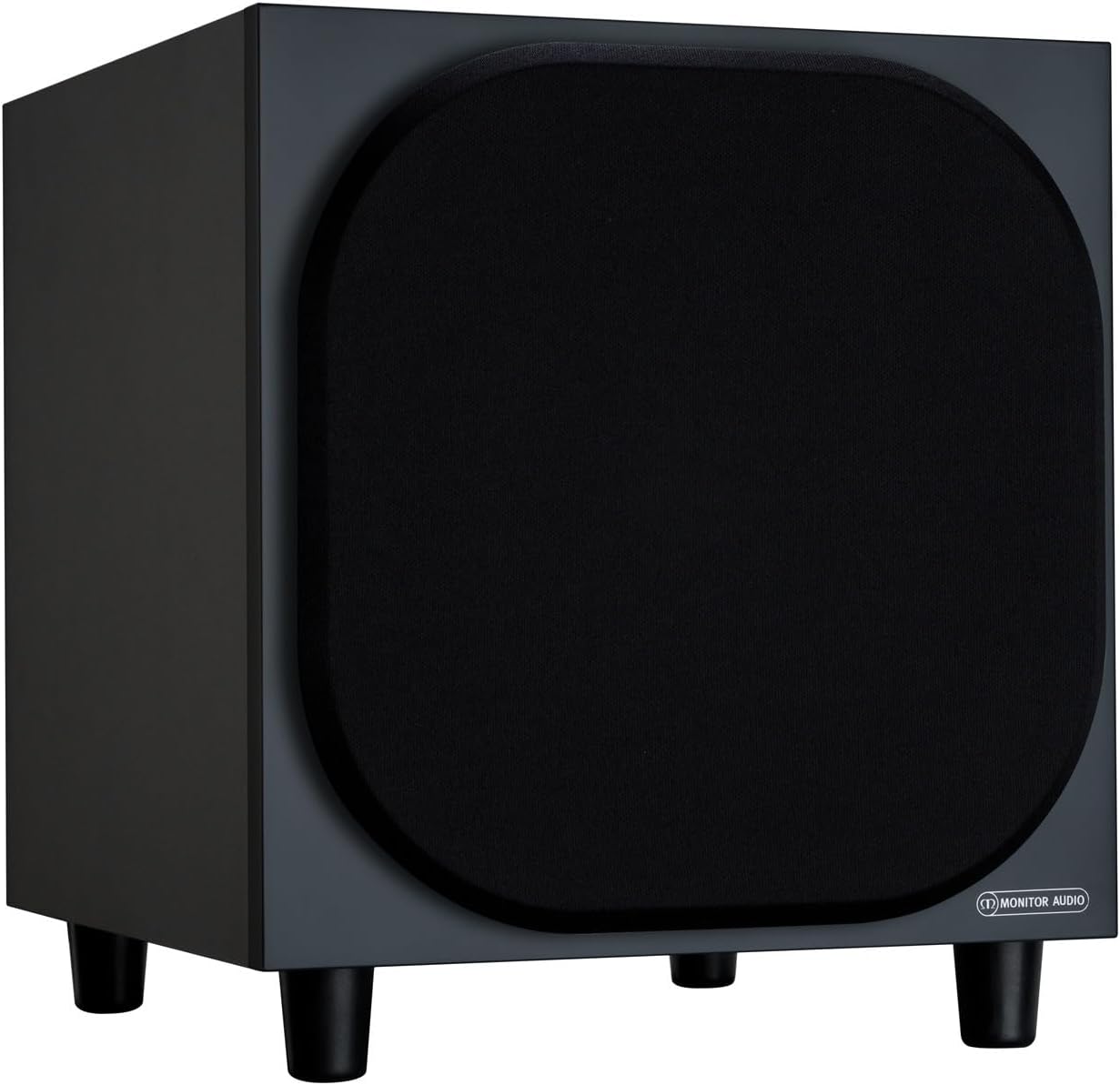
그림 4.2.1: 전면 View of the Monitor Audio Bronze W10 Subwoofer. This image displays the front of the subwoofer with its protective grille, showcasing the compact and elegant design.

그림 4.2.2: 각도 View of the Monitor Audio Bronze W10 Subwoofer. This image provides an angled perspective, highlighting the overall form factor and the four sturdy feet.

Figure 4.2.3: Rear Panel of the Monitor Audio Bronze W10 Subwoofer. This image details the rear panel, showing all input/output connections, control knobs for frequency, volume, and phase, and the power switch.
5. 설정
5.1 배치
Optimal placement of the subwoofer is crucial for sound quality. Experiment with different positions in your listening room. Generally, placing the subwoofer in a corner can enhance bass output, while placing it along a wall can provide a more balanced response. Avoid placing it directly against a wall if possible, as this can lead to boomy bass.
5.2 연결
- 오디오 입력: 서브우퍼를 AV 리시버에 연결하거나 amplifier's LFE (Low-Frequency Effects) or Subwoofer output using an RCA cable. The Bronze W10 features both LFE and stereo RCA inputs.
- 전원 연결: Ensure the subwoofer's power switch is in the 'Off' position. Connect the supplied power cord to the subwoofer's AC inlet and then to a suitable wall outlet. The unit supports AC 110-120V or 220-240V, selectable via a switch on the rear panel.
- 12V 트리거(옵션): If your AV receiver or amplifier has a 12V trigger output, connect it to the subwoofer's 12V Trigger input. This allows the subwoofer to power on/off automatically with your main system.
5.3 초기 전원 켜기
After making all connections, switch the subwoofer's power to 'On'. The power indicator light should illuminate. If using the 12V trigger, ensure your main system is powered on.
6. 사용 설명서
6.1 컨트롤
The rear panel of the Bronze W10 features several controls for fine-tuning its performance:
- 용량: Adjusts the overall output level of the subwoofer. Start with a low setting and gradually increase until it blends seamlessly with your main speakers.
- Frequency (Crossover): Sets the upper frequency limit for the subwoofer. This should typically be set to match the low-frequency extension of your main speakers. Common settings range from 80Hz to 120Hz.
- 단계: Allows you to adjust the phase of the subwoofer's output relative to your main speakers (0° or 180°). This helps ensure that the subwoofer's sound waves are in sync with the main speakers, preventing cancellation or reinforcement at the crossover point. Experiment with both settings to find the one that produces the most coherent bass.
- 방법: Selects the power mode (On, Auto, 12V Trigger). 'Auto' mode will put the subwoofer into standby when no audio signal is detected and power it on when a signal is present.
- 베이스 모드: (Refer to Figure 4.2.3) This switch allows selection between different bass characteristics, such as 'Music' or 'Movie' modes, or a 'Bass Boost' setting, to optimize performance for various content.
6.2 Wireless Connectivity (Bluetooth)
The Bronze W10 features Bluetooth connectivity for wireless control or audio input (check specific model features for audio input capability). Refer to your source device's manual for pairing instructions. The Bluetooth range is approximately 10 meters.
7. 유지관리
7.1 청소
To clean the subwoofer, use a soft, dry, lint-free cloth. Do not use abrasive cleaners, waxes, or solvents, as these can damage the finish. For stubborn marks, a slightly damp 천을 사용한 후 마른 천으로 닦아낼 수 있습니다.
7.2 관리
- Avoid exposing the subwoofer to extreme temperatures or humidity.
- 제품 위에 무거운 물건을 올려놓지 마세요.
- 과열을 방지하기 위해 장치 주변에 적절한 공기 흐름을 확보하세요.
8. 문제 해결
| 문제 | 가능한 원인 | 해결책 |
|---|---|---|
| 소리가 나지 않습니다 |
|
|
| 왜곡된 소리 |
|
|
| 윙윙거리는 소음 |
|
|
9. 사양
| 특징 | 세부 사항 |
|---|---|
| 모델명 | SB6GW10B |
| 스피커 유형 | 서브우퍼 |
| 서브우퍼 직경 | 10 인치 |
| Amplifier Output (RMS) | 220 와트 |
| Speaker Maximum Output Power (Peak) | 600 와트 |
| Frequency Response (Lower Limit) | 25Hz |
| 전력 소비량(최대) | 300와트 |
| 전력 소비량(대기) | <0.5 W (ErP compliance) |
| 연결 기술 | Auxiliary, RCA, Wireless (Bluetooth) |
| 무선 통신 기술 | 블루투스 |
| 블루투스 범위 | 10 미터 |
| 제어 방법 | Manual Knobs, Remote (if applicable) |
| 제품 크기(D x W x H) | 14.33인치 깊이 x 12.64인치 너비 x 14.33인치 높이 |
| 품목 무게 | 34.7파운드(15.74kg) |
| 장착 유형 | 탁상 마운트 |
| 색상 | 검은색 |
10. 보증 정보
Monitor Audio products are designed and manufactured to the highest quality standards. This product is covered by a Limited Warranty. For specific warranty terms and conditions, please refer to the warranty card included with your product or visit the official Monitor Audio web사이트. 보증 청구를 위해 구매 증빙 자료를 보관하세요.
11. 지원
For further assistance, technical support, or service inquiries, please contact your authorized Monitor Audio dealer or visit the official Monitor Audio web대지:
Web대지: www.monitoraudio.com
Address: Monitor Audio Ltd, 24 Brook Road, Rayleigh, Essex, SS6 7XJ, United Kingdom