
소개
This manual provides detailed instructions for the installation, operation, and maintenance of your XVIM 8CH 1080P Home Security Camera System. Please read this manual thoroughly before using the product to ensure proper setup and functionality. Keep this manual for future reference.
제품 끝view
The XVIM 8CH 1080P Home Security Camera System includes an 8-channel Digital Video Recorder (DVR) with a 1TB hard drive and four 2MP HD outdoor IP66 waterproof cameras. The system is designed for reliable surveillance with features such as night vision and remote access capabilities.

이미지: 이상view of the XVIM 1080P HD Security Camera System, showing a camera and a smartphone displaying live view.
카메라 기능
- IP66 금속 하우징: Durable and weatherproof construction.
- 3.6mm HD 렌즈: 75°를 제공합니다 view잉 각도.
- 적외선 차단 필터: Ensures clear day and night vision.
- 24개의 LED: Offers up to 65ft night vision range.

Image: Diagram highlighting key camera features: IP66 metal housing, 3.6mm HD lens, IR-cut filter, and 24 LEDs.
Day and Night Monitoring
The cameras are equipped with an IR-Cut filter and infrared LEDs to provide clear surveillance both during the day and at night. During the day, images are colorful and high definition. At night, the cameras automatically switch to infrared mode for clear black and white vision in low-light conditions.
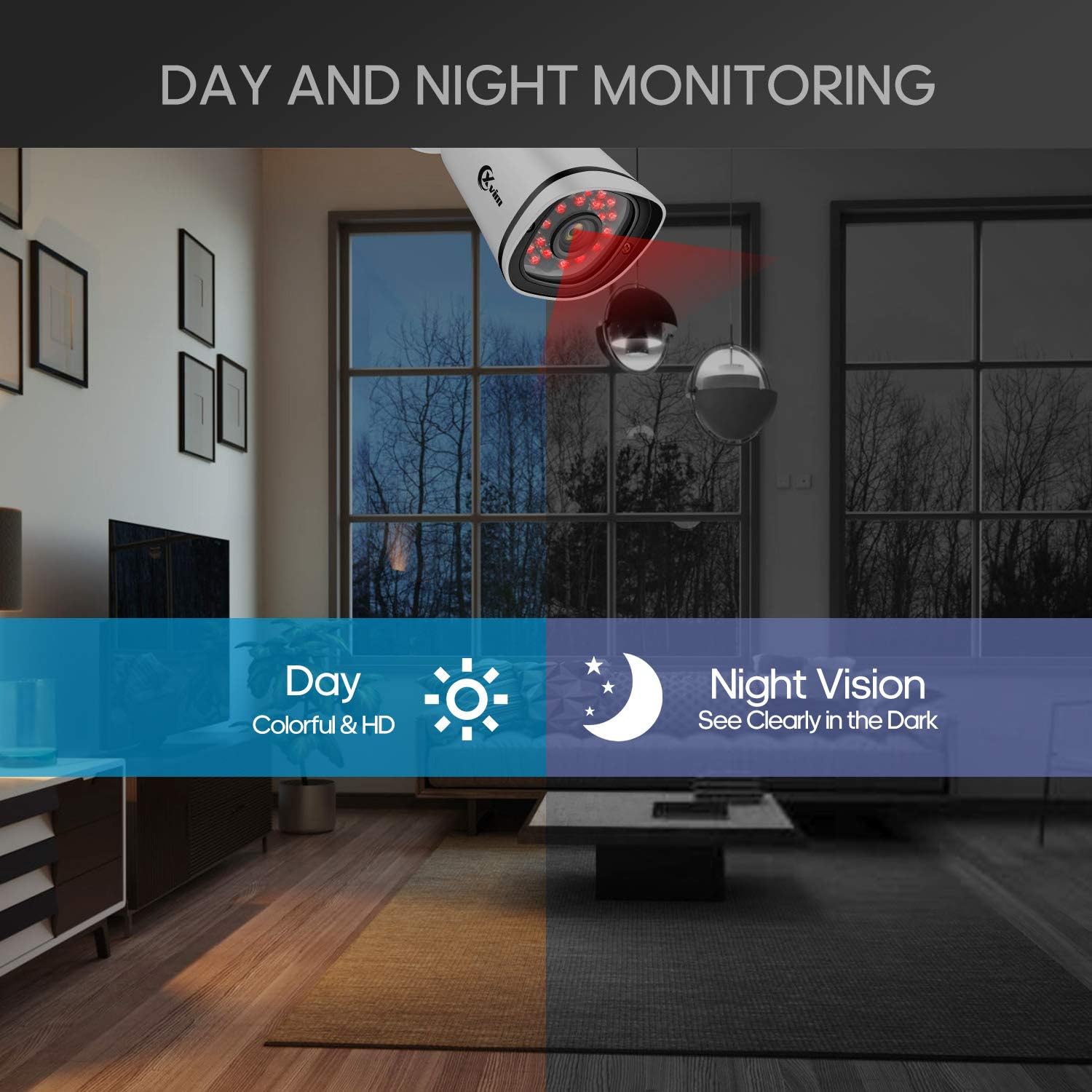
Image: Illustration showing the camera's ability to monitor both during the day (colorful HD) and at night (clear vision in the dark).
방수 설계
The cameras feature an IP66-rated metal housing, ensuring they are protected against dust and powerful water jets, making them suitable for outdoor installation in various weather conditions.
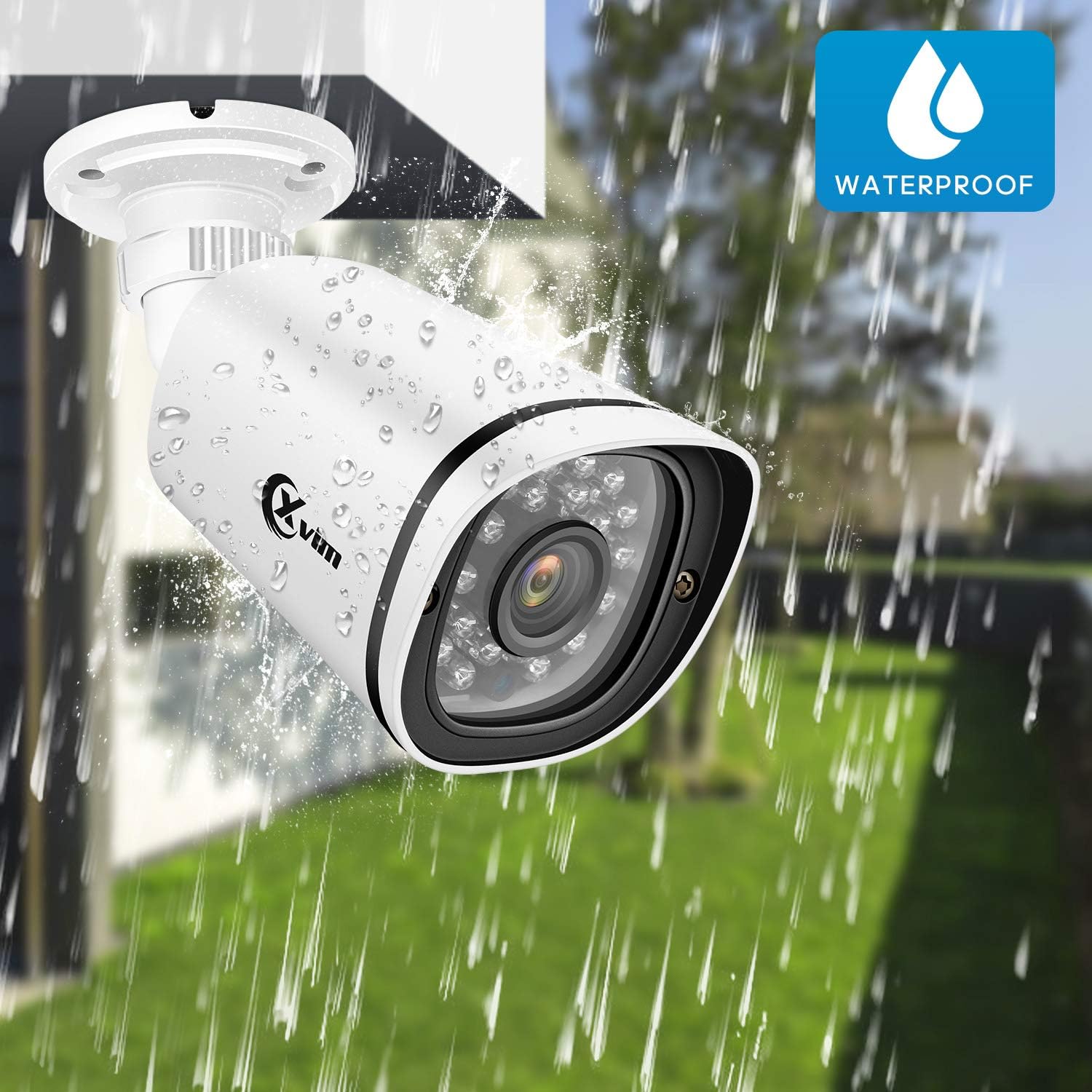
Image: An XVIM camera being sprayed with water, illustrating its waterproof design.
DVR Back Panel Overview
The DVR unit provides multiple ports for connecting cameras, a monitor, audio input/output, and network connectivity. Familiarize yourself with the ports before installation.
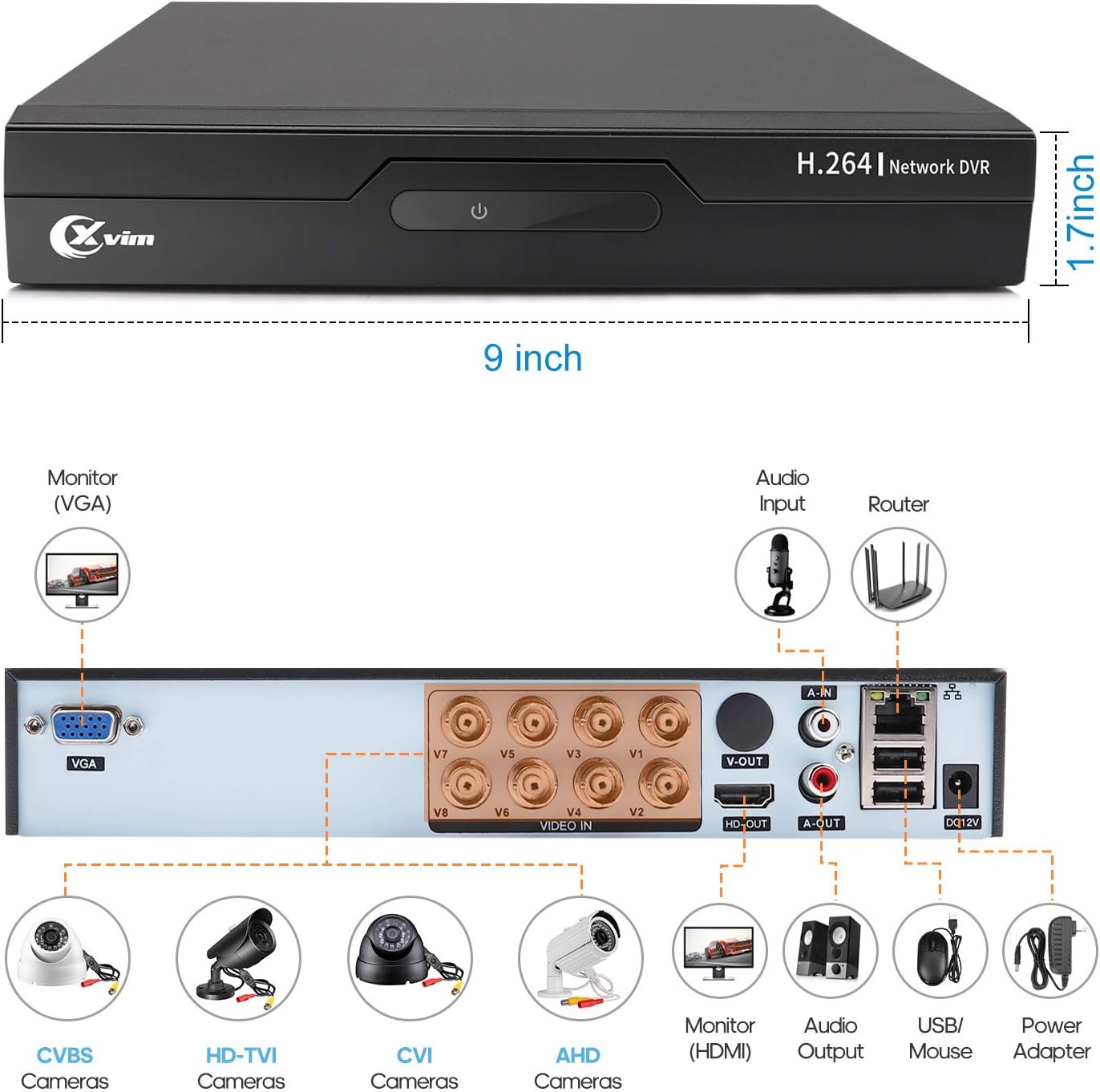
Image: Diagram of the DVR's back panel, showing ports for VGA, HDMI, video input (BNC), audio input/output, USB, and power.
설치 지침
- 카메라를 DVR에 연결하세요: Connect each camera to the corresponding video input (BNC) port on the DVR using the provided cables. Ensure secure connections.
- DVR을 모니터에 연결하세요: Connect the DVR to a monitor using either the VGA or HDMI port.
- DVR을 네트워크에 연결하기: 원격 접속을 위해서는 이더넷 케이블을 사용하여 DVR을 라우터에 연결하십시오.
- 전원 연결: Connect the power adapters to the cameras and the DVR, then plug them into a power outlet. The system will power on automatically.
- 초기 설정 : Follow the on-screen prompts on your monitor to complete the initial DVR setup, including setting up a password and configuring basic settings.
- 모바일 앱 설정:
- Download the "XVR Pro" app from your smartphone's app store.
안드로이드에 다운로드
iOS용 다운로드 - 앱 내에서 계정을 등록하세요.
- DVR 모니터에 표시된 QR 코드를 스캔하거나 장치 ID를 직접 입력하여 DVR 장치를 추가하세요.
- 추가한 후에는 다음을 수행할 수 있습니다. view your cameras remotely from anywhere.
- Download the "XVR Pro" app from your smartphone's app store.

Image: Step-by-step guide for connecting the system components and setting up the XVR Pro mobile application.
작동 지침
살다 View
설치가 완료되면 다음 단계를 진행할 수 있습니다. view 라이브 푸tage from your cameras on the connected monitor or through the XVR Pro mobile app. The DVR interface allows you to switch between single-camera view 및 멀티 카메라 그리드 view.
녹화 모드
이 시스템은 다양한 녹화 모드를 지원합니다.
- 수동 녹음: Start and stop recording manually via the DVR interface.
- 모션 감지 녹화: Configure the system to record automatically when motion is detected in specified areas. This helps conserve hard drive space.
- 예약 녹화 : 연속 녹화를 위한 특정 시간을 설정하세요.
Refer to the DVR's on-screen menu for detailed configuration of recording schedules and motion detection zones.
원격 접속
The XVR Pro app enables you to:
- View 인터넷 연결만 있으면 어디서든 실시간 카메라 영상을 볼 수 있습니다.
- 녹화된 foo 재생tagDVR에 저장됨.
- 모션 감지 알림을 받습니다.
- Control certain DVR settings remotely.
Camera Mode Switching (OSD Menu)
Each camera features an OSD (On-Screen Display) button on its cable, allowing you to switch between different video modes (Analog, AHD, TVI, CVI) to ensure compatibility with various DVRs. To access the OSD menu and switch modes:
- Analog (CVBS) Mode: OSD 버튼을 누릅니다 상승 5초 동안.
- AHD Mode: OSD 버튼을 누릅니다 왼편 쪽에 5초 동안.
- TVI Mode: OSD 버튼을 누릅니다 오른쪽으로 5초 동안.
- CVI Mode: OSD 버튼을 누릅니다 하향의 5초 동안.
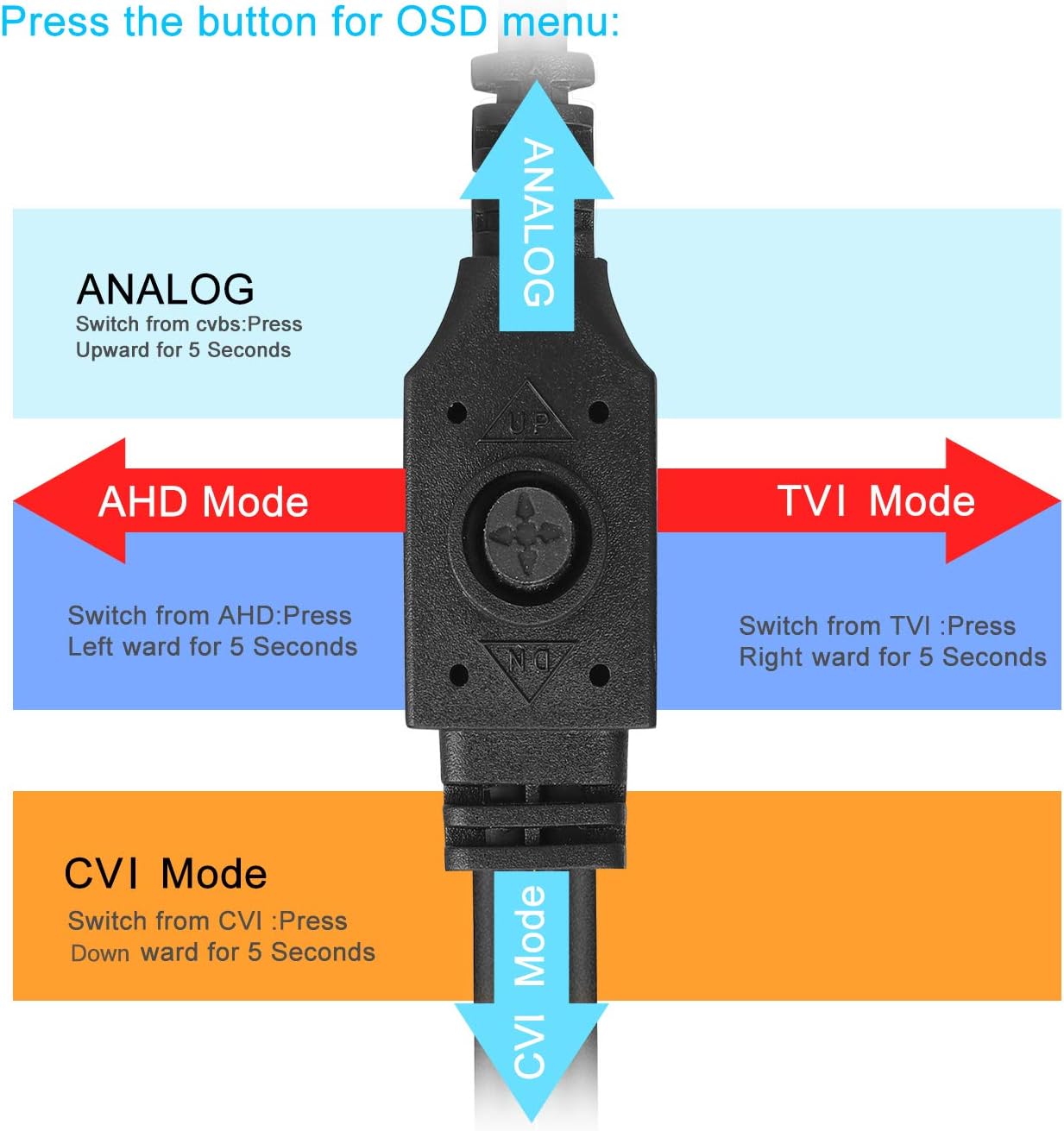
Image: Diagram illustrating how to use the OSD button on the camera cable to switch between Analog, AHD, TVI, and CVI video modes.
유지
- 카메라 청소: 카메라 렌즈는 부드러운 천으로 정기적으로 닦아주세요.amp 깨끗한 이미지 품질을 위해 천을 사용하십시오. 연마성 세척제는 사용하지 마십시오.
- 케이블 검사: Periodically check all cables and connections for wear, damage, or loose connections.
- DVR 환기: DVR 장치의 과열을 방지하기 위해 적절한 통풍이 이루어지도록 하십시오. 통풍구가 막히지 않도록 유지하십시오.
- 하드 드라이브 관리: 1TB 하드 드라이브는 가장 오래된 파일을 자동으로 덮어씁니다.tag용량이 가득 차면 중요한 녹음 파일을 정기적으로 백업하십시오.
- 펌웨어 업데이트: Check the XVIM official webDVR의 최적 성능 및 보안을 보장하기 위해 사용 가능한 펌웨어 업데이트가 있는지 해당 사이트를 확인하십시오.
문제 해결
영상 표시 안 됨
- Check all power connections for the DVR and cameras.
- Verify that the monitor is correctly connected to the DVR via VGA or HDMI and is set to the correct input source.
- Ensure camera cables are securely connected to the DVR's video input ports.
- If a specific camera has no video, try switching its video mode using the OSD button (refer to "Camera Mode Switching" section).
Remote Access Issues
- Confirm the DVR is connected to your router and has internet access.
- 라우터의 인터넷 연결 상태를 확인하세요.
- Ensure the XVR Pro app is updated to the latest version.
- Verify that the device ID is correctly added in the app and your login credentials are correct.
야간 시력이 좋지 않음
- 카메라 렌즈가 깨끗하고 이물질이 없는지 확인하십시오.
- Check for strong light sources near the camera that might interfere with the infrared LEDs.
DVR Not Recording
- Check the hard drive status in the DVR's system settings. Ensure it is detected and functioning.
- Verify that recording schedules or motion detection settings are correctly configured.
- Ensure there is sufficient hard drive space (though the system typically overwrites old footag이자형).
If you encounter persistent issues not covered here, please contact XVIM customer support for assistance.
명세서
| 상표 | XVIM |
| 모델 번호 | US-D8-4AHD7-1T-203 |
| 연결 기술 | 열광한 |
| 비디오 캡처 해상도 | 1080p |
| 특별 기능 | Image, Motion Sensor, Night Vision, Waterproof |
| 채널 수 | 4 (cameras included, DVR supports 8 channels) |
| 메모리 저장 용량 | 1TB (하드 드라이브) |
| 전원 | 코드식 전기 |
| 품목 치수(L x W x H) | 13.94 x 11.85 x 6.93 인치 |
| 나이트 비전 범위 | 85 피트 |
| 녹화 모드 | Manual, Motion Detection |
| 하드웨어 인터페이스 | USB 3.0 타입 B |
| 렌즈 유형 | 결정된 |
| 비디오 입력 | BNC, RCA (CVBS) |
| View잉 각도 | 81도 |
보증 및 지원
XVIM products are designed for reliability and performance. For specific warranty details, please refer to the warranty card included with your product or visit the official XVIM website. For technical support, troubleshooting assistance, or any inquiries, please contact XVIM customer service through their official channels.
온라인 리소스: For additional support, FAQs, and software downloads, please visit the XVIM Store on Amazon or the official XVIM web대지.