
소개
The cimetech Wireless Mouse TM004 is a 2.4G cordless mouse designed for comfort and efficiency. It features silent clicks, adjustable DPI settings, and broad compatibility with various operating systems and devices. This manual provides instructions for setup, operation, maintenance, and troubleshooting to ensure optimal performance.

Image: The cimetech Wireless Mouse TM004 in grey, shown with its compact USB receiver.
패키지 내용
- 1 x 무선 마우스
- 1 x USB 수신기
- 1 x 사용자 설명서
설치 지침
1. 배터리 설치
The cimetech Wireless Mouse TM004 requires one (1) AA battery for operation. To install the battery:
- 마우스 밑면에서 배터리 덮개를 찾으세요.
- 덮개를 밀어 엽니다.
- AA 배터리 1개를 삽입할 때, 배터리함 안쪽의 그림과 극성(+/-)이 일치하는지 확인하십시오.
- 배터리 덮개를 단단히 닫으세요.

Image: The bottom of the mouse, indicating the battery compartment, USB receiver storage, and the power switch.
2. USB 수신기를 연결하세요
The mouse uses a 2.4G wireless connection via a USB receiver. To connect:
- 마우스 밑면에 있는 보관 슬롯에서 USB 수신기를 꺼내십시오.
- USB 수신기를 컴퓨터나 장치의 사용 가능한 USB 포트에 꽂습니다.
- Your operating system should automatically detect and install the necessary drivers. This is a plug-and-play device, requiring no additional software installation.

Image: The wireless mouse in use, demonstrating its connection to a laptop via the USB receiver.
3. 전원 켜기/끄기
마우스 아랫면에 있는 전원 스위치를 찾으세요. 스위치를 '켜짐' 위치로 밀면 마우스가 작동합니다. 사용하지 않을 때는 스위치를 '꺼짐' 위치로 밀어 배터리 수명을 절약하세요.
작동 지침
기본 기능
- 왼쪽 버튼: Primary click function, typically used for selecting items.
- 오른쪽 버튼: Secondary click function, typically used for context menus.
- 스크롤 휠: 문서를 스크롤하는 데 사용됩니다. web 페이지를 가리킬 수도 있고, 마우스 가운데 클릭 버튼으로도 사용할 수 있습니다.
DPI 조정
The mouse features 3 adjustable DPI (Dots Per Inch) settings: 800, 1200, and 1600. DPI controls the cursor sensitivity and speed. To adjust the DPI:
- Press the DPI Switch Button located behind the scroll wheel.
- Each press cycles through the available DPI settings (800 → 1200 → 1600).
- Select the DPI setting that best suits your work or entertainment needs for accurate and fast tracking.

Image: The mouse highlighting its DPI adjustment button and the silent click feature, with DPI levels of 800, 1200, and 1600.
앞으로/뒤로 버튼
The mouse is equipped with additional side buttons, typically located on the left side. These buttons are often used for navigation, such as 'Forward' and 'Backward' in web 브라우저 또는 file explorers, enhancing efficiency.
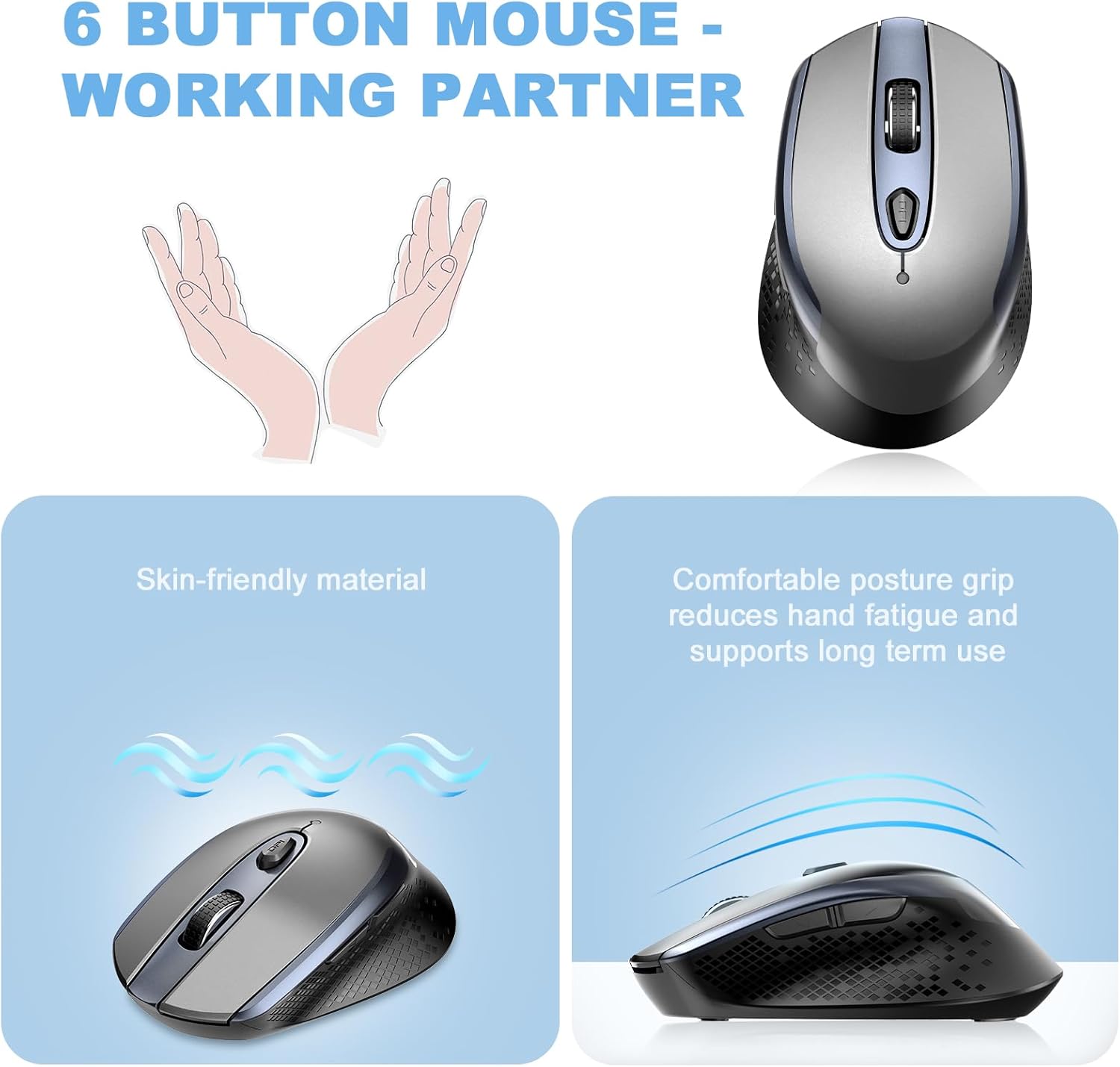
이미지: 위에서 아래로 view of the mouse, illustrating its six-button layout including the side navigation buttons.
호환성
The cimetech Wireless Mouse TM004 is compatible with a wide range of operating systems and devices, including:
- 윈도우 7/8/10/XP
- Vista 7/8
- 리눅스
- Desktops, Laptops, PCs
- ChromeBook, Galaxy Book, Vivobook, IdeaPad, Nitro, MateBook, HP Stream, ElliteBook, Dell Inspiron, Windows Surface, and other devices.
유지
청소
마우스의 성능과 외관을 유지하려면 다음 사항을 준수하십시오.
- 부드럽고 마른 천으로 마우스 외부를 닦아주세요.
- 완고한 먼지에는 약간 damp천에 물이나 순한 세척액을 묻힌 후 바로 닦아 말리세요.
- 표면을 손상시킬 수 있으므로 강한 화학 물질이나 연마재는 사용하지 마십시오.
- Keep the optical sensor on the underside clean and free of dust or debris.
배터리 교체
When the mouse performance degrades (e.g., erratic cursor movement, unresponsiveness), it may be time to replace the AA battery. Follow the battery installation steps outlined in the Setup section.
문제 해결
| 문제 | 가능한 원인 | 해결책 |
|---|---|---|
| 마우스가 응답하지 않음 | Low battery; USB receiver disconnected; Mouse powered off. | Replace battery; Ensure USB receiver is securely plugged in; Turn mouse On. |
| 불규칙한 커서 움직임 | Low battery; Dirty optical sensor; Unsuitable surface; Interference. | Replace battery; Clean optical sensor; Use on a mouse pad or smooth, non-reflective surface; Move closer to receiver or away from other wireless devices. |
| Connection issues (intermittent) | Distance from receiver; Interference; USB port issue. | Ensure mouse is within 50 feet of receiver; Avoid obstacles; Try a different USB port. |
| DPI 설정이 변경되지 않음 | DPI 버튼이 제대로 눌리지 않았습니다. | DPI 버튼을 세게 눌러 설정을 순환하세요. |
명세서
- 모델 번호: TM004
- 연결 기술 : 2.4GHz Wireless (USB Wireless Receiver)
- 움직임 감지 기술: 광학
- 조정 가능한 DPI: 800 / 1200 / 1600
- 버튼: 6(왼쪽, 오른쪽, 스크롤 휠, DPI 스위치, 앞으로, 뒤로)
- 특별 기능: Ergonomic Design, Portable Lightweight, Silent Click, Water Resistant (design), Wireless Soundless
- 전원: AA 배터리 1개(포함되지 않음)
- 품목 무게: 2.82 온스
- 패키지 크기: 4.29 x 2.8 x 1.73 인치
- 무선 범위: 최대 50피트
보증 및 지원
For warranty information or technical support, please refer to the contact details provided with your purchase or visit the official cimetech web대지. 보증 청구를 위해 구매 영수증을 보관하십시오.