
소개
This manual provides detailed instructions for the installation, operation, and maintenance of your BINIZE Double Din Car Stereo. Please read this manual thoroughly before using the product to ensure proper functionality and to prevent damage. Keep this manual for future reference.
제품 끝view
The BINIZE Double Din Car Stereo is a 10.1-inch multimedia player running on an Android 13 system. It offers a range of features designed to enhance your in-car entertainment and navigation experience.
주요 특징:
- 10.1-inch capacitive touch screen with 1024x600 resolution.
- Android 13 Operating System with Quad-core Coretex-A7 processor (up to 1.3GHz).
- 2GB RAM + 32GB internal storage.
- 무선 CarPlay 및 Android Auto를 지원합니다.
- Wired MirrorLink for Android and iOS devices.
- 핸즈프리 통화와 오디오 스트리밍을 위한 내장형 Bluetooth.
- Integrated GPS receiver for online and offline navigation.
- FM Radio tuner.
- Support for AUX, front, and rear camera inputs.
- Steering Wheel Control compatibility (manual learning required).
- Built-in Wi-Fi receiver and support for 4G communication (via external dongle, not included).
- Expandable options for OBD and tire pressure monitoring (accessories sold separately).

Figure 1: BINIZE Double Din Car Stereo Front View 주요 특징이 강조되어 있습니다.
설정 및 설치
Proper installation is crucial for the optimal performance of your car stereo. If you are unfamiliar with car audio wiring and installation, professional assistance is recommended.
물리적 크기:
The unit measures approximately 251mm (width) x 146mm (height) x 56mm (depth). Ensure your vehicle's dashboard opening is compatible with these dimensions.
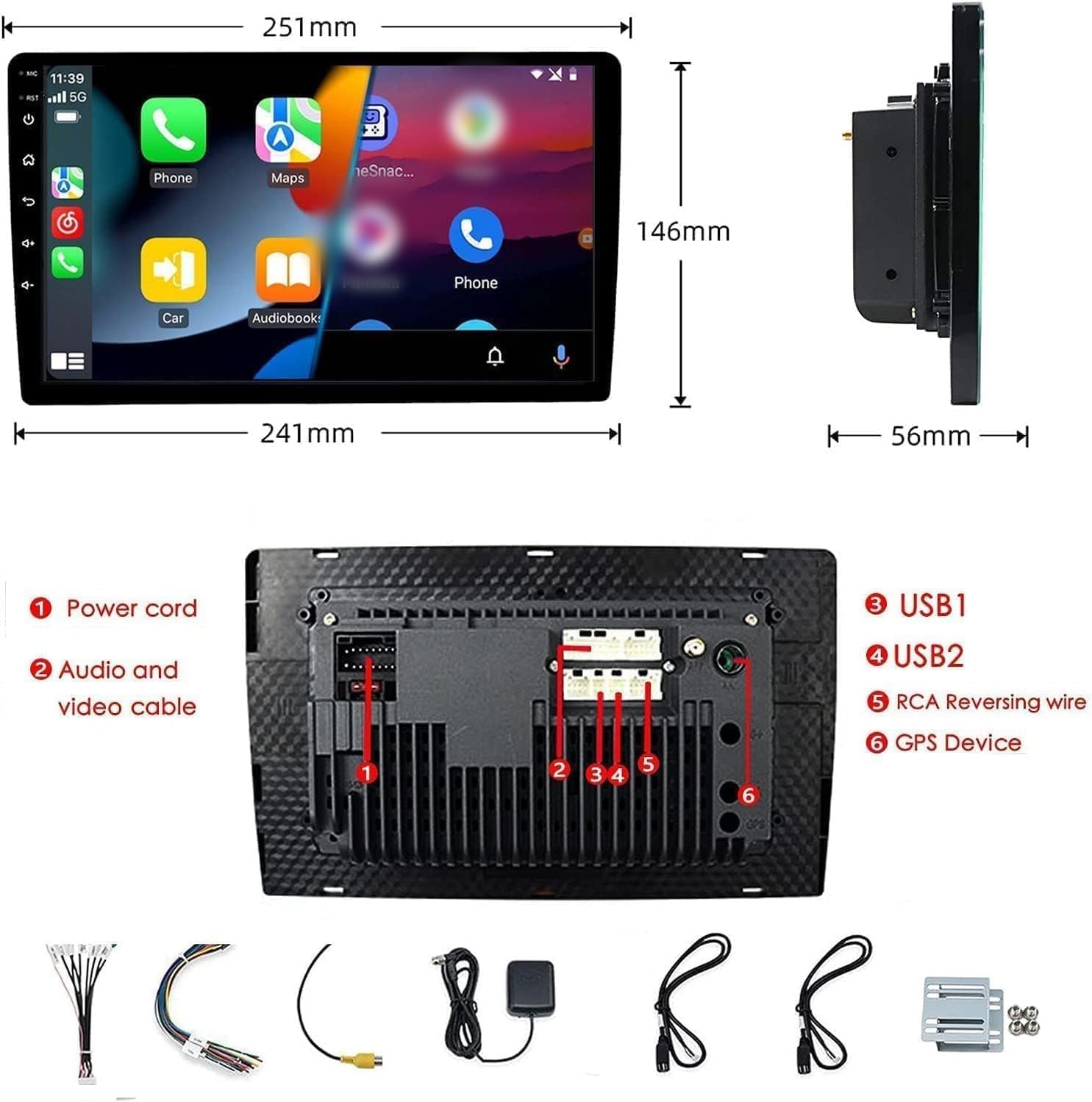
Figure 2: Unit dimensions and rear panel connection points.
배선 연결:
자세한 연결 방법은 동봉된 배선도를 참조하십시오. 주요 연결 사항은 다음과 같습니다.
- 전원 코드: 차량 전원 공급 장치(상시 전원 12V, 액세서리 전원 12V, 접지)에 연결하십시오.
- 오디오 및 비디오 케이블: 외부 오디오/비디오 장치용.
- USB 포트(USB1, USB2): For media playback, phone charging, and wired CarPlay/Android Auto.
- RCA 역전선: 후방 카메라 트리거 와이어에 연결하십시오.
- GPS 장치: 내비게이션 기능을 사용하려면 외부 GPS 안테나를 연결하십시오.
- Steering Wheel Control Wires (Key/SW): 차량의 스티어링 휠 컨트롤과 연동하기 위한 것입니다.
모든 연결 부분이 안전하고 적절하게 절연되어 단락을 방지하세요.
작동 지침
전원 켜기/끄기:
The unit will power on automatically when the vehicle's ignition is turned on. To manually power off or restart, use the power button on the front panel.
터치스크린 가동:
Navigate the interface by tapping, swiping, and pinching on the 10.1-inch capacitive touch screen, similar to a smartphone or tablet.
FM 라디오 :
Access the FM Radio application from the main menu. You can scan for stations, save presets, and adjust volume. The unit supports standard FM frequencies.

그림 3: FM 라디오 인터페이스.
블루투스 페어링 :
- 휴대폰에서 Bluetooth가 활성화되어 있는지 확인하십시오.
- 차량용 스테레오에서 블루투스 앱을 실행하세요.
- 검색 available devices on your phone and select "BINIZE" or a similar device name.
- 메시지가 표시되면 두 기기 모두에서 페어링 코드를 확인하세요.
- 페어링이 완료되면 핸즈프리 통화와 오디오 스트리밍이 가능합니다.
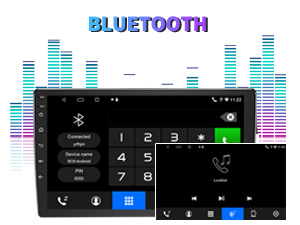
Figure 4: Bluetooth pairing screen.
스티어링 휠 제어:
To use your vehicle's steering wheel controls, manual learning is required. Access the Steering Wheel Control settings in the system menu and follow the on-screen instructions to map your vehicle's buttons to the stereo functions.
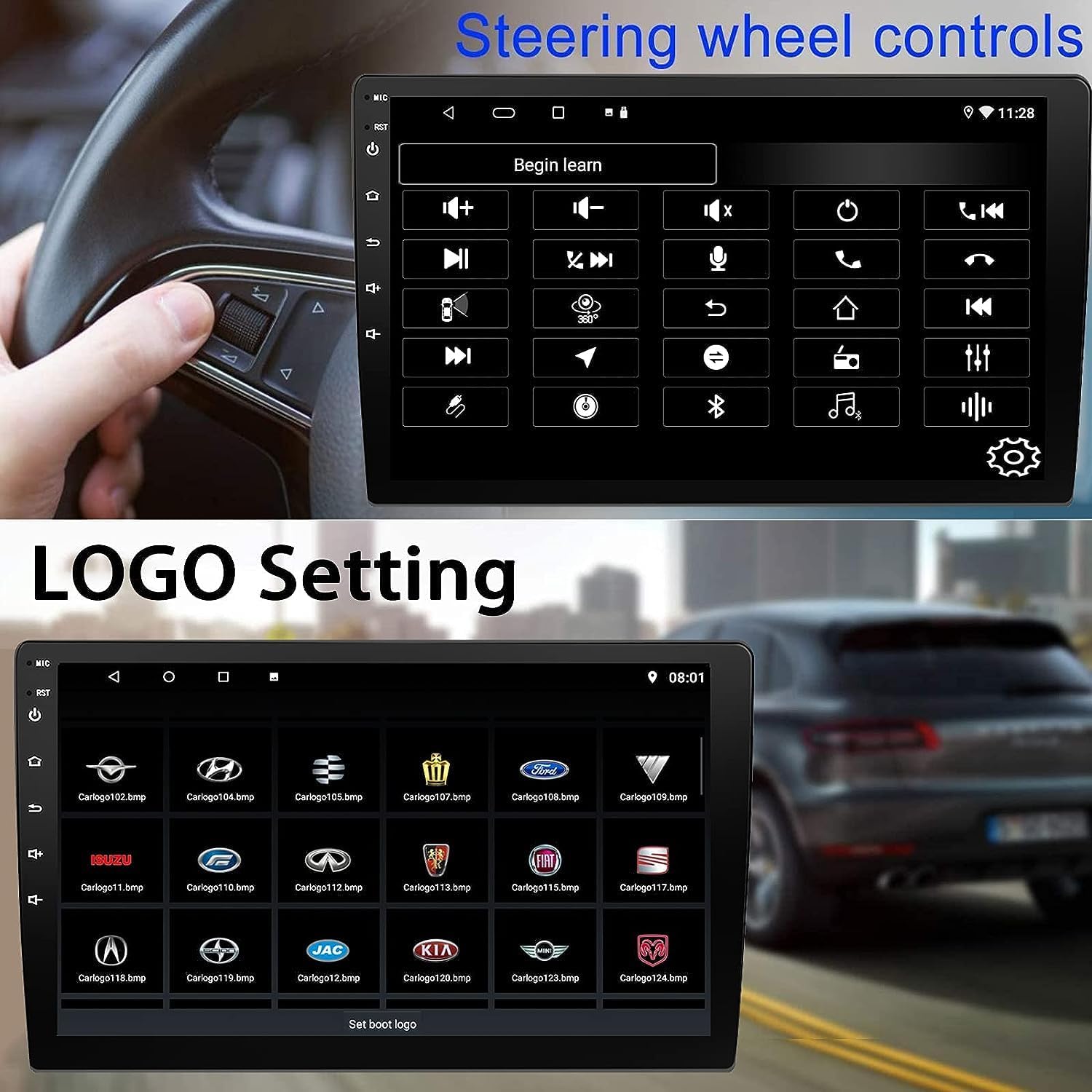
Figure 5: Steering Wheel Control setup screen.
Connectivity: CarPlay, Android Auto, and MirrorLink
무선 카플레이:
Connect your iPhone wirelessly to access CarPlay features such as navigation, music, messages, and calls directly on the stereo display. Ensure Wi-Fi and Bluetooth are enabled on your iPhone.
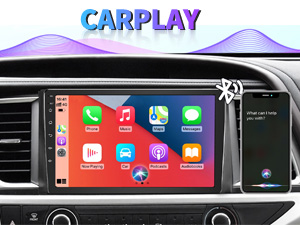
그림 6: 무선 CarPlay 인터페이스.
무선 안드로이드 오토:
Connect your Android phone wirelessly to use Android Auto for navigation, communication, and entertainment apps. Ensure Wi-Fi and Bluetooth are enabled on your Android device.

그림 7: 무선 안드로이드 오토 인터페이스.
미러링크:
MirrorLink allows you to display your smartphone's screen directly onto the car stereo. This feature works with both Android and iOS devices via a wired connection. Note that CarPlay/Android Auto and MirrorLink cannot be used simultaneously.

Figure 8: MirrorLink feature displaying a phone screen on the stereo.
항해
The car stereo features an integrated GPS receiver, supporting both online and offline navigation. Connect to Wi-Fi or a mobile hotspot to use online navigation apps. For offline navigation, you may need to download map data.

Figure 9: GPS navigation map display.
카메라 입력
백업 카메라:
The unit supports backup camera input. When properly connected, the display will automatically switch to the rear view when the vehicle is put into reverse, providing parking assistance with guidelines.
앞쪽 View 카메라:
The stereo also supports front view camera input, allowing for enhanced visibility when maneuvering in tight spaces.

Figure 10: Backup camera and front view 카메라 디스플레이.
유지
To ensure the longevity and optimal performance of your BINIZE car stereo, follow these maintenance guidelines:
- 화면 청소: 부드럽고 보풀이 없는 천을 사용하여 터치스크린을 부드럽게 닦으세요. 잘 지워지지 않는 얼룩은 가볍게 닦아주세요.amp천에 물이나 화면에 안전한 세척제를 묻혀 닦아주세요. 강한 화학 물질이나 연마재는 사용하지 마세요.
- 일반 청소: Keep the unit and surrounding areas free from dust and debris. Use a soft brush or compressed air to clean vents and button areas.
- 소프트웨어 업데이트: Periodically check for available software updates through the system settings to ensure you have the latest features and performance improvements.
- 극한의 온도를 피하세요: 제품을 장시간 극심한 고온이나 저온에 노출시키지 마십시오. 전자 부품에 손상을 줄 수 있습니다.
문제 해결
차량용 스테레오에 문제가 발생하면 다음의 일반적인 문제 및 해결 방법을 참조하십시오.
| 문제 | 가능한 원인 | 해결책 |
|---|---|---|
| 장치의 전원이 켜지지 않습니다. | 배선 오류; 퓨즈 단선; 차량 전원 문제. | Check power connections and vehicle fuses. Ensure constant 12V and accessory 12V are correctly wired. |
| 소리가 나지 않습니다. | 볼륨이 너무 작습니다. 음소거가 활성화되었습니다. 스피커 배선 문제입니다. | 볼륨을 높이세요. 음소거가 활성화되어 있는지 확인하세요. 스피커 연결을 확인하세요. |
| CarPlay/Android Auto가 무선으로 연결되지 않습니다. | Bluetooth/Wi-Fi off on phone; Pairing issue; Software glitch. | Ensure phone's Bluetooth and Wi-Fi are on. Try re-pairing the device. Restart both phone and stereo. Some users reported needing to open phone's Bluetooth settings each time. |
| Screen too bright/dim at night. | 화면 설정이 최적화되지 않았습니다. | Adjust brightness settings in the display menu. Consider using a screen dimming app if available. |
| 후방 카메라 영상이 표시되지 않습니다. | Camera not connected; RCA reversing wire not connected or faulty. | Check camera and RCA reversing wire connections. Ensure the camera is powered. |
명세서
| 특징 | 세부 사항 |
|---|---|
| 상표 | BINIZE |
| 모델 번호 | 비나이즈 |
| 운영 체제 | 안드로이드 13 |
| 화면 크기 | 10.1인치(가시 대각선 26cm) |
| 해결 | 1024x600 |
| 프로세서 | Quad-core Coretex-A7, 1.3GHz |
| 메모리(RAM) | 2GB |
| 저장 장치(ROM) | 32GB |
| 연결성 | Bluetooth, Wi-Fi, USB, Auxiliary |
| 특별 기능 | Wireless CarPlay, Wireless Android Auto, MirrorLink, GPS Navigation, Touchscreen, Built-In Bluetooth |
| 오디오 출력 모드 | 스테레오(2.0 서라운드 사운드 채널 구성) |
| 품목 무게 | 2.94파운드 |
| 색상 | 검은색 |
보증 및 지원
보증 정보:
The BINIZE Double Din Car Stereo comes with a 1년 무료 보증 구매일로부터. 본 보증은 정상적인 사용 중 발생한 제조상의 결함 및 고장에 적용됩니다. 보증 청구를 위해 구매 증빙 자료를 보관해 주십시오.
기술 지원:
For any technical assistance, questions, or issues not covered in this manual, please contact our professional technical support team. You can reach us via Amazon email for 24/7 online technical support. Our team is available to assist with system upgrades and parts replacement.
We are committed to providing enthusiastic customer service and ensuring your satisfaction with the BINIZE product.