
HyperGear 14294
HyperGear Sport True Wireless 이어버드 사용 설명서
Model: 14294 | Brand: HyperGear
소개
This manual provides detailed instructions for the HyperGear Sport True Wireless Earbuds, designed for an active lifestyle. Learn how to set up, operate, and maintain your earbuds for optimal performance and longevity.
제품 끝view
The HyperGear Sport True Wireless Earbuds offer immersive HD stereo sound, quick-pair technology, and a noise-cancelling microphone for clear calls. Their ergonomic secure-fit ear hooks ensure stability during intense workouts, and the sweatproof design provides durability for active use.

Image: HyperGear Sport True Wireless Earbuds shown with their retail packaging, highlighting the secure-fit design.

Image: Close-up of a HyperGear earbud with callouts for HD Stereo Sound, Quick-Pair Technology, Crystal Clear Conversations, Control at Your Fingertips, and Superior Battery Life.
상자 안에 무엇이 들어있나요?
Your HyperGear Sport True Wireless Earbuds package includes:
- HyperGear Sport True Wireless Earbuds
- 충전 케이스
- 충전 케이블
- 사용자 설명서
- S | M | L Ear Gels
- Travel Pouch & Carabiner

Image: The earbuds connected to a charging cable, alongside a travel pouch, carabiner, and different sized ear gels, illustrating the included accessories.
설정
이어버드 충전하기
Before first use, fully charge your earbuds. Connect the charging cable to the earbuds and a power source. A full charge takes approximately 2 hours. A quick 10-minute charge provides an extra hour of playtime.
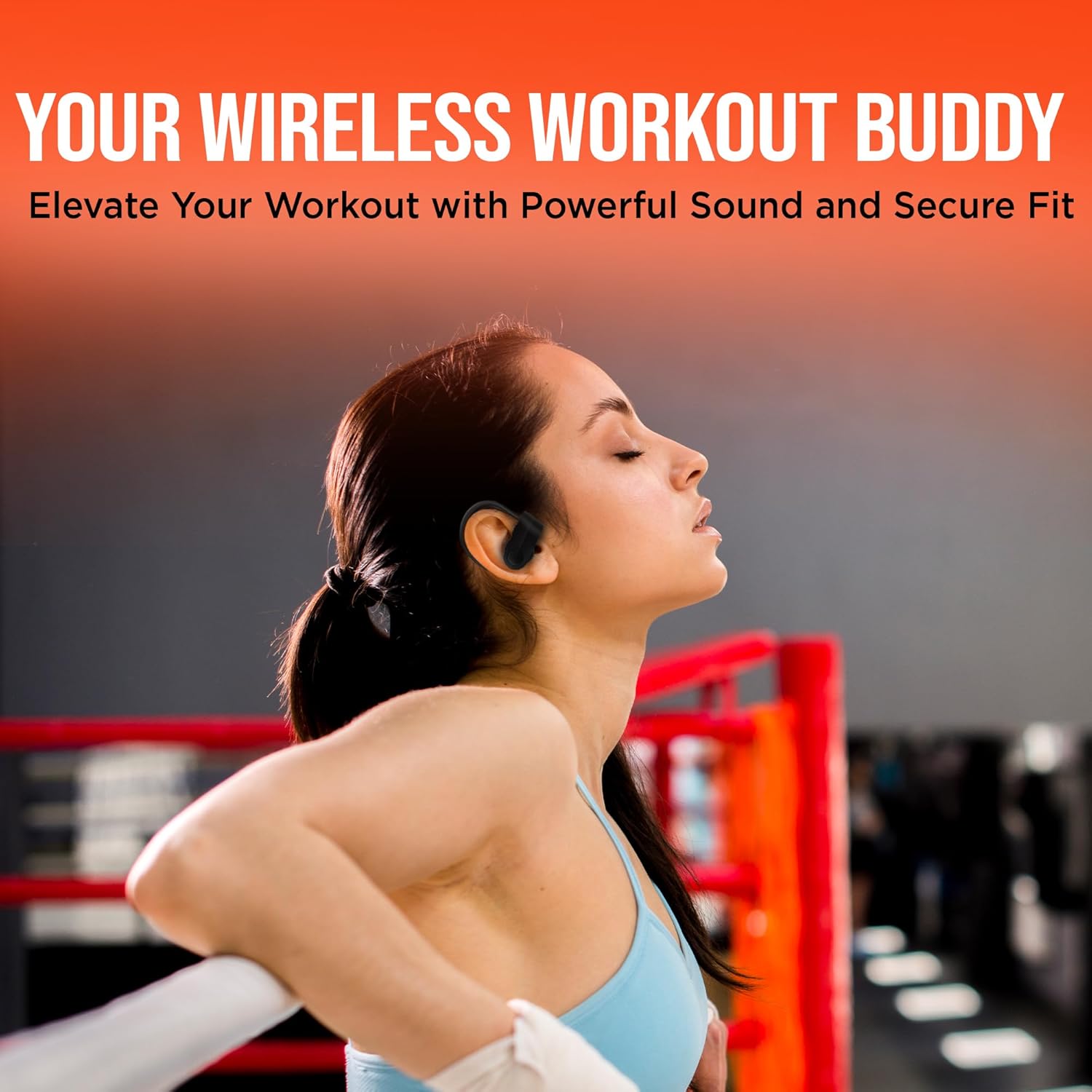
Image: The HyperGear Sport True Wireless Earbuds connected via their charging cable, indicating the charging process.
장치와 페어링
- 이어버드가 충전되어 있고 전원이 켜져 있는지 확인하세요.
- 기기(스마트폰, 태블릿 등)에서 블루투스를 활성화하세요.
- 검색 "HyperGear Sport X2" or similar in your device's Bluetooth settings.
- Select the earbuds to pair. A voice prompt will confirm successful connection.
The quick-pair technology ensures a stable connection up to 33 feet.

Image: A smartphone screen displaying Bluetooth settings, showing the HyperGear Sport X2 earbuds as connected, illustrating the pairing process.
작동 지침
전원 켜기/끄기
Press and hold the On/Off button on the earbud for approximately 3 seconds to power on or off.
음악 재생
- 재생/일시 중지: 다기능 버튼을 한 번 누르세요.
- 다음 트랙: 오른쪽 이어버드의 다기능 버튼을 두 번 누르세요.
- 이전 트랙 : 왼쪽 이어버드의 다기능 버튼을 두 번 누르세요.
- 볼륨 업: '+' 버튼을 누르세요.
- 볼륨 작게 : '-' 버튼을 누르세요.
통화 관리
- 전화 받기/종료: 다기능 버튼을 한 번 누르세요.
- 전화 거부: 다기능 버튼을 2초 동안 길게 누릅니다.
The built-in noise-cancelling microphone ensures clear conversations.
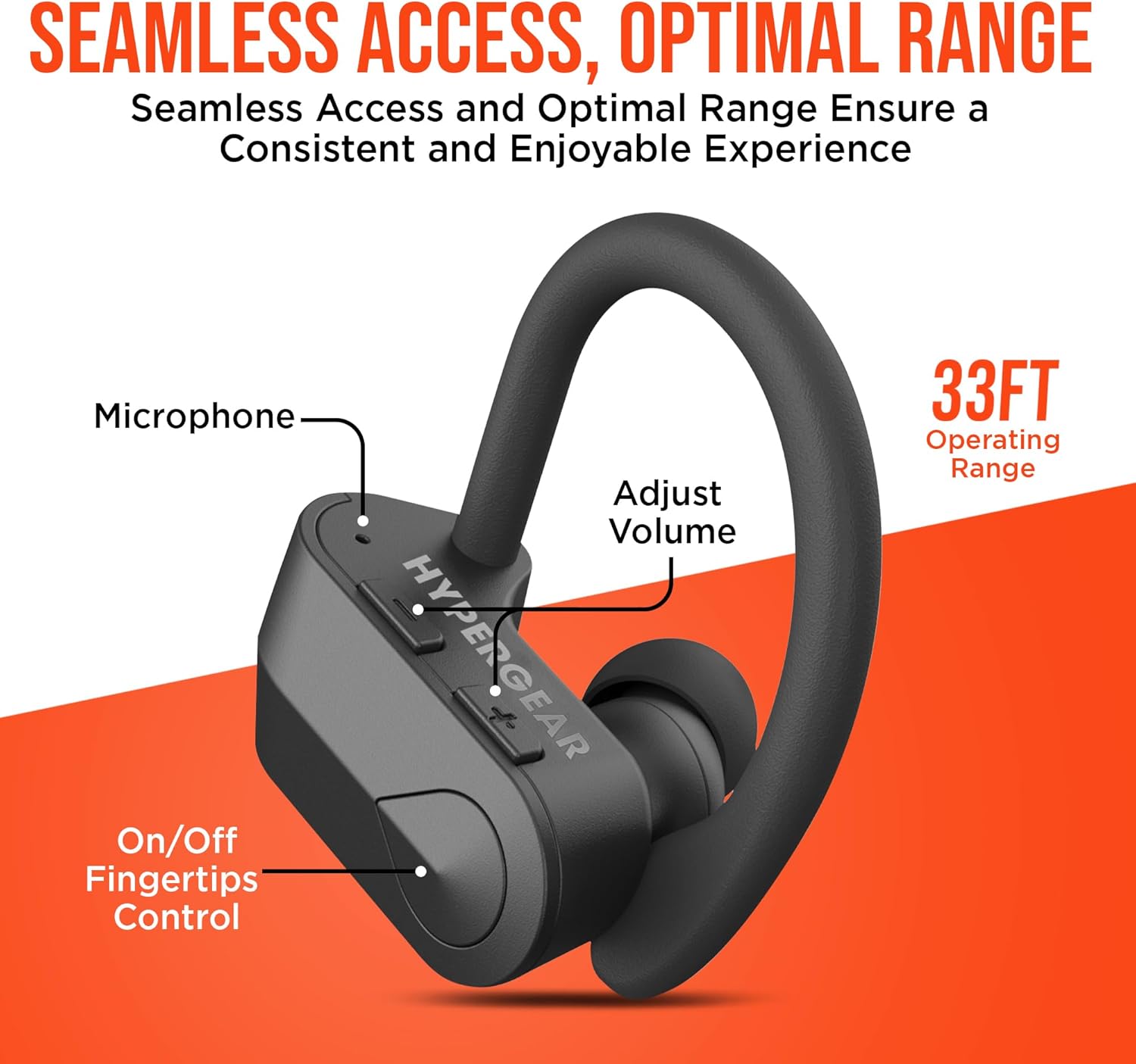
이미지: 자세한 view of the earbud showing the microphone, volume adjustment buttons, and on/off fingertip control, along with an operating range of 33 feet.
유지
- 부드럽고 마른 천으로 이어버드를 정기적으로 청소하십시오.
- 연마성 세척제나 용제를 사용하지 마십시오.
- 이어버드를 사용하지 않을 때는 충전 케이스에 보관하여 보호하고 충전 상태를 유지하세요.
- 극한의 온도와 습도를 피하세요.
- The earbuds are sweatproof and water-resistant, but not fully waterproof. Do not submerge them in water.
문제 해결
| 문제 | 해결책 |
|---|---|
| 이어폰이 켜지지 않습니다. | Ensure earbuds are fully charged. Press and hold the power button for 3-5 seconds. |
| 기기와 페어링할 수 없습니다. | Make sure Bluetooth is enabled on your device and the earbuds are in pairing mode. Move closer to the device (within 33 ft). Forget the device in Bluetooth settings and re-pair. |
| 소리가 왜곡되거나 끊깁니다. | Check the distance between earbuds and device. Ensure no obstacles are blocking the signal. Recharge earbuds if battery is low. |
| 마이크가 작동하지 않습니다. | Ensure the earbuds are properly connected. Check device's audio input settings. |
명세서
- 연결 기술 : 블루투스
- 무선 통신 기술: 블루투스
- 블루투스 버전: 5.0
- 블루투스 범위 : 33 피트
- 배터리 수명: Up to 4 Hours playtime
- 충전 시간: 2 Hours (10 min quick charge for 1 hour playtime)
- 제어 유형: 미디어 제어(터치/버튼)
- 소음 제어: 능동형 소음 제거(마이크용)
- 방수 수준: 방수(땀 방지)
- 주파수 범위: 20Hz - 20,000Hz
- 품목 무게: 4.6 온스
- 제품 크기: 2.36 x 1.18 x 1.18 인치
- 모델 번호: 14294
보증 및 지원
HyperGear products are designed for quality and performance. For warranty information or technical support, please visit the official HyperGear website or contact their customer service. Details can typically be found on the product packaging or the brand's official online store.
Ask a question about this manual
Ask about setup, troubleshooting, compatibility, parts, safety, or missing instructions. Manuals+ will review the question and use this page’s manual context to help answer it.