
iKiKin M16
iKiKin M16 Car HUD Display User Manual
모델: M16
브랜드: iKiKin
1. 서론
This user manual provides detailed instructions for the iKiKin M16 Car Head-Up Display (HUD). The M16 HUD is designed to project essential driving data onto your car's windshield, enhancing driving safety and convenience. It features a built-in GPS module for accurate speed and other data display, compatible with all vehicles.
2. 패키지 내용
아래 나열된 모든 품목이 패키지에 포함되어 있는지 확인하세요.
- 1x Car HUD (M16)
- 1x USB 케이블
- 1x Reflective film
- 1x 사용자 설명서
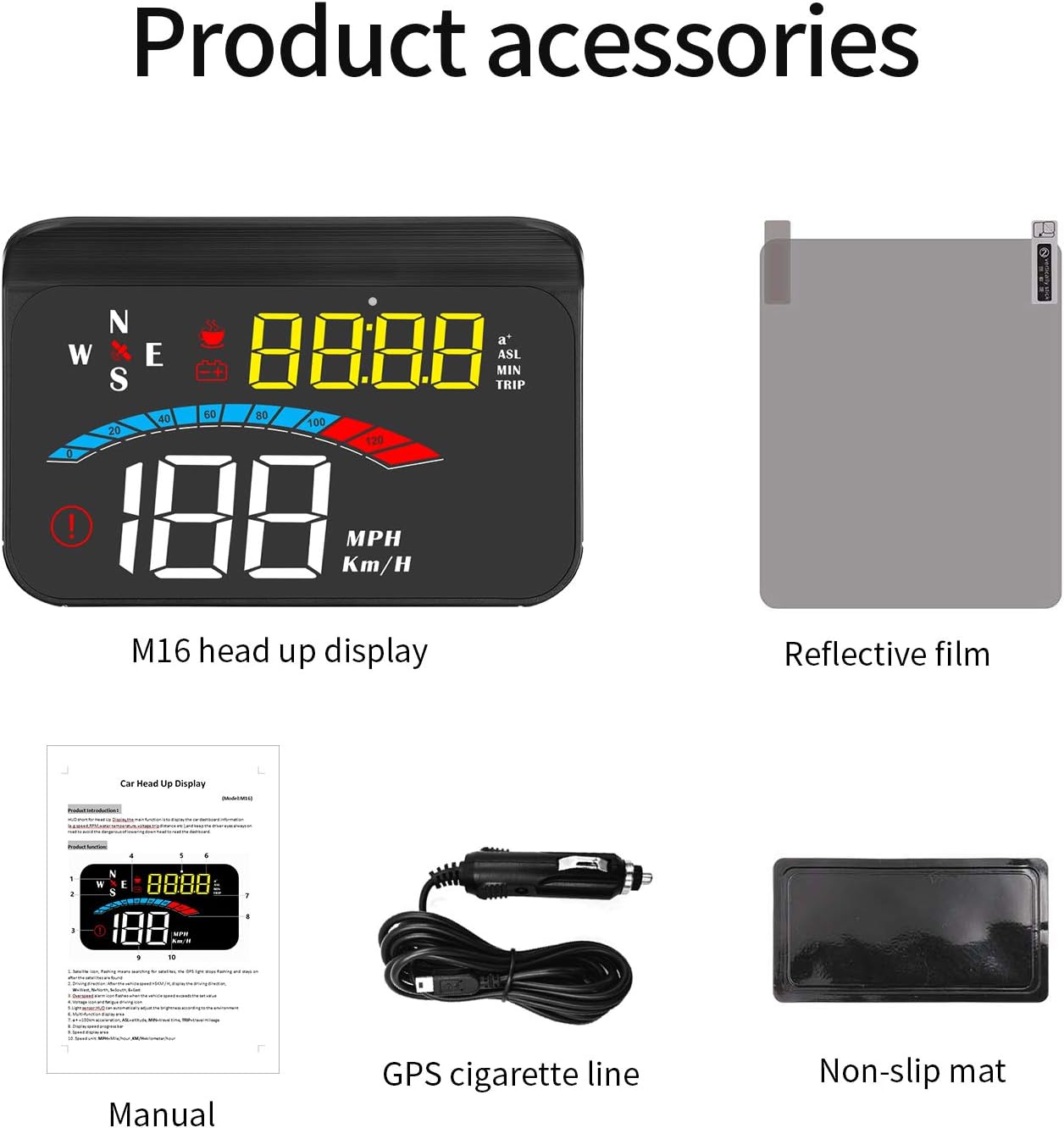
Figure 2.1: M16 HUD and included accessories.
3. 제품 특징
- 보편적 인 호환성 : Works with all cars, vehicles, and trucks due to its built-in GPS signal-receiving module.
- Practical Driving Data Display: Shows speed, engine RPM, voltage, water temperature, mileage, and travel time.
- 안전 알람: Automatic alarms activate when data exceeds safety thresholds (e.g., overspeed, low voltage, fatigue driving).
- 플러그 앤 플레이 작동: Connects easily to the car cigarette lighter. Powers on/off automatically with the car.
- Clear & Bright View: Features automatic and manual brightness adjustment for optimal visibility in various lighting conditions.

그림 3.1: 이상view of HUD display and features.
4. 설정 및 설치
4.1 배치
Choose a suitable flat surface on your dashboard, typically near the windshield, where the HUD can project information without obstructing your view of the road. Ensure the surface is clean and dry before placement.
4.2 장치 연결
- Connect the provided USB cable to the HUD unit.
- Plug the other end of the USB cable into your car's cigarette lighter socket.
- The HUD will power on automatically when the car's ignition is turned on.
4.3 Applying Reflective Film (Optional)
For optimal display clarity, especially in bright conditions, you may apply the included reflective film to your windshield. Clean the windshield area thoroughly before applying the film to avoid bubbles.

Figure 4.1: HUD installed on a car dashboard.
5. 사용 설명서
5.1 Initial Power-On and GPS Signal Acquisition
Upon first power-on, the HUD will search for a GPS signal. This may take a few moments. Ensure your vehicle is in an open area for faster signal acquisition. Once a signal is acquired, the speed and other data will be displayed.
5.2 Display Modes and Switching
The M16 HUD offers multiple display modes, allowing you to customize the information shown. Refer to the physical user manual for specific button functions to cycle through modes such as speed, 100km acceleration, altitude, travel time, travel mileage, driving direction, voltage, 그리고 그 외 더 많은 것들.
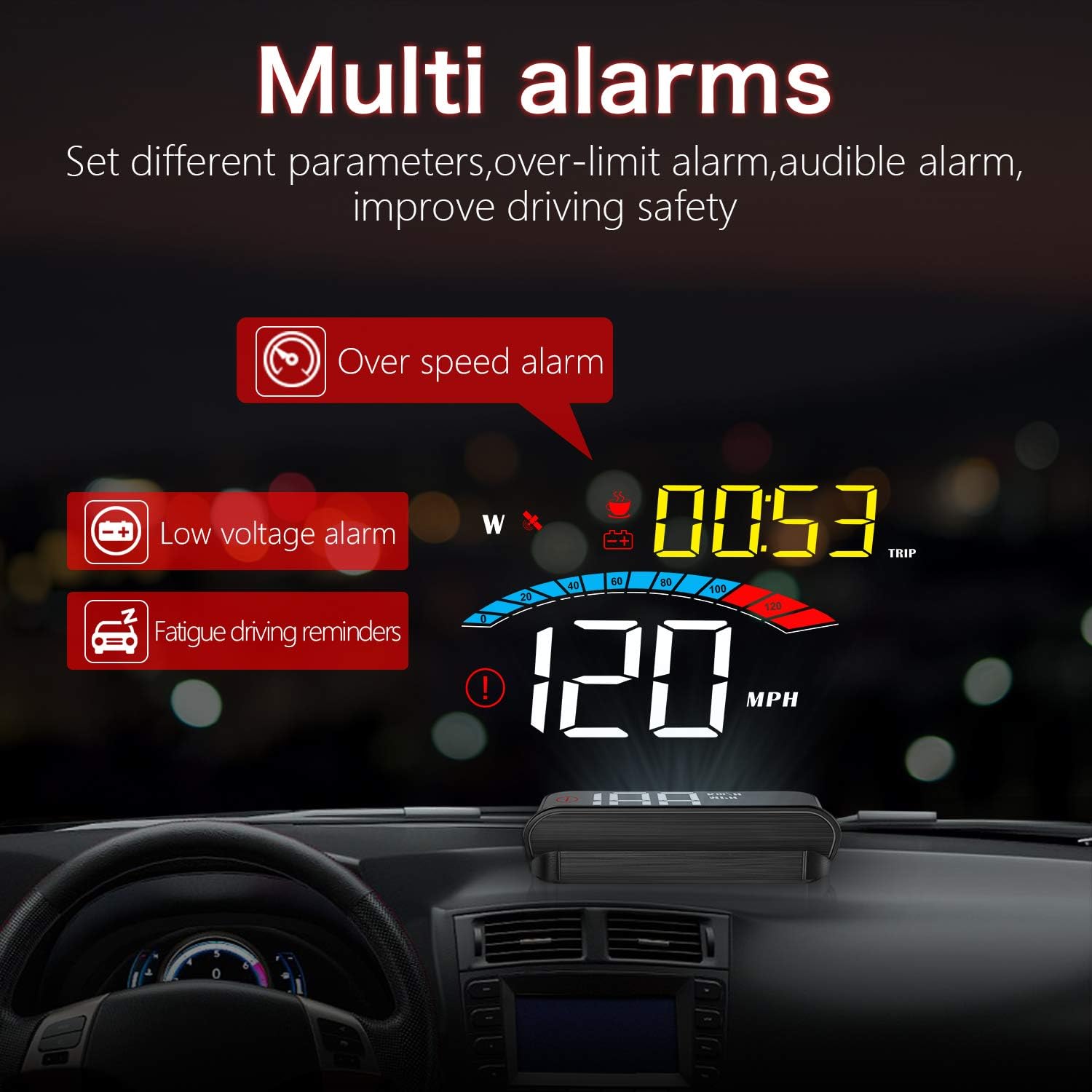
그림 5.1: 예amples of multiple display screens.
5.3가지 알람 기능
The HUD is equipped with several alarm functions to enhance driving safety:
- 과속 경보: 차량이 설정된 속도 제한을 초과하면 경고를 보냅니다.
- 낮은 볼륨tage 알람: Notifies you if the car battery voltage 값이 안전 수준 이하로 떨어집니다.
- 피로 운전 알림: 장거리 운전 중 휴식 시간을 알려줍니다.

Figure 5.2: Multi-alarm display.
5.4 밝기 조정
The HUD features automatic brightness adjustment based on ambient light. You can also manually adjust the brightness for personal preference. Consult the user manual for specific button controls for manual adjustment.
6. 유지관리
To ensure the longevity and optimal performance of your iKiKin M16 HUD, follow these maintenance guidelines:
- 청소: Use a soft, dry cloth to clean the display screen and the unit's exterior. Avoid using abrasive cleaners or solvents.
- 저장: 장기간 기기를 보관할 경우 전원을 차단하고 서늘하고 건조한 곳에 보관하십시오.
- 극한의 온도를 피하세요: Do not expose the device to extreme heat or cold, as this can affect its electronic components.
7. 문제 해결
| 문제 | 가능한 원인 | 해결책 |
|---|---|---|
| No Display / No Power | Loose connection; Car cigarette lighter not providing power; Device fault. | Check USB cable connection. Ensure car cigarette lighter is functional. Try another power source if available. |
| GPS 신호 없음 | Vehicle in an enclosed area (garage, tunnel); Weak satellite signal. | Move vehicle to an open area. Wait for a few minutes for signal acquisition. |
| Inaccurate Speed Display | GPS signal interference; Initial calibration needed. | 명확한 보장 view of the sky. Refer to the full user manual for speed calibration steps if necessary. |
| 화면이 너무 어둡거나 밝습니다 | Automatic brightness adjustment issue; Personal preference. | Manually adjust brightness using the device controls. |
8. 사양
- 모델: M16
- 상표: 아이키킨
- 화면 크기: 1.6 인치
- 재료: 플라스틱
- 전원: DC 5V (via USB cable from cigarette lighter)
- 패키지 크기: 14.3 x 9.1 x 5.3cm
- 패키지 무게: 180g
- 주요 특징: GPS Speedometer, Multi-data display, Alarm functions, Automatic/Manual brightness.
9. 보증 및 지원
For warranty information and technical support, please refer to the contact details provided on the product packaging or the official iKiKin web사이트. 보증 청구를 위해 구매 증빙 자료로 구매 영수증을 보관하세요.
Ask a question about this manual
Ask about setup, troubleshooting, compatibility, parts, safety, or missing instructions. Manuals+ will review the question and use this page’s manual context to help answer it.