
델리콘 MK4230
deleyCON CAT 6a RJ45 Network Connector (Model MK4230) - Installation Manual
Model: MK4230 | Brand: deleyCON
소개
This manual provides detailed instructions for the installation and use of the deleyCON CAT 6a RJ45 Network Connector. This field-terminable connector is designed for quick assembly of individual RJ45 Ethernet patch cables from network cables, specifically for rigid installation cables. It supports data transmission up to 10 Gbit/s and a bandwidth of 500 MHz, ensuring reliable and high-speed network connections.
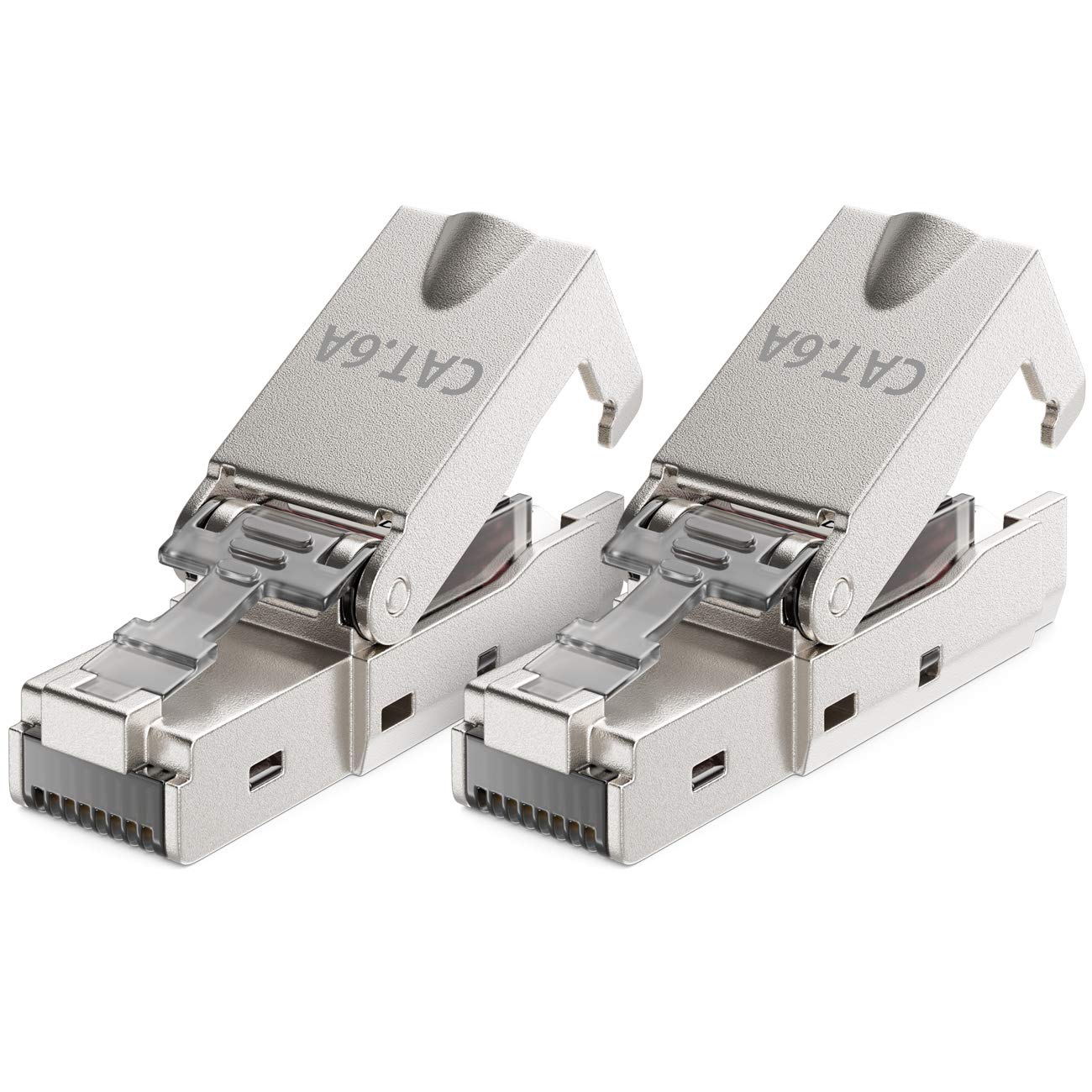
Image: The deleyCON CAT 6a RJ45 Network Connector, showcasing its metallic housing and compact design.
안전 정보
Please read these safety instructions carefully before installation. Failure to follow these instructions may result in damage to the product or personal injury.
- Ensure all power is disconnected from network devices before handling cables or connectors.
- Handle sharp tools (e.g., wire strippers) with care to prevent injury.
- Do not expose the connector to extreme temperatures or moisture.
- This connector is designed for indoor use unless specified otherwise for outdoor-rated cables.
패키지 내용
패키지에는 다음 품목이 포함됩니다.
- 2x deleyCON CAT 6a RJ45 Network Connectors
- Associated components for installation (e.g., load bars, cable ties, protective boots)

Image: All components included with the deleyCON CAT 6a RJ45 Network Connector, including the main connector, protective boot, and wire guide.
제품 끝view
The deleyCON CAT 6a RJ45 Network Connector features a robust metal housing for shielding and durability. It utilizes LSA (Insulation Displacement Connector) technology for tool-free termination of solid core installation cables. The connector supports T568A or T568B wiring standards.
주요 특징:
- LSA Connection: No crimping tool required for installation.
- Shielded (STP): Robust metal housing protects against electromagnetic interference.
- 고성능: Supports up to 10 Gbit/s data transmission and 500 MHz bandwidth.
- 호환성: Suitable for rigid installation cables CAT5, CAT6, CAT6a, CAT7, CAT7a.
- Snap-in Technology: Wires are automatically pressed onto the LSA strip when the connector is closed.

Image: Technical drawing showing the dimensions of the deleyCON CAT 6a RJ45 Network Connector: 68 mm length, 14.5 mm width, and 13.5 mm height.
설치 가이드
Follow these steps to properly terminate your rigid installation cable with the deleyCON CAT 6a RJ45 Network Connector. Ensure you are using a rigid installation cable, not a flexible stranded wire network cable, as shown in the compatibility image below.

Image: Diagram illustrating the difference between flexible stranded network cables (not compatible) and rigid inner conductor installation cables (compatible) for this connector.
1단계: 케이블 준비
- Carefully strip approximately 2-3 cm of the outer jacket from the installation cable.
- Unwind the twisted pairs and straighten the individual wires.
- Remove any foil or braiding shielding, leaving only the individual insulated wires and the drain wire (if present).

Image: Step-by-step illustration of preparing the network cable by stripping the outer jacket and unwinding the twisted pairs.
Step 2: Arrange Wires and Insert into Load Bar
- Refer to the T568A or T568B wiring diagram provided on the load bar.
- Carefully insert each individual wire into the corresponding color-coded slot on the load bar. Ensure the wires are fully seated and follow the chosen wiring standard.

Image: Illustration showing the process of arranging the individual wires according to the T568B standard and inserting them into the clear load bar.
Step 3: Close the Connector
- Place the assembled load bar with wires into the main connector housing.
- Close the connector housing firmly. The snap-in technology will automatically press the wires onto the LSA contacts, cutting the insulation and establishing the connection. You may need to apply firm, even pressure, possibly using pliers, to ensure a complete and secure closure.
- Trim any excess wire ends flush with the connector.

Image: Diagram showing the final steps of closing the connector housing, securing the cable with a cable tie, and attaching the protective boot.
Step 4: Secure and Protect
- Thread the provided cable tie through the designated slot on the connector and tighten it around the cable jacket to provide strain relief.
- Slide the protective boot over the connector and cable for additional protection and a clean finish.
작동 지침
Once the deleyCON CAT 6a RJ45 Network Connector is properly installed on your network cable, it functions as a standard RJ45 plug. Simply connect it to any compatible RJ45 port on your network devices, such as routers, switches, computers, or network-attached storage (NAS) devices. The shielded design ensures optimal signal integrity for high-speed data transfer.
유지
The deleyCON CAT 6a RJ45 Network Connector requires minimal maintenance. To ensure optimal performance:
- Keep the connector clean and free from dust and debris.
- Avoid bending the cable sharply near the connector to prevent internal wire damage.
- Periodically check for secure connections, especially in environments with vibrations or frequent movement.
문제 해결
If you experience issues with your network connection after installing the deleyCON CAT 6a RJ45 Network Connector, consider the following:
네트워크 연결 없음:
- 배선 확인: Double-check that the wires are correctly inserted into the load bar according to the T568A or T568B standard and that the same standard is used on both ends of the cable.
- Ensure Full Closure: Make sure the connector housing is fully and securely closed. The LSA contacts must properly cut into the wire insulation to make contact. If not fully closed, the connection may be intermittent or non-existent.
- 케이블 유형: Confirm you are using a rigid installation cable. This connector is not designed for flexible stranded patch cables.
- 테스트 케이블: If possible, use a network cable tester to check for continuity and correct wiring.
- Re-terminate: If issues persist, carefully re-terminate the connector, ensuring all steps are followed precisely.
느린 연결 속도:
- 케이블 종류를 확인하세요: Ensure your entire network infrastructure (cables, switches, routers) supports CAT 6a or higher for 10 Gbit/s speeds.
- 간섭: The shielded design helps, but excessive electromagnetic interference can still affect performance. Ensure the cable is not running parallel to power lines for long distances.
명세서
| 특징 | 세부 사항 |
|---|---|
| 상표 | 딜리콘 |
| 모델 번호 | 엠씨4230 |
| 커넥터 유형 | LSA (Insulation Displacement Connector), RJ45 |
| 케이블 유형 호환성 | Rigid installation cables CAT5, CAT6, CAT6a, CAT7, CAT7a |
| 와이어 게이지 호환성 | Solid conductors AWG 22-25 |
| 데이터 전송 속도 | 최대 10Gbit/s |
| 대역폭 | 500MHz |
| 보호 클래스 | STP(차폐 트위스트 페어) |
| 하우징 소재 | 아연 합금 |
| 치수(길이 x 너비 x 높이) | 6.8 x 1.45 x 1.35cm |
| 무게 | 42g |
| 색상 | 은 |
| 표준 | ISO/IEC11801, TIA568-C2 |
보증 및 지원
deleyCON products are designed for reliability and performance. For warranty information and technical support, please refer to the official deleyCON web사이트를 방문하거나 고객 서비스에 직접 문의하세요. 보증 청구를 위해 구매 증빙 자료를 보관하세요.
공식적인 web대지: www.deleycon.com
Ask a question about this manual
Ask about setup, troubleshooting, compatibility, parts, safety, or missing instructions. Manuals+ will review the question and use this page’s manual context to help answer it.