
SelfieShow L03
셀피쇼 L03 휴대폰 셀카봉 삼각대 사용 설명서
Model: L03 | Brand: SelfieShow
1. 서론
This manual provides detailed instructions for the proper use and maintenance of your SelfieShow L03 Cell Phone Selfie Stick Tripod. This versatile device functions as both an extendable selfie stick and a stable tripod, complete with a detachable wireless remote control. Please read this manual thoroughly before operating the product to ensure optimal performance and longevity.
2. 패키지 내용
패키지에 모든 품목이 들어 있는지 확인하세요.
- SelfieShow L03 Selfie Stick Tripod
- Detachable Wireless Remote Control (with 1 C battery included)
- 사용 설명서 (본 문서)
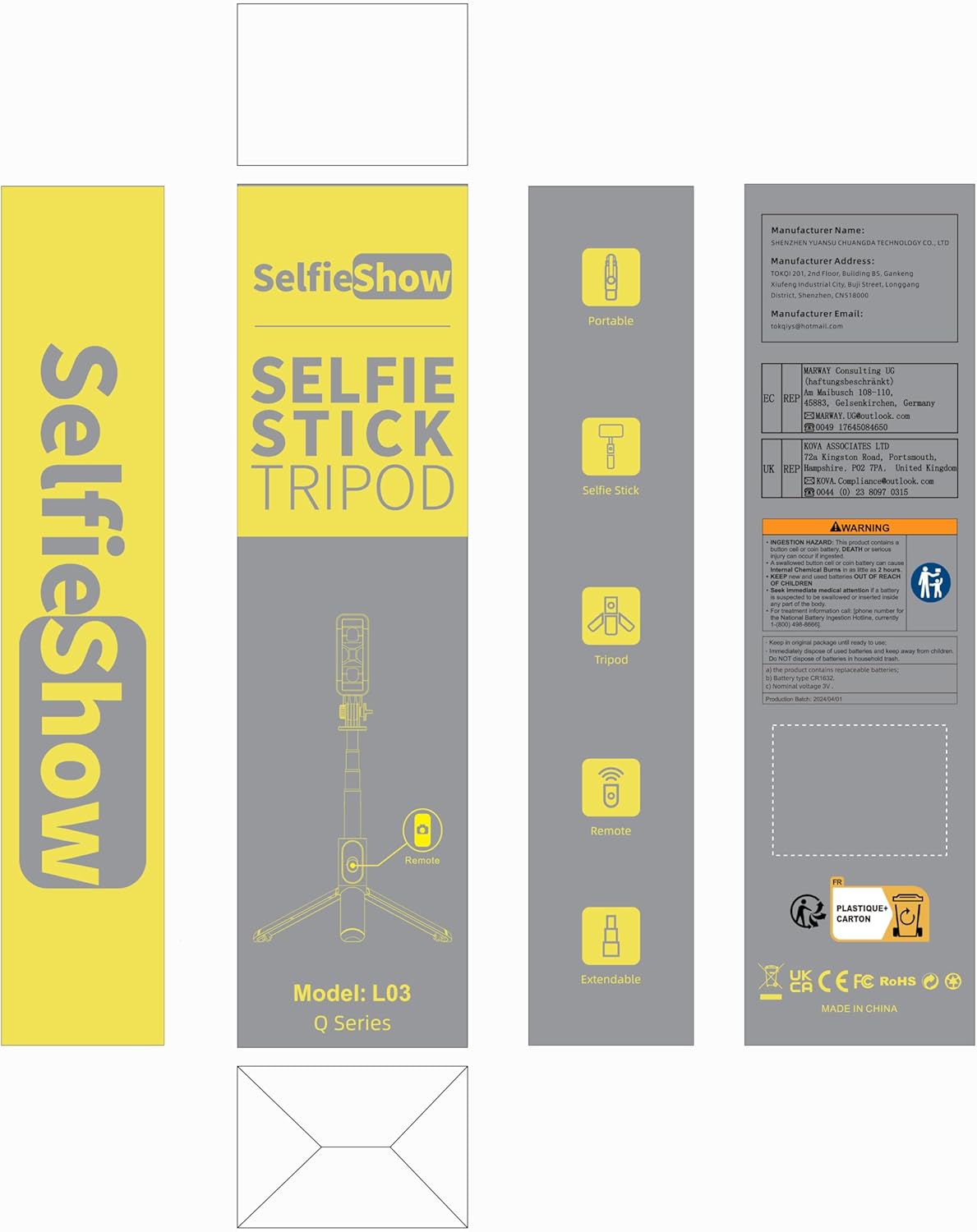
Image: Product packaging for the SelfieShow L03, showing the selfie stick, remote, and tripod components.
3. 제품 오버view
Familiarize yourself with the main components of your SelfieShow L03 device:

Image: Diagram illustrating the key components of the SelfieShow L03, including the detachable phone mount, aluminum alloy rod, stable tripod, detachable remote control, and anti-slip pads.
- Detachable Phone Mount: Securely holds your smartphone. Features anti-slip pads for grip.
- 알루미늄 합금 막대: Extendable and retractable for selfie stick functionality.
- 삼각대 베이스: Foldable legs provide a stable stand for tabletop or ground use. Includes anti-slip pads.
- 분리형 무선 리모컨: For remote photo and video capture. Stores conveniently in the handle.
- Rotary Lock: Allows for 360° rotation and 270° adjustment of the phone mount.
4. 설정 지침
4.1. 휴대폰 연결하기
- Gently pull the top section of the phone mount upwards to expand it.
- Place your smartphone into the mount, ensuring it is securely held by the anti-slip pads. The mount supports phones with a width between 6.5cm and 9.5cm.
- The phone mount can also be detached and used as a separate phone stand. To detach, slide the phone mount upwards from the selfie stick.

Image: Step-by-step guide on detaching the phone mount and using it as a standalone phone stand.
4.2. Pairing the Wireless Remote Control
- Remove the wireless remote control from its slot in the selfie stick handle.
- 리모컨의 버튼을 길게 누르면 표시등이 깜빡이기 시작하며, 이는 페어링 모드에 진입했음을 나타냅니다.
- On your smartphone, navigate to Bluetooth settings.
- 검색 available devices and select "SelfieShow" (or similar name like "Liangdianpai") to connect. The indicator light on the remote will stop flashing once successfully paired.
- The remote is compatible with Android 4.4+ and iOS 5.1+ devices.

Image: Visual guide for pairing the wireless remote control with a smartphone via Bluetooth.
5. 사용 설명서
5.1. 셀카봉 모드
- Ensure your phone is securely mounted.
- Extend the aluminum alloy rod to your desired length. The stick can extend up to 34.4 inches (87.5 cm).
- Use the paired wireless remote control to capture photos or start/stop video recording.
5.2. 삼각대 모드
- From the folded position, gently unfold the three legs at the bottom of the handle to form a stable tripod base.
- Place the tripod on a flat, stable surface. For maximum stability, keep the extension rod as short as possible.
- Adjust the height by extending the aluminum rod.
- 무선 리모컨을 사용하여 손을 대지 않고 조작하세요.
5.3. Adjusting Angle and Rotation
- The phone mount allows for 360° rotation. Loosen the rotary lock knob, adjust the phone to horizontal or vertical orientation, and then tighten the knob to secure.
- The phone mount also offers 270° adjustment for tilting the phone up or down. Loosen the rotary lock, set the desired angle, and tighten the knob.
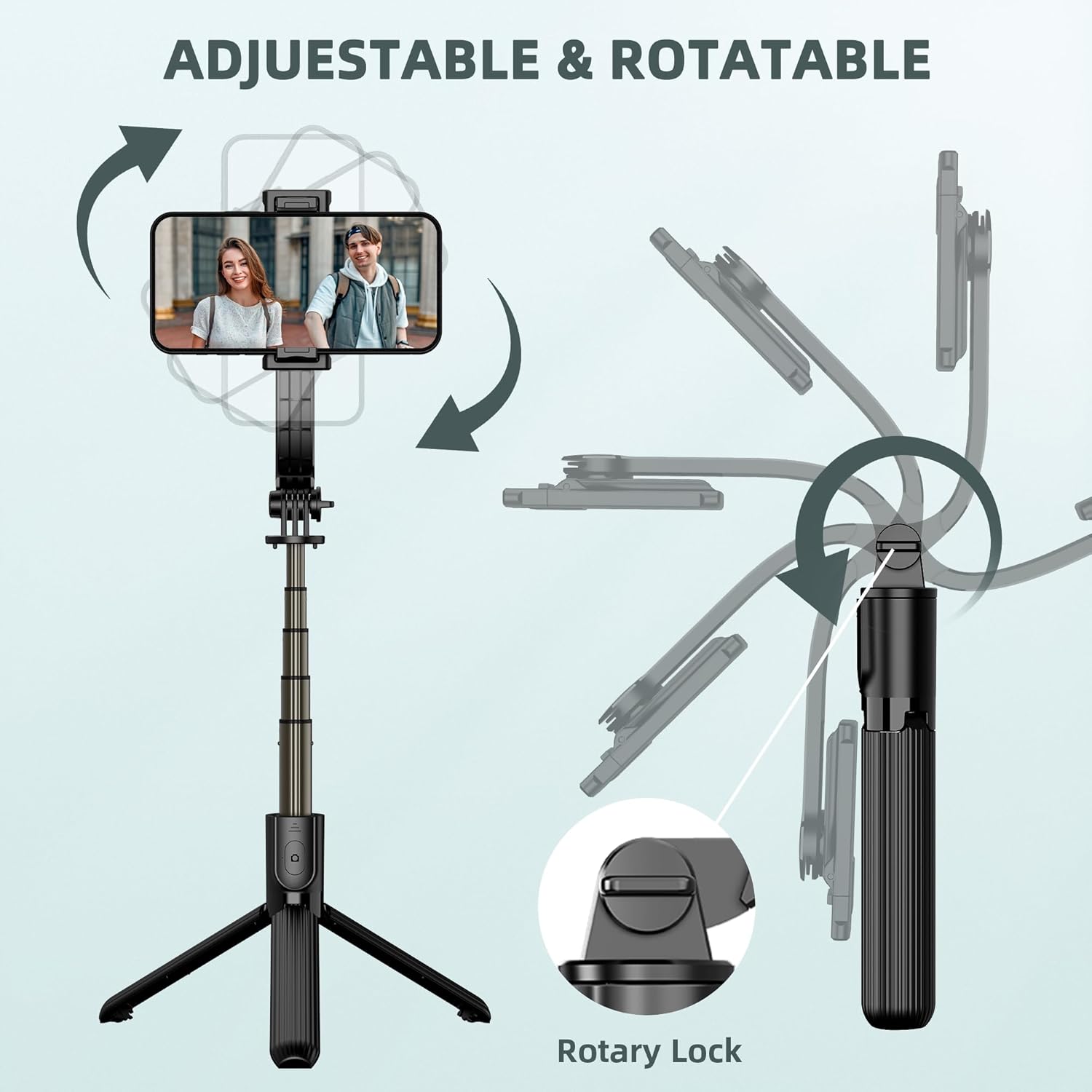
Image: Illustration demonstrating the 360° rotation and 270° tilt adjustment capabilities of the phone mount, secured by a rotary lock.
6. 유지관리
- 청소: 부드럽고 마른 천으로 기기를 닦으십시오. 강한 화학 약품이나 연마성 재질은 사용하지 마십시오.
- 저장: When not in use, fold the selfie stick tripod to its compact size (7.4 inches / 19 cm) and store it in a cool, dry place away from direct sunlight.
- 배터리 교체: The remote control uses a replaceable C battery. If the remote's performance degrades, replace the battery.
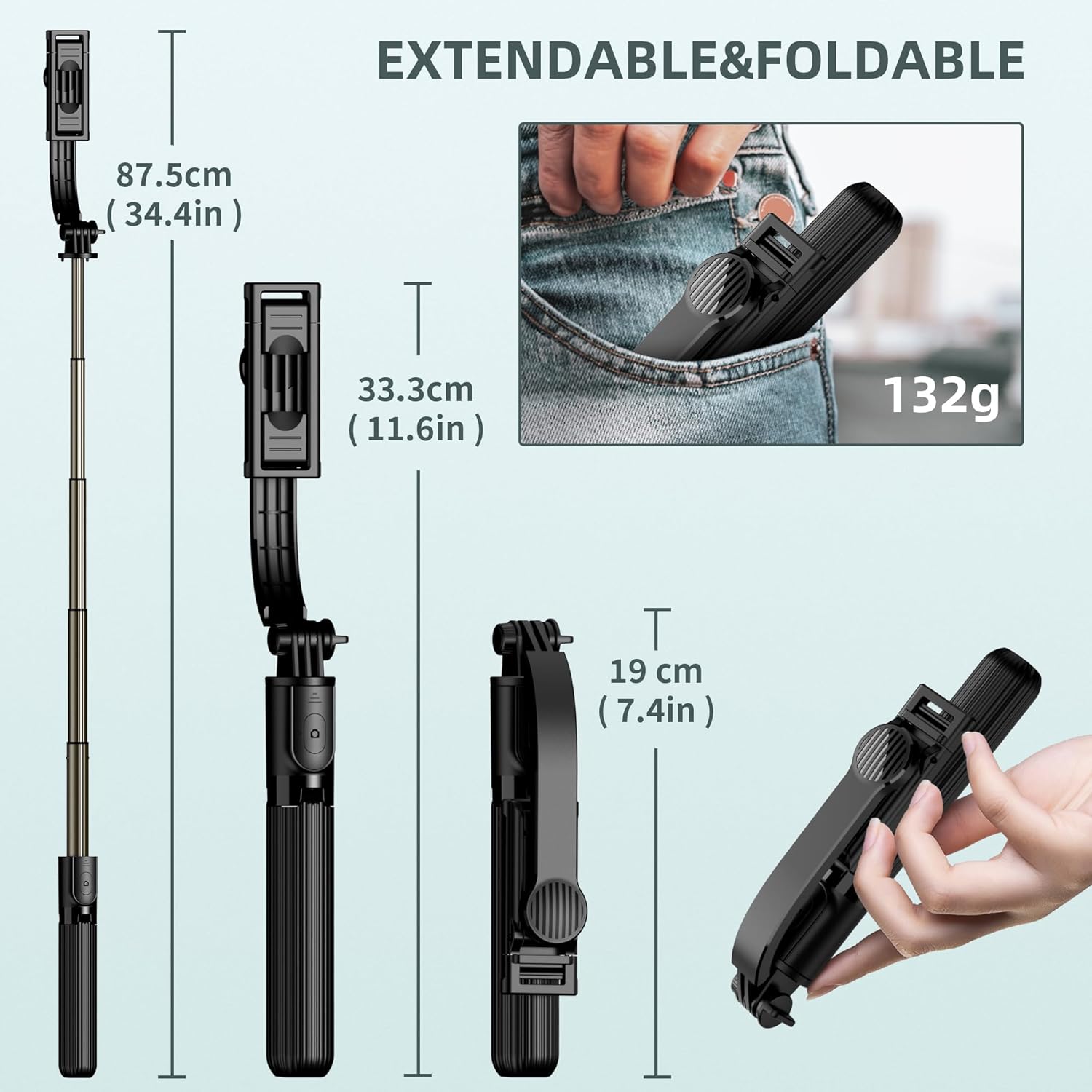
Image: Dimensions of the SelfieShow L03 when extended (34.4 inches) and folded (7.4 inches), highlighting its portability.
7. 문제 해결
- 리모컨이 페어링되지 않음:
- Ensure the remote control battery is not depleted. Replace if necessary.
- 스마트폰에서 블루투스가 켜져 있는지 확인하세요.
- Try unpairing and re-pairing the remote control in your phone's Bluetooth settings. - 삼각대 불안정성:
- Ensure the tripod legs are fully extended and locked into position.
- Use the tripod on a flat, level surface.
- For increased stability, keep the extension rod at a shorter length. - 휴대폰이 거치대에 맞지 않아요:
- Verify your phone's width is within the supported range of 6.5cm to 9.5cm (2.5 to 3.7 inches). - GoPro 호환성:
- The selfie stick includes an adapter for GoPro cameras. Note that the wireless remote control is designed for smartphones and may not sync with GoPro devices for remote capture.

Image: Diagram showing the phone holder's width compatibility (6.5-9.5cm) and the inclusion of a GoPro adapter for mounting action cameras.
8. 사양
| 특징 | 사양 |
|---|---|
| 모델 번호 | L03 |
| 제품 치수 | 1.85 x 1.3 x 7.48인치(접힌 상태) |
| 품목 무게 | 5.6온스(0.35파운드) |
| 재료 | 알류미늄 |
| 최대 높이 | 860밀리미터(34.4인치) |
| 최소 높이 | 190밀리미터(7.4인치) |
| 중량 제한 | 158그램 |
| 호환되는 전화 너비 | 6.5cm - 9.5cm (2.5 - 3.7 inches) |
| 리모컨 배터리 | C형 배터리 1개(포함) |
| 원격 제어 범위 | 최대 10미터 |
| 호환 장치 | Most smartphones (iPhone 15/14/13/12/11 series, Samsung Galaxy S/Note series, Google Pixel, OnePlus, etc.) and GoPro cameras. |
9. 보증 및 지원
The SelfieShow L03 Cell Phone Selfie Stick Tripod comes with a one-year warranty. If you encounter any issues or require assistance with your product, please refer to the contact information provided with your purchase or visit the official SelfieShow brand store for support.
추가 지원이 필요하면 다음을 방문하세요. SelfieShow Store on Amazon.
Ask a question about this manual
Ask about setup, troubleshooting, compatibility, parts, safety, or missing instructions. Manuals+ will review the question and use this page’s manual context to help answer it.