
SeaLife SL552
SeaLife Micro 3.0 Pro 3000 Underwater Camera & Light Set Instruction Manual
모델 : SL552
1. 서론
This manual provides comprehensive instructions for the setup, operation, and maintenance of your SeaLife Micro 3.0 Pro 3000 Underwater Camera & Light Set. Please read this manual thoroughly before using your device to ensure optimal performance and longevity.
2. 제품 오버view
The SeaLife Micro 3.0 Underwater Camera and Pro 3000 Auto Light Set is designed for capturing high-quality photos and videos in underwater environments. Its compact and permanently sealed design eliminates the need for O-ring maintenance, providing worry-free operation.

Figure 2.1: SeaLife Micro 3.0 Pro 3000 Camera and Light Set.
주요 특징:
- Powerful Image Sensor: 16MP IMX083 CMOS 1/2.3" sensor for sharp photos and 4K Ultra HD video at 30fps, 1080p HD video at 120fps.
- 밝은 LED 빛: 3000 lumens Sea Dragon 3000F Auto Photo-Video Dive Light with 120-degree wide beam angle and 60-minute run time at full power.
- 고해상도 이미지: Shoots 16MP images in single and continuous mode (10 16MP pictures in 1 second), time lapse, picture-in-video (8MP stills while recording 4K video), and RAW (.DNG) format.
- 견고한 구조: Permanently sealed and leak-proof camera body with no O-rings to maintain. Fully rubber-armored, shock-resistant, and waterproof to 200’ (60m).
- 사용자 친화적 기능: Ultra-fast 0.1 second shutter response, 100° wide angle lens, electronic stabilization, WiFi for wireless transfer, and 64GB internal memory.
3. 설정
The SeaLife Micro 3.0 is designed for immediate use underwater without complex setup. Its permanently sealed nature means no housing to assemble or O-rings to lubricate.
3.1 초기 충전
Before first use, ensure both the camera and the Sea Dragon light are fully charged. The camera features a rechargeable battery. Connect the camera to the provided USB adapter and cable. The light includes a Li battery and AC charger with international plug adapters.
비디오 3.1: 끝view of the SeaLife Micro 3.0 camera and its features, including charging and handling.
3.2 Assembling the Set
The Micro 3.0 camera and Sea Dragon light are designed to integrate seamlessly with the Flex-Connect Single Tray and Grip for steady, balanced shooting.
- Attach the Micro 3.0 camera to the Flex-Connect Single Tray using the standard 1/4-20 tripod mount.
- Secure the Sea Dragon 3000F light to the Flex-Connect Grip.
- Connect the Flex-Connect Grip to the Flex-Connect Single Tray.

Figure 3.1: Diver demonstrating the compact and ergonomic design of the camera and light set.
4. 카메라 작동
The Micro 3.0 features intuitive controls designed for ease of use, even with dive gloves.

Figure 4.1: Close-up of the SeaLife Micro 3.0 camera highlighting its large, easy-to-use piano key buttons.
4.1 기본 컨트롤
- 전원 버튼: Located on top, press and hold to power on/off.
- 비디오 버튼: 한 번 누르면 동영상 녹화가 시작/중지됩니다.
- 메뉴 버튼: Access camera settings and modes.
- 재생 버튼: Review 캡처한 사진과 동영상.
- 탐색 버튼: Use the large piano-key style buttons to navigate menus and settings.
4.2 촬영 모드 및 설정
The camera offers various modes to optimize your shots for different environments.
- 간편한 설정: Guides you through correct settings based on shooting environment (Land Auto, Land Sports/Action, Dive, Snorkel, Underwater Light).
- 비디오 해상도: Capture 4K Ultra HD at 30fps or 1080p HD at 120fps for super slow-motion.
- 이미지 형식: Supports JPG and RAW (.DNG) for flexible post-processing.
- 화이트 밸런스: Manual white balance adjustment available, plus three built-in digital underwater color correction modes (Deep, Green, Shallow).
- 전자식 이미지 안정화: Reduces vibration and hand shaking for smoother video.
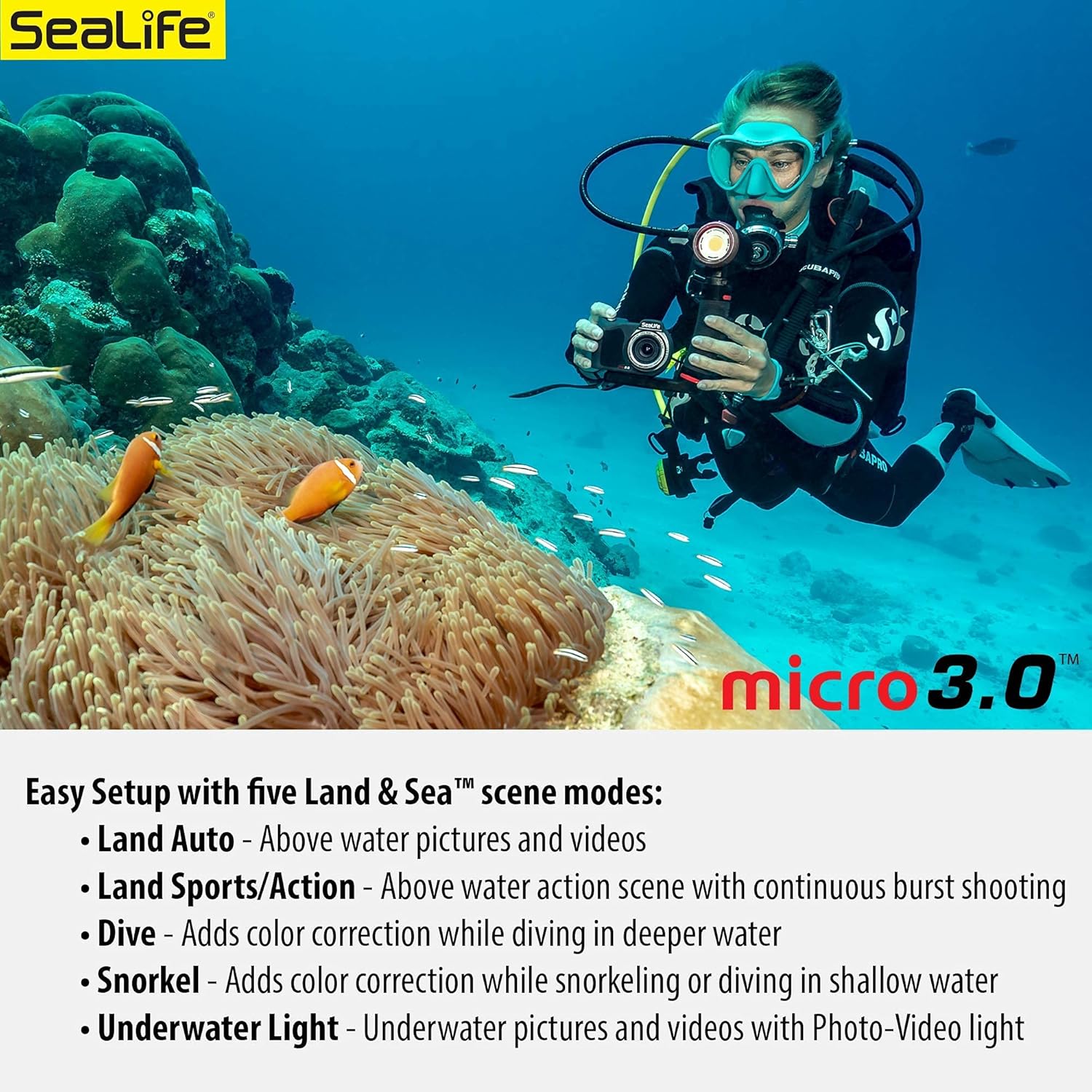
Figure 4.2: Easy Setup with five Land & Sea scene modes for optimal color.

Figure 4.3: Manual White Balance options for customizing underwater color correction.
4.3 Wireless Transfer (WiFi)
The Micro 3.0 features built-in WiFi for wirelessly previewing, downloading, and sharing pictures and videos to a smartphone or tablet using the free SeaLife Micro 3+ app (available on Google Play or Apple App stores).

Figure 4.4: Electronic image stabilization and WiFi sharing capabilities.
5. 유지관리
Due to its permanently sealed design, the SeaLife Micro 3.0 requires minimal maintenance, eliminating common issues like O-ring leaks.
5.1 다이빙 후 관리
- After each dive, rinse the camera and light thoroughly with fresh water to remove salt, sand, or other debris.
- Pay special attention to the charging contacts on the camera and light. Clean them under running fresh water if used in saltwater to prevent corrosion and ensure proper charging.
- 보관하기 전에 제품을 완전히 자연 건조시키십시오.
Video 5.1: Demonstrates rinsing the camera and light set with fresh water after use.
6. 문제 해결
While the Micro 3.0 is designed for reliability, here are some common issues and potential solutions:
- 카메라가 충전되지 않음: Ensure charging contacts are clean and dry. Verify the USB cable and adapter are functioning correctly.
- "Storage IO Error": This indicates an issue with the internal memory. If restarting the camera does not resolve the issue, contact SeaLife customer support for assistance.
- 과열: The camera may temporarily shut down if it overheats, especially during prolonged use in warm environments or while downloading files. Allow the camera to cool down.
- Blurry Images/Video: Ensure your subject is within the camera's focal distance (15 inches or more). For closer subjects, consider using an optional macro lens.
- Poor Color Underwater: Utilize the camera's Easy Setup modes or manual white balance adjustments for optimal color correction based on depth and water conditions.
For further assistance, refer to the official SeaLife support resources or contact their customer service.
7. 사양
| 특징 | 사양 |
|---|---|
| 상표 | 해양 생물 |
| 모델명 | Micro 3.0 Pro 3000 Set |
| 모델 번호 | SL552 |
| 사진 센서 해상도 | 16 MP |
| 비디오 해상도 | 2160p (4K) @ 30fps, 1080p @ 120fps |
| 내부 메모리 | 64GB (XNUMX기가바이트) |
| 방수 깊이 | 200피트(60m) |
| Light Output (Sea Dragon 3000F) | 3000루멘 |
| Beam Angle (Sea Dragon 3000F) | 120도 |
| 연결 기술 | 와이파이 |
| 렌즈 유형 | 100 ° 광각 렌즈 |
| 최소 초점 거리 | 19 밀리미터 |
| 화면 크기 | 2.4인치 TFT 컬러 LCD |
| 지원됨 File 체재 | RAW, JPG, MP4 |
8. 보증 및 지원
Your SeaLife Micro 3.0 Pro 3000 Underwater Camera & Light Set comes with a 1년 한정 보증 from the manufacturer. For warranty claims, technical support, or service inquiries, please visit the official SeaLife web사이트 또는 고객 서비스 부서에 문의하십시오.
추가 리소스 및 FAQ를 보려면 다음을 방문하세요. SeaLife Store on Amazon.
Ask a question about this manual
Ask about setup, troubleshooting, compatibility, parts, safety, or missing instructions. Manuals+ will review the question and use this page’s manual context to help answer it.