
소개
Thank you for choosing the Perixx PERIBOARD-317 Backlit USB Keyboard. This full-size wired keyboard is designed for comfortable daily typing, featuring large print keys and white LED backlighting for enhanced visibility in various lighting conditions. Its low-profile keys offer a quiet and responsive typing experience. This manual provides essential information for setting up, operating, maintaining, and troubleshooting your keyboard.
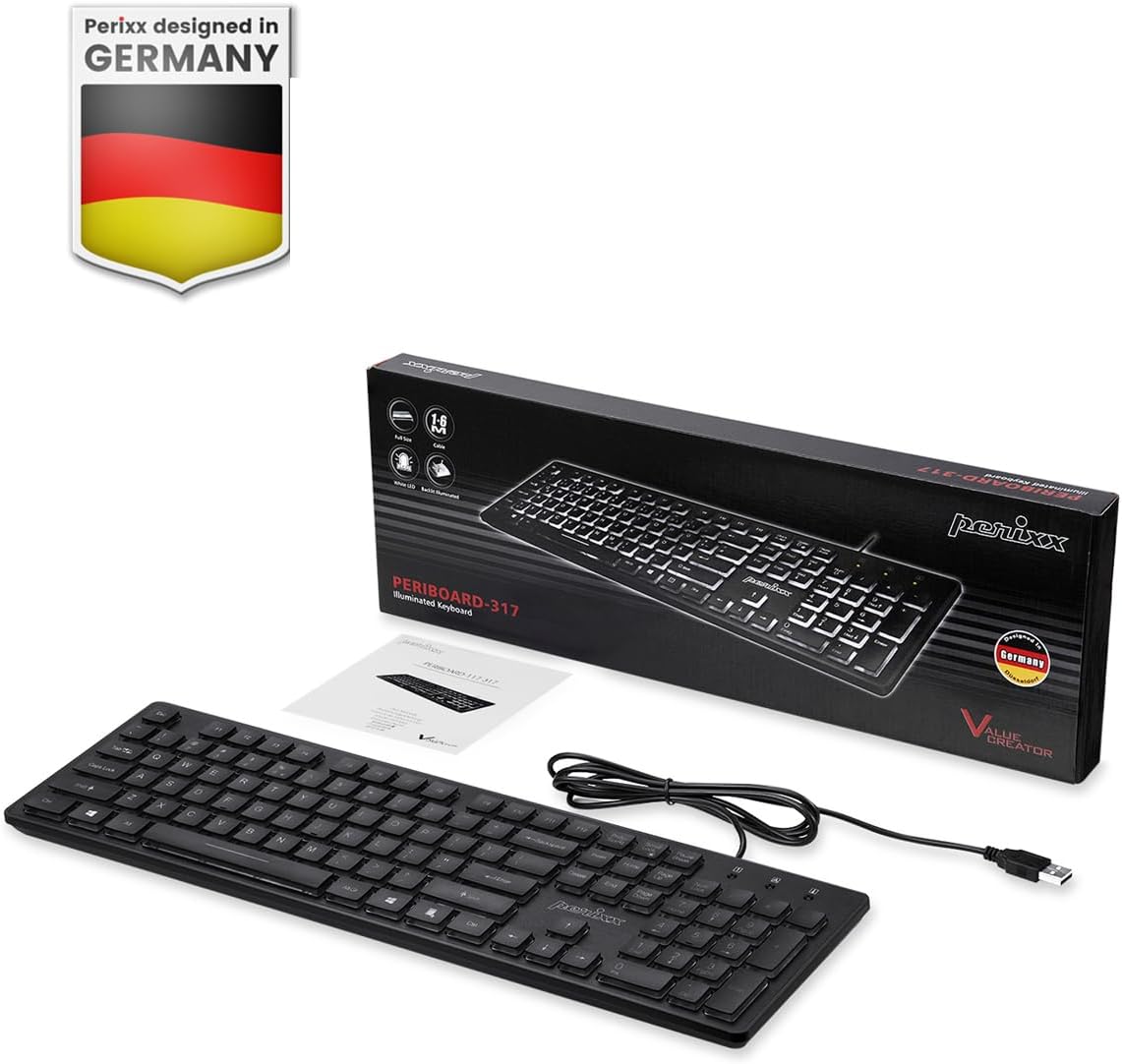
Image: Perixx PERIBOARD-317 keyboard and its contents.
1. 설정
1.1 패키지 내용
- Perixx PERIBOARD-317 키보드
- 사용자 설명서
1.2 시스템 요구 사항
- Compatible with Windows 7, 8, 10, and 11.
- 사용 가능한 USB-A 포트.
1.3 키보드 연결
- Unpack the Perixx PERIBOARD-317 keyboard from its packaging.
- 컴퓨터에서 사용 가능한 USB-A 포트를 찾으세요.
- Plug the USB-A cable of the keyboard into the USB-A port on your computer.
- The keyboard is plug-and-play; no additional drivers or software installation is required. Your computer will automatically detect and configure the device.

Image: Connecting the Perixx PERIBOARD-317 keyboard via USB.
2. 사용 설명서
2.1 기본 타이핑
The Perixx PERIBOARD-317 features a standard full-size Italian QWERTY layout with 105 keys. The large print characters on the keys are designed for improved visibility, making typing easier for users with visual impairments or in low-light environments.

Image: Large print keys for enhanced visibility.
2.2 백라이트 제어
The keyboard is equipped with a bright, uniformly distributed white LED backlight. This feature allows for comfortable typing in dimly lit conditions.
- Turning On/Off the Backlight: Locate the backlight control key (often indicated by a sun or light bulb icon, or a dedicated function key combination). Press this key to toggle the backlight on or off.
- 밝기 조정: If available, use the designated brightness control keys (often function keys combined with Fn) to increase or decrease the backlight intensity.

Image: White LED backlighting for clear visibility.

Image: Easy typing in low-light conditions with the illuminated keys.
2.3 Scroll Lock and Backlight Interaction
Please note the interaction between the backlight and the Scroll Lock function:
- When the backlight is active, the Scroll Lock function is disabled.
- When the backlight is turned off, the Scroll Lock function is enabled.
2.4 타이핑 경험
로우 프로file keys with wider surfaces provide a responsive, quiet, and precise typing experience. The high-quality ABS key printing is designed to resist wear, and the membrane switches are rated for 5 million keystrokes.

Image: Quiet and responsive typing experience.

이미지: 로우프로file chiclet keys for comfortable typing.
3. 유지관리
3.1 키보드 청소
키보드의 성능과 외관을 유지하려면 다음 사항을 준수하십시오.
- 청소하기 전에 키보드를 컴퓨터에서 분리하세요.
- 부드럽고 털이 없는 천을 살짝 사용하세요.amp물이나 순한 세척액을 사용하여 키캡과 표면을 닦으세요.
- 키보드에 액체를 직접 뿌리지 마십시오.
- 키 사이의 먼지와 이물질을 제거하려면 압축 공기를 사용하세요.
3.2 보관
Store the keyboard in a dry environment, away from extreme temperatures and direct sunlight, when not in use for extended periods.
4. 문제 해결
4.1 키보드가 응답하지 않음
- USB 케이블이 키보드와 컴퓨터의 USB 포트에 제대로 연결되어 있는지 확인하십시오.
- 키보드를 컴퓨터의 다른 USB 포트에 연결해 보세요.
- 컴퓨터를 다시 시작하세요.
- 다른 컴퓨터에서 키보드를 테스트하여 문제가 키보드에 있는지, 아니면 컴퓨터에 있는지 확인하세요.
4.2 백라이트가 작동하지 않음
- Ensure the backlight is turned on using the dedicated backlight control key.
- Check if the brightness level is set too low. Adjust it using the brightness control keys.
- Verify that the Scroll Lock function is not interfering (refer to section 2.3).
4.3 키가 입력되지 않거나 반복되는 경우
- 유지 관리 섹션에 설명된 대로 해당 키를 청소하십시오.
- 키캡 아래에 이물질이 끼어 있지 않은지 확인하십시오.
- If the issue persists, it may indicate a hardware problem. Refer to the Warranty and Support section.
5. 사양
| 특징 | 세부 사항 |
|---|---|
| 상표 | 페릭스 |
| 모델명 | PERIBOARD-317 IT B |
| 모델 번호 | 11629 |
| 연결 기술 | USB(유선) |
| 키보드 설명 | Full-size, Backlit |
| 추천 용도 | Daily use, study |
| 특징 | Backlit (White LED), Large Print Keys |
| 키보드 백라이트 색상 지원 | 단색 |
| 제품 크기(L x W x H) | 44L x 12.9W x 2.7Hcm |
| 전원 | 코드식 전기 |
| 스위치 유형 | Linear (Membrane) |
| 키보드 레이아웃 | QWERTY (Italian) |
| 키의 개수 | 105 |
| 호환되는 운영 체제 | 윈도우 7, 8, 10, 11 |
| 하우징 소재 | ABS 플라스틱 |
| 품목 무게 | 530그램 |
| 제조업체 | 페릭스 |
| 제조업체 부품 번호 | PB-317IT-11629 |
| 원산지 | 중국 |
6. 보증 및 지원
6.1 보증 정보
The Perixx PERIBOARD-317 keyboard is covered by a limited 24-month warranty from the date of purchase. This warranty covers manufacturing defects and workmanship under normal use.
6.2 지원을 받는 방법
For warranty claims, technical assistance, or product inquiries, please visit the official Perixx website. Warranty replacement requests (RMA) are generally processed within 48-72 hours.
자세한 내용은 다음을 방문하세요. www.perixx.com

Image: Perixx - Designed in Germany.


