
소개
The ONIKUMA K2-PRO Stereo Gaming Headset is designed to provide an immersive audio experience for various gaming platforms. Featuring a noise-cancelling microphone, 3D surround sound, and comfortable memory foam ear pads, this headset is engineered for extended gaming sessions. This manual provides essential information for setup, operation, maintenance, and troubleshooting to ensure optimal performance of your K2-PRO headset.

This image illustrates the ONIKUMA K2-PRO Gaming Headset in use, emphasizing its key audio features like 3D stereo surround sound and 40mm drivers, along with the noise-cancelling microphone and LED lighting.
특징
- 몰입형 3D 스테레오 서라운드 사운드: Experience rich, detailed audio for an enhanced gaming environment.
- 50mm Neodymium Magnet Drivers: 강력하고 선명한 사운드 재생을 제공합니다.
- 조절 가능한 소음 제거 마이크: Reduces background noise for clear communication and can be positioned for optimal voice pickup.
- Integrated RGB LED Lighting: Enhances the gaming atmosphere with dynamic lighting effects, powered via USB.
- 편안한 디자인: Features an adjustable headband, soft memory protein earmuffs, and a soft memory protein headpad for long-term comfort.
- Inline Audio Controller: Conveniently adjust volume and mute the microphone.
- 다중 플랫폼 호환성: Compatible with PlayStation 4, Xbox One, PC, Nintendo Switch, and mobile devices.
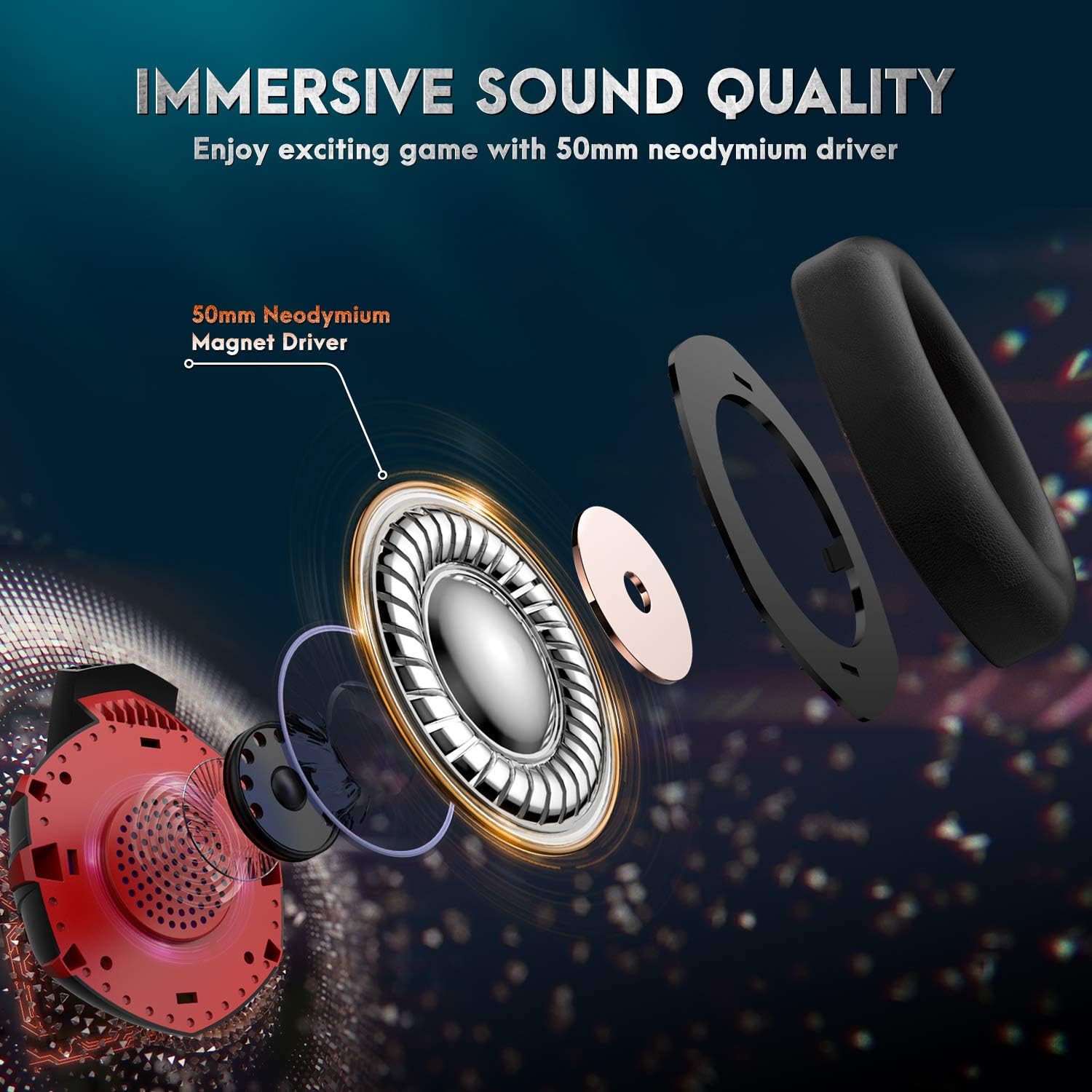
자세한 view of the headset's internal components, showcasing the 50mm neodymium magnet driver responsible for high-quality, immersive audio.
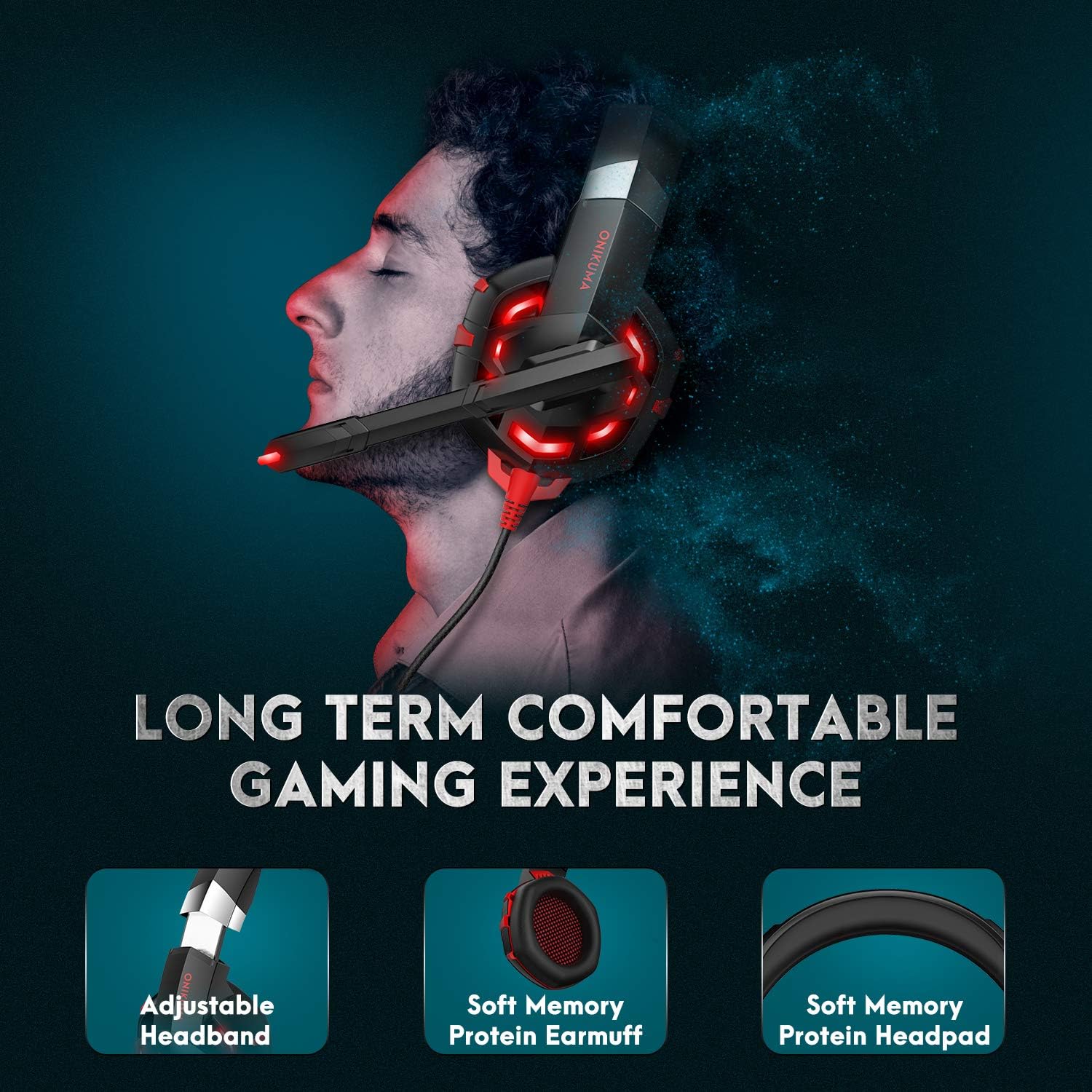
This image demonstrates the ergonomic design of the headset, focusing on the adjustable headband and soft memory protein ear cushions and headpad for extended comfort.
패키지 내용
- ONIKUMA K2-PRO Gaming Headset
- 1:2 오디오 분배 케이블 (오디오/마이크 잭이 분리된 PC용)
- 사용자 설명서
설치 지침
The ONIKUMA K2-PRO headset connects via a 3.5mm audio jack for sound and microphone, and a USB connector for LED lighting. Follow the steps below for your specific device:
- For PlayStation 4 (PS4 / PS4 Pro / PS4 Slim):
- Plug the 3.5mm jack of the headset into the controller.
- Go to System Settings > Devices > Audio Devices.
- Set "Output to Headphones" to "All Audio".
- Adjust microphone level as needed.
- Plug the USB connector into a free USB port on the console for LED lighting.
- For Xbox One (Xbox One / Xbox One S / Xbox One X):
- Plug the 3.5mm jack of the headset into the Xbox One controller. (Note: Older Xbox One controllers may require a Microsoft Stereo Headset Adapter, not included).
- Go to System > Settings > Display & Sound > Audio Output.
- Adjust headset volume and microphone monitoring.
- Plug the USB connector into a free USB port on the console for LED lighting.
- For PC / Laptop:
- If your PC/laptop has separate audio (green) and microphone (pink) jacks, use the included 1-to-2 audio splitter cable. Connect the headset's 3.5mm jack to the splitter, then connect the splitter's audio and mic plugs to the corresponding ports on your computer.
- If your PC/laptop has a single combined 3.5mm audio jack, plug the headset's 3.5mm jack directly into it.
- Plug the USB connector into a free USB port on your PC/laptop for LED lighting.
- Ensure the headset is selected as the default audio input/output device in your operating system's sound settings.
- For Nintendo Switch / New 3DS XL / 3DS / 3DS XL:
- Plug the 3.5mm jack of the headset directly into the device's audio port.
- The USB connector is not typically used for these devices unless a USB power source is available for LED lighting.
- For Smartphone / Android / iOS / Tablet:
- Plug the 3.5mm jack of the headset directly into your mobile device's audio port.
- The USB connector is not typically used for mobile devices unless a USB power source is available for LED lighting.

A comprehensive diagram detailing how to connect the ONIKUMA K2-PRO headset to various gaming platforms and devices, including PlayStation, Xbox, PC, Nintendo Switch, and mobile phones.
작동 지침
볼륨 조절
The headset features an inline controller on the cable. Use the scroll wheel on this controller to adjust the audio volume up or down to your preferred level.
마이크 사용
The microphone is adjustable and features noise-cancelling technology. You can bend the microphone arm to position it closer to your mouth for clearer voice pickup. To mute the microphone, use the switch located on the inline controller.

This image highlights the flexible, noise-cancelling microphone and the convenient inline controller, allowing for easy adjustments during gameplay.
LED 조명
The headset's RGB LED lighting is powered by the USB connector. Ensure the USB is plugged into a powered USB port on your device (console, PC, etc.) for the lights to function.
유지
- 청소: 부드럽고 마른 천으로 헤드셋을 닦으세요. 이어 쿠션의 경우, 약간amp 천을 사용할 수 있지만 과도한 습기는 피하십시오. 독한 화학 약품이나 연마성 세척제를 사용하지 마십시오.
- 저장: 헤드셋은 직사광선과 극한의 온도를 피해 서늘하고 건조한 곳에 보관하세요. 헤드셋 위에 무거운 물건을 올려놓지 마세요.
- 케이블 관리: 손상을 방지하려면 케이블을 급격하게 구부리거나 과도하게 당기지 마십시오.
문제 해결
- 소리 없음:
- Ensure the 3.5mm audio jack is fully plugged into the device.
- Check the inline volume control and increase the volume.
- 기기의 소리 설정에서 헤드셋이 기본 오디오 출력 장치로 선택되어 있는지 확인하십시오.
- 장치 특정 문제를 배제하기 위해 다른 장치에서 헤드셋을 테스트하세요.
- 마이크가 작동하지 않음:
- Ensure the 3.5mm audio jack is fully plugged into the device.
- Check that the microphone mute switch on the inline controller is not engaged.
- 기기의 소리 설정에서 헤드셋 마이크가 기본 입력 장치로 선택되어 있는지 확인하십시오.
- For PC, ensure the 1-to-2 splitter is correctly connected if your PC has separate audio/mic ports.
- Test the microphone on another device.
- LED 조명이 작동하지 않음:
- USB 커넥터가 전원이 공급되는 USB 포트에 단단히 꽂혀 있는지 확인하세요.
- 다른 USB 포트를 사용해보십시오.
명세서
| 브랜드 이름 | 오니쿠마 |
| 모델 번호 | ONIKUMA-K2R |
| 모델명 | ONIKUMA K2-PRO Red LED Light |
| 색상 | Red K2 |
| 헤드폰 폼 팩터 | 귀 위 |
| 연결 기술 | 유선 (3.5mm 오디오, LED용 USB) |
| 소음 제어 | 능동 소음 제거(마이크) |
| 특별 기능 | Volume Control, Adjustable Microphone, LED Lighting |
| 포함된 구성 요소 | Headset, 1-to-2 Splitter Cable |
| 재료 | 플라스틱 |
| 품목 무게 | 560그램 |
| 연령대 설명 | 성인 |
| ASIN | B085XZCYRC |
보증 및 지원
The ONIKUMA K2-PRO Gaming Headset comes with a local warranty. For specific warranty terms and conditions, please refer to the documentation provided with your purchase or contact your local retailer.
For technical support or further assistance, please visit the official ONIKUMA website or contact their customer service department. Keep your purchase receipt or proof of purchase handy for any warranty claims.