
소개
Welcome to the world of Nespresso Vertuo Next. This machine is designed to deliver an extraordinary coffee experience, from authentic espresso to a large cup of coffee, all topped with a smooth layer of crema. Utilizing patented Centrifusion technology, the Vertuo Next system precisely recognizes each capsule and adjusts brewing parameters to ensure optimal results every time.

Image: Nespresso Vertuo Next Coffee and Espresso Machine, Gray.
설정
언박싱 및 초기 배치
Carefully remove all components from the packaging. Ensure all protective films are removed from the machine. Place the machine on a clean, stable, and level surface away from water splashes and heat sources.

Image: All components of the Nespresso Vertuo Next machine, including the main unit, water tank, drip tray, and a welcome set of capsules.
물탱크 채우기
- 머신 뒷면에서 물 탱크를 제거합니다.
- 물탱크에 깨끗하고 마실 수 있는 물을 채우세요.
- Place the water tank back onto the machine.

Image: The back of the Nespresso Vertuo Next machine, highlighting the transparent, removable water tank.
First Use and Rinsing
처음 사용하기 전이나 장기간 사용하지 않은 후에는 최적의 위생 상태와 커피 품질을 위해 기계를 헹궈주십시오.
- 물탱크가 가득 차 있는지 확인하세요.
- Place a container (at least 0.5L / 17 fl oz) under the coffee outlet.
- Close the machine head and lock the lever by turning it left.
- Press the button three times within two seconds. The button will blink white during the rinsing process.
- The rinsing cycle will automatically stop. The button will become steady white when ready.
작동 지침
커피 또는 에스프레소 추출
- 물탱크에 깨끗한 물이 가득 채워져 있는지 확인하세요.
- Turn the lever to the right to unlock and open the machine head.
- Insert a Nespresso Vertuo capsule into the capsule holder. The machine automatically recognizes the capsule type.
- Close the machine head and lock the lever by turning it left.
- 커피 배출구 아래에 적절한 크기의 컵을 놓으세요.
- Press the button once. The button will blink white during brewing.
- The machine will automatically stop when brewing is complete.

Image: A hand placing a Nespresso Vertuo capsule into the machine's brewing chamber.
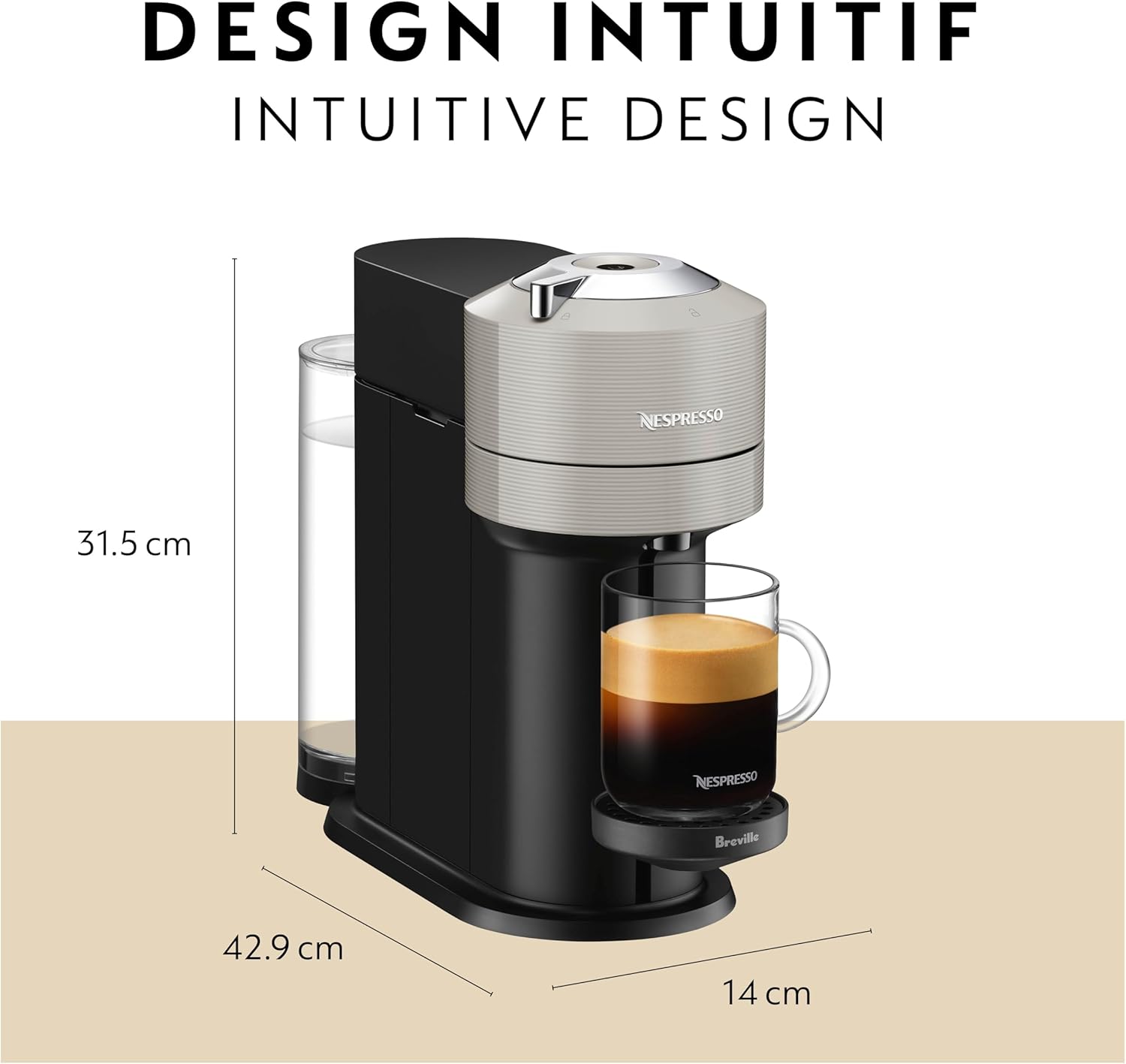
Image: The Nespresso Vertuo Next machine actively brewing coffee into a cup, showing the coffee stream and crema.
추출 크기
The Nespresso Vertuo Next machine supports various brew sizes, automatically detected by the capsule's barcode:
- Espresso (1.35 oz)
- Double Espresso (2.7 oz)
- Gran Lungo (5 oz)
- Coffee (8 oz, 12 oz, 18 oz)

Image: A visual representation of the different coffee and espresso sizes that can be brewed with the Nespresso Vertuo Next machine.
Emptying Used Capsules
After each brew, the used capsule is automatically ejected into the integrated capsule container. Regularly empty this container to prevent overflow.
- Open the machine head by turning the lever to the right. The used capsule will drop into the container.
- Pull out the used capsule container from the side of the machine.
- Dispose of the used capsules.
- Slide the container back into place.
유지
기계 청소
Regular cleaning ensures optimal performance and coffee quality. Clean the machine with a damp cloth and mild, odorless detergent. Do not immerse the machine in water.
- 수조: Wash the water tank regularly with warm water and mild detergent. Rinse thoroughly.
- 물받이 및 컵 받침대: Remove and clean the drip tray and cup support with warm water and mild detergent.
- 캡슐 용기: 사용된 캡슐 용기는 정기적으로 비우고 청소하세요.
스케일 제거
Descaling is crucial for maintaining the machine's lifespan and ensuring consistent coffee quality. The machine will indicate when descaling is needed (refer to the full instruction booklet for specific light indicators).
- 드립 트레이와 사용한 캡슐 용기를 비 웁니다.
- Fill the water tank with 0.5L (17 fl oz) of fresh water and add the Nespresso descaling agent.
- Place a container (at least 1L / 34 fl oz) under the coffee outlet.
- Follow the specific descaling procedure outlined in the full instruction booklet. This typically involves pressing and holding the button for a certain duration to enter descaling mode.
- 석회질 제거 후에는 깨끗한 물로 여러 번 세척하여 기계를 완전히 헹궈주세요.
문제 해결
| 문제 | 가능한 원인 | 해결책 |
|---|---|---|
| 커피가 나오지 않아요 | 물탱크가 비어있고, 기계에 물이 채워지지 않았으며, 스케일 제거가 필요합니다. | Fill water tank; perform first use rinsing; descale machine. |
| 커피는 차갑다 | Cup not preheated; machine not heated up. | Rinse machine with hot water before brewing; preheat cup. |
| 기계가 시끄럽습니다 | Normal operation sound; air in system. | This is often normal. If excessive, perform a rinsing cycle to clear air. |
| 사용한 캡슐이 배출되지 않았습니다 | Capsule container full; mechanism jammed. | Empty capsule container; ensure no obstructions. |
For more detailed troubleshooting or persistent issues, please refer to the comprehensive instruction booklet or contact Nespresso Customer Support.
명세서
- 상표: 네스프레소
- 모델 이름: Vertuo Next Coffee & Espresso Machine
- 모델 번호: BNV520GRY1BUC1
- 용량: 1.1리터(물탱크)
- 제품 크기: 6인치 깊이 x 17인치 너비 x 12인치 높이
- 품목 무게: 9.46 파운드
- 왓tage: 1500 와트
- 권tage: 120V
- 작동 모드: 완전 자동
- 커피 입력 유형: Nespresso Vertuo Capsules
- 특별 기능: Programmable, Removable Tank, Bluetooth and Wi-Fi Connectivity
- 재료: Glossy Design Finish
보증 및 지원
보증 정보
The Nespresso Vertuo Next machine comes with a 1년 보증 from the date of purchase and registration. Please retain your proof of purchase for warranty claims.
고객 지원
For personalized advice, technical support, or machine repair, please contact Nespresso through the following channels:
- 모바일 앱: Download the Nespresso mobile app for assistance.
- 온라인: 방문하다 네스프레소닷컴.
- 전화: Contact Nespresso Customer Service by phone (number available on Nespresso web대지).
- Boutiques: Visit one of our Nespresso Boutiques for in-person support.