
워크프로 W125042
WORKPRO 20V 무선 임팩트 렌치 사용 설명서
모델 : W125042
1. 안전 정보
이 전동 공구와 함께 제공되는 모든 안전 경고, 지침, 그림 및 사양을 항상 읽고 이해하십시오. 아래 나열된 모든 지침을 따르지 않으면 감전, 화재 및/또는 심각한 부상이 발생할 수 있습니다.
일반 전동 공구 안전 경고:
- 작업 영역 안전: 작업 공간을 깨끗하고 밝게 유지하십시오. 어수선하거나 어두운 곳은 사고를 유발합니다. 가연성 액체, 가스 또는 먼지가 있는 곳과 같은 폭발성 환경에서 전동 공구를 작동하지 마십시오. 전동 공구는 먼지나 연기를 발화시킬 수 있는 스파크를 생성합니다.
- 전기 안전: 전동 공구 플러그는 콘센트와 일치해야 합니다. 플러그를 어떤 식으로든 개조하지 마십시오. 접지된 전동 공구에 어댑터 플러그를 사용하지 마십시오. 개조되지 않은 플러그와 일치하는 콘센트는 감전 위험을 줄여줍니다.
- 개인 안전: 전동 공구를 작동할 때는 항상 주의를 기울이고, 무엇을 하고 있는지 주의하고 상식을 사용하십시오. 피곤하거나 약물, 알코올 또는 약물의 영향을 받고 있을 때는 전동 공구를 사용하지 마십시오. 전동 공구를 작동할 때 잠깐 주의가 산만해지면 심각한 개인 부상을 입을 수 있습니다.
- 도구 사용 및 관리: 전동 공구에 힘을 가하지 마십시오. 용도에 맞는 올바른 전동 공구를 사용하십시오. 올바른 전동 공구는 설계된 속도에서 작업을 더 잘하고 더 안전하게 수행할 것입니다.
- 배터리 도구 사용 및 관리: 제조업체에서 지정한 충전기로만 충전하십시오. 한 유형의 배터리 팩에 적합한 충전기를 다른 배터리 팩과 함께 사용하면 화재 위험이 발생할 수 있습니다.
2. 제품 오버view
The WORKPRO 20V Cordless Impact Wrench is designed for efficient tightening and loosening of various nuts and bolts, suitable for automotive repairs, construction projects, and general maintenance.
주요 특징:
- 컴팩트하고 강력함: Delivers 320 ft-lbs of max torque and a max speed of 3200 RPM.
- 무한히 가변적인 속도: Speed control via the On/Off switch for precise operation.
- Fast Charger & Power Indicator: 20V 2.0 Ah lithium-ion battery fully charges in 1 hour. Integrated power indicator.
- 다양한 용도: 1/2'' chuck suitable for various tasks.
- 내장 LED 조명: Three LED lamps illuminate the work area for improved visibility.
제품 구성 :

The WORKPRO 20V Cordless Impact Wrench kit, including the wrench, 2.0Ah battery, fast charger, and belt clip.
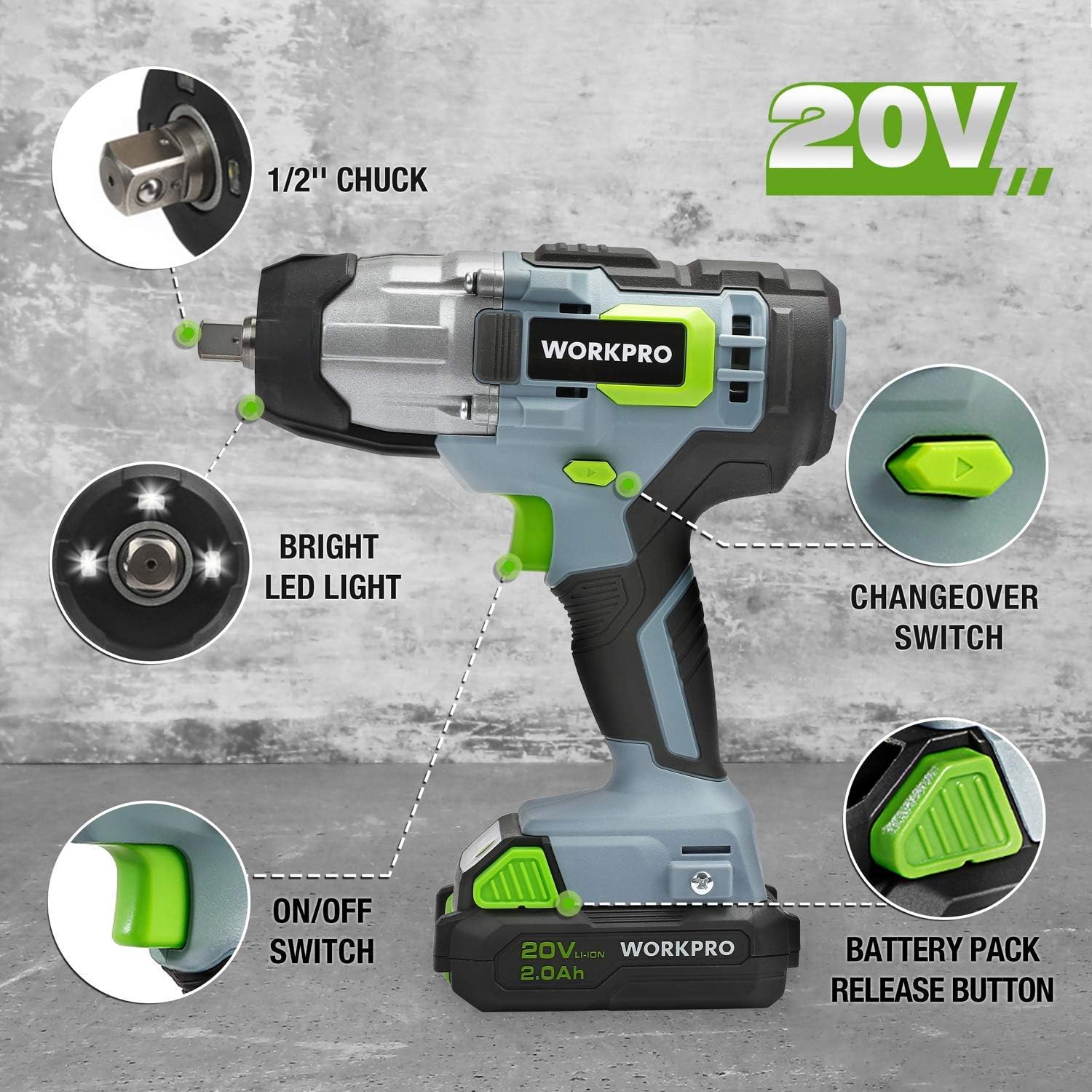
상세한 view of the impact wrench highlighting key components: 1/2" chuck, bright LED light, changeover switch, ON/OFF switch, and battery pack release button.
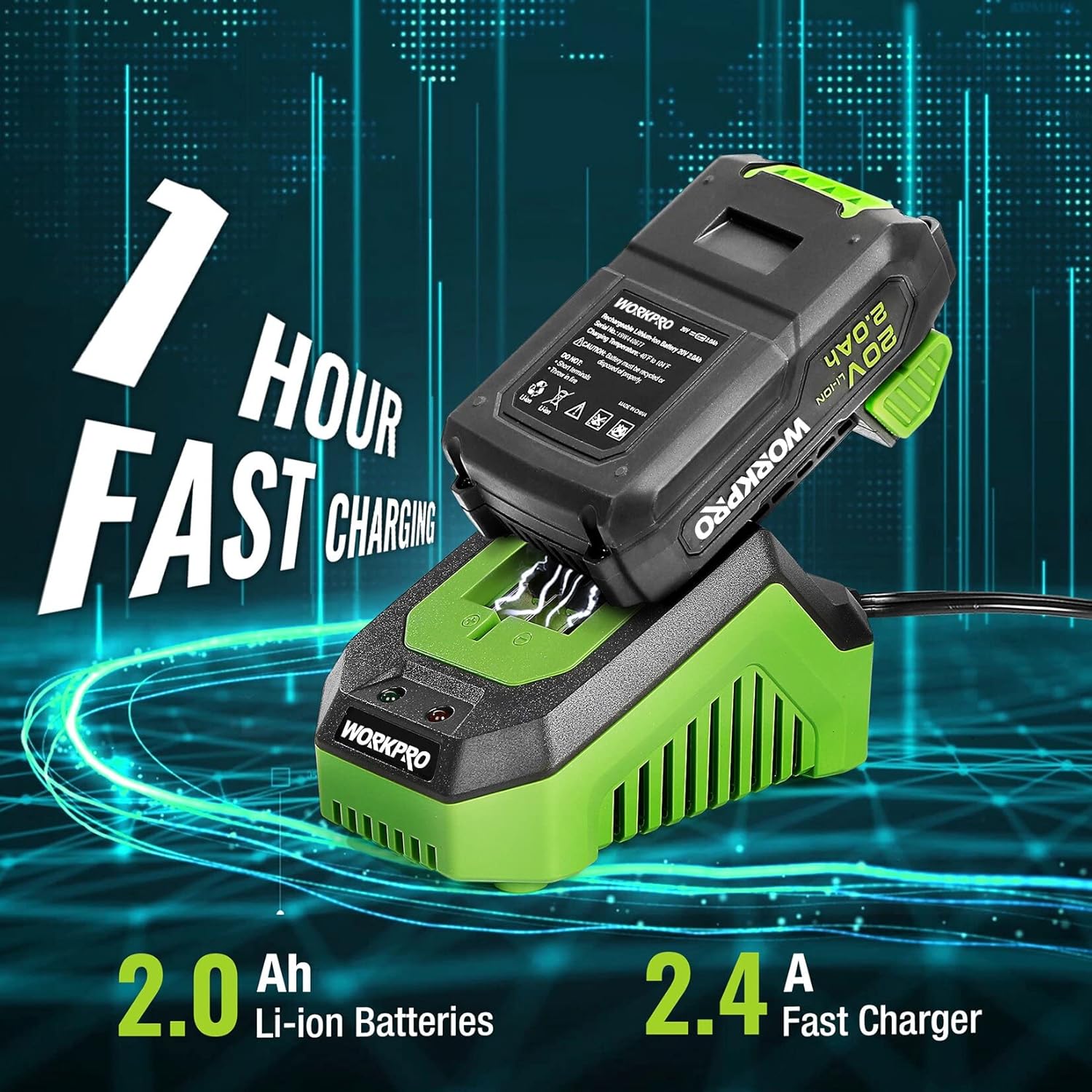
The 2.0Ah Li-ion battery being fast charged by the 2.4A charger, indicating a 1-hour charging time.
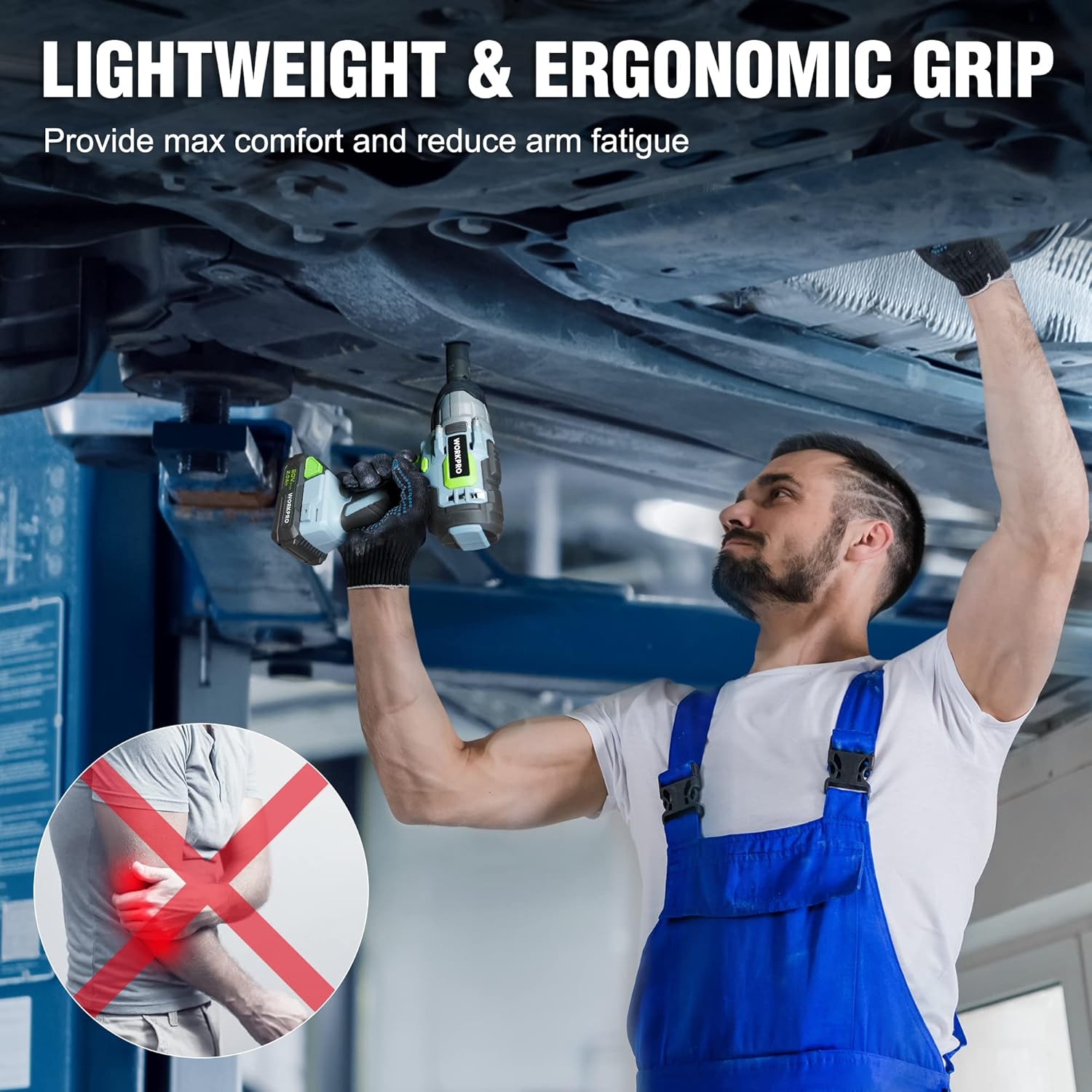
A mechanic demonstrating the lightweight and ergonomic grip of the impact wrench while working under a vehicle, designed for maximum comfort and reduced arm fatigue.

The impact wrench shown with debris, illustrating its robust construction and reliable protection against impacts.

A visual representation of the infinitely variable speed control, indicating the tool's 320 ft-lbs torque and 3200 RPM capabilities.
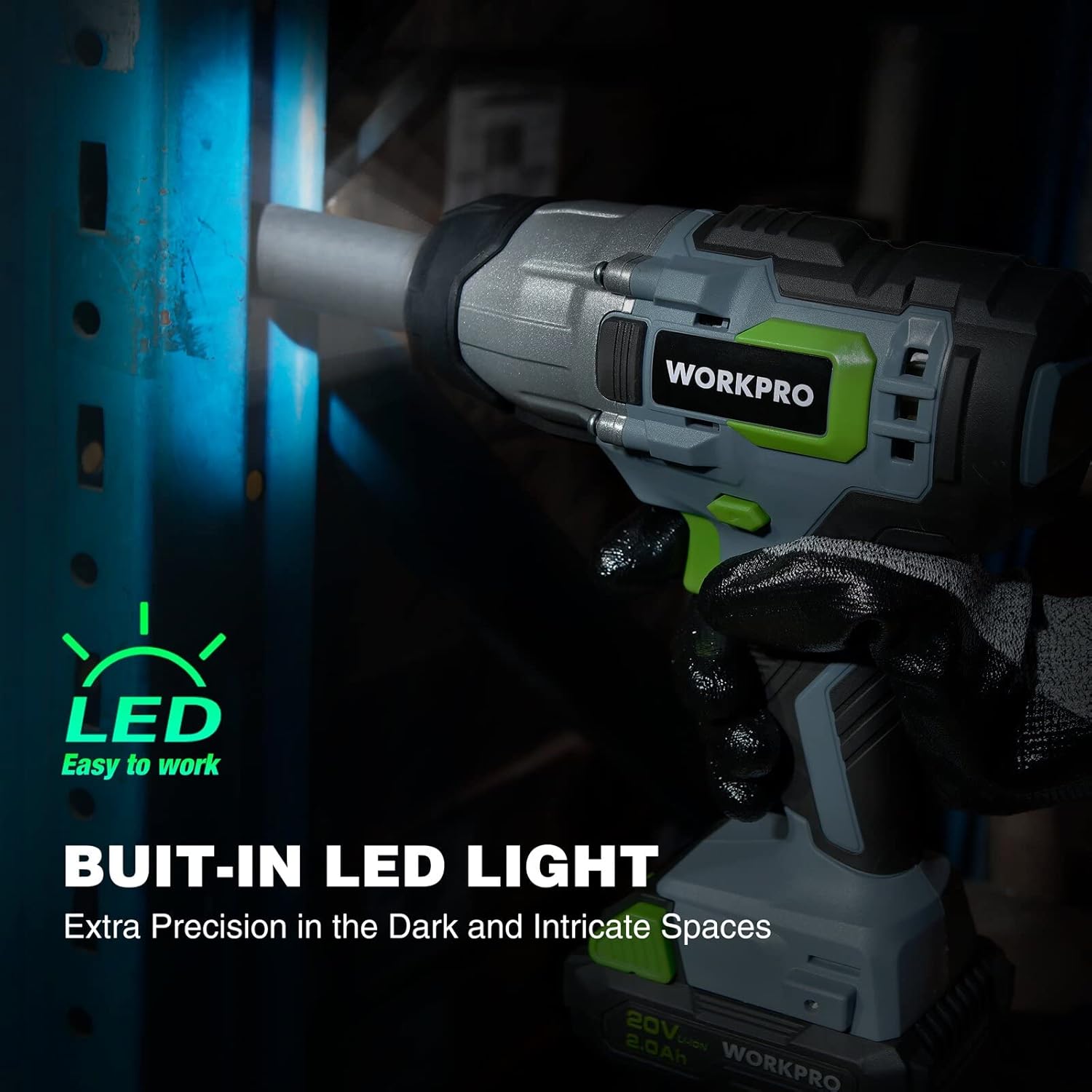
The impact wrench with its built-in LED light activated, demonstrating its ability to provide extra precision in dark and intricate spaces.
제품 비디오 :
공식 제품 영상 쇼asing the WORKPRO 20V Cordless Impact Wrench, highlighting its features such as the 1/2" chuck, forward/reverse button, variable speed trigger, anti-slip grip, belt clip, battery pack release button, bright LED lights, and the 20V 1-hour quick charge battery with indicator lights.
3. 설정
배터리 충전:
- 빠른 충전기를 표준 전기 콘센트에 연결하세요.
- Slide the 20V 2.0Ah Li-ion battery pack onto the charger until it clicks into place.
- The charger indicator light will show the charging status. A full charge typically takes 1 hour.
- 완전히 충전되면 충전기에서 배터리를 제거하십시오.
Attaching/Removing Battery:
- 부착: 배터리 팩을 임팩트 렌치의 바닥면에 맞춰 끼우고, 딸깍 소리가 나면서 단단히 고정될 때까지 밀어 넣으십시오.
- 풀이: Press the battery pack release button (located on the battery pack) and slide the battery out from the tool.
Installing/Removing Sockets:
- 설치 중: Push the desired 1/2" drive socket firmly onto the square drive anvil until it snaps into place.
- 풀이: Pull the socket directly off the square drive anvil.
4. 사용 설명서
전원 켜기/끄기:
- To turn the tool ON, press the ON/OFF switch (trigger).
- To turn the tool OFF, release the ON/OFF switch.
정방향/역방향 작업:
- Locate the forward/reverse button above the trigger.
- 왼쪽 버튼을 누르면 앞쪽으로 회전(조임)됩니다.
- 버튼을 오른쪽으로 밀면 반대 방향으로 회전(풀림)합니다.
- Ensure the button is in the center position for trigger lock when not in use.
가변 속도 제어:
- The speed of the impact wrench is controlled by how far you depress the ON/OFF switch.
- Pressing the trigger further increases the speed and torque.
Using the Impact Wrench:
- 체결 부품에 맞는 소켓을 선택하십시오.
- 배터리가 완전히 충전되었고 단단히 부착되었는지 확인하세요.
- Set the forward/reverse switch to the desired direction.
- Place the socket onto the fastener, ensuring a firm grip.
- Depress the trigger to begin operation. Adjust pressure for desired speed.
- For tightening, always finish with a torque wrench to ensure proper torque specifications are met, especially for critical applications like lug nuts.
5. 유지관리
청소:
- 공구의 통풍구를 깨끗하게 유지하고 이물질이 끼지 않도록 하여 과열을 방지하십시오.
- 부드러운 d를 사용하세요amp 천을 사용하여 도구 외부를 닦으세요. 강한 화학 물질이나 연마성 세척제는 사용하지 마세요.
배터리 관리 :
- 직사광선이나 극한의 온도를 피하고 서늘하고 건조한 곳에 배터리를 보관하십시오.
- 배터리를 방전된 상태로 장기간 보관하지 마십시오. 사용하지 않을 때는 주기적으로 충전하십시오.
- 배터리를 물이나 습기에 노출시키지 마십시오.
저장:
- When not in use, store the impact wrench and battery in a secure, dry place out of reach of children.
- 보관하기 전에 도구에서 배터리를 제거하세요.
6. 문제 해결
| 문제 | 가능한 원인 | 해결책 |
|---|---|---|
| 도구가 시작되지 않습니다. | 배터리가 충전되지 않았거나 제대로 삽입되지 않았습니다. | 배터리가 완전히 충전되었고 제자리에 단단히 고정되었는지 확인하세요. |
| 출력/토크 감소. | Low battery charge; worn carbon brushes (for brush motor); excessive load. | Recharge battery. If issue persists, contact customer support for brush inspection/replacement. Reduce load. |
| 도구가 과열되었습니다. | 환기구가 막혔습니다. 지속적으로 많이 사용했습니다. | 통풍구를 깨끗이 닦으세요. 장시간 사용 시에는 공구를 식히세요. |
| 배터리가 충전되지 않습니다. | 충전기가 연결되지 않았습니다. 배터리 또는 충전기에 결함이 있습니다. | Check power connection. Test with another battery/charger if available. Contact customer support. |
7. 사양
| 특징 | 사양 |
|---|---|
| 모델 번호 | W125042 |
| 권tage | 20 볼트 |
| 최대 토크 | 320 ft-lbs (approx. 300 Newton Meters) |
| 최대 무부하 속도 | 3200 RPM |
| 척 사이즈 | 1/2인치 사각 드라이브 |
| 배터리 유형 | 리튬 이온 |
| 배터리 용량 | 2.0아아 |
| 충전기 유형 | Fast Charger (2.4A) |
| 충전 시간 | 약 1시간 |
| 품목 무게 | 6.5 파운드 |
| 재료 | 금속, 플라스틱 |
| 한국어: | 820909759805 |
8. 보증 및 지원
WORKPRO products are manufactured to high-quality standards and are guaranteed against defects in materials and workmanship. For specific warranty details, please refer to the warranty card included with your product or visit the official WORKPRO web대지.
If you encounter any issues or require technical assistance, please contact WORKPRO customer support. Have your model number (W125042) and purchase information ready when contacting support.
추가 세부 정보는 공식 사용자 매뉴얼 PDF를 참조하세요. 사용자 매뉴얼 다운로드(PDF)
Ask a question about this manual
Ask about setup, troubleshooting, compatibility, parts, safety, or missing instructions. Manuals+ will review the question and use this page’s manual context to help answer it.