
1. 서론
The Easy@Home Fingertip Pulse Oximeter EHP035 is designed for non-invasive spot-check measurement of functional oxygen saturation of arterial hemoglobin (SpO2) and pulse rate. This device is intended for sports and aviation use only and is not for medical diagnosis or treatment. It provides quick and accurate readings, making it suitable for individuals who need to monitor their oxygen levels and heart rate during activities such as climbing, hiking, or cycling.

Image: The Easy@Home Fingertip Pulse Oximeter EHP035, a compact white device with an OLED display showing SpO2 and pulse rate readings.

Image: A banner displaying the Easy@Home Fingertip Pulse Oximeter with text "Monitor Your Health at Your Fingertips".
2. 안전 정보
중요 참고 사항: This oximeter is for sports or aviation use only and is NOT intended for medical use. It is not a medical device and should not be used for diagnosis or treatment of any medical condition. Consult a healthcare professional for any health concerns.
- Keep the device away from young children.
- MRI 또는 CT 환경에서 산소 농도계를 사용하지 마십시오.
- 무균 상태가 요구되는 상황에서는 산소포화도 측정기를 사용하지 마십시오.
- Avoid using the device on the same finger for extended periods to prevent discomfort or injury.
- Ensure the finger is clean and dry before use.
3. 패키지 내용
포장을 풀 때 아래 나열된 모든 품목이 들어 있고 손상되지 않았는지 확인하세요.
- One Easy@Home Fingertip Pulse Oximeter (EHP035)
- One Lanyard
- 하나의 운반 패키지
- AAA 배터리 2개
- 사용 설명서 (본 문서)

Image: The pulse oximeter with its carrying case and lanyard, highlighting its portability.
4. 제품 특징
The Easy@Home EHP035 Pulse Oximeter offers several key features for effective monitoring:
- 정확하고 신뢰할 수 있음: Measures Heart Rate, SpO2, and Pulse Intensity within 8 seconds. Displays readings in waveforms (plethysmograph) and numbers, along with a bar graph for visual indication.
- 사용하기 쉽습니다: 간단한 원버튼 조작.
- Multi-Direction and Multi-Mode Display: Features a bright OLED display that shows readings in four directions and seven display modes.
- 조정 가능한 밝기: Ten brightness levels available.
- 낮은 전력 소모: Operates continuously for over 24 hours on two AAA batteries. Automatic power-off after 8 seconds of non-use.
Image: A close-up of the oximeter's OLED display, pointing out the Pulse Bar, Battery Low Indication, and Perfusion Index.


Image: Icons representing Oxygen Saturation (SpO2), Pulse Rate (PR), and Perfusion Index (PI), which are key measurements provided by the device.
5. 설정: 배터리 설치
Before first use, install the two AAA batteries provided:
- 장치 뒷면에서 배터리 덮개를 찾으세요.
- 화살표 방향으로 덮개를 밀어서 빼냅니다.
- Insert the two AAA batteries, ensuring the positive (+) and negative (-) terminals match the diagrams inside the compartment.
- Replace the battery compartment cover by sliding it back until it clicks into place.
이제 장치를 사용할 준비가 되었습니다.
6. 사용 설명서
측정을 수행하려면 다음 단계를 따르십시오.
- Step 1: Open and Insert Finger
Open the clip of the pulse oximeter and insert one of your fingers (preferably the index, middle, or ring finger) into the rubber opening. Ensure your finger is fully inserted and resting on the sensor.

Image: A hand demonstrating how to open the oximeter clip and insert a finger.
- Step 2: Press ON Button
Press the "ON" button located on the front of the device. The OLED display will activate.
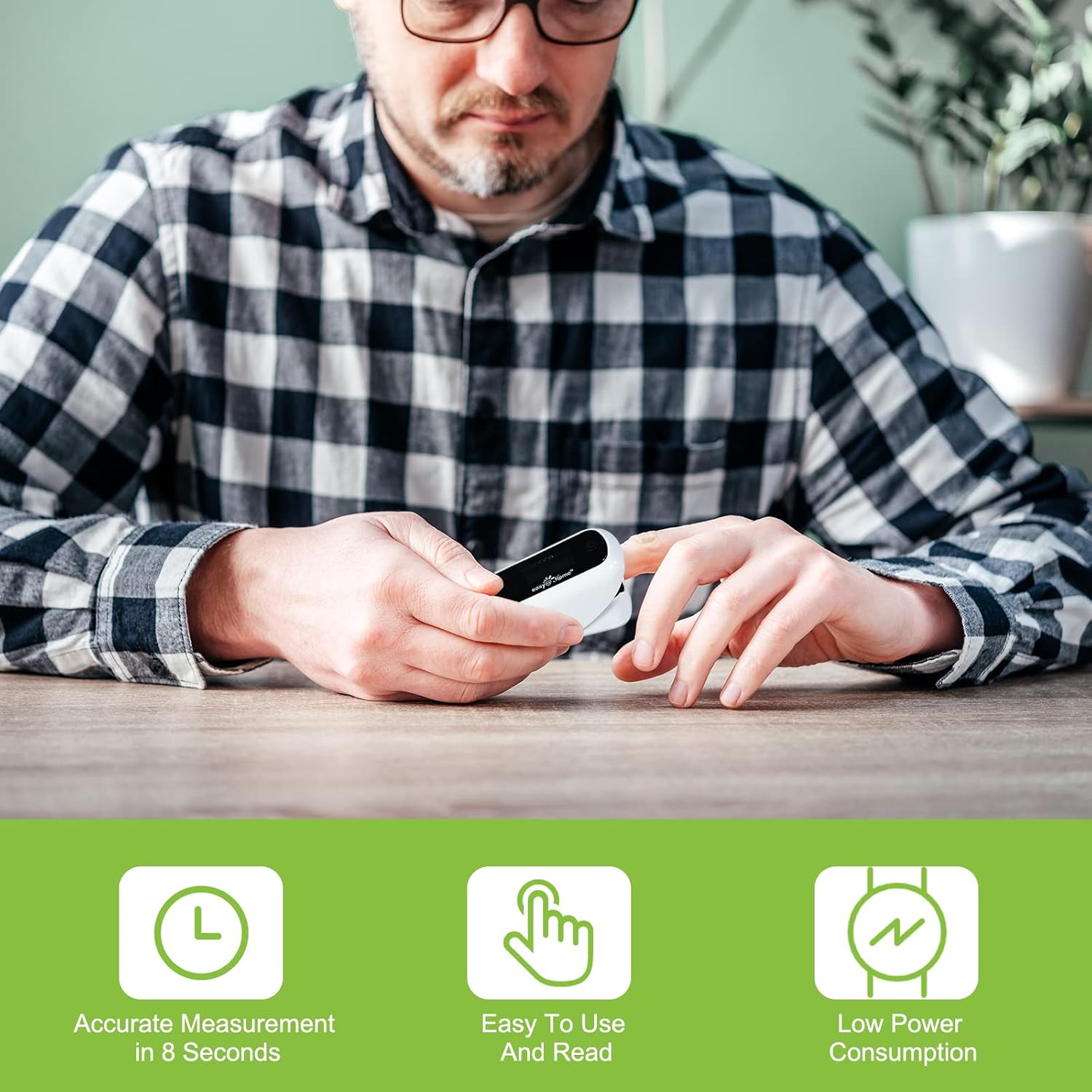
Image: A person using the oximeter, illustrating its ease of use and quick measurement.
- Step 3: Remain Still and Read Results
Keep your hand and finger still during the measurement process. The device will automatically begin measuring. After a few seconds (typically within 8 seconds), your SpO2 and pulse rate readings will be displayed on the screen.
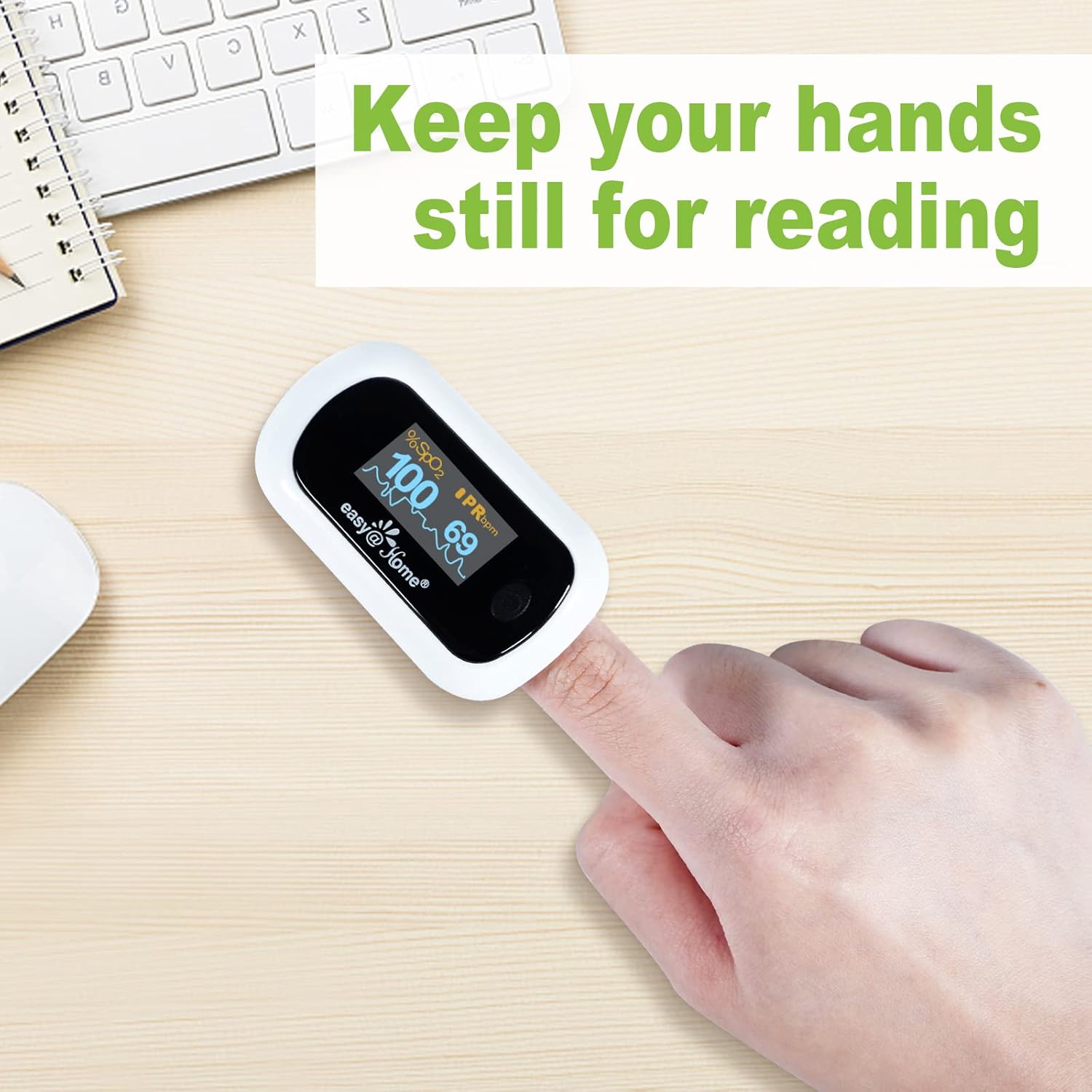
Image: A hand with the oximeter on a finger, emphasizing the need to remain still for accurate readings.
The device will automatically power off after 8 seconds of non-use to conserve battery life.
7. 디스플레이 설정
The EHP035 features a rotatable OLED display with multiple viewing modes and adjustable brightness:
- Changing Display Direction: The display automatically rotates to show readings in four directions, adapting to your view선호합니다.
- 디스플레이 모드 변경: The device offers seven display modes. Briefly press the power button while the device is on to cycle through these modes.
- 밝기 조정: Hold down the power button for a longer duration (approximately 1-2 seconds) to access and adjust the 10 available brightness levels. Release the button when the desired brightness is reached.


Image: Illustrations showing the multi-directional display feature and the adjustable brightness levels of the OLED screen.
8. 유지 관리 및 보관
- 청소: 산소포화도 측정기의 표면을 부드러운 천으로 닦으십시오.ampened with medical alcohol (75% ethanol) before and after each use. Do not immerse the device in water or other cleaning solutions.
- 저장: Store the device in a cool, dry place, away from direct sunlight, extreme temperatures, and humidity. If the device will not be used for an extended period, remove the batteries to prevent leakage.
- 배터리 교체: 디스플레이에 배터리 부족 표시가 나타나면 배터리를 교체하세요.
9. 문제 해결
| 문제 | 가능한 원인 | 해결책 |
|---|---|---|
| No display after pressing ON button | 배터리가 소진되었거나 올바르게 설치되지 않았습니다. | Check battery orientation (+/-). Replace with new batteries. |
| SpO2 or PR values are unstable | Finger not inserted properly; patient movement; weak pulse. | Reinsert finger correctly. Remain still during measurement. Try a different finger. |
| "Finger Out" or "Error" message | Finger not detected or sensor obstruction. | Ensure finger is fully inserted and clean. Avoid nail polish or artificial nails. |
| 디스플레이가 흐릿함 | 밝기 설정이 낮습니다. | Adjust brightness by holding down the power button. |
10. 사양
- 모델: EHP035
- Measuring Range SpO2: 35%~100%
- Measuring Range PR: 25 BPM ~250 BPM
- 전력 소비량: Low, automatic power-off
- 배터리 수명: 약 24시간 연속 사용
- 전원: AAA 배터리 2개
- 품목 무게: 3.2 온스
- 패키지 크기: 3.74 x 2.56 x 2.05 인치
- 색상: 하얀색
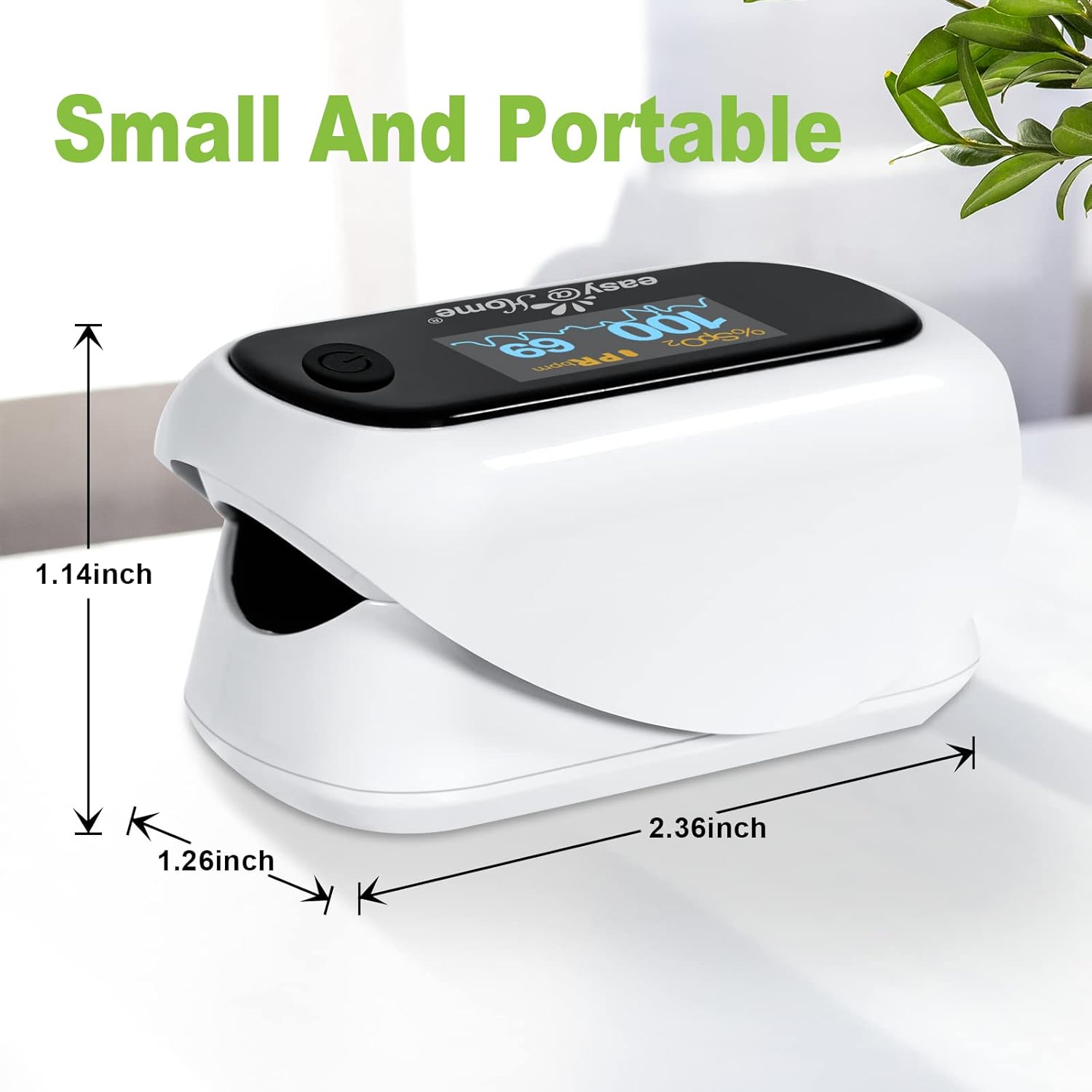
Image: The Easy@Home Fingertip Pulse Oximeter with its dimensions (1.14 inches height, 1.26 inches width, 2.36 inches length) indicated.
11. 보증 및 지원
Easy@Home provides US technical telephone support for this product. For assistance, please refer to the contact information provided with your purchase or visit the official Easy@Home website. Specific warranty details may vary; please retain your proof of purchase for warranty claims.
추가 정보나 지원을 원하시면 다음을 방문하세요. Easy@Home 스토어.