
Hoco W21 Graceful Charm Wired Headphones User Manual
Model: W21 Purple | Brand: 호코
1. 서론
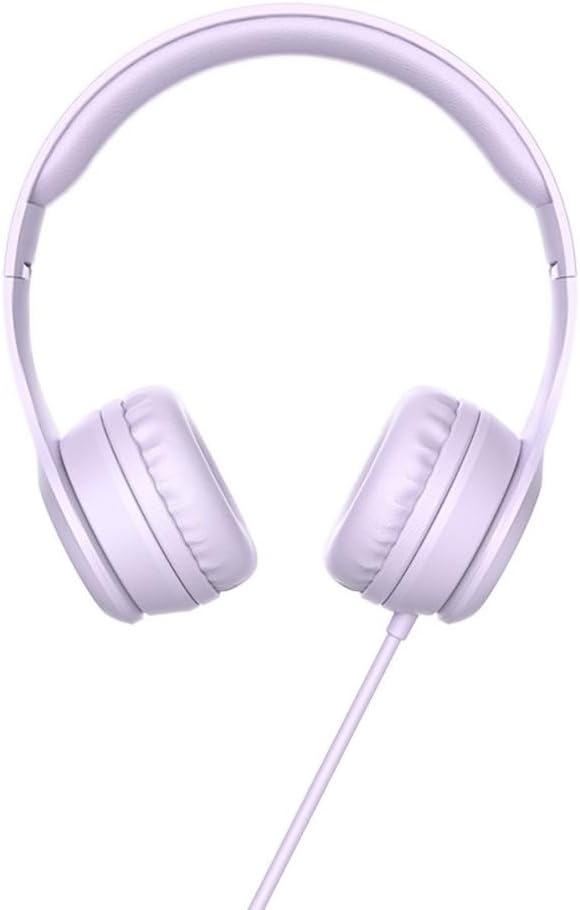
Thank you for choosing the Hoco W21 Graceful Charm Wired Headphones. This manual provides detailed instructions for the proper use, setup, and maintenance of your new headphones. Please read this manual thoroughly before using the product to ensure optimal performance and longevity.
2. 제품 특징
- 스피커: 40mm drivers for clear audio.
- 힘: Rated power of 10mW; maximum input power of 50mW.
- 연결성: Standard Ø3.5mm audio plug for universal compatibility.
- 케이블: High elastic braided cable with a length of 1.2m for durability and flexibility.
- 마이크로폰: Integrated controller with a microphone for hands-free communication.
- 제어: One-button operation control for easy management of calls and music.
3. 패키지 내용
상자를 푼 후 패키지 내용물을 확인하세요.
- Hoco W21 Graceful Charm Wired Headphones
- 사용 설명서 (본 문서)

4. 설정
- 헤드폰을 풀어보세요: 헤드폰을 포장에서 조심스럽게 꺼내세요.
- Identify the Audio Plug: Locate the Ø3.5mm audio plug at the end of the headphone cable.
- 장치에 연결: Insert the Ø3.5mm audio plug into the headphone jack of your mobile phone, tablet, or any compatible audio device. Ensure the plug is fully inserted for proper audio output.
- 핏 조절: Place the headphones over your ears. Adjust the headband to ensure a comfortable and secure fit. The earcups are designed to sit over the ear.

5. 사용 설명서
The Hoco W21 headphones feature a convenient one-button inline control for managing audio and calls.
5.1 음악 재생
- 재생/일시 중지: 버튼을 한 번 누르면 현재 트랙이 재생되거나 일시 정지됩니다.
- 다음 트랙: 다음 트랙으로 건너뛰려면 버튼을 빠르게 두 번 누르세요.
- 이전 트랙 : 이전 트랙으로 돌아가려면 버튼을 빠르게 세 번 누르세요.
5.2 통화 관리
- 전화 받기/종료: 수신 전화를 받거나 진행 중인 통화를 종료하려면 버튼을 한 번 누르세요.
- 전화 거부: 수신 전화를 거부하려면 약 2초 동안 버튼을 길게 누르세요.

6. 유지관리
적절한 관리를 하면 헤드폰의 수명을 연장할 수 있습니다.
- 청소: 이어컵과 헤드밴드는 부드럽고 마른 천으로 닦아주세요. 강한 화학 약품이나 연마제를 사용하지 마세요.
- 저장: 사용하지 않을 때는 헤드폰을 깨끗하고 건조한 곳에 보관하세요. 극한의 온도와 직사광선을 피해 보관하세요. 케이블이 꼬이지 않도록 주의하세요.
- 습기를 피하세요: 헤드폰을 물이나 과도한 습기에 노출시키지 마십시오. 방수 기능이 없습니다.
- 조심스럽게 다루십시오: Avoid dropping the headphones or subjecting them to strong impacts. Do not pull the cable forcefully.

7. 문제 해결
| 문제 | 가능한 원인 | 해결책 |
|---|---|---|
| 소리가 나지 않거나 볼륨이 작음 |
|
|
| 마이크가 작동하지 않습니다 |
|
|
| 음향 왜곡 |
|
|
8. 사양
| 모델 번호 | W21 Purple |
| 상표 | 호코 |
| 스피커 직경 | 40mm |
| 정격 전력 | 10mW |
| 최대 입력 전력 | 50mW |
| 오디오 플러그 | 직경 3.5mm |
| 케이블 유형 | High elastic braid |
| 케이블 길이 | 1.2m |
| 마이크로폰 | Controller with mic |
| 와이어 제어 | One-button operation control |
| 제품 치수 | 19.4 x 17.3 x 7.4cm |
| 제품 무게 | 109g |
| 색상 | 보라 |
9. 보증 및 지원
Hoco products are manufactured to high quality standards. For information regarding warranty coverage and customer support, please refer to the warranty card included with your purchase or visit the official Hoco web사이트. 보증 청구에 대비해 구매 증빙 자료로 구매 영수증을 보관하세요.
For technical assistance or further inquiries, please contact your retailer or the authorized service center in your region.