
1. 서론
This manual provides detailed instructions for the installation, operation, and maintenance of your YUNTX 10.1 Inch Android 10 Car Stereo. This unit is designed to be compatible with Mitsubishi Lancer models from 2010 to 2017, offering advanced features such as GPS navigation, Bluetooth connectivity, split-screen functionality, and steering wheel control support. Please read this manual thoroughly before installation and use to ensure proper functionality and safety.
2. 상자 안에 무엇이 들어있나요?
아래 나열된 모든 구성품이 패키지에 포함되어 있는지 확인하세요.
- ISO 배선 하네스 1개
- 1 x GPS 안테나
- 금속 프레임 1개
- RCA 케이블 2개
- 2 x USB 케이블
- 1 x External MIC Adaptor
- 1 x 사용자 설명서
비디오: 끝view of included components (starts at 2:34).
3. 설치 가이드
전문가의 설치를 권장합니다. 설치를 시작하기 전에 차량의 전원을 차단하세요.
3.1 배선도
Refer to the diagram below for proper connection of the power socket, RCA outputs, USB cables, GPS antenna, and radio antenna.
이미지: 후면 view of the car stereo with labeled connection points for various cables.
3.2 Vehicle Fitment
This unit is designed to integrate seamlessly into Mitsubishi Lancer models from 2010 to 2017. The image below illustrates the appearance before and after installation.

Image: Comparison of the car's dashboard with the original radio versus the YUNTX Android 10 Car Stereo installed.
4. 사용 설명서
This section details the primary functions and how to operate your YUNTX Android 10 Car Stereo.
4.1 GPS 내비게이션
The unit features built-in GPS navigation with support for offline maps and real-time traffic updates. You can use pre-installed maps or download your preferred navigation apps from the Google Play Store.

Image: Display showing GPS navigation with a route on a map.
Video: Demonstrating GPS navigation functionality (starts at 2:15).
4.2 블루투스 연결
Connect your smartphone via Bluetooth for hands-free calling and audio streaming. The unit supports phone's Bluetooth tethering for internet access and file 이전.
Video: Demonstrating Bluetooth phone call functionality (starts at 2:25).
4.3 분할 화면 모드
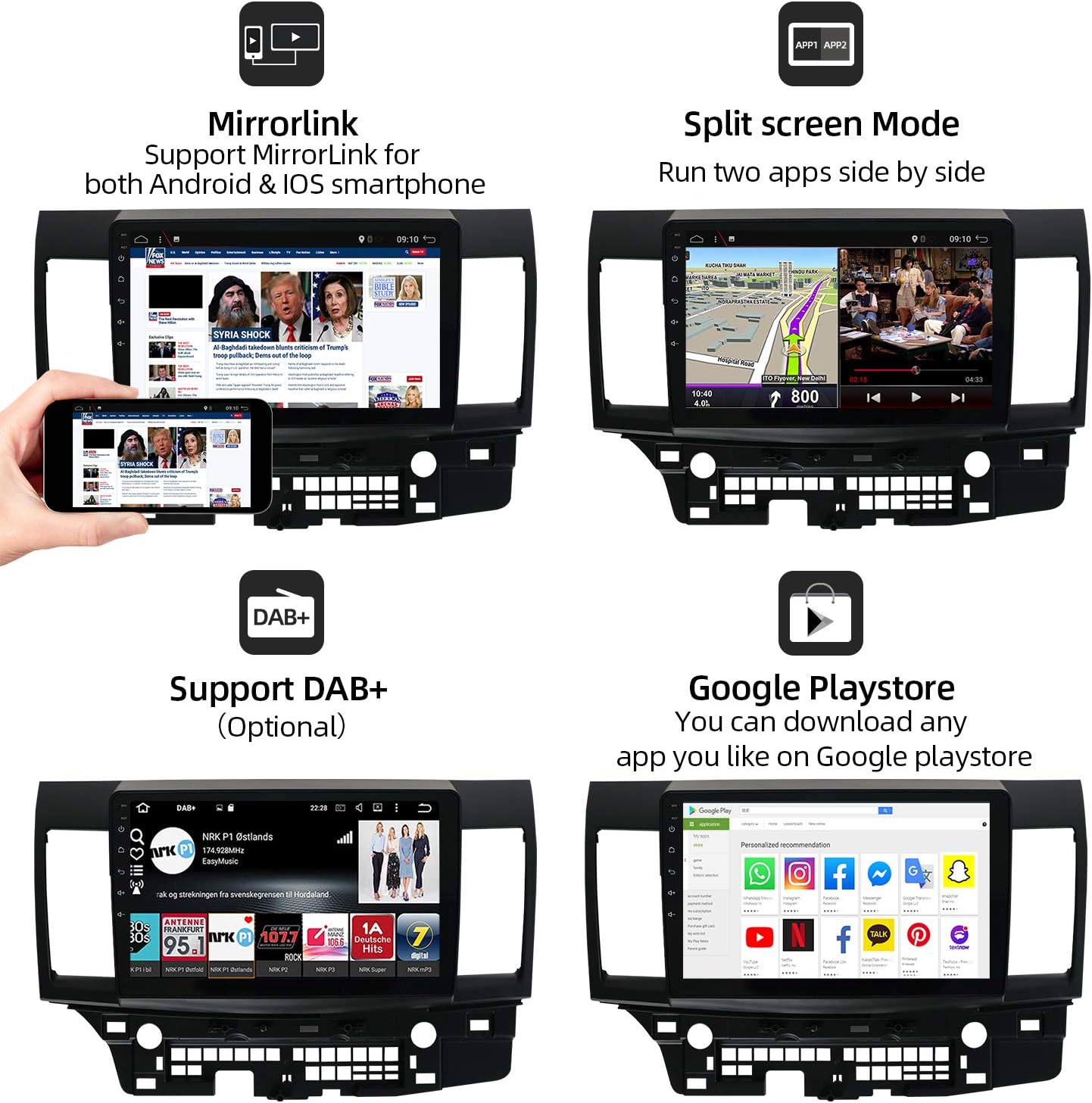
분할 화면 기능을 활용하면 내비게이션과 음악 재생 등 두 가지 애플리케이션을 동시에 실행할 수 있습니다.

Image: Display showing navigation on one side and a media player on the other.
Video: Demonstration of activating and using split screen mode (starts at 0:21).
4.4 스티어링 휠 컨트롤(SWC)
Configure your steering wheel buttons to control the car stereo functions for convenience and safety.

Image: Interface for programming steering wheel controls.
Video: Guide on setting up steering wheel controls (starts at 1:23).
4.5 후방 카메라 입력
The unit supports rear camera input, providing a clear view of the area behind your vehicle when reversing. A free rear camera is included with your purchase.

Image: Rear camera display with dynamic parking lines.
Video: Demonstration of rear camera input (starts at 1:14).
4.6 Wi-Fi & 4G Connectivity
Connect to the internet via Wi-Fi hotspot from your smartphone or by purchasing a 4G dongle. This enables online movies, web browsing, and app downloads.
Video: Setting up Wi-Fi connection (starts at 0:48).
4.7 EasyConnection (Mirror Link)
The EasyConnection feature allows you to mirror your smartphone's screen to the car stereo display via USB or Wi-Fi, supporting both Android and iOS devices.

Image: Mirror Link functionality displaying a phone screen on the head unit.
Video: Guide on using EasyConnection for screen mirroring (starts at 0:34).
4.8 FM/AM Tuner with RDS
Access your favorite radio stations with the built-in FM/AM tuner, featuring RDS (Radio Data System) for enhanced information display.
Video: Demonstrating FM/AM radio tuning (starts at 0:58).
4.9 이퀄라이저(EQ) 설정
Customize your audio experience with the integrated equalizer, offering various presets (Flat, Pop, Easy, Rock, Classic, Jazz, User) and manual adjustments for frequency levels.
Video: Adjusting equalizer settings (starts at 1:56).
4.10 사용자 정의 가능한 인터페이스
Personalize your stereo with multi-color button lighting and custom wallpapers.
Video: Customizing button colors (starts at 1:00).
Video: Changing wallpapers (starts at 1:36).
4.11 Car Performance Monitoring
The unit supports real-time car performance monitoring through compatible OBD2 devices (sold separately) and the 'Torque' app.
Video: Displaying car performance data using the Torque app (starts at 1:10).
5. 사양
| 특징 | 세부 사항 |
|---|---|
| 운영 체제 | 안드로이드 10 |
| 숫양 | 2 GB (as per product title, JSON spec says 1GB, using title for clarity) |
| 집시 남자 | 32GB(제품 제목에 따라) |
| 화면 크기 | 10.1 인치 |
| 해결 | 1024 x 600 |
| 무선 통신 | AM/FM, RDS, Bluetooth, Wi-Fi |
| 연결 기술 | Bluetooth, Cellular (via dongle), Wi-Fi |
| 특별 기능 | Bluetooth, Touchscreen, GPS, Split Screen, SWC Support, Rear Camera Input |
| 지도 유형 | Supports both online and offline maps |
| 장착 유형 | 패널 실장 |
| 품목 무게 | 4.59파운드 |
| 패키지 크기 | 18.7 x 14.6 x 7 인치 |
6. 문제 해결
차량용 스테레오에 문제가 발생하면 다음의 일반적인 문제 해결 단계를 참조하십시오.
- 전원 없음: Check all power connections and fuses. Ensure the ignition wire is correctly connected.
- 소리 없음: Verify speaker wiring connections. Check the audio settings (volume, balance, fader, EQ). Ensure the amp(외부 앰프인 경우) 전원이 켜져 있습니다.
- GPS 신호 끊김: GPS 안테나가 제대로 설치되었고 깨끗한지 확인하십시오. view 하늘의. 안테나가 본체에 제대로 연결되어 있는지 확인하십시오.
- 블루투스 연결 문제: 스테레오와 모바일 기기 모두에서 블루투스가 활성화되어 있는지 확인하십시오. 이전에 연결했던 기기를 삭제하고 다시 연결해 보세요.
- 터치스크린이 반응하지 않음: 기기를 재시작해 보세요. 문제가 지속되면 공장 초기화가 필요할 수 있습니다(참고: 공장 초기화 시 모든 사용자 데이터가 삭제됩니다).
- 기기 정지/충돌 현상: Perform a soft reset by pressing the RST button (if available) or by disconnecting and reconnecting the power.
문제가 지속되는 경우 고객 지원팀에 문의하세요.
7. 유지관리
To ensure the longevity and optimal performance of your YUNTX car stereo, follow these maintenance guidelines:
- 청소: 부드럽고 마른 천을 사용하여 화면과 외부를 닦으세요. 연마성 세척제나 용제는 사용하지 마세요.
- 소프트웨어 업데이트: Periodically check for available software updates to improve performance and add new features. Follow the instructions provided with the update package carefully.
- 환경 조건: 본 제품을 극한의 온도, 장시간 직사광선 또는 과도한 습기에 노출시키지 마십시오.
8. 보증 및 지원
Your YUNTX car stereo comes with a manufacturer's warranty. Please refer to the warranty card included in your package for specific terms and conditions. For technical support, troubleshooting assistance, or warranty claims, please contact YUNTX customer service through the retailer where the product was purchased or visit the official YUNTX web대지.