
SVS SB-2000PRO-PIANOGLOSS
SVS SB-2000 Pro DSP Controlled 12" Sealed Subwoofer User Manual
Model: SB-2000PRO-PIANOGLOSS | Brand: SVS
소개

Image: The SVS SB-2000 Pro subwoofer, showcasing its sleek Piano Gloss Black finish and front-firing 12-inch driver.
The SVS SB-2000 Pro DSP Controlled 12" Sealed Subwoofer is engineered to deliver reference-level deep bass extension and powerful output with exceptional musicality. This model features a Sledge STA-550D DSP amplifier and a newly designed 12-inch high-excursion SVS driver, all housed within an optimized sealed cabinet. It is designed to integrate seamlessly into both audiophile music systems and home theater surround sound setups, providing precise and impactful low-frequency performance.
This manual provides essential information for setting up, operating, maintaining, and troubleshooting your SB-2000 Pro subwoofer. Please read it thoroughly before use to ensure optimal performance and longevity of your product.
설정
1. 풀기
Carefully remove the subwoofer from its packaging. Inspect the unit for any signs of damage during transit. Retain the original packaging for future transport or service needs.
2. 배치
The SVS SB-2000 Pro is designed as a floor-standing subwoofer. Optimal placement can significantly impact bass performance. Consider the following:
- 코너 배치: Often provides the most output, but can sometimes lead to boomy bass.
- Front of Room Placement: Near the front speakers, often results in the best blend with the main speakers.
- 중간 벽 배치: Can offer a good balance of output and accuracy.
- 여러 개의 서브우퍼: If using more than one subwoofer, strategic placement can smooth out bass response across the listening area.
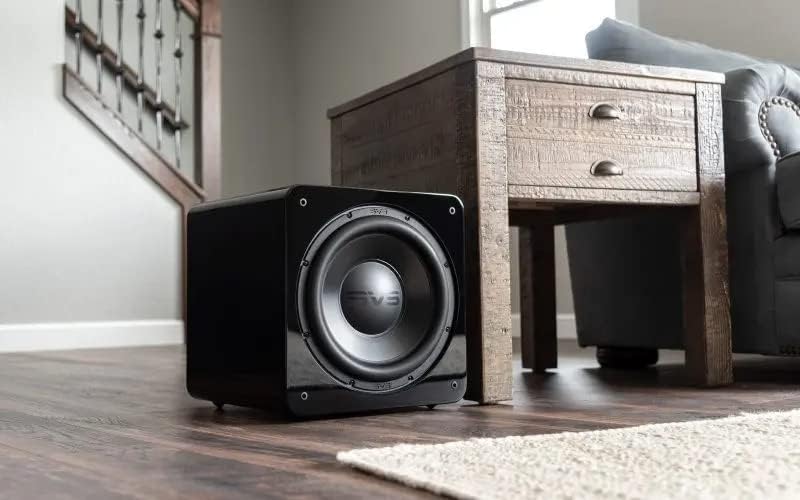
Image: The SVS SB-2000 Pro subwoofer positioned in a typical home environment, demonstrating its compact size and aesthetic integration.
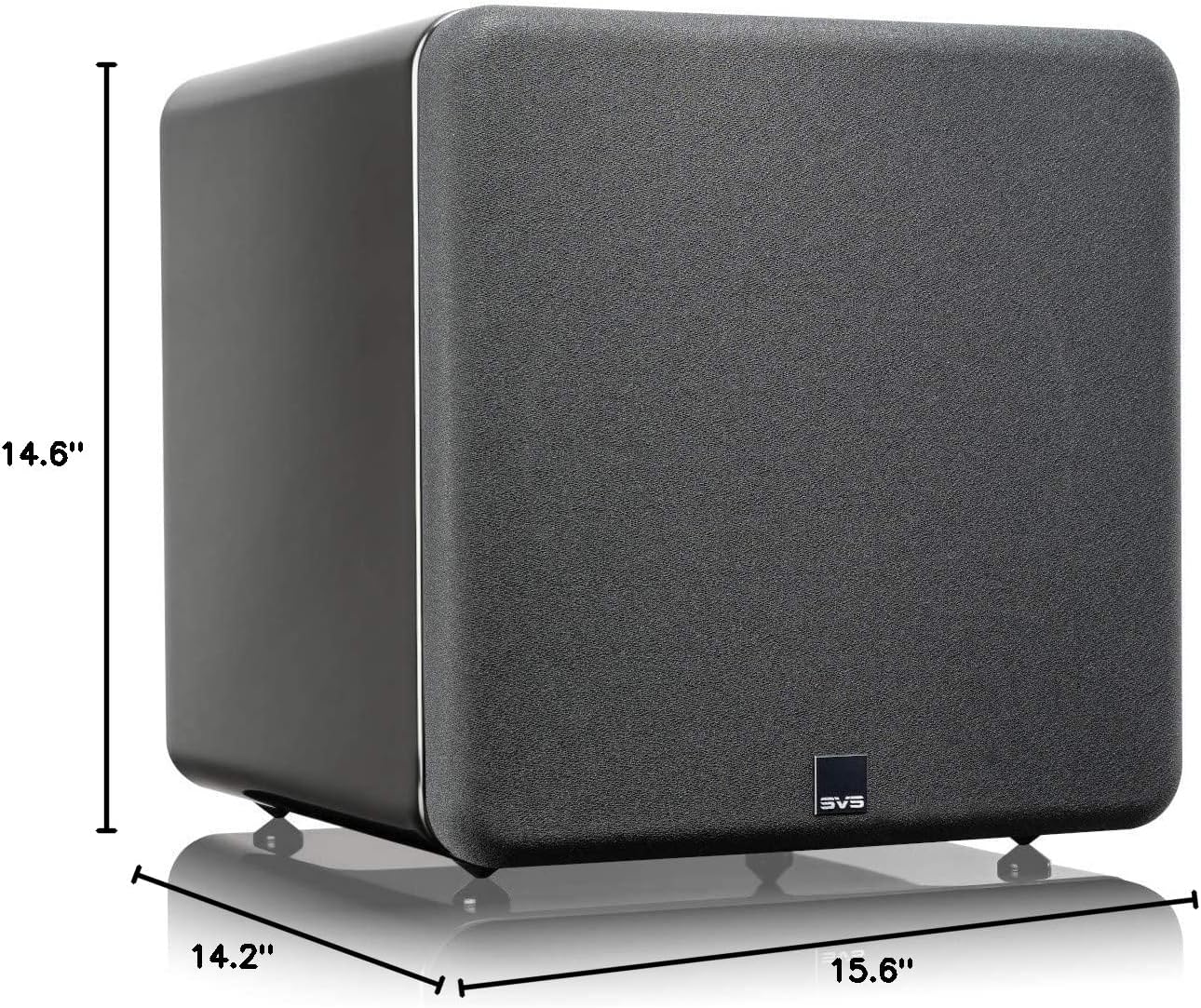
Image: Detailed dimensions of the SVS SB-2000 Pro subwoofer, indicating its compact form factor suitable for various room placements.
3. 연결
The SB-2000 Pro connects to your audio system via wired RCA connections. Ensure your receiver or pre-processor has a dedicated Subwoofer/LFE output.
- 모든 장비의 전원을 끄십시오: Before making any connections, ensure your receiver/amplifier and the subwoofer are powered off.
- Connect LFE Cable: Connect a single RCA cable from the LFE output of your AV receiver/pre-processor to the LFE input on the SB-2000 Pro. For stereo systems, use both left and right RCA inputs.
- 전원 케이블 : Connect the provided power cable to the subwoofer's power inlet and then to a grounded AC outlet.

Image: The rear panel of the SVS SB-2000 Pro, highlighting the RCA input/output ports, power switch, and various control options for connectivity.
4. 초기 전원 켜기
Once all connections are secure, switch on the power to your AV receiver/pre-processor first, then turn on the SVS SB-2000 Pro subwoofer using the power switch on the rear panel. The subwoofer will enter standby mode if no audio signal is detected for a period.
운영
1. SVS Subwoofer DSP Smartphone App
The SVS SB-2000 Pro features advanced control via the SVS subwoofer DSP smartphone app, available for Apple, Android, and Amazon devices. This app connects via Bluetooth and offers comprehensive control over your subwoofer's settings.
- 볼륨 조절: Adjust the output level of the subwoofer.
- 저역 통과 필터: Set the crossover frequency to blend the subwoofer with your main speakers.
- 위상 제어 : Adjust the phase to ensure bass waves from the subwoofer align with those from your main speakers.
- 극성: Invert the electrical polarity of the subwoofer's output.
- Parametric EQ (PEQ): Fine-tune the frequency response to compensate for room acoustics.
- Room Gain Compensation: Adjust for excessive bass output in smaller rooms.
- 사용자 사전 설정: Save custom settings for different listening modes (e.g., Music, Movies, Gaming).
- 시스템 설정: Access auto standby, factory reset, and other system configurations.
Download the SVS app from your device's app store and follow the in-app instructions to connect to your SB-2000 Pro.
2. 기본 동작
After initial setup and configuration via the app, the subwoofer will typically operate automatically. It will power on when an audio signal is detected and enter standby when no signal is present for a period. You can manually power the unit on or off using the rear panel switch if desired.
유지
1. 청소
To clean the cabinet of your SVS SB-2000 Pro, use a soft, lint-free cloth. For piano gloss finishes, a microfiber cloth is recommended to avoid scratches. Do not use abrasive cleaners, solvents, or harsh chemicals, as these can damage the finish.
2. 관리 및 취급
- 서브우퍼를 직사광선이 비치는 곳이나 열원 근처에 두지 마십시오.
- 주변에 적절한 환기가 되도록 하십시오. amp리퍼 플레이트.
- Do not place objects on top of the subwoofer that could block ventilation or scratch the finish.
- If moving the subwoofer, lift it carefully and avoid dragging it to prevent damage to the feet or cabinet.
문제 해결
| 문제 | 가능한 원인 | 해결책 |
|---|---|---|
| 서브우퍼에서 소리가 나지 않습니다 |
|
|
| 왜곡되거나 붐비는 베이스 |
|
|
| Subwoofer Not Responding to App |
|
|
For more detailed troubleshooting or persistent issues, please refer to the SVS website or contact SVS customer support.
명세서
| 특징 | 세부 사항 |
|---|---|
| 모델명 | SB-2000 프로 |
| 스피커 유형 | 서브우퍼 |
| 장착 유형 | 플로어 스탠딩 |
| 서브우퍼 직경 | 12 인치 |
| Continuous (RMS) Power | 550 와트 |
| 피크 파워 | 1500 와트 |
| 주파수 응답 | 19Hz ~ 240Hz (±3dB) |
| 제품 크기(D x W x H) | 14.2인치 x 15.6인치 x 14.6인치 |
| 품목 무게 | 47.1파운드 |
| 컨트롤러 유형 | 앱 제어 |
| 연결 기술 | Wired (RCA), Bluetooth, Wi-Fi |
| 색상 | Piano Gloss Black |
| 제조업체 | SVS |
| 품목 모델 번호 | SB-2000PRO-PIANOGLOSS |
| 한국어: | 856677007732 |
보증 정보
The SVS SB-2000 Pro subwoofer comes with a standard manufacturer's warranty. For specific details regarding the warranty period, coverage, and terms and conditions, please refer to the official SVS web웹사이트 또는 제품에 동봉된 보증 카드를 참조하십시오. 보증 청구를 위해 구매 증빙 자료를 보관하십시오.
지원하다
For additional support, frequently asked questions (FAQs), product registration, or to contact customer service, please visit the official SVS web대지:
SVS is dedicated to providing excellent customer service and technical assistance to ensure you get the best experience from your subwoofer.
Ask a question about this manual
Ask about setup, troubleshooting, compatibility, parts, safety, or missing instructions. Manuals+ will review the question and use this page’s manual context to help answer it.