
소개
Thank you for choosing the GENBOLT GB209H 2.4/5GHz Dual-Band Wi-Fi Outdoor Security Camera. This manual provides essential information for the proper installation, operation, and maintenance of your security camera. Please read these instructions carefully before use and retain them for future reference.
The GB209H camera is designed for outdoor surveillance, offering advanced features such as AI human detection, smart color night vision, two-way audio communication, and flexible storage options including microSD card and cloud services. Its dual-band Wi-Fi connectivity ensures stable and reliable performance.
패키지 내용
설치하기 전에 아래 나열된 모든 품목이 패키지에 포함되어 있는지 확인하십시오.
- GENBOLT GB209H Security Camera
- 전원 어댑터(DC 12V/1A)
- 네트워크 케이블
- 방수 캡
- Mounting Screws and Hex Key
- 사용자 설명서

Image: Contents of the GENBOLT GB209H security camera package, including the camera, power adapter, network cable, waterproof cap, screws, and user manual.
제품 끝view
Familiarize yourself with the components of your GENBOLT GB209H camera:

Image: Diagram showing the various parts of the GENBOLT GB209H camera, including the 2.4/5GHz Wi-Fi antennas, bracket, metal aluminum case, white LEDs, 2MP HD lens, infrared LEDs, motion sensor, external SD card slot, speaker, reset button, LAN/PoE port, and power port.
- 듀얼 안테나: For enhanced 2.4GHz and 5GHz Wi-Fi signal reception.
- 2MP HD 렌즈: 선명한 1080p 비디오를 촬영합니다.
- Infrared & White LEDs: Provide night vision and smart color night vision capabilities.
- 모션 센서: Detects movement for alerts and recording.
- External SD Card Slot: Supports up to 128GB MicroSD card for local storage.
- 스피커 및 마이크: 양방향 음성 통신을 가능하게 합니다.
- LAN/PoE Port: For wired network connection and Power over Ethernet (PoE) functionality.
- 재설정 버튼: 공장 초기 설정으로 복원하는 데 사용됩니다.
설정
1. 카메라 전원 공급
Connect the camera to the provided DC 12V/1A power adapter. Alternatively, if using a PoE switch or NVR, connect a standard Ethernet cable to the LAN/PoE port. The camera supports IEEE802.3af PoE for simplified wiring.
2. 네트워크 연결
The GB209H supports both 2.4GHz and 5GHz Wi-Fi. For initial setup, it is recommended to connect the camera to your router via the Ethernet cable. Once connected, you can configure Wi-Fi settings through the mobile application.

Image: Illustration showing the coverage difference between 5GHz Wi-Fi for high-speed, strong network connection and 2.4GHz Wi-Fi for longer-range transmission.
3. 모바일 애플리케이션 설치
Download the official GENBOLT mobile application from your device's app store (iOS or Android). Follow the in-app instructions to add your camera to your account. Detailed instructions and the app can be found on the GENBOLT web대지: www.genbolt.com.
4. MicroSD 카드 설치
The camera supports up to a 128GB MicroSD card for local video storage. To install, carefully open the external SD card slot cover, insert the MicroSD card with the contacts facing down, and close the cover securely to maintain IP66 weather resistance.
이미지: 클로즈업 view of the external SD card slot on the GENBOLT GB209H camera, demonstrating how to easily insert a MicroSD card without disassembling the camera.
작동 지침
1. 라이브 View 그리고 녹음
Access live video streams through the GENBOLT app. You can manually initiate recordings or configure automatic recording based on motion detection. The camera records in 1080p high definition.
2. AI 인간 감지
The camera utilizes AI human detection technology to accurately identify human shapes, significantly reducing false alarms triggered by animals, vehicles, or environmental factors like snow and rain. When a human is detected, the camera can automatically track their movement within the surveillance area.

Image: A person carrying wood is highlighted by a yellow box, demonstrating the AI human detection feature. A dog is also visible in the foreground, illustrating how the system differentiates between humans and other moving objects, reducing false alarms from snow, rain, insects, fog, or car lights.
3. 스마트 컬러 야간 투시
The camera features smart color night vision. In low-light conditions, it can automatically switch to color mode when motion is detected, providing clearer and more detailed nighttime footage. The three high-brightness LEDs can be programmed to activate based on a schedule or motion trigger.

Image: A split image comparing day vision (left, full color) and night vision (right, black and white infrared) with a 'Smart Mode' option checked, indicating the camera's ability to switch between modes for optimal clarity.
4. 양방향 오디오 및 억제 기능
With a built-in microphone and speaker, the camera supports two-way audio, allowing you to communicate with visitors or deter intruders remotely via the app. You can also customize siren sounds (e.g., dog barking) to activate upon motion detection, providing an active deterrent.
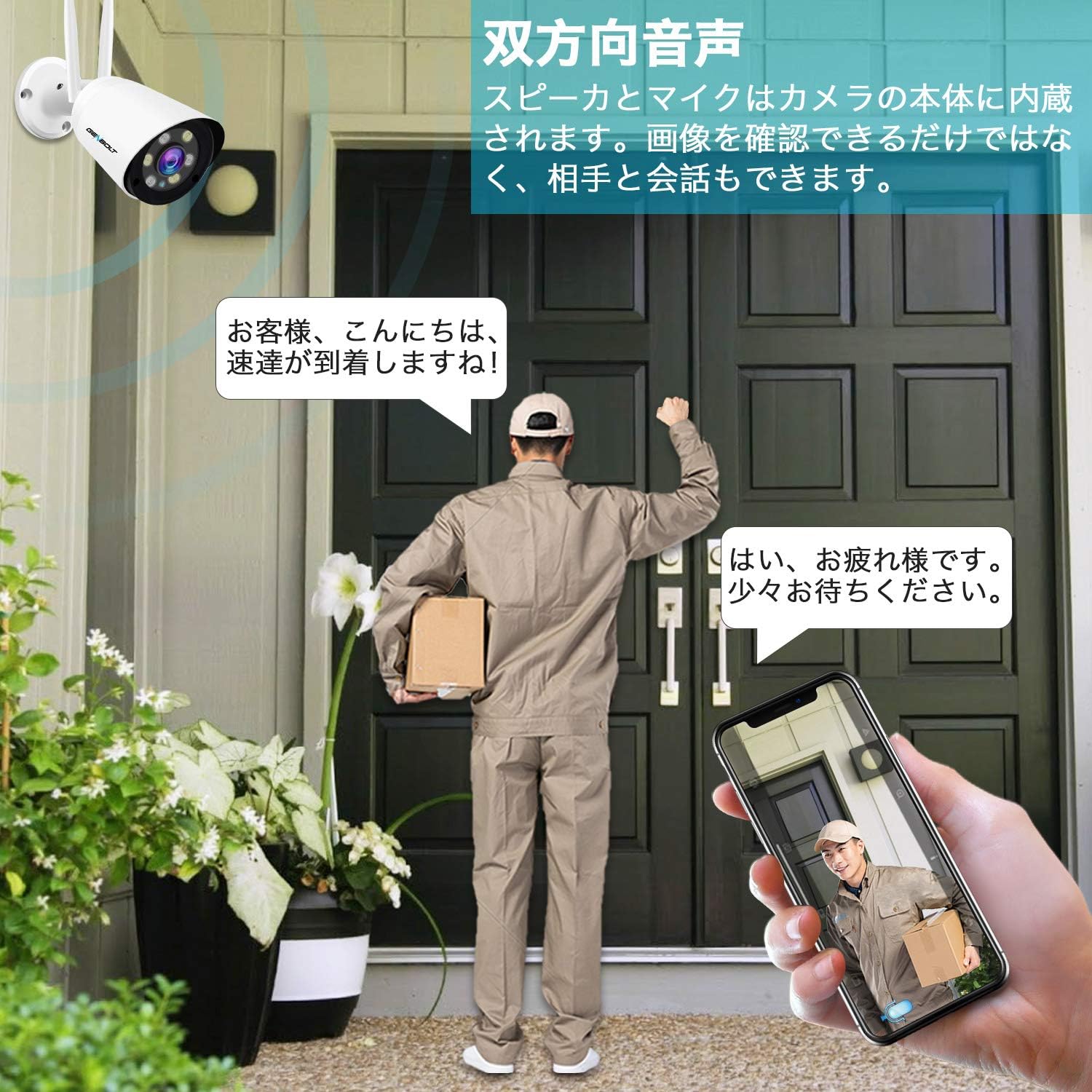
Image: An illustration depicting a security camera shining a bright light on an intruder at night, with a speech bubble saying "Stop, who is it?" and text indicating that siren alarms prevent crime. This demonstrates the active light and sound deterrence feature.
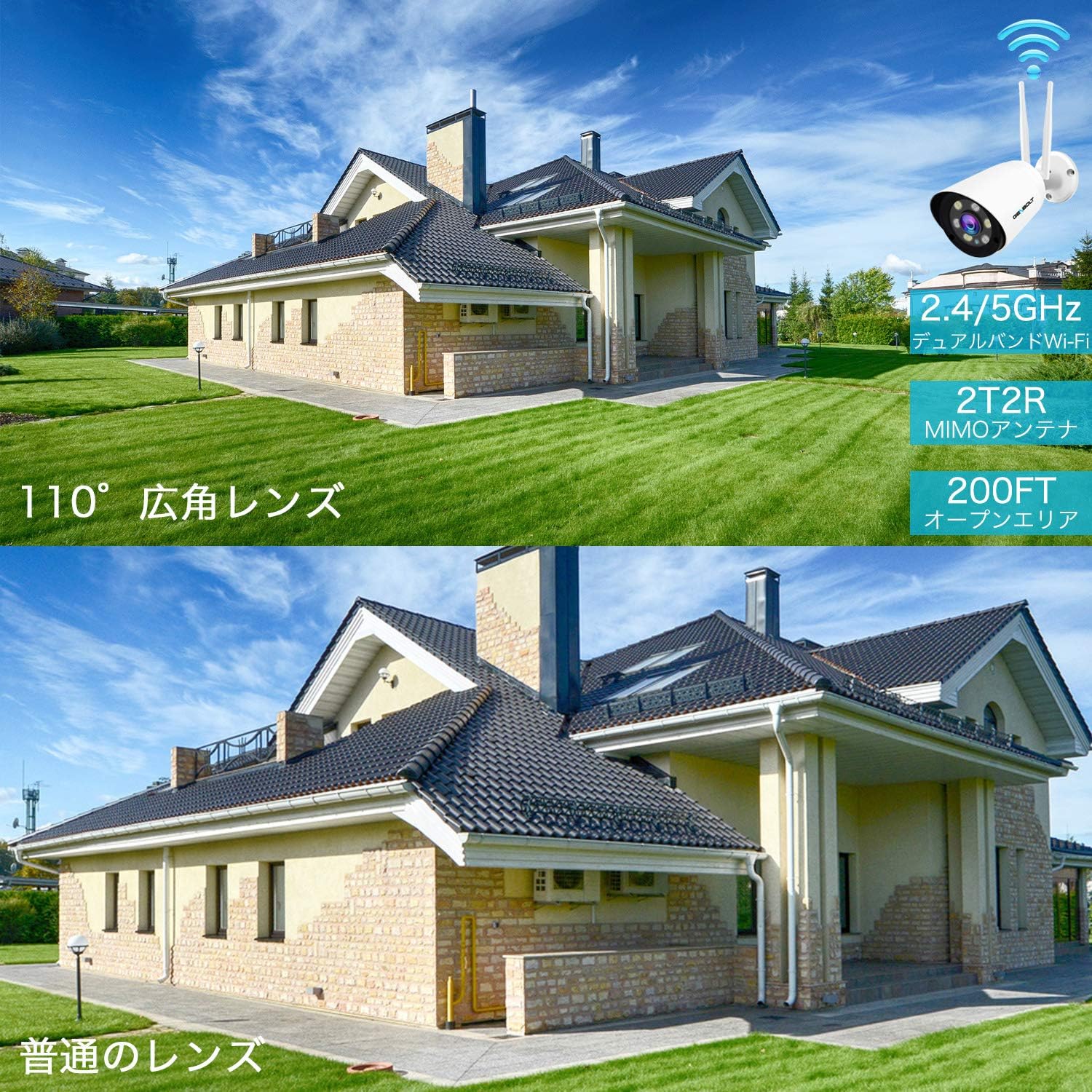
Image: A delivery person stands at a door while a user communicates via a smartphone app, showcasing the two-way audio feature of the camera. The phone screen displays the live camera feed.
5. Cloud Storage and Playback
In addition to local MicroSD card storage, the camera offers cloud storage with a 7-day free trial. Cloud storage provides unlimited capacity, data security, and allows you to view recordings even if the camera goes offline. Playback of recorded events is easily accessible through the mobile app.

Image: An icon representing cloud storage with text "Cloud Storage 7-day free trial" next to a smartphone displaying a list of recorded video events with playback options, illustrating the cloud storage and easy app playback features.
6. Customizable Detection Zones and Schedules
You can define specific detection zones within the camera's field of view to focus on critical areas and minimize unnecessary alerts. Alarm schedules can also be set via the app to activate or deactivate alerts during specific times or days.

이미지: 오버헤드 view of a house and driveway with a security camera icon, showing a blue shaded area representing a customizable detection zone. This illustrates how users can define specific areas for motion detection.

Image: A smartphone screen displaying advanced alarm settings, showing a weekly schedule grid where users can set specific times for motion detection and recording to be active or inactive, allowing for customized surveillance.
특징
- AI 인간 감지: Advanced algorithms detect human shapes, reducing false alarms from other moving objects.
- 스마트 추적: Automatically follows human movement within the surveillance area.
- 1080P 고해상도: 선명하고 상세한 영상을 캡처합니다.tage.
- 110° 초광각: Provides extensive coverage, equivalent to multiple standard cameras.
- 스마트 컬러 나이트 비전: Automatically switches to color mode in darkness upon motion detection using high-brightness LEDs.
- Sound & Light Deterrence: Activates bright LEDs and customizable siren alarms (e.g., dog barking) to deter intruders.
- 양방향 오디오 : 실시간 통신을 위한 마이크와 스피커가 내장되어 있습니다.
- 듀얼 밴드 Wi-Fi(2.4/5GHz): Supports both frequency bands for flexible and stable wireless connectivity.
- PoE(Power over Ethernet) 지원: 단일 이더넷 케이블을 통해 전원과 데이터를 모두 전송하여 설치를 간소화합니다.
- MicroSD 카드 저장: Supports up to 128GB for local recording with intelligent compression and overwrite function.
- 클라우드 스토리지: Offers a 7-day free trial with unlimited capacity and secure data backup.
- IP66 방수: 다양한 기상 조건에서 야외 사용에 적합한 내구성 있는 디자인입니다.
- 다중 사용자 공유: Allows multiple users to access and monitor the camera feed.
유지
- 정기 청소: 카메라 렌즈와 하우징을 부드러운 천으로 주기적으로 청소하십시오.amp 깨끗한 이미지 품질을 위해 천을 사용하십시오. 연마성 세척제는 사용하지 마십시오.
- 펌웨어 업데이트: Check the GENBOLT web최적의 성능과 보안을 보장하려면 사용 가능한 펌웨어 업데이트가 있는 사이트나 앱을 확인하세요.
- 네트워크 안정성: Ensure your Wi-Fi network is stable and has sufficient bandwidth for continuous video streaming and recording.
- SD 카드 관리 : If using a MicroSD card, regularly check its status via the app. The camera supports an overwrite function, but periodic review 중요한 음식tag전자를 추천합니다.
- 전원 연결: 전원 연결이 안전하고 손상되지 않았는지 확인하십시오.
문제 해결
- 카메라 오프라인: Check power supply and network connection. Ensure Wi-Fi signal strength is adequate. Try restarting the camera and your router.
- 이미지 품질이 좋지 않음: 카메라 렌즈를 청소하십시오. 촬영 영역에 장애물이 없는지 확인하십시오. view. Check network bandwidth.
- 허위 경보: Adjust AI human detection sensitivity settings in the app. Define specific detection zones to exclude irrelevant areas.
- 오디오 없음: Verify microphone and speaker settings in the app. Ensure there are no physical obstructions.
- SD 카드가 녹화되지 않음: Check if the MicroSD card is properly inserted and formatted. Ensure it is not full (if overwrite is disabled).
- Cannot Connect to 5GHz Wi-Fi: Ensure your router supports 5GHz and the camera is within range. Some older routers may have compatibility issues.
명세서
| 모델명 | GB209H |
| 상표 | 젠볼트 |
| 효과적인 비디오 해상도 | 1080 픽셀 |
| 분야 View | 110도 |
| 나이트 비전 범위 | 30 미터 |
| 연결 기술 | Wireless (2.4GHz/5GHz Wi-Fi), Wired (LAN/PoE) |
| 방수성 | IP66 |
| 힘 | DC 12V, 3W (PoE supported) |
| MicroSD 카드 지원 | 최대 128GB |
| 제품 크기(LxWxH) | 18 x 6 x 6cm |
| 제품 무게 | 650g |
보증 및 지원
GENBOLT provides comprehensive support for its products:
- 보증 기간: The surveillance camera comes with a 2-year service warranty.
- 제품 교체: Within 1 year, if an individual product is found to be defective, a replacement will be promptly provided.
- 환불 보장: 30일 환불 보증이 제공됩니다.
- 기술 지원: 평생 기술 지원이 제공됩니다.
- 연락하다: For any issues or further assistance, please feel free to contact GENBOLT support.
For detailed instructions and application downloads, please visit the official GENBOLT web대지: www.genbolt.com.
비디오 데모
이 영상을 시청하여 빠르게 살펴보세요view of the camera's key features, including night vision, alarm functions, motion detection, and dual-band Wi-Fi capabilities.
비디오: 짧은 사전view demonstrating the GENBOLT GB209H camera's night vision, active alarm, motion detection, and dual-band Wi-Fi features.