
1. 서론
This manual provides detailed instructions for setting up and operating your Rapoo 8000M Multi-Mode Wireless Keyboard and Mouse Combo. This combo offers versatile connectivity options, including Bluetooth 3.0, Bluetooth 4.0, and 2.4 GHz wireless, allowing seamless switching between multiple devices.
The Rapoo 8000M is designed for productivity and convenience, featuring a compact, spill-resistant keyboard and a silent, high-performance optical mouse.
2. 패키지 내용
패키지에 모든 품목이 들어 있는지 확인하세요.
- 무선 키보드
- 무선 마우스
- USB Receiver (for 2.4 GHz connection)
- 2 AA Alkaline Batteries (pre-installed)
- 빠른 시작 가이드

Image: Rapoo 8000M Multi-Mode Wireless Keyboard and Mouse Combo, showcasing both the keyboard and mouse in white.
3. 설정 지침
3.1. 배터리 설치
The Rapoo 8000M combo comes with pre-installed batteries. If replacement is needed:
- 키보드와 마우스 아랫면에 있는 배터리함을 찾으세요.
- 구획 덮개를 엽니다.
- Insert 2 AA alkaline batteries into the keyboard and 1 AA alkaline battery into the mouse, ensuring correct polarity (+/-).
- 수납부 커버를 단단히 닫으세요.
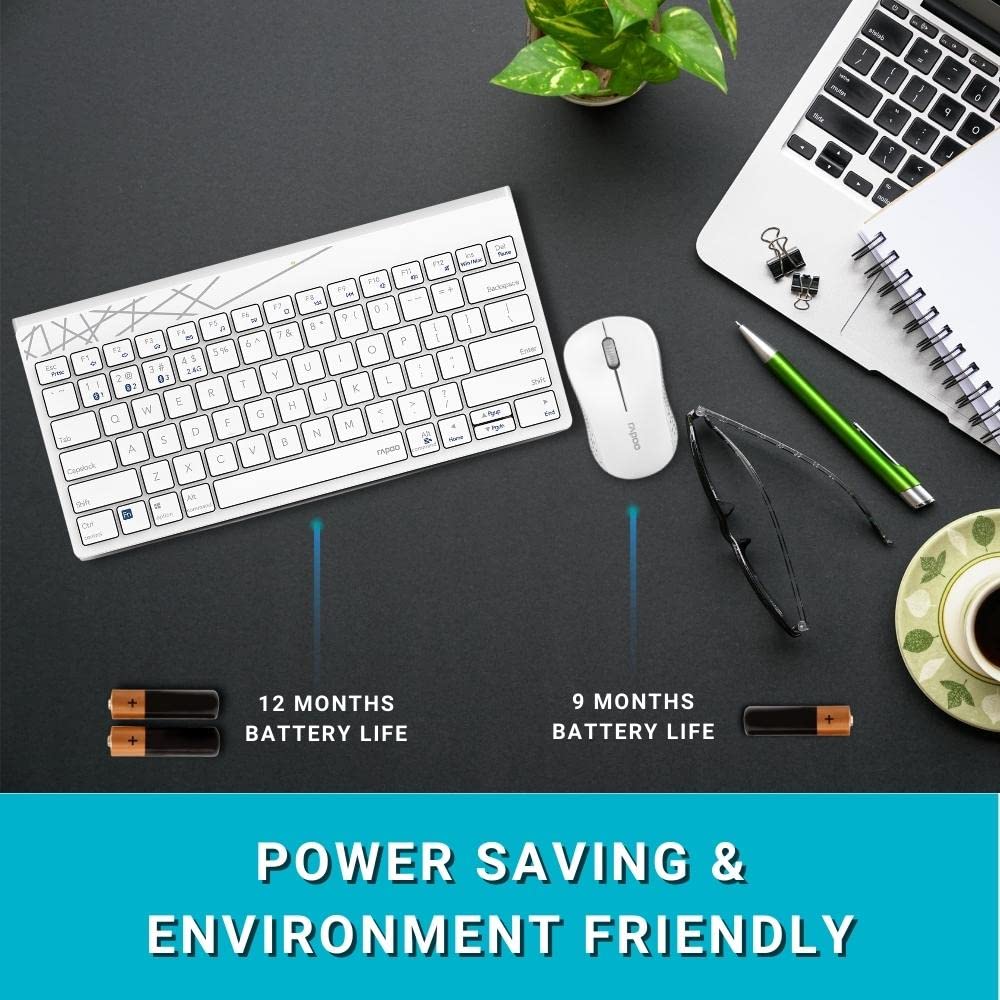
Image: Illustration of the Rapoo 8000M keyboard and mouse, highlighting their extended battery life.
3.2. 2.4GHz 무선 연결
For 2.4 GHz wireless connectivity:
- Remove the USB receiver from its storage slot, typically found in the mouse battery compartment.
- USB 수신기를 컴퓨터의 사용 가능한 USB 포트에 연결합니다.
- The keyboard and mouse should automatically connect. If not, ensure the devices are powered on and within range.
3.3. 블루투스 연결
The Rapoo 8000M supports Bluetooth 3.0 and 4.0. You can pair up to three Bluetooth devices.
- 키보드 페어링:
를 누르고 계세요 Fn + 1, Fn + 2, 또는 Fn + 3 key combination for 3 seconds to select a Bluetooth channel. The indicator light will flash slowly. - 기기(컴퓨터, 태블릿, 스마트폰)에서 Bluetooth를 활성화하고 새로운 기기를 검색하세요.
- Select "Rapoo 8000M Keyboard" from the list of available devices. Follow any on-screen prompts to complete pairing.
- 마우스 페어링:
Press the Bluetooth button on the underside of the mouse to switch to a Bluetooth channel (indicated by a slow flash). - On your device, search for new Bluetooth devices and select "Rapoo 8000M Mouse". Follow any on-screen prompts.

Image: The Rapoo 8000M keyboard and mouse connected to a desktop, laptop, and tablet, demonstrating multi-device connectivity.
4. 사용 설명서
4.1. 장치 간 전환
연결된 장치 간에 전환하려면:
- 건반: 누르다 Fn + 1, Fn + 2, Fn + 3 to switch to the corresponding Bluetooth device, or Fn + 4 for the 2.4 GHz connection.
- 생쥐: Press the Bluetooth button on the underside of the mouse to cycle through the paired Bluetooth devices and the 2.4 GHz connection.
4.2. 멀티미디어 단축키
The keyboard features multimedia hotkeys for quick access to various functions. These keys are typically located on the F-row and can be activated by pressing them directly or in combination with the Fn key, depending on your keyboard's default mode.
- F1-F12: Functions may include media player control (play/pause, next/previous track), volume adjustment, mute, homepage, and more. Refer to the keycap legends for specific functions.
4.3. Mouse DPI
The mouse operates at 1300 DPI, providing accurate and smooth cursor control on various surfaces.
5. 유지관리
5.1. 청소
The keyboard features a spill-resistant design, offering protection against accidental liquid spills. However, it is recommended to clean the keyboard and mouse regularly to maintain performance and hygiene.
- 부드러운 d를 사용하세요amp 표면을 닦을 천.
- 가혹한 화학물질이나 연마재의 사용은 피하세요.
- For spills, immediately disconnect the device, wipe dry, and allow it to air dry completely before reuse.

Image: Close-up of the Rapoo 8000M keyboard with water splashing on it, illustrating its spill-resistant design.
5.2. 배터리 수명
With Rapoo's energy-saving technology and power switch, the keyboard and mouse can achieve a battery life of up to 9 months. To conserve battery:
- Turn off the devices using their respective power switches when not in use for extended periods.
- 배터리 성능이 저하되면 교체하십시오.

Image: The Rapoo 8000M mouse, highlighting its silent click design for a quiet working environment.
6. 문제 해결
If you encounter issues with your Rapoo 8000M combo, refer to the following common problems and solutions:
- No Connection / Device Not Detected:
- Ensure batteries are correctly installed and charged.
- For 2.4 GHz, ensure the USB receiver is securely plugged into a working USB port.
- For Bluetooth, ensure Bluetooth is enabled on your device and the keyboard/mouse are in pairing mode or selected channel.
- Try re-pairing the devices (refer to Section 3.3).
- Try a different USB port for the receiver. - Keys Not Responding / Mouse Not Tracking:
- Check battery levels and replace if necessary.
- Ensure the device is connected to the correct channel (2.4 GHz or Bluetooth 1/2/3).
- Clean the optical sensor of the mouse if tracking is erratic.
- Ensure no physical obstructions are blocking the keys or mouse movement. - 간헐적인 연결:
- Move the devices closer to the receiver or Bluetooth-enabled device.
- Avoid using the devices near strong interference sources (e.g., Wi-Fi routers, other wireless devices).
- Ensure your computer's Bluetooth drivers are up to date.
7. 사양
| 특징 | 설명 |
|---|---|
| 상표 | 라푸 |
| 모델 | 8000M |
| 연결 기술 | 블루투스 3.0, 블루투스 4.0, 2.4GHz 무선 |
| 호환 장치 | Personal Computer (Windows OS), Tablets, Smartphones |
| 마우스 DPI | 1300 DPI 광학식 |
| 특별 기능 | Multi-Mode, Multi-Device Switching, Multimedia Hotkeys, Spill-Resistant Keyboard, Silent Mouse Design |
| 배터리 수명 | 최대 9개월 |
| 전원 | Battery Powered (2 AA for keyboard, 1 AA for mouse) |
| 제품 치수 | 36.4 x 14.8 x 3.4 cm (Keyboard); 350 g (Total Item Weight) |

Image: The Rapoo 8000M keyboard and mouse, illustrating their compact dimensions for productivity.
8. 보증 및 지원
The Rapoo 8000M Multi-Mode Wireless Keyboard and Mouse Combo is covered by a 3년 보증 구매일로부터 적용됩니다. 이 보증은 제조상의 결함을 보장하며 정상적인 사용 환경에서 안정적인 작동을 보장합니다.
보증 청구, 기술 지원 또는 기타 문의 사항은 Rapoo 공식 고객 서비스 센터로 연락해 주십시오. web제품을 구매한 사이트 또는 소매점에 문의하십시오. 보증 확인을 위해 구매 증빙 자료를 보관하십시오.
자세한 내용은 공식을 방문하세요. Rapoo Store on Amazon.