
소개
This manual provides instructions for the Feit Electric A1960CL/927CA/FIL/AG Smart Wi-Fi LED Bulb. This bulb is designed to integrate with your home's 2.4 GHz Wi-Fi network, offering remote control and voice command capabilities through the Feit Electric app, Alexa, or Google Assistant. It features a traditional filament design with modern LED technology, providing 2700K soft white light equivalent to a 60-watt incandescent bulb while consuming only 8.8 watts.

Image: Feit Electric Smart Wi-Fi LED Bulb, showing the product packaging and the bulb itself. The packaging highlights Wi-Fi connectivity, Alexa and Google Assistant compatibility, and energy efficiency.
설치 지침
Follow these steps to set up your Feit Electric Smart Wi-Fi LED Bulb:
- Download the Feit Electric App: 검색 "Feit Electric" in your smartphone's app store (available for Android and iOS) and install the application.
- 전구를 설치하십시오: Screw the smart bulb into a standard E26 medium base light socket. Ensure the fixture is powered off before installation.
- Power On and Initiate Pairing: Turn on the power to the light fixture. The bulb should begin blinking continuously, indicating it is in pairing mode. If it does not blink, cycle the power off and on five times to reset it into pairing mode.
- 앱에 장치 추가: Open the Feit Electric app. Ensure your phone's Bluetooth is enabled. The app should detect the new device. Follow the on-screen prompts to add the bulb.
- Wi-Fi에 연결: Select your 2.4 GHz Wi-Fi network and enter the password when prompted. The bulb will connect to your home network. Note: This bulb requires a 2.4 GHz Wi-Fi network.
- 이름 변경 (선택 사항): Once connected, you can rename the bulb within the app for easier identification (e.g., "Living Room Lamp," "Bedroom Light").
- 음성 비서와의 연동(선택 사항): To control the bulb using voice commands, link your Feit Electric account with Alexa or Google Assistant through their respective apps.

이미지: 앞면 view of the Feit Electric Smart Wi-Fi LED Bulb box, highlighting "Works with Alexa" and "Works with Google Assistant" logos, and the "Smart WiFi Bulb" designation.
작동 지침
The Feit Electric Smart Wi-Fi LED Bulb offers various control methods:
Control via Feit Electric App:
The Feit Electric app allows comprehensive control from anywhere with internet access.
- 원격 접속: Turn lights on or off from any location.
- 디밍 : Adjust the brightness level of the bulb.
- 그룹화: Combine multiple smart bulbs to control them simultaneously.
- 일정: Set specific times for the bulb to turn on, turn off, or change brightness.
- 장치 공유: Share control of your smart bulbs with other users.
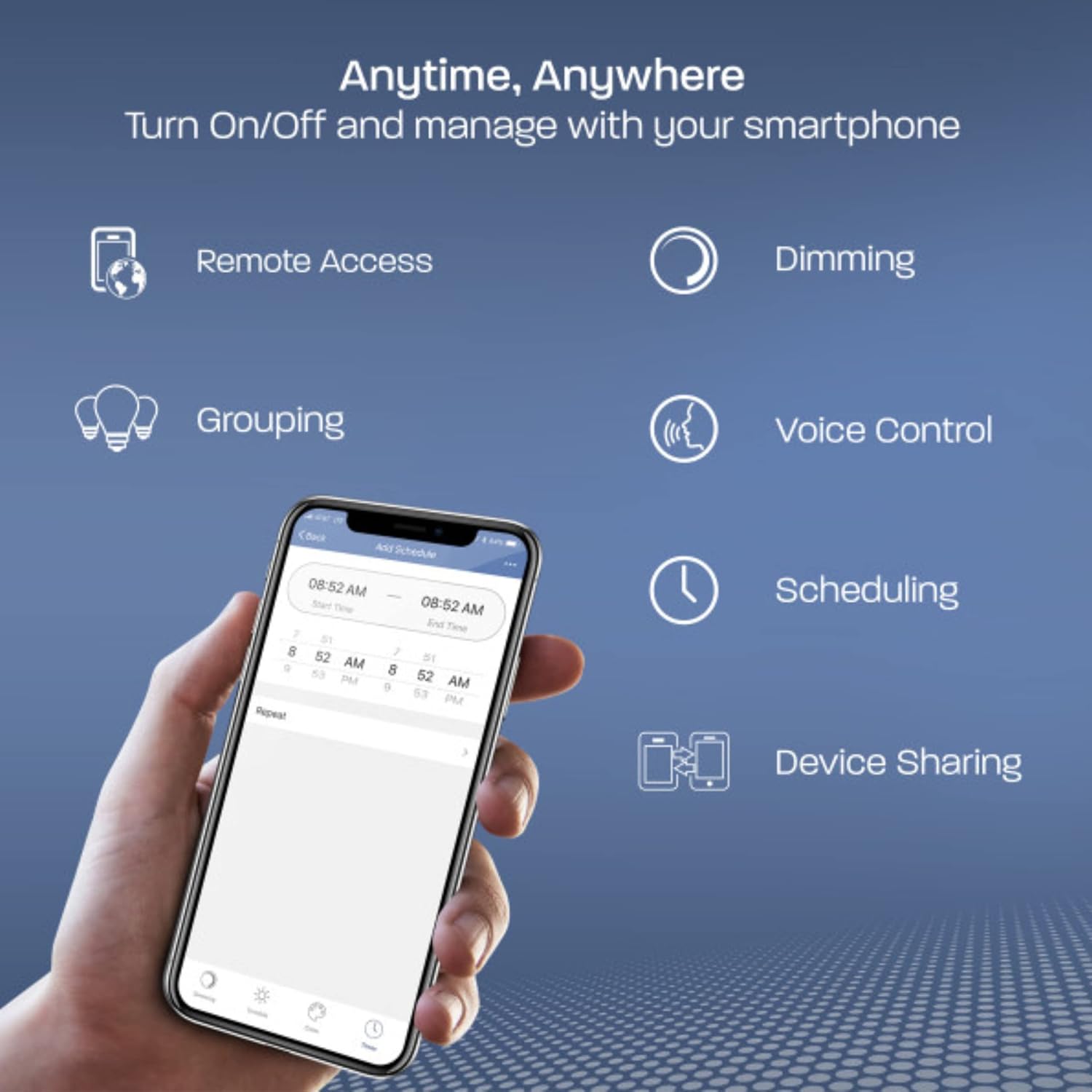
Image: A smartphone displaying the Feit Electric app interface, illustrating features like Remote Access, Dimming, Grouping, Voice Control, Scheduling, and Device Sharing.

Image: A smartphone showing the Feit Electric app controlling a lamp, with options for dimming the light to 50% and setting schedules.

Image: A kitchen scene with pendant lights, and a smartphone displaying the Feit Electric app's "Grouping" feature, allowing multiple lights to be controlled together.
음성 제어:
Once integrated, use voice commands with Alexa or Google Assistant devices.
- "알렉사, 거실 조명 켜줘."
- "Hey Google, dim the Bedroom Light to 50%."
- "Alexa, set the Kitchen Lights to soft white."

Image: An Amazon Echo Dot smart speaker, accompanied by "Works with Alexa" and "Hey Google" logos, indicating voice control compatibility.
유지
The Feit Electric Smart Wi-Fi LED Bulb is designed for long-term, low-maintenance operation.
- 청소: 청소하기 전에 전구가 식고 전원이 꺼져 있는지 확인하세요. 부드럽고 마른 천으로 전구를 닦으세요. 액체 세제나 연마제는 사용하지 마세요.
- 수명: The bulb has a rated lifespan of 15,000 hours, minimizing the need for frequent replacement.
- 무수은: This LED bulb is 100% mercury-free.
문제 해결
If you encounter issues with your smart bulb, consider the following:
- Bulb Not Connecting/Flickering:
- Ensure your Wi-Fi network is 2.4 GHz. The bulb is not compatible with 5 GHz networks.
- Avoid using the bulb with a fader (dimmer) switch. It must be on a standard on/off switch for proper operation. Using a fader switch can cause connectivity issues and flickering.
- Try resetting the bulb by cycling the power off and on five times.
- Bulb Not Entering Pairing Mode (Not Blinking):
- Cycle the power to the bulb off and on five times, waiting a few seconds between each cycle. This should force the bulb into pairing mode (continuous blinking).
- 연결 끊김:
- Ensure your Wi-Fi router is within a reasonable range of the bulb.
- If you have a mesh network, ensure it is configured to allow 2.4 GHz devices to connect easily.
- Occasionally, resetting the bulb or restarting your router may resolve intermittent connectivity issues.
- 앱 문제:
- Ensure your Feit Electric app is updated to the latest version.
- 앱이나 스마트폰을 다시 시작하세요.
명세서
| 특징 | 세부 사항 |
|---|---|
| 상표 | 피트 일렉트릭 |
| 모델명 | 60 Watt Equivalent WiFi Dimmable, No Hub Required, Alexa or Google Assistant, Filament A19 |
| 부품 번호 | A1960CL/927CA/FIL/AG |
| 라이트 타입 | 주도의 |
| 전구 모양 크기 | A19 |
| 전구베이스 | E26 |
| 왓tage | 8.8 와트 |
| 백열등가 | 60 와트 |
| 명도 | 800루멘 |
| 밝은 색상 | 소프트 화이트 |
| 색온도 | 2700 켈빈 |
| 연색지수(CRI) | 90 |
| 권tage | 120볼트(100~120볼트, 60헤르츠) |
| 평균 수명 | 15,000시간 |
| 제어 방법 | App (Feit Electric), Voice (Alexa, Google Assistant) |
| 연결성 | 2.4GHz Wi-Fi |
| 재료 | 플라스틱 |
| 제품 치수 | 폭 2.25인치 x 높이 4인치 |
| 품목 무게 | 1.6 온스 |
| 실내/실외 사용 | Outdoor (Suitable for use in enclosed fixtures) |
| 인증 | UL Listed, Energy Star Approved, CEC and FCC Compliant |

Image: A detailed close-up of the Feit Electric Smart Wi-Fi LED Bulb, showcasing its visible LED filaments and E26 screw base.

Image: Diagram illustrating the dimensions of the Feit Electric Smart Wi-Fi LED Bulb, showing a height of 4 inches and a diameter of 2.25 inches.
보증 및 지원
보증: This Feit Electric bulb comes with a one-year warranty from the date of purchase.
연락처 정보: For customer service or warranty claims, please contact Feit Electric:
- 이메일: info@feit.com
- 무료 전화: 1-866-326-BULB