
소개
Welcome to the world of smart lighting with your new Feit Electric Smart Wi-Fi LED Bulbs. These bulbs offer advanced features including RGB color changing, tunable white light, dimming capabilities, and seamless control via the Feit Electric app, Alexa, or Google Assistant. This manual will guide you through the setup process and help you maximize your smart lighting experience.
제품 끝view
주요 특징
- Wi-Fi 사용: Control your bulbs from anywhere using the Feit Electric app (2.4 GHz Wi-Fi network required).
- 음성 제어: Compatible with Alexa and Google Home Assistant for hands-free operation.
- 색상 변경 및 백색도 조절 가능: Choose from millions of colors and adjust white light from soft white to daylight.
- 밝기 조절 가능: Adjust brightness levels to suit any mood or activity.
- Scheduling & Grouping: Set routines, create groups for multiple bulbs, and customize scenes.
- 에너지 효율성: 9W LED (60W equivalent) with a long lifespan of 25,000 hours.
패키지 내용
- Feit Electric Smart Wi-Fi LED Bulbs (3-pack)
- 사용 설명서

Image: The Feit Electric Smart Wi-Fi LED Bulb 3-pack, showing the product packaging and an illuminated bulb demonstrating its color-changing capabilities.
중요한 안전 정보
Please read and understand all safety instructions before installing or using your Feit Electric Smart Wi-Fi LED Bulbs. Failure to do so may result in fire, electric shock, or other hazards.
- 감전 위험: Do not use with wet hands or in wet locations.
- 실내에서만 사용 가능: 이 전구는 건조한 실내 환경에서 사용하도록 설계되었습니다.
- Not for Emergency Exits: 비상구 고정 장치 또는 비상 조명과 함께 사용하기 위한 것이 아닙니다.
- 디머 호환성: Not for use with standard dimmers. Dimmable only via the Feit Electric app or compatible voice assistants.
- 작동 온도: 작동 환경이 지정된 온도 범위 내에 있는지 확인하십시오.
- 설치 전 전원 끄기: 전구를 설치하거나 제거하기 전에 항상 조명기구의 전원을 끄십시오.
- 적절한 폐기: 전구는 지역 규정에 따라 폐기하십시오.
설치 및 설정
1단계: 물리적 설치
- 조명 기구의 전원이 켜져 있는지 확인하십시오. 끄다 at the switch before installation.
- Carefully screw the Feit Electric Smart Wi-Fi LED Bulb into a standard E26 medium base socket.
- 전원을 켜 ON at the switch. The bulb should blink rapidly, indicating it is in pairing mode. If it does not blink, turn the bulb off for 1 second and on for 2 seconds, repeating this 3 times.
Step 2: Download the Feit Electric App
Download the Feit Electric app on your smartphone or tablet. 검색 "Feit Electric" in the Apple App Store or Google Play Store, or scan the QR code on the product packaging.
앱의 안내에 따라 계정을 만들거나 로그인하세요.
3단계: Wi-Fi에 연결
- Open the Feit Electric app and tap the + icon in the top right corner to add a device.
- Select "Lighting" and then "Light Source (Wi-Fi)".
- Confirm that your bulb is blinking rapidly. If not, reset it by turning it off for 1 second and on for 2 seconds, repeating 3 times.
- 2.4GHz Wi-Fi 네트워크 이름과 비밀번호를 입력하세요. Note: The bulbs only support 2.4 GHz Wi-Fi networks.
- The app will begin pairing with your bulb. Once connected, you can rename your bulb for easier control.
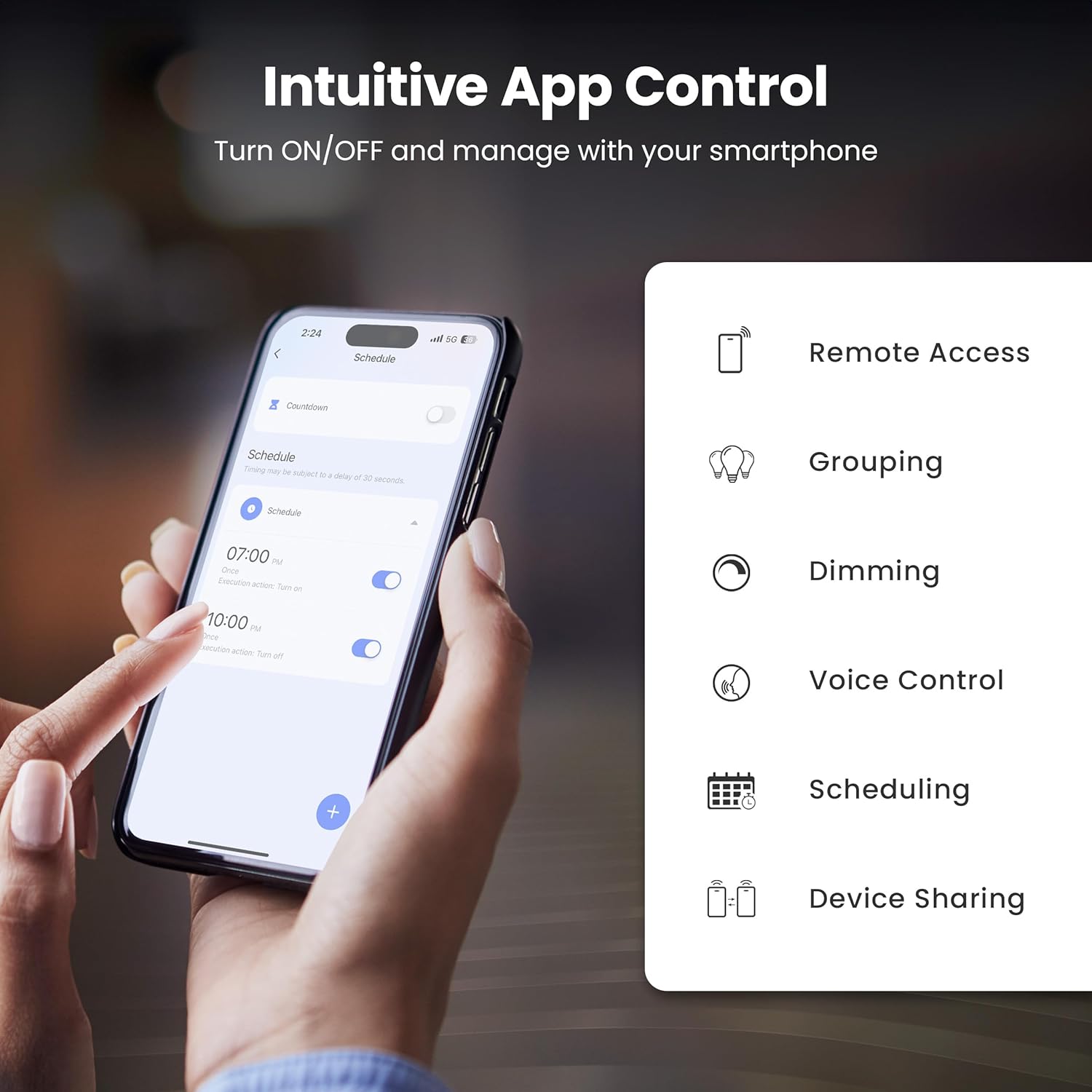
Image: A smartphone screen showing the Feit Electric app interface, demonstrating scheduling features for smart bulbs.

Image: A smartphone screen showing the Feit Electric app with a color wheel, allowing users to select from millions of colors for their smart bulb.
Operating Your Smart Bulb
Basic Controls (App)
- 켜기/끄기: 앱에서 전구 아이콘을 탭하여 켜거나 끄세요.
- 디밍 : Use the brightness slider in the app to adjust the light intensity from 1% to 100%.
Color Changing and Tunable White
- 색상 선택: In the app, navigate to the color section to choose from a spectrum of millions of colors.
- 조정 가능한 흰색: Adjust the white light temperature from warm soft white (2700K) to cool daylight (6500K) to suit your preference.

Image: A smartphone displaying the Feit Electric app with options for dimming and scheduling, positioned next to a wall-mounted lamp.

Image: A room interior bathed in a vibrant blue light from a smart bulb, demonstrating the color-changing capability.
음성 제어
Integrate your Feit Electric Smart Bulbs with Amazon Alexa or Google Assistant for convenient voice control.
- Ensure your smart bulb is connected to the Feit Electric app.
- Open the Alexa or Google Home app and enable the "Feit Electric" skill/service.
- Link your Feit Electric account when prompted.
- 기기를 검색하세요. 기기가 검색되면 다음과 같은 음성 명령을 사용할 수 있습니다.
- "알렉사, 거실 불 켜줘."
- "헤이 구글, 침실 조명을 50%로 낮춰줘."
- "Alexa, change the kitchen light to blue."

Image: An Amazon Echo Dot device alongside logos for Feit Electric and Google Home, illustrating compatibility with voice assistants.
Scheduling and Grouping
- 일정: Set specific times for your lights to turn on/off, dim, or change color. Access this feature in the Feit Electric app's "Schedule" section.
- 여러 떼: Combine multiple bulbs into a single group (e.g., "Living Room Lights") to control them simultaneously. This is managed in the app's "Groups" section.
- 장면: Create custom lighting presets for different activities or moods (e.g., "Movie Night," "Reading").

Image: A smartphone screen showing the Feit Electric app's scheduling interface, allowing users to set automated routines for their smart lights.

Image: The Feit Electric app interface demonstrating how multiple smart bulbs can be grouped and controlled by specific areas or rooms, such as the Kitchen, Dining Room, and Living Room.
관리 및 유지 보수
- 청소: 청소하기 전에 전구가 꺼져 있고 식었는지 확인하세요. 부드럽고 마른 천으로 닦으세요. 액체 또는 연마성 세제는 사용하지 마세요.
- 대사: These LED bulbs have a long lifespan. When replacement is necessary, ensure power is off before unscrewing the old bulb and installing a new one.
- 저장: 전구를 보관할 때는 직사광선과 극심한 온도 변화를 피해 서늘하고 건조한 곳에 보관하십시오.
문제 해결
| 문제 | 해결책 |
|---|---|
| 전구가 Wi-Fi에 연결되지 않습니다. |
|
| Bulb frequently disconnects from Wi-Fi. |
|
| 음성 제어가 작동하지 않습니다. |
|
| Bulb is unresponsive in the app. |
|
기술 사양
| 사양 | 값 |
|---|---|
| 모델 번호 | OM60/RGBW/CA/AG/3 |
| 라이트 타입 | 주도의 |
| 왓tage | 9와트(60W 상당) |
| 명도 | 800루멘 |
| 색온도 | 2700K - 6500K (Tunable White) + RGB Color Changing |
| 전구 모양 크기 | A19 |
| 전구베이스 | E26 미디엄 |
| 권tage | 120 볼트 |
| 제어 방법 | App, Voice (2.4 GHz Wi-Fi) |
| 평균 수명 | 25,000시간 |
| 실내/실외 사용 | 실내 |
| 제품 치수 | 폭 2.4인치 x 높이 4.3인치 |

Image: A visual representation of the bulb's specifications, including physical dimensions and electrical characteristics.
보증 및 고객 지원
보증 정보
This Feit Electric Smart Wi-Fi LED Bulb comes with a one-year warranty. For warranty claims or assistance, please contact Feit Electric customer service.
고객 지원
For 24/7 customer support, visit the Feit Electric help center or contact them directly:
- Web대지: help.feit.com
- 이메일: info@feit.com
- 무료 전화: 1-866-326-BULB

Image: Feit Electric customer support information, including a QR code and website link for 24/7 assistance.