
HyperGear 15127
HyperGear Active True Wireless Bluetooth 이어버드 사용 설명서
Model: 15127 | Brand: HyperGear
소개
This manual provides comprehensive instructions for the HyperGear Active True Wireless Bluetooth Earbuds, Model 15127. These earbuds are designed for an active lifestyle, featuring a secure-fit, sweat-proof design, and a portable pocket-sized charging case. They offer quick-pair technology, HD stereo sound, and built-in touch controls for music and calls.
상자 안에 무엇이 들어있나요?
Upon opening your HyperGear Active True Wireless Earbuds package, you should find the following items:
- HyperGear Active True Wireless Earbuds (Left and Right)
- 휴대용 충전 케이스
- USB 충전 케이블
- 사용 설명서 (본 문서)
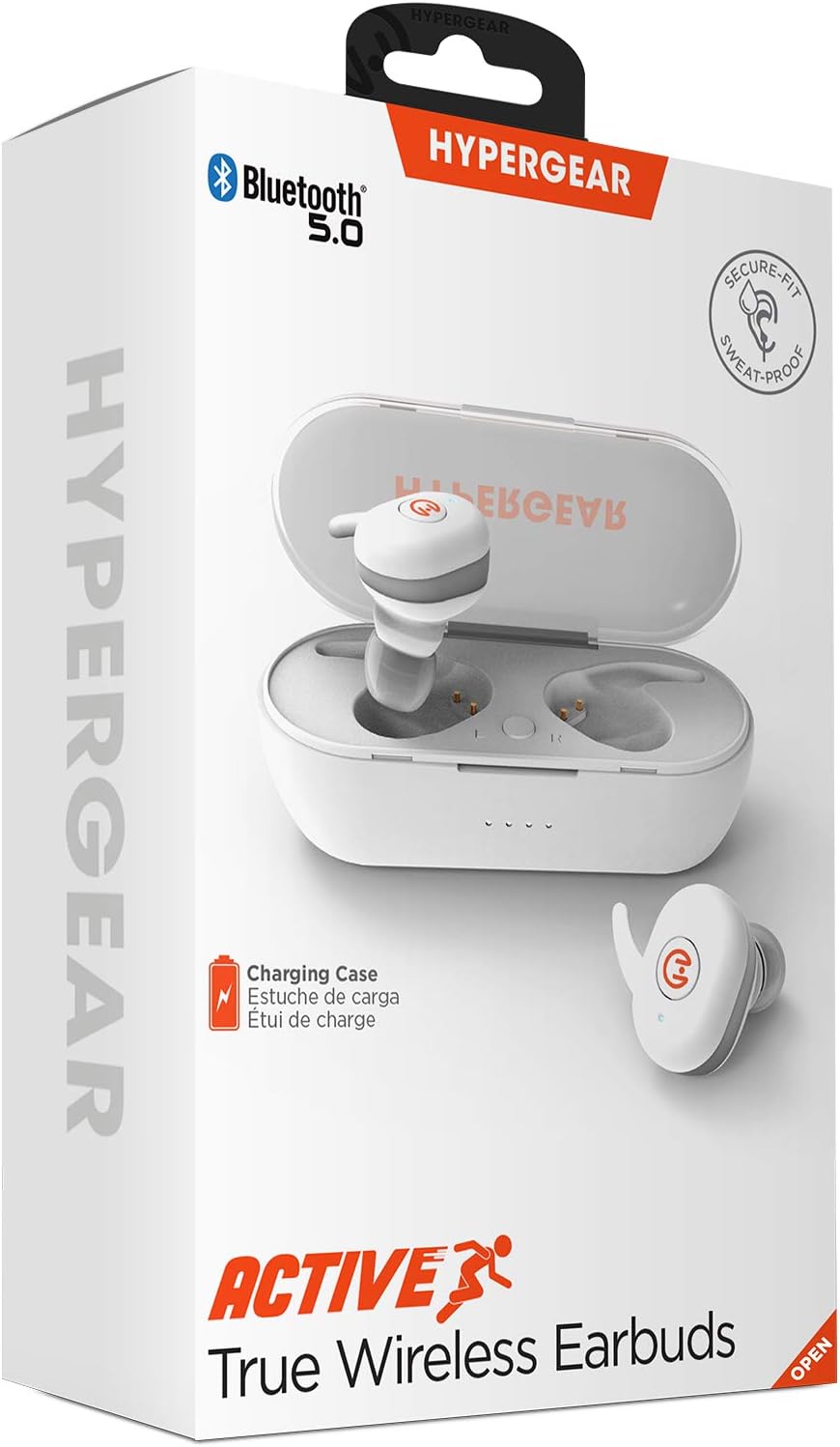
제품 끝view
Familiarize yourself with the components of your HyperGear Active True Wireless Earbuds and their charging case.

The earbuds feature a compact design with touch control surfaces. The charging case is designed to be pocket-sized for easy portability and provides additional battery life.
설정
이어버드 및 케이스 충전하기
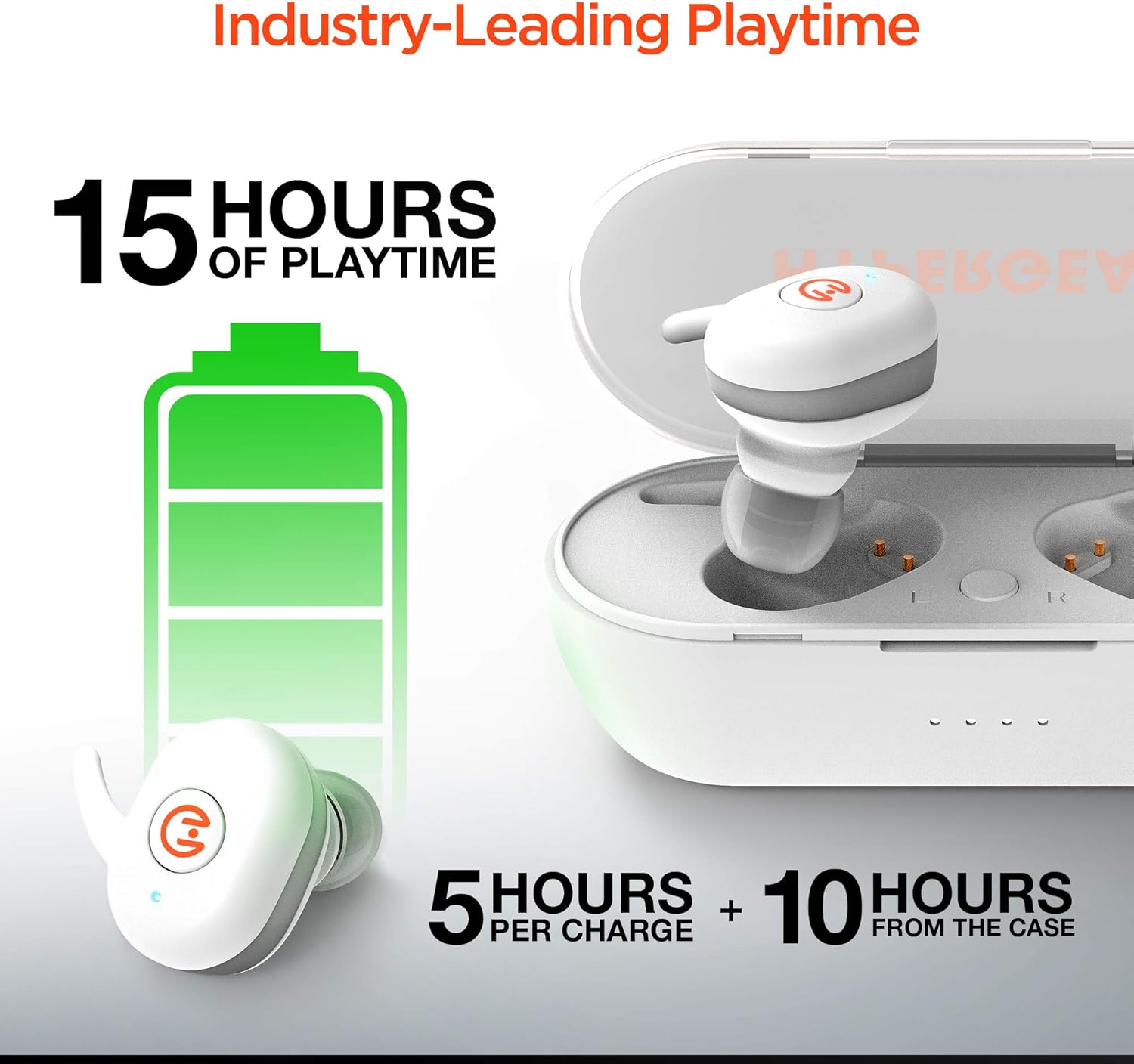
Before first use, ensure both the earbuds and the charging case are fully charged. The earbuds provide up to 5 hours of playtime on a single charge, with the charging case offering an additional 10 hours of battery life, totaling up to 15 hours of use.
- Place the earbuds into the charging case. Ensure they are properly seated in their respective slots (L for left, R for right).
- 제공된 USB 충전 케이블을 사용하여 충전 케이스를 전원에 연결하세요.
- Indicator lights on the case will show charging status. Refer to the specific light patterns in your product's quick start guide for detailed information.
장치와 페어링
The HyperGear Active Earbuds feature quick-pair technology for seamless connection.
- 이어버드가 충전되어 있고 충전 케이스에 넣어져 있는지 확인하세요.
- 충전 케이스를 여세요. 이어버드가 자동으로 페어링 모드로 진입합니다.
- 기기(스마트폰, 태블릿 등)에서 Bluetooth를 활성화하세요.
- 검색 "HyperGear Active" in the list of available Bluetooth devices.
- Select "HyperGear Active" to connect. A voice prompt or indicator light will confirm successful pairing.

Thanks to Bluetooth 5.0, the connection is designed to be rock solid, delivering clear, skip-free calls and music.

작동 지침
이어버드 착용하기
The earbuds are designed for a secure-fit. Gently insert each earbud into your ear canal and twist slightly to ensure a snug and comfortable fit. This helps optimize sound quality and noise cancellation.
터치 컨트롤
The HyperGear Active Earbuds feature built-in touch controls for easy management of your audio and calls.

| 행동 | 기능 |
|---|---|
| 싱글 탭 | 음악 재생/일시 정지, 전화 받기/종료 |
| 더블 탭(왼쪽 이어버드) | 이전 트랙 |
| 더블 탭(오른쪽 이어버드) | 다음 트랙 |
| 길게 누르기(2초) | 음성 어시스턴트 활성화(Siri, Google 어시스턴트) |
| 길게 누르기(3초) | 전화 거부 |
The earbuds deliver HD Stereo Sound, amplifying your day with full, balanced audio.

유지
To ensure the longevity and optimal performance of your HyperGear Active Earbuds, follow these maintenance guidelines:
- 청소: 부드럽고 마른 보풀 없는 천으로 이어버드와 충전 케이스를 정기적으로 닦으세요. 연마재나 강한 화학 물질은 사용하지 마세요.
- 방수 기능: The earbuds are IPX5 waterproof, meaning they are resistant to sweat and light splashes. Do not submerge them in water or expose them to heavy rain. Dry them thoroughly before placing them back in the charging case.
- 저장: 사용하지 않을 때는 이어버드를 충전 케이스에 보관하여 먼지와 손상으로부터 보호하세요. 직사광선과 극한의 온도를 피해 서늘하고 건조한 곳에 보관하세요.
- 충전 연락처: Periodically check and gently clean the charging contacts on both the earbuds and inside the case to ensure a good connection.
문제 해결
If you encounter issues with your HyperGear Active Earbuds, try the following common troubleshooting steps:
- 이어버드가 페어링되지 않음:
- 양쪽 이어버드가 모두 충전되어 있는지 확인하세요.
- Place them back in the case, close the lid, wait a few seconds, then open the lid again to re-enter pairing mode.
- Forget "HyperGear Active" from your device's Bluetooth settings and attempt to pair again.
- 한쪽 이어버드에서 소리가 나지 않습니다.
- 두 개의 이어버드가 모두 충전되었는지 확인하세요.
- Ensure they are properly seated in the charging case to make contact with the charging pins.
- Try resetting the earbuds (refer to the product's quick start guide for specific reset instructions, if available).
- 충전 케이스가 충전되지 않음:
- USB 케이블이 케이스와 전원에 모두 단단히 연결되어 있는지 확인하세요.
- 다른 USB 케이블이나 전원 어댑터를 사용해 보세요.
- 음질이 좋지 않거나 연결이 끊김:
- 이어버드가 완전히 충전되었는지 확인하세요.
- 간섭을 줄이려면 연결된 장치에 더 가까이 다가가세요.
- 이어폰과 기기 사이에 장애물이 있는지 확인하십시오.
- 이어버드 스피커에서 이물질을 청소하세요.
If problems persist, please contact HyperGear customer support.
명세서
| 특징 | 세부 사항 |
|---|---|
| 모델 번호 | 15127 |
| 연결 기술 | 무선(블루투스 5.0) |
| 폼 팩터 | 귀에 |
| 소음 제어 | 소리 차단 |
| 색상 | 하얀색 |
| 재료 | Silicone (ear tips), Hard Plastic (case) |
| 품목 무게 | 6 Grams (earbuds), 0.212 ounces (total product weight) |
| 제품 치수 | 2.36 x 2.36 x 2.36 인치 |
| 방수 레벨 | IPX5(방수) |
| 주파수 범위 | 20Hz - 20,000Hz |
| 배터리 수명(이어버드) | 최대 5시간 |
| 케이스를 사용한 총 플레이 시간 | 최대 15시간 |
| 제어 유형 | 터치 컨트롤 |
| 제조업체 | 하이퍼기어 |
| 한국어: | 633755151279 |
안전 정보
기기 손상이나 부상을 방지하기 위해 다음 안전 지침을 읽고 준수해 주십시오.
- 제품을 분해, 수리, 개조하지 마세요.
- 제품을 극한 온도, 직사광선, 높은 습도에 두지 마세요.
- Avoid exposing the product to fire or placing it near heat sources.
- Do not use the product in environments where it could interfere with medical devices.
- 현지 규정에 따라 책임감 있게 제품을 폐기하십시오.
- This product complies with RoHS, FCC, and CE standards.
- 제안 65 경고: 이 제품에는 캘리포니아주에서 암과 선천적 기형 또는 기타 생식 기능 장애를 유발하는 것으로 알려진 화학 물질이 포함되어 있을 수 있습니다.
보증 및 지원
For warranty information, product support, or to register your product, please visit the official HyperGear web사이트에서 myhypergear.comFAQ 및 추가 자료도 해당 페이지에서 찾아보실 수 있습니다.
For customer service inquiries, please refer to the contact information provided on the HyperGear web사이트 또는 제품 포장.
Ask a question about this manual
Ask about setup, troubleshooting, compatibility, parts, safety, or missing instructions. Manuals+ will review the question and use this page’s manual context to help answer it.