
1. 서론
구매해주셔서 감사합니다asing the Goliath Smart Light Alarm Clock AV-SBEL03. This device combines a light alarm clock with an FM radio, natural sounds, and smart app control to enhance your waking and sleeping experience. It features a realistic sunrise and sunset simulation, multiple alarm settings, and a convenient USB charging port. Please read this manual carefully to ensure proper setup and operation.

이미지 1.1: 앞면 view of the Goliath Smart Light Alarm Clock displaying the time.
2. 안전 정보
- 이 장치는 실내에서만 사용하도록 설계되었습니다.
- 기기를 물, 습기 또는 극한 온도에 노출시키지 마세요.
- 제공된 전원 어댑터 또는 호환되는 USB 전원만 사용하십시오.
- 장치를 열원이나 직사광선으로부터 멀리 두십시오.
- 직접 기기를 분해하거나 수리하지 마십시오. 자격을 갖춘 서비스 담당자에게 문의하세요.
- 부드럽고 마른 천으로 기기를 닦으십시오. 연마성 세척제를 사용하지 마십시오.
3. 패키지 내용
다음 품목이 패키지에 포함되어 있는지 확인하세요.
- Goliath Smart Light Alarm Clock AV-SBEL03
- USB 전원 케이블
- 전원 어댑터(포함된 경우)
- 사용 설명서 (본 문서)
4. 제품 오버view
Familiarize yourself with the various parts and controls of your Smart Light Alarm Clock.

Image 4.1: Rear and top view of the alarm clock with labeled components.
- Snooze / Reset Button: Activates snooze function or resets settings.
- Sunrise Button: Controls sunrise simulation.
- Alarm Buttons 1 & 2: 알람 1과 알람 2를 설정하고 활성화하십시오.
- 스피커: Outputs audio for FM radio and natural sounds.
- 전원 공급 포트: 전원 어댑터에 연결합니다.
- USB 포트: 외부 장치를 충전하는 데 사용됩니다.
- 설정 버튼: Accesses general settings.
- Dusk/Sunset Button: Controls sunset simulation.
- Radio / Volume Buttons: Controls FM radio and adjusts volume.
5. 설정
5.1. 전원 연결
- Connect the USB power cable to the Power Supply Port on the back of the alarm clock.
- USB 케이블의 다른 쪽 끝을 제공된 전원 어댑터에 꽂으세요.
- Plug the power adapter into a standard wall outlet. The display will light up, indicating the device is powered on.
5.2. 앱 설치
The Goliath Smart Light Alarm Clock can be controlled via the Smart-Life or TuyaSmart app.
- Download the "Smart-Life" or "TuyaSmart" app from your smartphone's app store (iOS App Store or Google Play Store).
- 새 계정을 등록하거나 이미 계정이 있는 경우 로그인하세요.
5.3. Wi-Fi 연결
To enable smart features, connect the alarm clock to your 2.4 GHz Wi-Fi network.
- 스마트폰이 2.4GHz Wi-Fi 네트워크에 연결되어 있는지 확인하세요.
- Open the Smart-Life or TuyaSmart app.
- Follow the in-app instructions to add a new device. Select the appropriate device type (e.g., "Light Alarm Clock" or "Lighting").
- The app will guide you through the pairing process, which may involve putting the alarm clock into pairing mode (refer to app instructions or device manual for specific button presses).
- Once connected, you can control the alarm clock via the app.

Image 5.1: The alarm clock connected to a Wi-Fi network and controlled via an app.
6. 사용 설명서
6.1. 시간 설정
The time can be set manually using the device buttons or automatically via the app after Wi-Fi connection.
- 수동 설정: Press and hold the Settings button. Use the volume buttons to adjust hours and minutes. Press Settings again to confirm.
- 앱 설정: Once connected to the app, the time will synchronize automatically or can be set within the app interface.
6.2. Sunrise and Sunset Simulation
The alarm clock simulates natural light cycles to aid in waking and sleeping.

Image 6.1: Visual representation of sunrise and sunset light simulations.
- 일출 시뮬레이션: Press the Sunrise button to activate. The light will gradually increase in brightness over a set period (e.g., 30 minutes) before your alarm time, mimicking a natural sunrise. Adjust intensity and duration via the app.
- 일몰 시뮬레이션: Press the Dusk/Sunset button to activate. The light will gradually dim over a set period, helping you relax and fall asleep. Adjust intensity and duration via the app.
6.3. 알람 설정
The device supports up to 4 alarm times via the app, or 2 directly on the device.
- Setting Alarms (Device): Press and hold Alarm Button 1 or 2. Use the volume buttons to set the alarm time. Press the Alarm button again to select alarm sound (FM radio or natural sound) and light intensity.
- 알람 설정(앱): Open the app, navigate to the alarm settings, and set up to 4 alarms with customizable times, sounds, light intensity, and sunrise simulation duration.
- 스누즈 기능 : When an alarm sounds, press the Snooze/Reset button to temporarily silence it for a few minutes.
- 알람 끄기: To turn off a sounding alarm, press the corresponding Alarm button. To disable an alarm completely, use the app or cycle through the alarm settings on the device until it is off.
6.4. FM 라디오 작동
좋아하는 FM 라디오 방송을 들어보세요.
- Press the Radio button to turn on the FM radio.
- Press the Radio button again to scan for stations.
- Use the volume buttons to adjust the frequency or select a preset station.
- Press and hold the Radio button to turn off the FM radio.
6.5. 자연의 소리
Choose from a selection of natural sounds for waking or sleeping.
- Access natural sound settings via the Settings button or the app.
- Cycle through available sounds using the volume buttons.
- 볼륨 버튼을 사용하여 볼륨을 조절하세요.
6.6. USB 충전 기능
The integrated USB port allows you to charge other devices.

Image 6.2: A smartphone charging via the alarm clock's USB port.
Connect your smartphone, tablet, or other USB-powered device to the USB port on the back of the alarm clock to charge it.
6.7. App Control (Smart-Life / TuyaSmart)
The app provides advanced control and customization options.
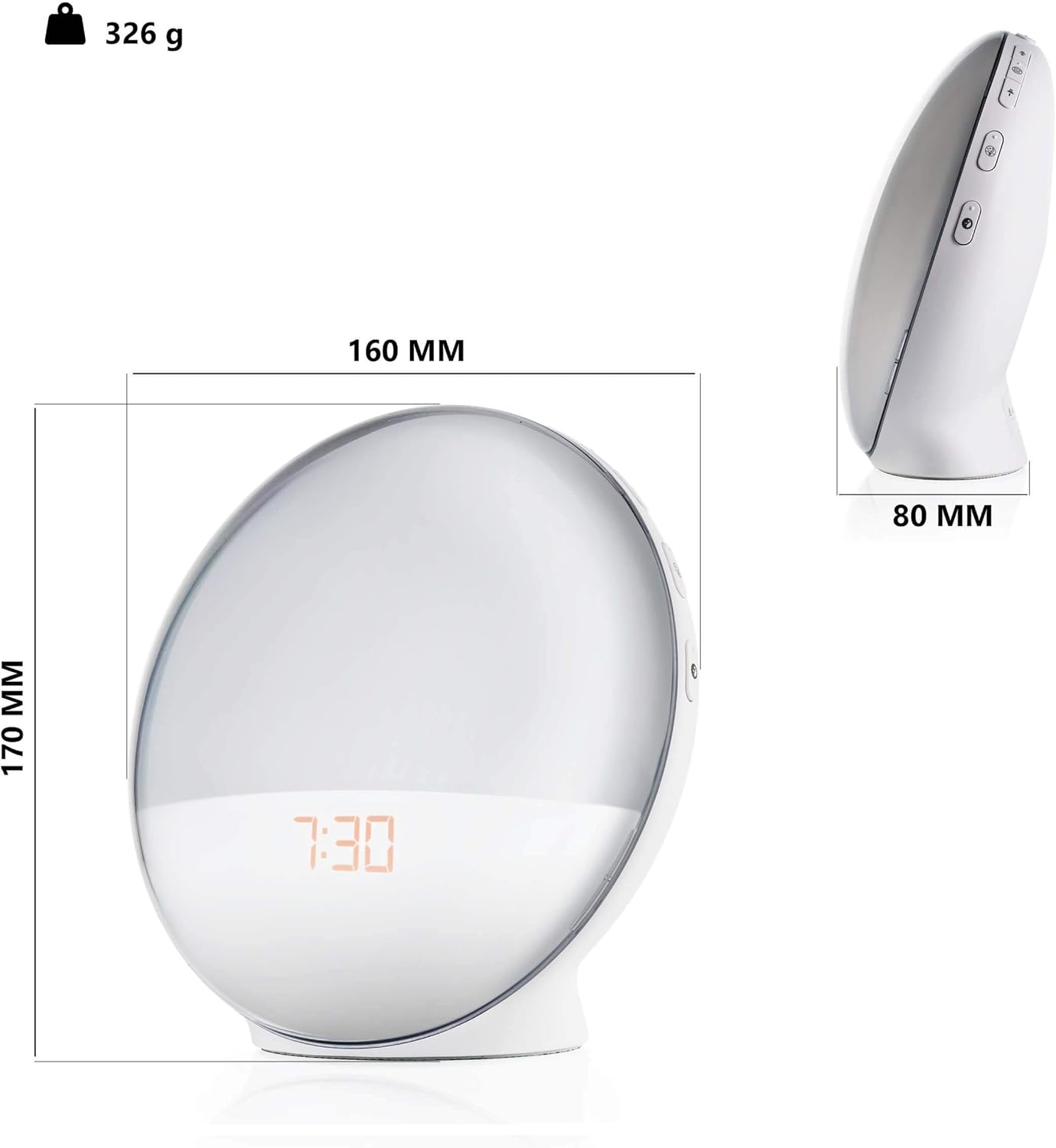
Image 6.3: Smartphone screen showing the app interface for the Smart Light Alarm Clock.
- 원격 제어: Adjust settings, alarms, light, and sound from anywhere with an internet connection.
- 사용자 정의: Set specific light colors (if supported by the device), adjust brightness levels, and fine-tune alarm parameters.
- 일정: Create detailed schedules for alarms, sunrise/sunset simulations, and light modes.
- 음성 제어: Integrate with voice assistants (e.g., Google Assistant) for hands-free control (requires compatible smart home hub).
7. 유지관리
- 청소: Wipe the device with a soft, dry, lint-free cloth. Do not use liquid cleaners, aerosols, or solvents.
- 저장: 장기간 기기를 보관할 경우 전원 플러그를 뽑고 서늘하고 건조한 곳에 보관하십시오.
8. 문제 해결
- 장치가 켜지지 않음: 전원 어댑터가 장치와 작동하는 전원 콘센트에 모두 단단히 연결되어 있는지 확인하세요.
- Wi-Fi 연결 문제:
- Wi-Fi 네트워크가 2.4GHz 대역인지 확인하십시오. 이 기기는 5GHz 대역을 지원하지 않습니다.
- Wi-Fi 비밀번호를 확인하세요.
- 기기를 와이파이 공유기 가까이로 옮기세요.
- Restart your router and the alarm clock.
- Follow the app's troubleshooting steps carefully.
- Alarm not sounding/light not activating:
- Verify that the alarm is enabled and set to the correct time in the app or on the device.
- Check the volume level for alarm sounds.
- Ensure the light intensity is not set to zero.
- FM 라디오 수신 상태가 좋지 않습니다. Extend the antenna (if applicable) and try repositioning the device for better signal.
- USB 충전이 작동하지 않습니다. Ensure the alarm clock is powered on and the connected device's charging cable is functional.
9. 사양
| 모델 번호 | AV-SBEL03 |
| 제품 치수 | 16 x 0.03 x 17cm (약 8D x 17B x 8Hcm) |
| 품목 무게 | 326그램 |
| 기본 소재 | 플라스틱 |
| Lamp 유형 | 주도의 |
| 스위치 유형 | 푸시 버튼 |
| 색상 | 하얀색 |
| 전원 | USB (전원 어댑터를 통해) |
| 연결성 | Wi-Fi (2.4GHz) |
10. 보증 및 지원
For warranty information and customer support, please refer to the documentation provided with your purchase or contact Goliath customer service through their official web사이트. 보증 청구를 위해 구매 증빙 자료를 보관하세요.