
사이트콤 CH-005
Sitecom CH-005 Wireless Charging Stand & Power Bank
Model: CH-005 | Brand: Sitecom
소개
The Sitecom CH-005 Wireless Charging Stand & Power Bank is a versatile 2-in-1 solution designed to quickly charge your smartphone and other devices. It functions as a wireless charging stand for home or office use and as a portable 10,000 mAh power bank for on-the-go charging. Featuring Qi-certified wireless charging, USB-C Power Delivery, and USB-A ports, it offers multiple fast-charging options for a wide range of devices.
상자 안에 무엇이 들어있나요?
- Sitecom CH-005 Wireless Charging Stand & Power Bank (10,000 mAh)
- 도킹 스테이션
- USB-C to USB-A Cable (0.8m, male-to-male)
- 사용자 설명서
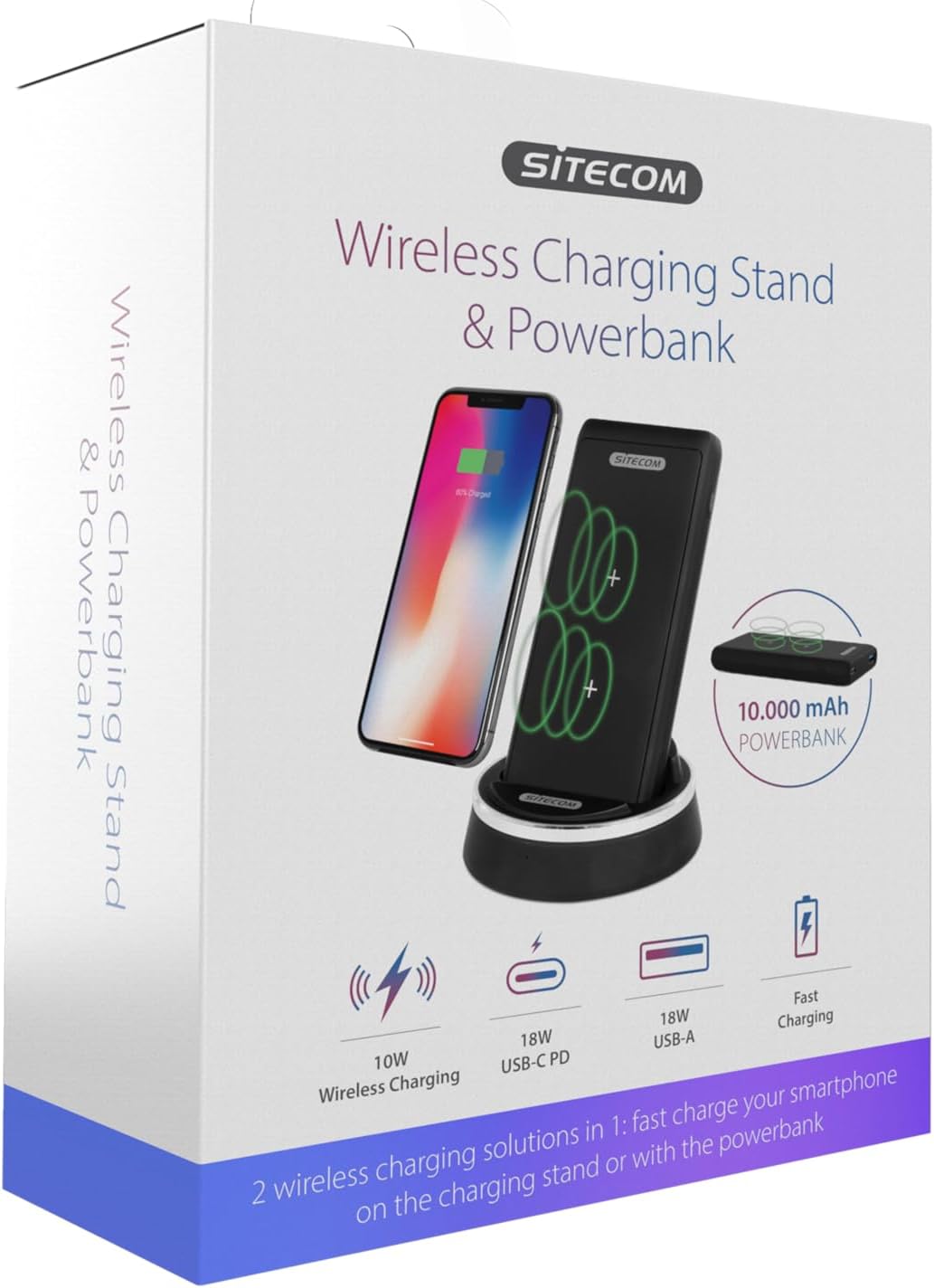
Image: The product packaging for the Sitecom CH-005, illustrating the wireless charging stand and power bank along with key features like 10W wireless charging, 18W USB-C PD, and 18W USB-A.
설정
- 풀다: 포장에서 모든 구성 요소를 조심스럽게 제거합니다.
- 도킹 스테이션을 연결하세요: Use the provided USB-C to USB-A cable to connect the docking station to a compatible USB power adapter (not included, 10W (5V/2A) USB charger recommended).
- Insert Power Bank: Place the 10,000 mAh power bank into the docking station. Ensure it is seated correctly; the power bank will automatically begin charging when docked.

Image: The Sitecom CH-005 Wireless Charging Stand with the power bank securely docked, ready for use.
작동 지침
1. Wireless Charging (Stand Mode)
When the power bank is docked in the charging stand and connected to power, it acts as a wireless charging stand.
- 도킹 스테이션의 전원이 켜져 있는지 확인하십시오.
- Place your Qi-compatible smartphone vertically on the power bank while it is in the docking station. The dual-coil charging zone allows for flexible placement.
- The charging indicator on your phone will show that charging has begun.

Image: A smartphone placed vertically on the Sitecom CH-005 charging stand, indicating active wireless charging.
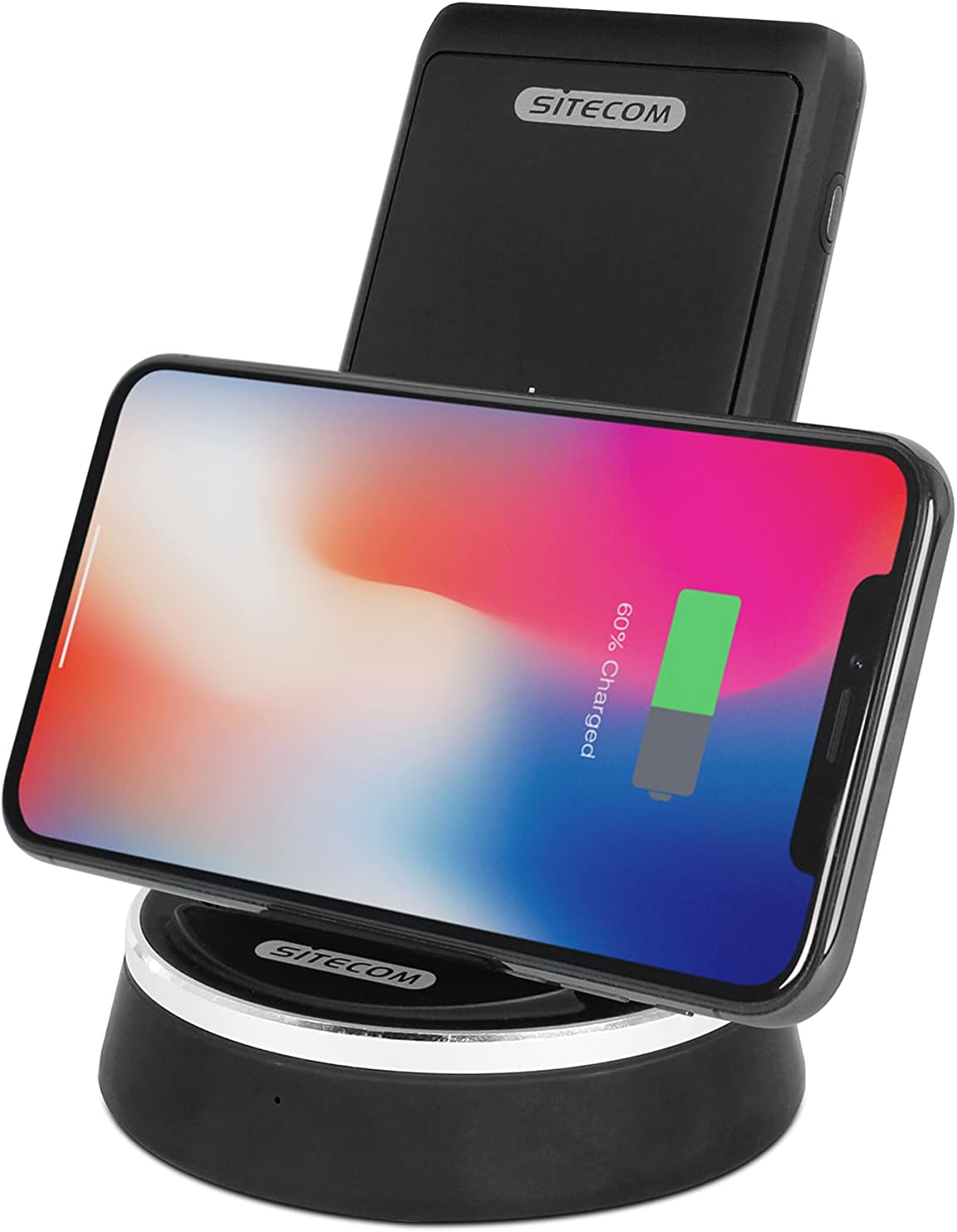
Image: A smartphone placed horizontally on the Sitecom CH-005 charging stand, demonstrating wireless charging in landscape mode.

Image: An illustrative diagram showing the internal wireless charging coils within the Sitecom CH-005 power bank and how a smartphone aligns for optimal charging.
2. Wireless Charging (Power Bank Mode)
The power bank can be used independently for wireless charging on the go.
- Remove the power bank from the docking station.
- Place your Qi-compatible smartphone directly on the rubberized surface of the power bank.
- Ensure the phone is centered over the charging coils for optimal performance. The power bank's rubberized surface helps keep the phone in place.
- The charging indicator on your phone will show that charging has begun.

Image: A smartphone lying flat on the Sitecom CH-005 power bank, demonstrating its portable wireless charging capability.

이미지: 위에서 아래로 view of the Sitecom CH-005 power bank, highlighting its charging indicators and the USB-A and USB-C ports.
3. Wired Charging (Power Bank Mode)
The power bank features both USB-C Power Delivery (PD) and USB-A ports for fast wired charging.
- USB-C PD 출력: Connect your device to the USB-C port using a compatible USB-C to USB-C cable for fast charging (e.g., 5V/2A, 9V/2A, 12V/1.5A).
- USB-A 출력: Connect your device to the USB-A port using a compatible USB-A cable for fast charging (e.g., 5V/3A, 9V/2A, 12V/1.5A).
4. 보조 배터리 충전
모바일 배터리는 두 가지 방법으로 충전할 수 있습니다.
- Via Docking Station: Simply place the power bank into the docking station. It will automatically begin to recharge.
- Via USB-C PD Input: Connect a USB-C cable from a power source to the USB-C port on the power bank (e.g., 5V/2A, 9V/2A).
명세서
| 특징 | 세부 사항 |
|---|---|
| 모델 번호 | CH-005 |
| 배터리 유형 | 1 Lithium-Polymer Battery (3.7V/10,000mAh/37Wh) |
| 무선 충전 출력 | 5W / 7.5W (for iPhone 8/X) / 10W (for Samsung Galaxy) |
| USB-C PD 입력 | 5V/2A, 9V/2A |
| USB-C PD 출력 | 5V/2A, 9V/2A, 12V/1.5A |
| USB-A 출력 | 5V/3A, 9V/2A, 12V/1.5A |
| 총 출력 | 최대 18W |
| Docking Station Input/Output | 5V/2A |
| 치수 | 12.3 x 7 x 16.5cm |
| 무게 | 354그램 |
| 안전 기능 | 과전류, 과전압tage, Short-circuit, Overheating Protection, Foreign Object Detection |
| 인증 | Qi-certified (Version 1.2.4) |
안전 정보
- 기기를 극한의 온도, 직사광선 또는 높은 습도에 노출시키지 마세요.
- 기기를 직접 분해, 개조 또는 수리하지 마십시오. 자격을 갖춘 서비스 담당자에게 문의하십시오.
- 물 및 기타 액체에서 멀리 보관하십시오.
- 장치를 떨어뜨리거나 강한 충격을 가하지 마십시오.
- Do not place metal objects or foreign materials between the charging surface and your device during wireless charging, as this may cause overheating or damage.
- Use only the provided cable or certified cables for charging.
- 해당 지역의 전자폐기물 처리 규정에 따라 제품을 책임감 있게 폐기하십시오.
문제 해결
| 문제 | 가능한 해결책 |
|---|---|
| 기기가 무선으로 충전되지 않습니다. | Ensure your device is Qi-compatible. Reposition the device on the charging surface to ensure proper alignment with the coils. Remove any thick phone cases or metal attachments. Check if the power bank/docking station is powered on. |
| 느린 충전. | Ensure you are using a compatible fast-charging adapter (e.g., 10W (5V/2A) for the docking station). Check the cable for damage. Some phone cases can hinder optimal wireless charging speed. |
| 모바일 기기가 충전되지 않습니다. | Ensure the docking station is properly connected to a power source, or if charging via USB-C, ensure the cable and adapter are functional. Check the connection points for debris. |
| LED 표시등이 작동하지 않습니다. | The device might be fully charged or not connected to a power source. If the issue persists, contact customer support. |
유지
- 청소: 기기의 표면을 닦을 때는 부드럽고 마른 천을 사용하십시오. 연마성 세척제나 용제를 사용하지 마십시오.
- 저장: 장기간 사용하지 않을 때는 직사광선과 극한의 온도를 피해 시원하고 건조한 곳에 보관하세요.
- 배터리 관리 : For optimal battery life, avoid fully discharging the power bank frequently. Recharge it regularly, even if not in constant use.
보증 및 지원
Sitecom products are designed and manufactured to the highest quality standards. For information regarding warranty terms and conditions, please refer to the warranty card included with your product or visit the official Sitecom website. If you encounter any issues or require technical assistance, please contact Sitecom customer support through their official channels.
Web대지: www.sitecom.com
관련 문서 - CH-005
 |
SITECOM APB-100 보조배터리 사용 설명서 User manual for the SITECOM APB-100 Powerbank. This guide provides comprehensive information on using the 10,000 mAh portable charger, detailing its features, specifications, charging capabilities via USB-C and USB-A ports, and essential safety instructions for optimal performance and device longevity. |
 |
Sitecom 165W GaN Power Delivery Wall Charger User Manual User manual for the Sitecom 165W GaN Power Delivery Wall Charger (Models CH-1104 and CH-1114). Includes technical specifications, safety instructions, and compliance information. |
 |
SITECOM 100W GaN Power Delivery Wall Charger User Manual Comprehensive user manual for the SITECOM 100W GaN Power Delivery Wall Charger (Models CH-1103 & CH-1113). Learn about its features, specifications, safety instructions, and support. This charger provides high-speed power delivery for various devices. |
 |
Sitecom 140W GaN Power Delivery Wall Charger (CH-1003) User Manual User manual for the Sitecom 140W GaN Power Delivery Wall Charger (CH-1003). Includes specifications, safety instructions, and technical details. |
 |
Sitecom 70W GaN Power Delivery Wall Charger (CH-1102) User Manual User manual and technical specifications for the Sitecom 70W GaN Power Delivery Wall Charger (Model: CH-1102). Includes safety instructions, output ratings, and support information. |
 |
Sitecom CH-2019 65W 범용 노트북 충전기 사용 설명서 Sitecom CH-2019 65W 범용 노트북 충전기 사용 설명서입니다. 이 설명서에는 다용도 전원 어댑터의 사양, 안전 지침 및 지원 정보가 포함되어 있습니다. |
Ask a question about this manual
Ask about setup, troubleshooting, compatibility, parts, safety, or missing instructions. Manuals+ will review the question and use this page’s manual context to help answer it.