
ROCCAT ROC-12-940-BN
Roccat Vulcan 122 Mechanical Gaming Keyboard User Manual
Model: ROC-12-940-BN
1. 서론
The Roccat Vulcan 122 is a high-performance mechanical gaming keyboard designed for precision and durability. It features Roccat's unique Titan switches, advanced AIMO RGB lighting, and a robust aluminum construction. This manual provides detailed instructions for setting up, operating, maintaining, and troubleshooting your keyboard.

Image: The Roccat Vulcan 122 keyboard shown with a Roccat mouse and headset, demonstrating its vivid, dynamic lighting synergy with AIMO.
주요 특징:
- Unique design with lowered keycaps and reduced reaction time.
- RGB lighting with configurable LED effects and adjustable AIMO effects.
- High-quality and resistant design with robust materials and an anodized aluminum surface.
- Advanced anti-ghosting with N-Key Rollover (NKRO).
- Programmable macro keys and ROCCAT Easy-Shift[+].
2. 설정
2.1 키보드 연결
To connect your Roccat Vulcan 122 keyboard:
- 키보드와 액세서리를 풀어보세요.
- 키보드의 USB 커넥터를 컴퓨터의 사용 가능한 USB 포트에 꽂으세요.
- 운영 체제가 필요한 드라이버를 자동으로 감지하고 설치합니다.
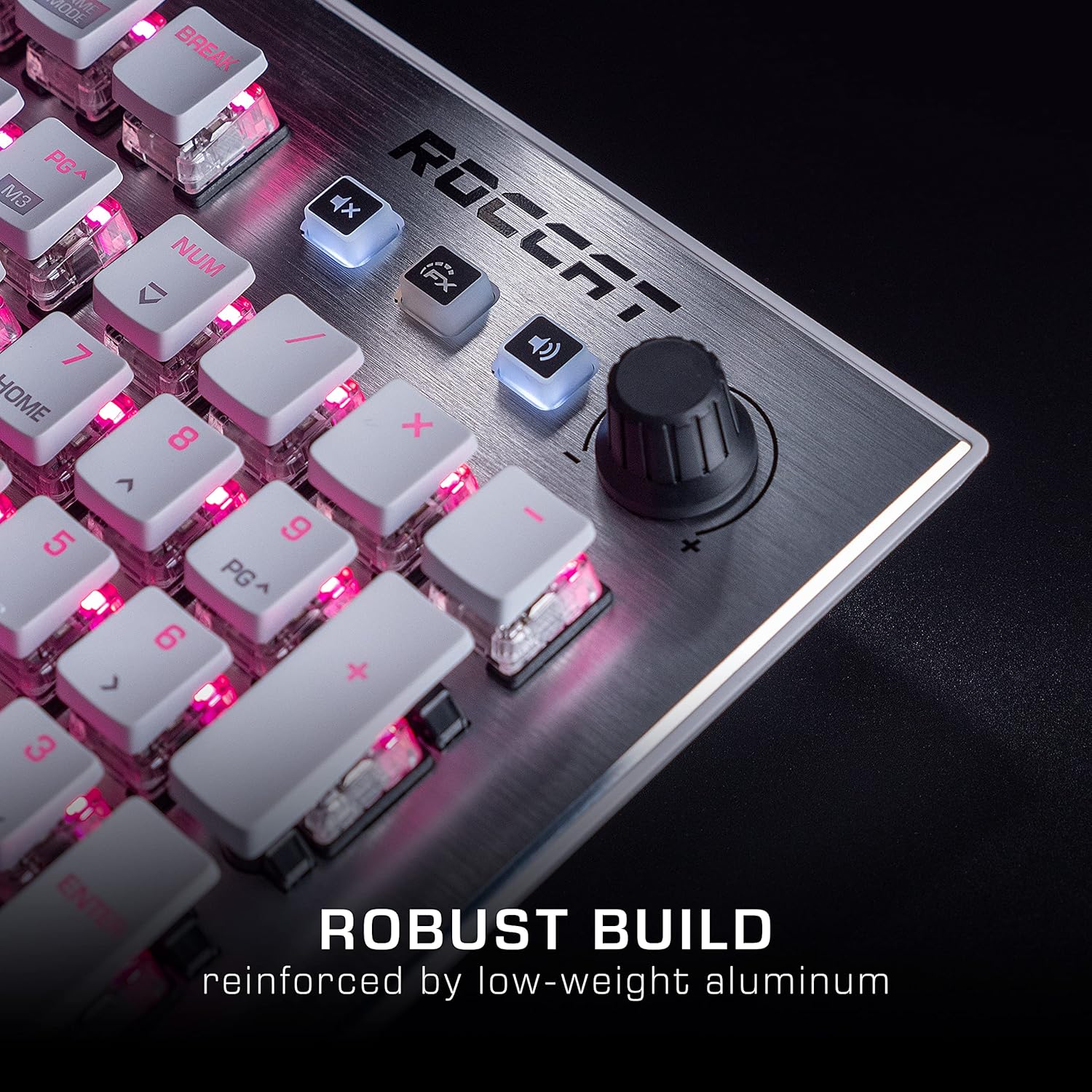
Image: The Roccat Vulcan 122 keyboard shown with its detachable wrist rest, ready for connection.
2.2 Software Installation (ROCCAT Swarm)
For full functionality and customization, install the ROCCAT Swarm software:
- 공식 ROCCAT을 방문하세요 web사이트 (www.roccat.com) 그리고 지원 섹션으로 이동하세요.
- Download the latest version of the ROCCAT Swarm software for your operating system.
- 설치 프로그램을 실행하고 화면의 지시를 따르세요.
- After installation, launch ROCCAT Swarm to configure your keyboard settings, lighting, and macros.
3. 키보드 작동
3.1 표준 키 기능
The Vulcan 122 functions as a standard QWERTY keyboard. All alphanumeric keys, function keys (F1-F12), navigation keys, and the numeric keypad operate as expected.
3.2 미디어 컨트롤
The keyboard features dedicated media controls for convenient audio management.
- 볼륨 노브: Located in the upper right corner, rotate to adjust system volume.
- 음소거 버튼: 이 버튼을 눌러 오디오를 음소거/음소거 해제하세요.
- FX 버튼: Cycles through lighting effects or other programmable functions.

이미지: 클로즈업 view of the mixer-style media controls on the Roccat Vulcan 122, including the volume knob and dedicated function keys.
3.3 RGB Lighting Customization (AIMO)
The Vulcan 122 features advanced RGB lighting with Roccat's AIMO intelligent lighting system. Use the ROCCAT Swarm software to:
- Select from various pre-set lighting effects.
- Customize individual key illumination.
- 이펙트의 밝기와 속도를 조절하세요.
- Synchronize lighting with other AIMO-compatible devices.
3.4 Programmable Macro Keys and Easy-Shift[+]
The keyboard includes programmable macro keys and the Easy-Shift[+] function, allowing you to assign secondary functions to keys.
- Use the ROCCAT Swarm software to record and assign macros to designated keys.
- Easy-Shift[+] allows you to double the number of assignable functions by holding down the Easy-Shift[+] key (usually Caps Lock by default, configurable in Swarm) and pressing another key.
3.5 Anti-Ghosting with NKRO
The Vulcan 122 features advanced anti-ghosting technology with N-Key Rollover (NKRO), ensuring that every key press is registered accurately, even when multiple keys are pressed simultaneously.

Image: A hand demonstrating typing on the Roccat Vulcan 122 keyboard, emphasizing the ergonomic design of the keys for comfortable use.
4. 유지관리
4.1 키보드 청소
To ensure the longevity and optimal performance of your Vulcan 122 keyboard, regular cleaning is recommended.
- 청소하기 전에 키보드를 컴퓨터에서 분리하세요.
- 부드럽고 털이 없는 천을 살짝 사용하세요.ampened with water or a mild cleaning solution to wipe the keycaps and surface. Avoid harsh chemicals.
- For dust and debris between keys, use compressed air. The raised keycap design makes cleaning easier.
- 키보드를 다시 연결하기 전에 완전히 말랐는지 확인하세요.

Image: A close-up of the Roccat Vulcan 122 keyboard keys, illustrating their design which facilitates easy cleaning and resistance to dust and liquids.
5. 문제 해결
If you encounter issues with your Roccat Vulcan 122 keyboard, refer to the following common problems and solutions:
- 키보드가 응답하지 않습니다:
- USB 케이블이 키보드와 컴퓨터에 모두 단단히 연결되어 있는지 확인하세요.
- 키보드를 다른 USB 포트에 연결해 보세요.
- 컴퓨터를 다시 시작하세요.
- 운영 체제의 장치 관리자에서 키보드가 비활성화되어 있는지 확인하세요.
- RGB 조명이 작동하지 않거나 올바르지 않음:
- Ensure the ROCCAT Swarm software is installed and up to date.
- Swarm 소프트웨어에서 조명 설정을 확인하세요.
- Perform a firmware update for the keyboard via Swarm.
- 키가 등록되지 않거나 고스팅됨:
- 유지 관리 섹션에 설명된 대로 해당 키를 청소하십시오.
- 키보드의 펌웨어가 최신 버전인지 확인하십시오.
- 시스템 특정 문제를 배제하기 위해 다른 컴퓨터에서 키보드를 테스트하세요.
- ROCCAT Swarm software not detecting keyboard:
- 키보드가 제대로 연결되어 있는지 확인하세요.
- Restart the Swarm software and your computer.
- ROCCAT Swarm 소프트웨어를 다시 설치하십시오.
- 소프트웨어 또는 드라이버와의 충돌 여부를 확인하십시오.
6. 사양
| 특징 | 세부 사항 |
|---|---|
| 상표 | ROCCAT |
| 모델명 | 발칸 122 |
| 모델 번호 | ROC-12-940-BN |
| 키보드 설명 | 기계적 |
| 스위치 유형 | 촉각적 |
| 재료 | 알류미늄 |
| 특별 기능 | 백라이트 |
| 호환 장치 | Laptop (PC) |
| 운영 체제 지원 | 윈도우 10, 윈도우 7, 윈도우 8 |
| 제품 치수 | 46.2 x 23.5 x 3.2cm |
| 품목 무게 | 1.15kg |

이미지: 폭발된 view diagram illustrating the components of a Roccat Titan Tactile mechanical switch, highlighting its design for swift and precise response.
7. 보증 및 지원
7.1 보증 정보
Your Roccat Vulcan 122 keyboard is covered by a manufacturer's warranty. The specific terms and duration of the warranty may vary by region and retailer. Please retain your proof of purchase for warranty claims. For detailed warranty information, refer to the warranty card included with your product or visit the official ROCCAT web대지.
7.2 기술 지원
For technical assistance, driver updates, or further inquiries, please visit the official ROCCAT support page:
고객 서비스에 대한 FAQ, 문제 해결 가이드 및 연락처 정보는 해당 사이트에서 찾을 수 있습니다. web대지.
관련 문서ROC-12-940-BN


Ask a question about this manual
Ask about setup, troubleshooting, compatibility, parts, safety, or missing instructions. Manuals+ will review the question and use this page’s manual context to help answer it.