
1. 서론
구매해주셔서 감사합니다asing the ELECTROPRIME Digital Voice Recorder. This device is designed for high-quality audio recording and playback, functioning as both a dictaphone and an MP3 music player. Please read this manual carefully to ensure proper use and optimal performance.
패키지 내용:
- ELECTROPRIME Digital Voice Recorder (Model: ASHA20BEBUBEB16153)
- USB 케이블
- 사용자 설명서
2. 제품 오버view
장치의 구성 요소와 제어 장치를 숙지하세요.
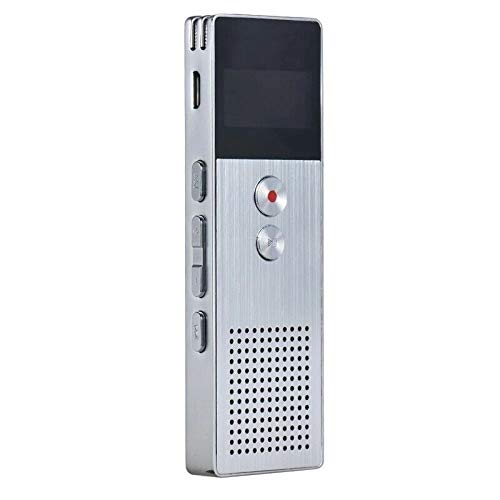
이미지 2.1: 앞쪽 view of the ELECTROPRIME Digital Voice Recorder. This image displays the device's screen, the prominent red record button, and other control buttons on the front panel, along with the speaker grille at the bottom.
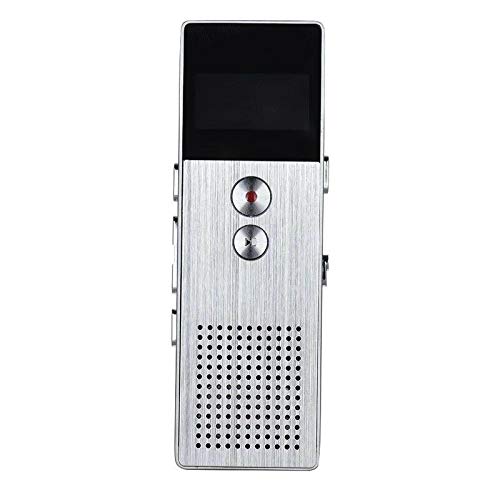
이미지 2.2: 옆 view of the ELECTROPRIME Digital Voice Recorder. This image highlights the side controls, including the power switch, volume buttons, and the USB charging/data transfer port. The device's compact design is visible.
장치 구성 요소:
- 디스플레이 화면: 녹화 상태, 시간, 배터리 잔량 및 메뉴 옵션을 표시합니다.
- 녹음 버튼: 오디오 녹음을 시작하고 중지합니다.
- 재생/일시 정지 버튼: Starts and pauses playback of audio files.
- 볼륨 버튼(+/-): 재생 볼륨을 조절합니다.
- 메뉴/모드 버튼: Navigates through menus and switches operating modes.
- USB 포트: 컴퓨터 충전 및 데이터 전송용.
- 마이크로폰: Built-in stereo microphone for audio input.
- 스피커: 오디오를 직접 재생하려면.
- 헤드폰 잭: 개인적으로 듣기 위한 것입니다.
- 전원 스위치: 장치를 켜거나 끕니다.
3. 설정
3.1 장치 충전
Before first use, fully charge the device. Connect the recorder to a computer's USB port or a USB wall adapter (not included) using the provided USB cable. The battery indicator on the screen will show charging status. A full charge typically takes 2-3 hours.
3.2 전원 켜기/끄기
- 전원을 켜려면 슬라이드하세요 전원 스위치 ON 위치로 이동합니다.
- 전원을 끄려면 슬라이드하세요. 전원 스위치 OFF 위치로.
3.3 초기 설정
Upon first power-on or after a reset, you may need to set the date, time, and language. Use the navigation buttons to select options and confirm with the Play/Pause button.
4. 사용 설명서
4.1 음성 녹음
The device supports high-quality stereo recording in .WAV format, offering up to 23 hours of continuous recording with its 8GB internal memory.
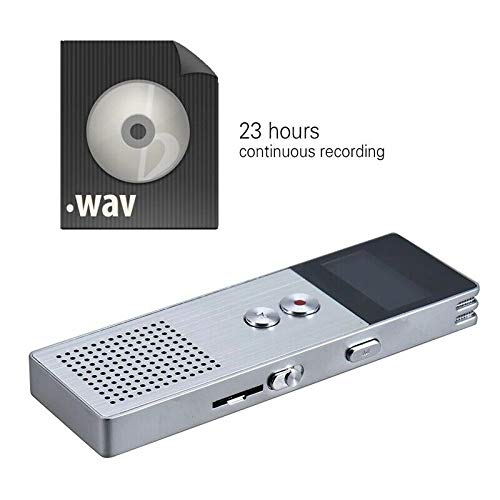
이미지 4.1: The recorder's capability to record in .WAV format and its impressive 23-hour continuous recording capacity are highlighted in this image, alongside the device itself.
- 장치의 전원이 켜져 있는지 확인합니다.
- 를 누르세요 녹화 버튼 (red circle) to start recording. The screen will display a recording indicator and elapsed time.
- 녹음을 일시 정지하려면 재생/일시정지 버튼. 다시 시작하려면 다시 누르십시오.
- 녹화를 중지하고 저장하려면 file, 누르세요 녹화 버튼 다시. 그만큼 file 자동으로 저장됩니다.
팁: For best recording quality, ensure the microphone is not obstructed and the device is placed on a stable surface.
4.2 재생
- In the main menu, navigate to the "Recordings" or "Music" folder using the navigation buttons.
- 원하는 것을 선택하세요 file 그리고 누르세요 재생/일시정지 버튼 재생을 시작하세요.
- 재생 중 사용 볼륨 버튼 (+/-) 볼륨을 조절합니다.
- 를 누르세요 재생/일시정지 버튼 to pause playback, and again to resume.
- 재생을 중지하려면 정지 버튼 (if available, otherwise navigate out of playback mode).
4.3 MP3 Music Player Functionality
The device can also function as an MP3 player. Transfer MP3 files to the device via USB connection to your computer.
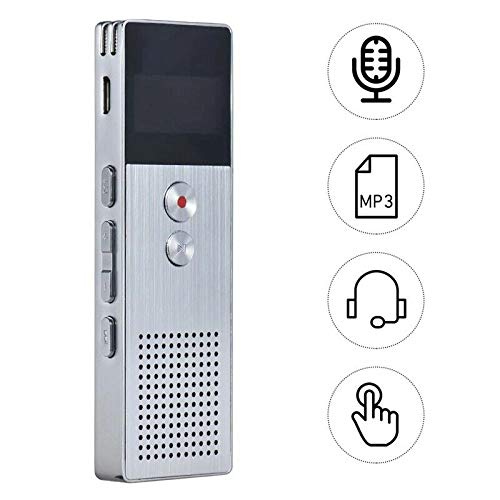
이미지 4.2: This image illustrates the multi-functional capabilities of the device, including its use as a voice recorder (microphone icon), an MP3 player (MP3 icon), and its compatibility with headphones (headphone icon). The touch icon suggests ease of interaction.
- USB 케이블을 사용하여 장치를 컴퓨터에 연결합니다.
- The device will appear as a removable disk. Copy your MP3 files into the "Music" folder on the device.
- 컴퓨터에서 장치를 안전하게 꺼내세요.
- On the recorder, navigate to the "Music" menu and select your desired MP3 file 재생합니다.
4.4 File Management (Connecting to PC)
To transfer, delete, or organize files, connect the recorder to your computer using the USB cable. The device will be recognized as a mass storage device. You can then drag and drop files as you would with any USB drive.
5. 유지관리
- 기기를 건조하게 유지하십시오. 습기는 내부 회로를 손상시킬 수 있습니다.
- 극한의 온도를 피하세요.
- 장치를 떨어뜨리거나 강한 충격을 가하지 마십시오.
- 부드럽고 마른 천으로 기기를 닦으세요. 강한 화학 물질이나 세제는 사용하지 마세요.
- 중요한 녹음 파일은 정기적으로 컴퓨터에 백업하세요.
6. 문제 해결
기기의 전원이 켜지지 않습니다:
- 배터리가 충전되어 있는지 확인하세요. 전원에 연결한 후 다시 시도해 보세요.
- 전원 스위치가 ON 위치에 있는지 확인하십시오.
녹음할 수 없습니다:
- Check available memory. If full, transfer files to a computer and delete them from the device.
- 마이크가 가려지지 않도록 하십시오.
- Verify the device is in recording mode.
재생 중에 소리가 나지 않습니다:
- Adjust the volume using the Volume Buttons.
- 헤드폰을 사용하는 경우 제대로 연결되어 있는지 확인하십시오.
- 오디오인지 확인 file 손상되었습니다.
컴퓨터가 장치를 인식하지 못합니다:
- 다른 USB 포트나 USB 케이블을 사용해 보세요.
- 연결할 때는 기기의 전원이 켜져 있는지 확인하십시오.
- 컴퓨터를 다시 시작하세요.
7. 사양
| 상표 | 일렉트로프라임 |
| 모델 번호 | ASHA20BEBUBEB16153 |
| 메모리 저장 | 8GB (XNUMX기가바이트) |
| 기록 형식 | 웨이브 |
| 재생 형식 | MP3, WAV |
| 마이크로폰 | 스테레오 재생 |
| 연속 녹화 | 최대 23시간 |
| 연결성 | USB |
8. 보증 및 지원
For warranty information or technical support, please refer to the product packaging or contact ELECTROPRIME customer service through their official website or the retailer where the product was purchased. Please have your model number (ASHA20BEBUBEB16153) and purchase details ready.