
소개
This manual provides detailed instructions for the installation, operation, and maintenance of your Foscam D2EP IP Camera. The D2EP is a high-definition 2-megapixel outdoor security camera designed for reliable surveillance with features such as infrared night vision, smart motion detection, and wired connectivity. Please read this manual thoroughly before using the product to ensure correct setup and optimal performance.
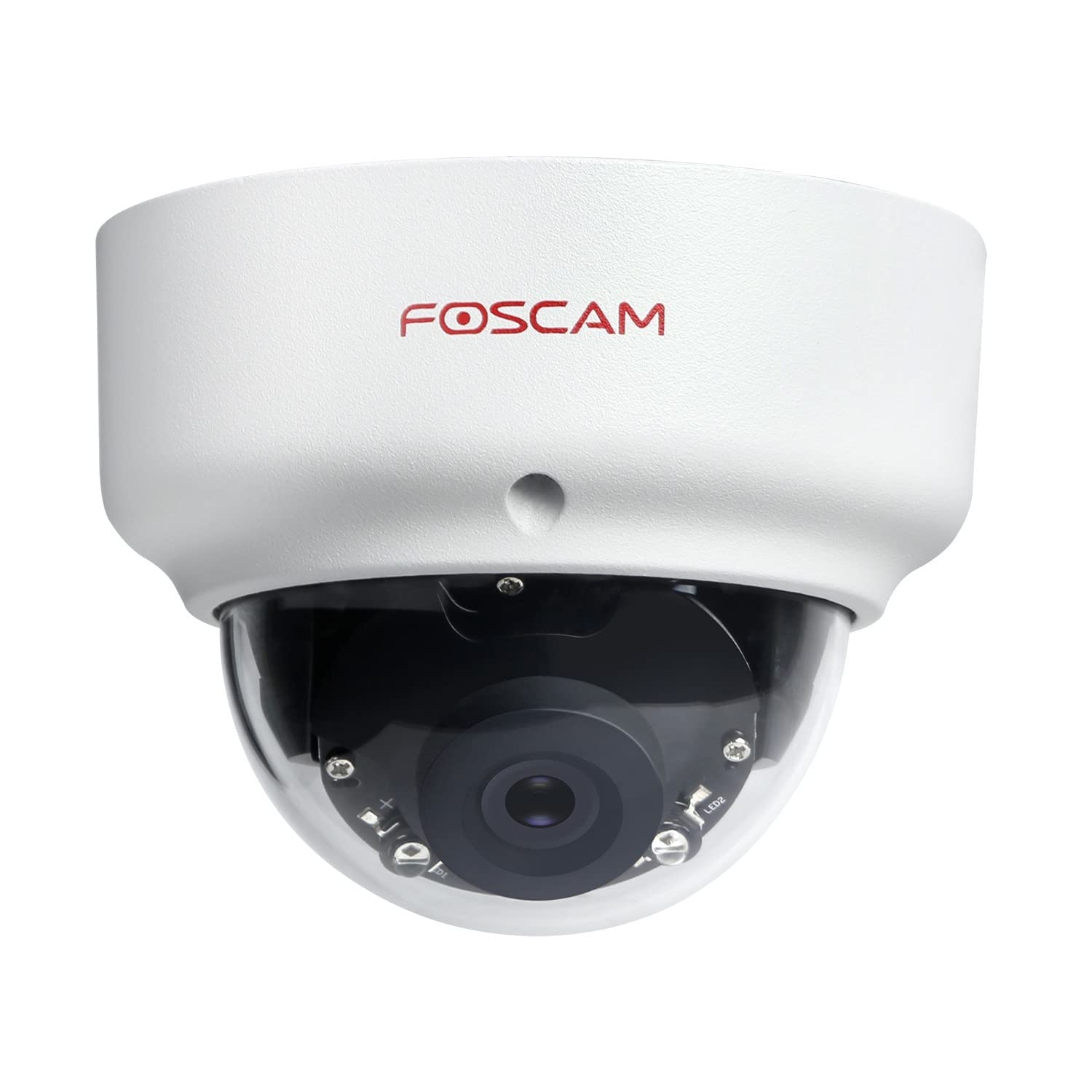
Image: The Foscam D2EP IP Camera, showcasing its compact, dome-shaped design suitable for outdoor environments.
1. 설정 및 설치
1.1 패키지 내용
설치를 시작하기 전에 패키지에 모든 구성 요소가 들어 있는지 확인하세요.
- Foscam D2EP IP Camera
- 장착 나사 및 벽면 플러그
- 이더넷 케이블
- 전원 어댑터
- 빠른 설치 가이드

Image: Foscam D2EP IP Camera with its power and Ethernet cables, illustrating the main components included in the box.
1.2 물리적 설치
The Foscam D2EP camera is designed for outdoor use with an IP66 waterproof rating. Choose a suitable location that provides the desired viewing angle and is within reach of a power source and network connection.
- 장착 위치: Identify a secure mounting surface, such as a wall or ceiling, that offers a clear view 모니터링하려는 영역의
- 드릴 구멍: Use the provided mounting template (if included) or the camera base to mark and drill pilot holes for the mounting screws. Insert wall plugs if mounting on masonry.
- 보안 카메라: Attach the camera base securely to the mounting surface using the provided screws.
- 각도 조정: 카메라 본체의 조절 나사를 풀어 렌즈를 최적의 위치에 놓으십시오. viewing angle. Tighten the screws once the desired angle is achieved.

Image: Foscam D2EP IP Camera mounted under an outdoor patio roof, demonstrating a typical installation scenario for outdoor surveillance.
1.3 네트워크 및 전원 연결
- 이더넷 케이블 연결: Connect one end of the Ethernet cable to the camera's network port and the other end to your router or network switch.
- 전원 어댑터 연결: Plug the power adapter into the camera's power input and then into a suitable electrical outlet.
- 표시등: Wait for the camera's indicator light to show a stable status, indicating it is powered on and connected to the network. Refer to the Quick Installation Guide for specific indicator light behaviors.
1.4 초기 구성
To access and configure your camera, download the Foscam app on your smartphone or use the Foscam client software on your computer.
- Download App/Software: 검색 "Foscam" in your app store (iOS/Android) or visit the official Foscam website for desktop software.
- 카메라 추가: Follow the in-app or software instructions to add your D2EP camera. This typically involves scanning a QR code on the camera or manually entering its UID.
- 암호를 설정하세요: For security, change the default password immediately upon first access.
- 네트워크 설정: Configure any necessary network settings, such as static IP (if required by your network).
2. 사용 설명서
2.1 라이브 View 그리고 녹음
Once configured, you can access the live video feed from your Foscam D2EP camera through the Foscam app or desktop client.
- 살다 View: 장치 목록에서 카메라를 선택하세요 view the real-time 1080p HD video stream.
- 수동 녹음: Most Foscam applications allow you to manually start and stop video recordings directly from the live view 인터페이스.
- 스냅 사진: 라이브 피드에서 정지 이미지를 캡처합니다.
2.2 동작 감지
The D2EP features smart motion detection to alert you to activity in the monitored area.
- 동작 감지 활성화: Navigate to the camera settings in the Foscam app/software and enable motion detection.
- Configure Detection Area: 카메라 내의 특정 영역을 정의합니다. view where motion should be detected, ignoring irrelevant zones.
- 감도 조정: Set the motion detection sensitivity to minimize false alarms while ensuring important events are captured.
- 경고 설정: Configure how you receive alerts (e.g., push notifications, email).
2.3 주야간 시야
The camera automatically switches between day (color) and night (infrared black and white) vision modes based on ambient light conditions. The infrared LEDs provide clear vision up to 20 meters in low-light environments.
2.4 아마존 알렉사 호환성
The Foscam D2EP camera is compatible with Amazon Alexa, allowing for voice control and integration into your smart home system. Refer to the Foscam website or Alexa app for detailed instructions on linking your Foscam account and controlling your camera via Alexa commands.
3. 유지관리
3.1 카메라 청소
Regularly clean the camera lens and housing to ensure optimal image quality and prevent debris buildup, especially for outdoor installations.
- 부드러운 d를 사용하세요amp 카메라 본체를 닦는 천.
- 렌즈의 경우, 긁힘을 방지하기 위해 특수 렌즈 세척 천과 세척 용액을 사용하세요.
- 가혹한 화학물질이나 연마재를 사용하지 마십시오.
3.2 펌웨어 업데이트
Foscam regularly releases firmware updates to improve camera performance, add new features, and enhance security. It is recommended to keep your camera's firmware up to date.
- Check for updates through the Foscam app or desktop client.
- Follow the on-screen instructions carefully during the update process. Do not power off the camera during an update.
4. 문제 해결
4.1 Camera Not Connecting to Network
- 케이블 확인: Ensure the Ethernet cable is securely connected to both the camera and the router/switch.
- 힘: Verify the camera is powered on and the power adapter is working correctly.
- 라우터 상태: Confirm your router is functioning and providing network access.
- IP 주소 충돌: If using a static IP, ensure it does not conflict with other devices on your network. Try DHCP first.
- 카메라 재설정: If issues persist, perform a factory reset (refer to the Quick Installation Guide for reset button location and procedure).
4.2 이미지 품질이 좋지 않음
- 깨끗한 렌즈: Ensure the camera lens is clean and free from dirt or smudges.
- 조명: Verify adequate lighting in the monitored area during the day.
- 야간 투시경: In night mode, ensure there are no obstructions blocking the infrared LEDs.
- 해상도 설정: Check that the camera's resolution is set to 1080p (2MP) in the app/software settings.
4.3 동작 감지가 작동하지 않거나 오경보가 너무 잦음
- Enable Feature: Confirm motion detection is enabled in the camera settings.
- 감지 영역: Adjust the detection zone to cover only relevant areas.
- 감광도: Increase sensitivity if events are missed; decrease if there are too many false alarms (e.g., from moving trees, shadows).
- 일정: Check if motion detection is scheduled to be active during the desired times.
5. 사양
| 모델명 | D2EP |
| 상표 | 포스캠 |
| 해결 | 2 메가픽셀(1080p) |
| 연결 기술 | 열광한 |
| 권장 사용 | 야외 보안 카메라 |
| 내후성 | IP66 방수 |
| 나이트 비전 범위 | 최대 20미터 (적외선) |
| 주요 특징 | Motion Sensor, Day/Night Vision, Amazon Alexa Compatible |
6. 보증 정보
The Foscam D2EP IP Camera comes with a 2년 보증 from the date of purchase. This warranty covers manufacturing defects and ensures the product functions as described under normal use. Please retain your proof of purchase for warranty claims. For detailed warranty terms and conditions, please visit the official Foscam web대지.
7. 고객 지원
If you encounter any issues or have questions regarding your Foscam D2EP IP Camera that are not covered in this manual, please refer to the following resources:
- 포스캠 공식 Web대지: 방문하다 www.foscam.com for FAQs, support articles, and the latest firmware.
- 기술 지원: Contact Foscam technical support directly via their web사이트 또는 제품 포장에 제공된 연락처 정보를 참조하세요.