
1. 서론
This manual provides detailed instructions for the DSD TECH 1.8 Inch TFT LCD Display Module. This module is a 1.8-inch color screen capable of displaying 65K full colors, designed for electronic enthusiasts and students. It is compatible with development boards such as Arduino and Raspberry Pi. The module utilizes a 4-wire SPI communication mode, requiring only four I/O pins for display operation, and includes an SD card slot for expanded functionality.
2. 패키지 내용
패키지에 모든 품목이 들어 있는지 확인하세요.
- TFT LCD Module x1
- 8 PIN Dupont Line x1
- User Guide x1 (This document)

Image 2.1: Contents of the DSD TECH 1.8 Inch TFT LCD Display Module package.
3. 사양
| 특징 | 사양 |
|---|---|
| 디스플레이 색상 | 16BIT RGB 65K 컬러 |
| 화면 크기 | 1.8인치 |
| 디스플레이 유형 | TFT |
| 드라이버 IC | ST7735S |
| 해결 | 128 x 160 픽셀 |
| 모듈 인터페이스 | 4-와이어 SPI 인터페이스 |
| 백라이트 | 2 개의 백색 LED |
| 활동 영역 | 28.03 x 35.04mm |
| 모듈 PCB 크기 | 38.30 x 62.48mm |
| 작동 온도 | -20℃ ~ 60℃ |
| 보관 온도 | -30℃ ~ 70℃ |
| 운영 볼륨tage | 5V / 3.3V |
| 무게 | 15g(0.48온스) |
| 제품 치수 | 2.76 x 1.57 x 0.98 인치 |

Image 3.1: Module Dimensions.
4. 설정 및 설치
The DSD TECH 1.8 Inch TFT LCD Display Module is designed for direct insertion into compatible development boards. It uses a 4-wire SPI interface for communication.
4.1 핀아웃 설명

Image 4.1: Module Pinout (Obverse View).
The module features the following pins:
- VCC: 전원 공급 장치(5V/3.3V)
- GND : 지면
- NC: Not Connected (multiple pins)
- CLK (SCLK): SPI 클록
- SDA (MOSI): SPI 데이터 출력
- RS (DC): Data/Command Select
- RST : 다시 놓기
- CS: 칩 선택
4.2 Wiring Instructions (Arduino Examp르)
For basic operation with an Arduino board, connect the module as follows. Note that specific digital pin assignments for RS, RST, and CS can be defined in your sketch.
- VCC: Connect to Arduino 5V pin.
- GND : Connect to Arduino GND pin.
- CLK (SCLK): Connect to Arduino Digital Pin 13.
- SDA (MOSI): Connect to Arduino Digital Pin 11.
- RS (DC): Connect to an available Arduino Digital Pin (e.g., D9).
- RST : Connect to an available Arduino Digital Pin (e.g., D8).
- CS: Connect to an available Arduino Digital Pin (e.g., D10).

Image 4.2: Connecting the module to an Arduino Uno.

Image 4.3: Connecting the module to an Arduino Mega 2560.
5. 운영
To operate the display module, you will need to install the necessary libraries in your Arduino IDE (or equivalent development environment for other MCUs). DSD TECH provides sample code to facilitate quick setup and usage.
5.1 Required Libraries
For Arduino, install the Adafruit ST7735 and Adafruit GFX libraries. These can typically be found and installed via the Arduino IDE's Library Manager.
5.2 초amp르 코드
DSD TECH offers sample code that allows you to get the LCD screen operational quickly, often within minutes. Refer to the official DSD TECH support resources for the latest sample code and detailed instructions.

Image 5.1: Display module in operation with Arduino Uno.
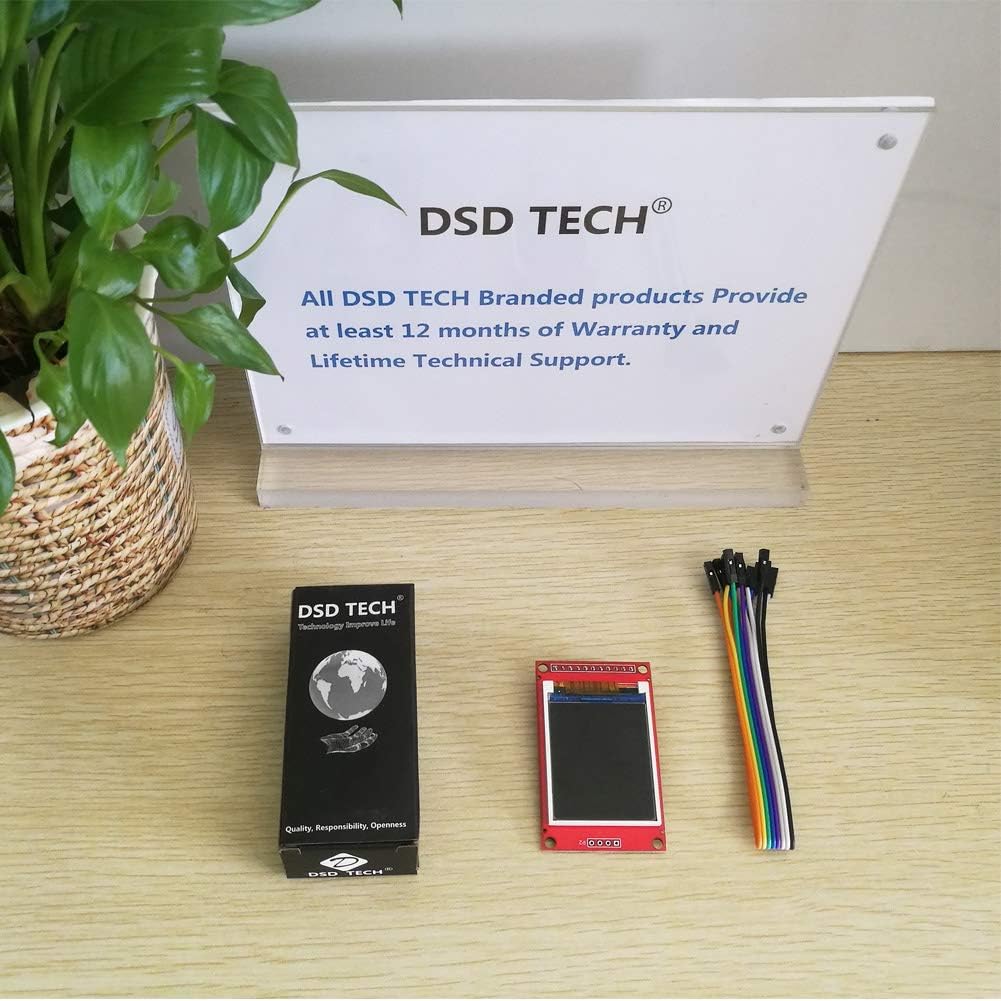
Image 5.2: Display module in operation with Arduino Mega 2560.
6. 유지관리
The DSD TECH 1.8 Inch TFT LCD Display Module requires minimal maintenance. Keep the module clean and free from dust and moisture. Avoid applying excessive force to the screen or connections.
- 사용하지 않을 때는 모듈을 건조하고 서늘한 곳에 보관하십시오.
- Clean the screen gently with a soft, dry cloth. Do not use harsh chemicals.
- Ensure all connections are secure but not overtightened.
7. 문제 해결
- 디스플레이가 어둡거나 읽을 수 없음: Ensure the module is powered with 5V. While it can function at 3.3V, a 5V supply often results in a brighter and clearer display. If using a 3.3V MCU, consider using a level shifter for signal lines while powering the display with 5V.
- 화면에 아무것도 표시되지 않습니다.
- Verify all wiring connections are correct according to the pinout and your MCU's specifications.
- Check that the required libraries (e.g., Adafruit ST7735, Adafruit GFX) are correctly installed in your development environment.
- Confirm that the pin definitions in your code match the physical connections to your MCU.
- Ensure the MCU is powered on and the code is successfully uploaded.
- Incorrect colors or distorted display: Double-check the initialization code for the ST7735S driver and ensure the correct display type is selected in the library.
8. 보증 및 지원
DSD TECH provides a 1-year warranty and lifetime technical support for this TFT LCD Display Module. For any questions or assistance, please contact DSD TECH customer support. All inquiries will be addressed within one working day.
For further information and support, visit the official DSD TECH web사이트를 방문하거나 지원팀에 직접 문의하세요.